
4G AIRHOME 300 Mini — маршрутизатор знімними 4G-антенами
Усі питання
4G AIRHOME 300 Mini — маршрутизатор знімними 4G-антенами
Як змінити SSID та пароль? (Налаштування Wi-Fi)

Після того як ви зміните ім’я мережі та пароль вашого пристрою « маршрутизатор », QR-код перестане працювати, оскільки дані для підключення вашого пристрою « маршрутизатор » будуть іншими.
Будь ласка, запишіть нові мережеві дані на аркуші паперу.
1. Підключітьсядо мережі Wi-Fi маршрутизатор
Щоб змінити SSID та пароль, необхідно підключитися до мережі Wi-Fi на своєму пристрої.

2. ВведітьIP-адресу веб-інтерфейсу користувача
Потім введіть у браузері таку IP-адресу: 192.168.0.1.

3. Сторінка входу
Потім натисніть «Увійти».

4. Введітьсвої облікові дані
Необхідно ввести ім'я користувача та пароль.

5. Налаштування Wi-Fi
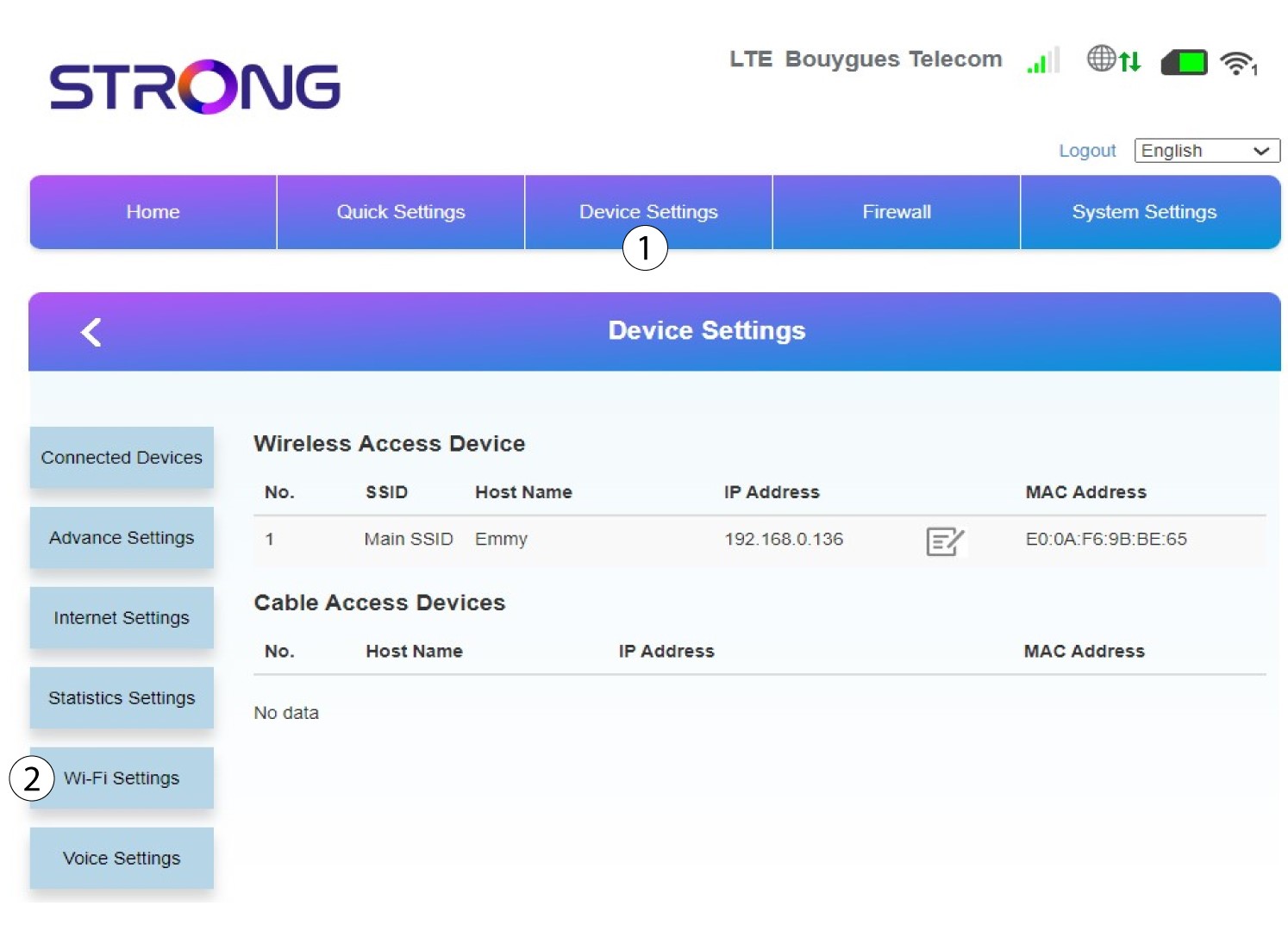
Натисніть «Налаштування пристрою » та виберіть «Налаштування Wi-Fi».
6 ОсновнийSSID
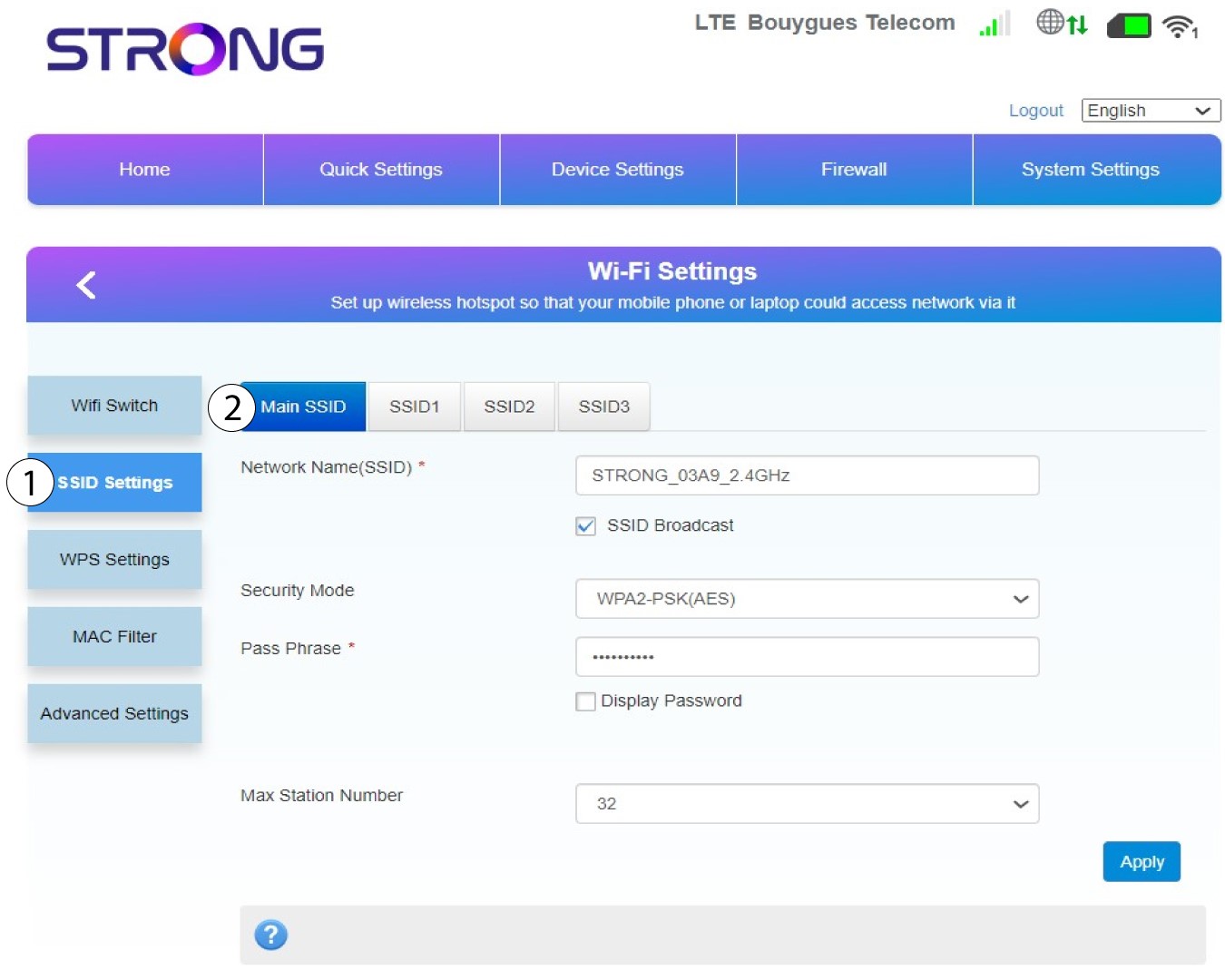
Потім виберіть «Налаштування SSID » і виберіть «Основний SSID».
7. Введітьнову назву мережі та пароль
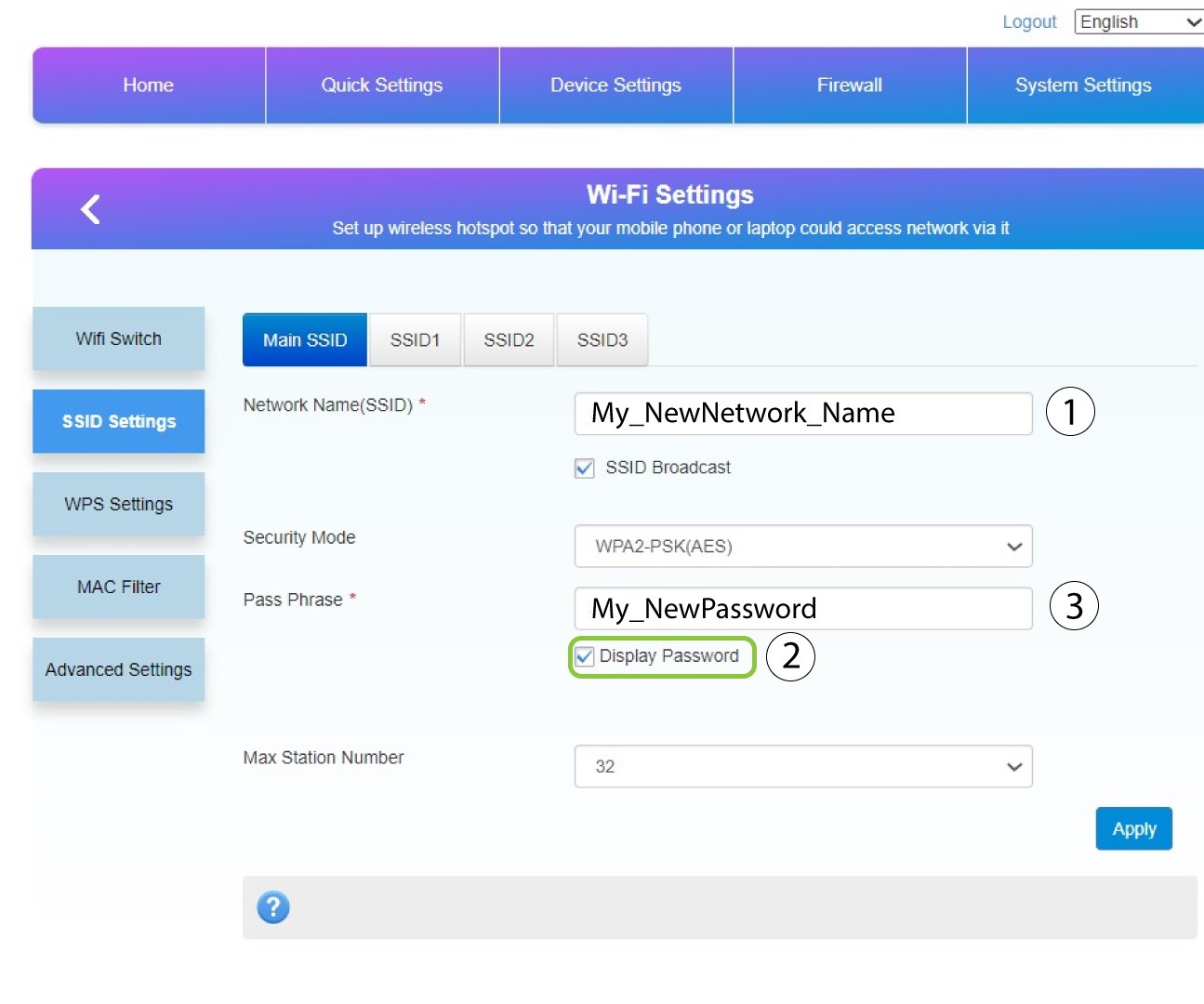
Змініть ім’я, введене в полі «Ім’я мережі (SSID) », і встановіть прапорець «Відображати пароль». Потім змініть пароль, введений у полі «Парольна фраза ».
8. Збережітьзміни
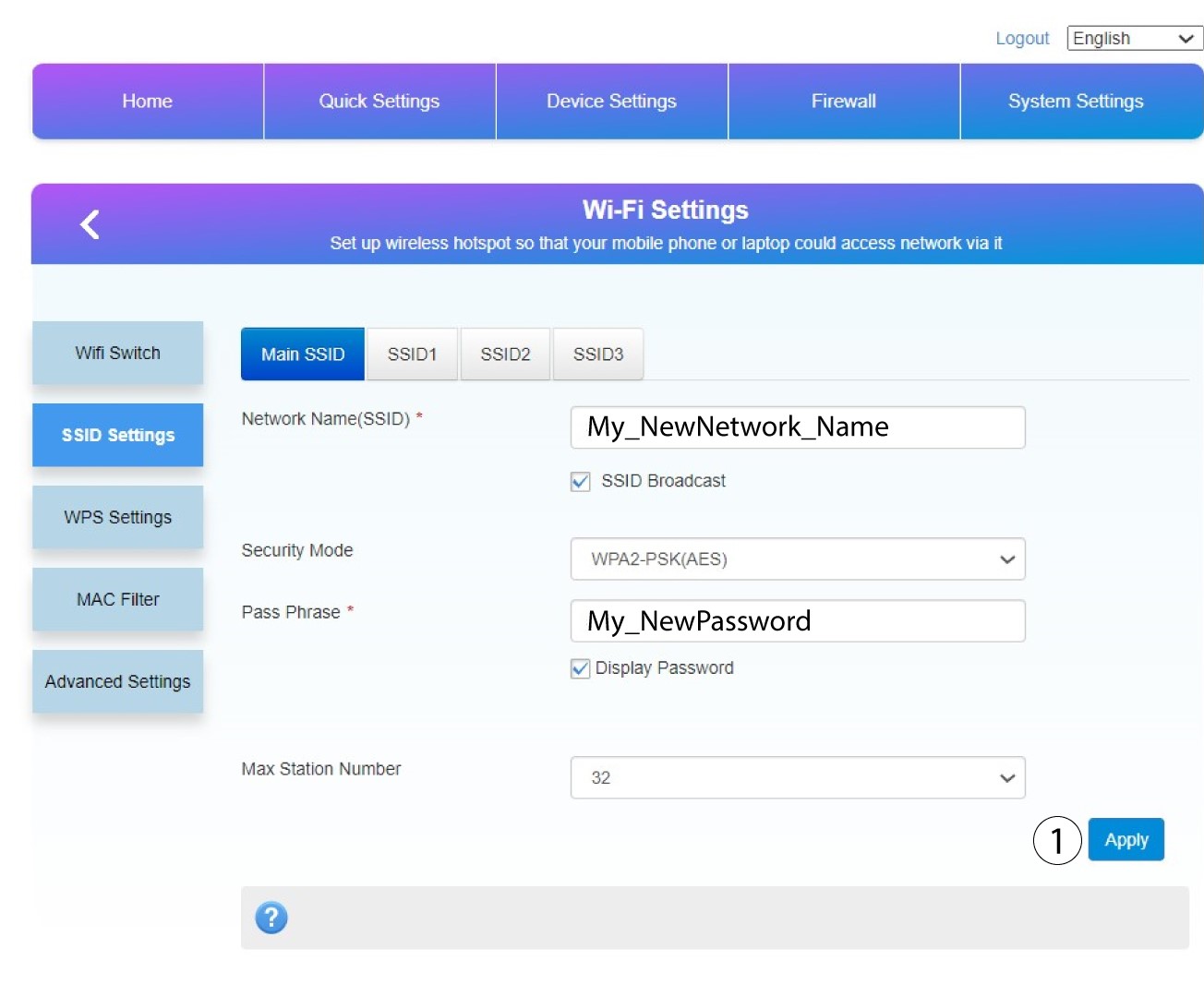
Натисніть «Застосувати», щоб зберегти зміни.
9. Запишітьотриману інформацію
Запишіть новий SSID та пароль на аркуші паперу й приклейте його скотчем до пристрою « маршрутизатор ».
