
ATRIA Wi-Fi 5 Mesh 1200 (2-пакет)
Всички въпроси
ATRIA Wi-Fi 5 Mesh 1200 (2-пакет)
Как да промените паролата за администратор (уеб интерфейс)
1Свържете сес Wi-Fi мрежата на вашето mesh
За да направите това, въведете SSID (името на Wi-Fi мрежата) и паролата за Wi-Fi на рутера във вашето устройство:

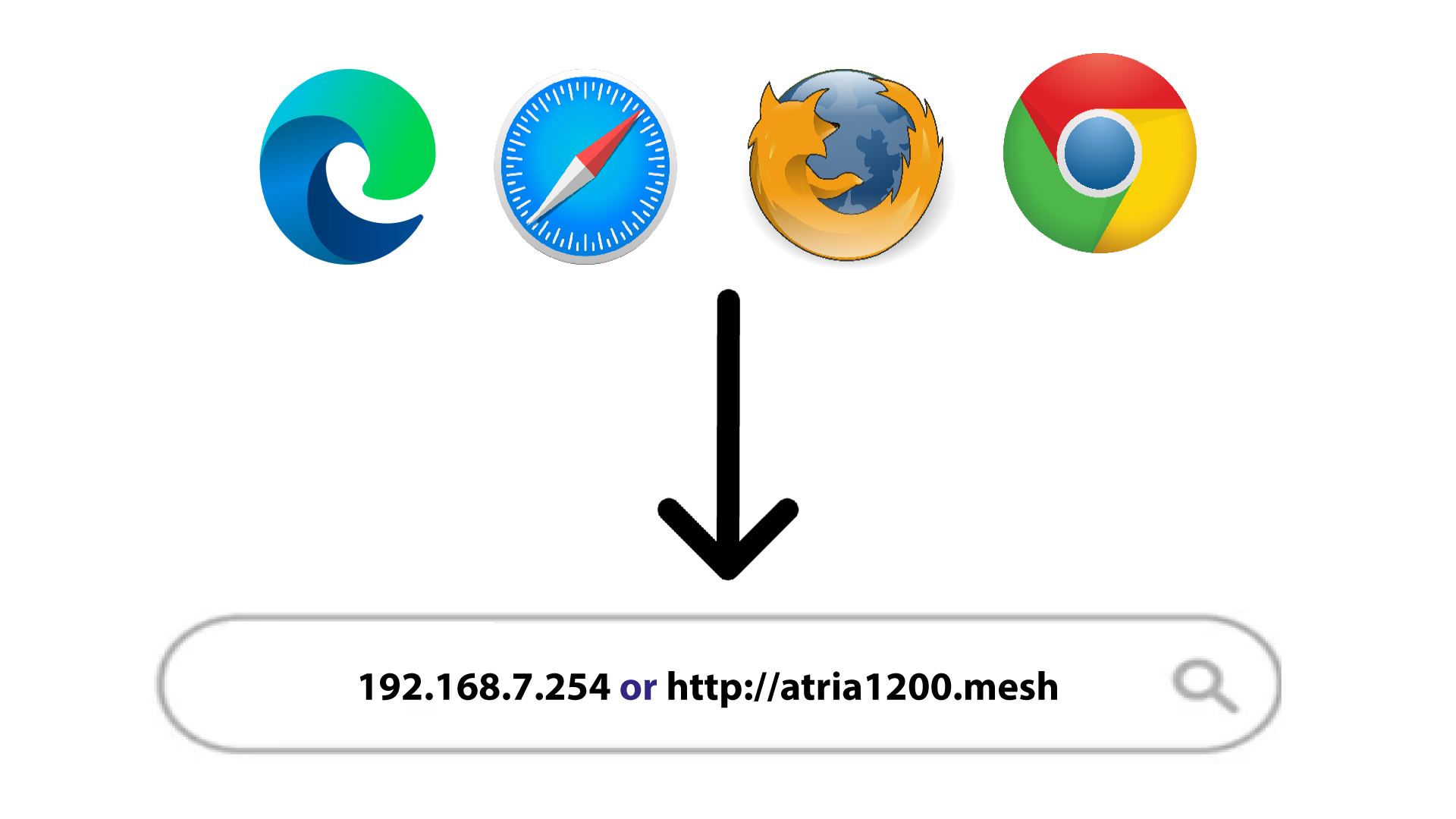
2. Отворетестраницата с IP адреса
След това въведете следния IP адрес в браузъра си: 192.168.7.254 или въведете следния адрес: http://atria1200.mesh
3Въведетеданните си за вход
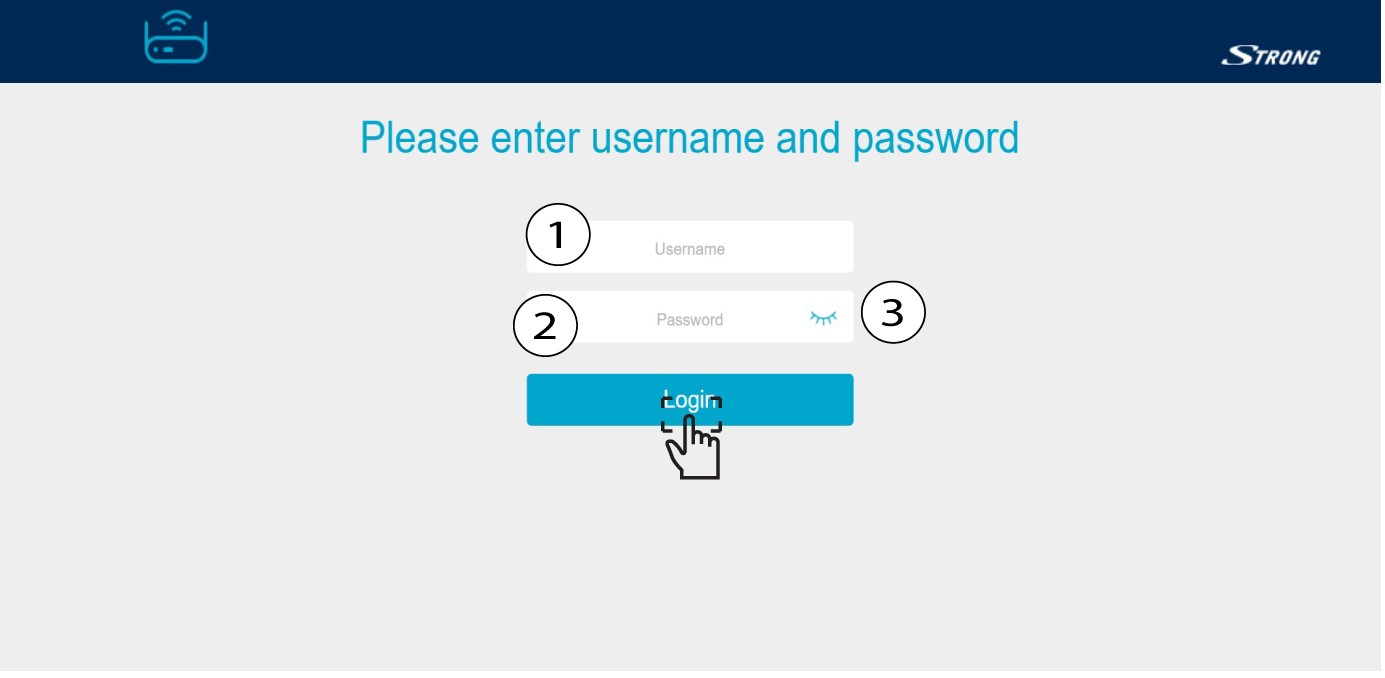
Трябва да въведете името на потребителя (admin) и паролата (admin). След това кликнете върху „Вход“.
4. Настройки на системата
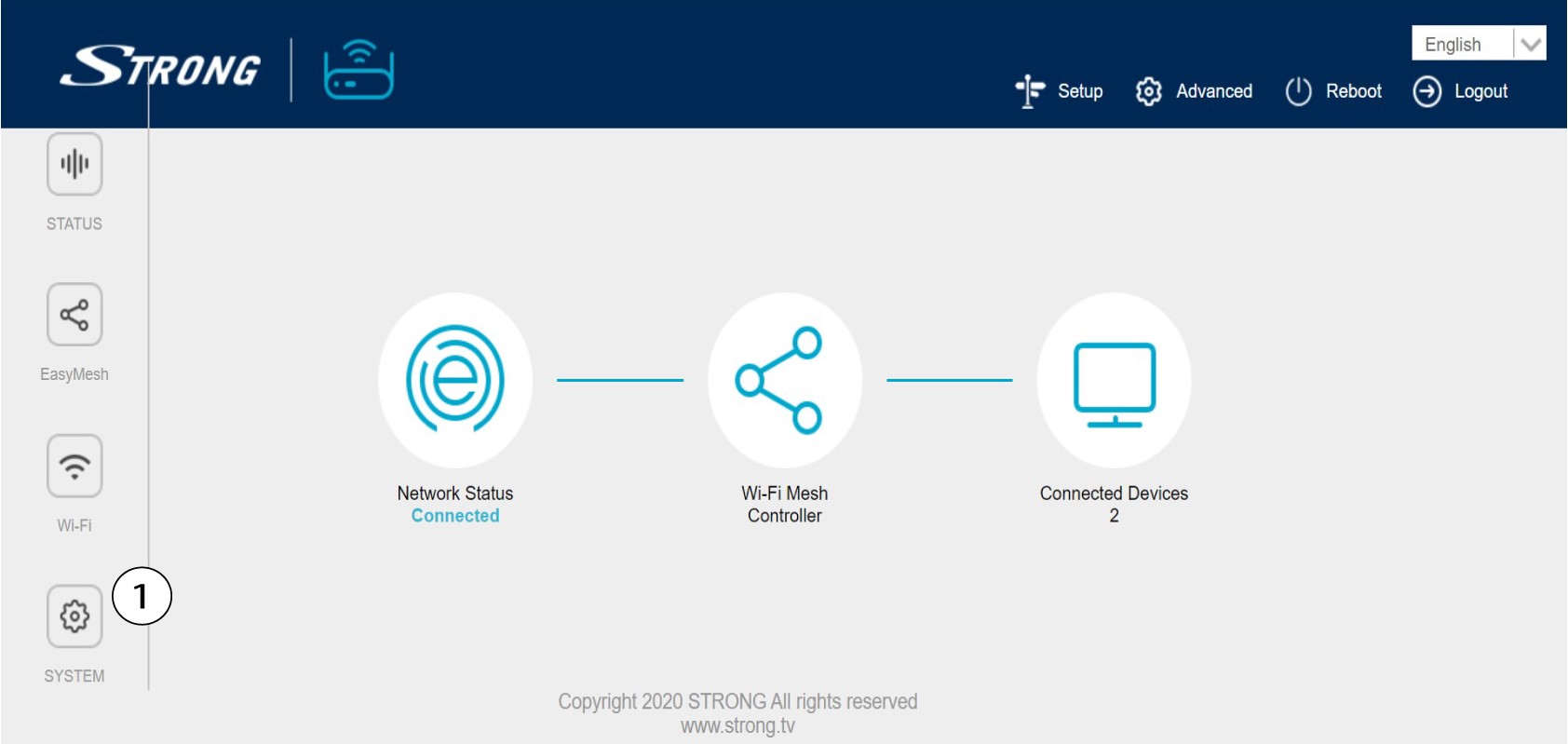
В момента се намирате на главната страница на уеб интерфейса. Възможно е да се наложи да промените администраторската парола за уеб интерфейса след първото си влизане; за целта, моля, следвайте инструкциите по-долу. За да направите това, кликнете върху „Система“ в лявата лента.
5. Редактиранена паролата за администратора
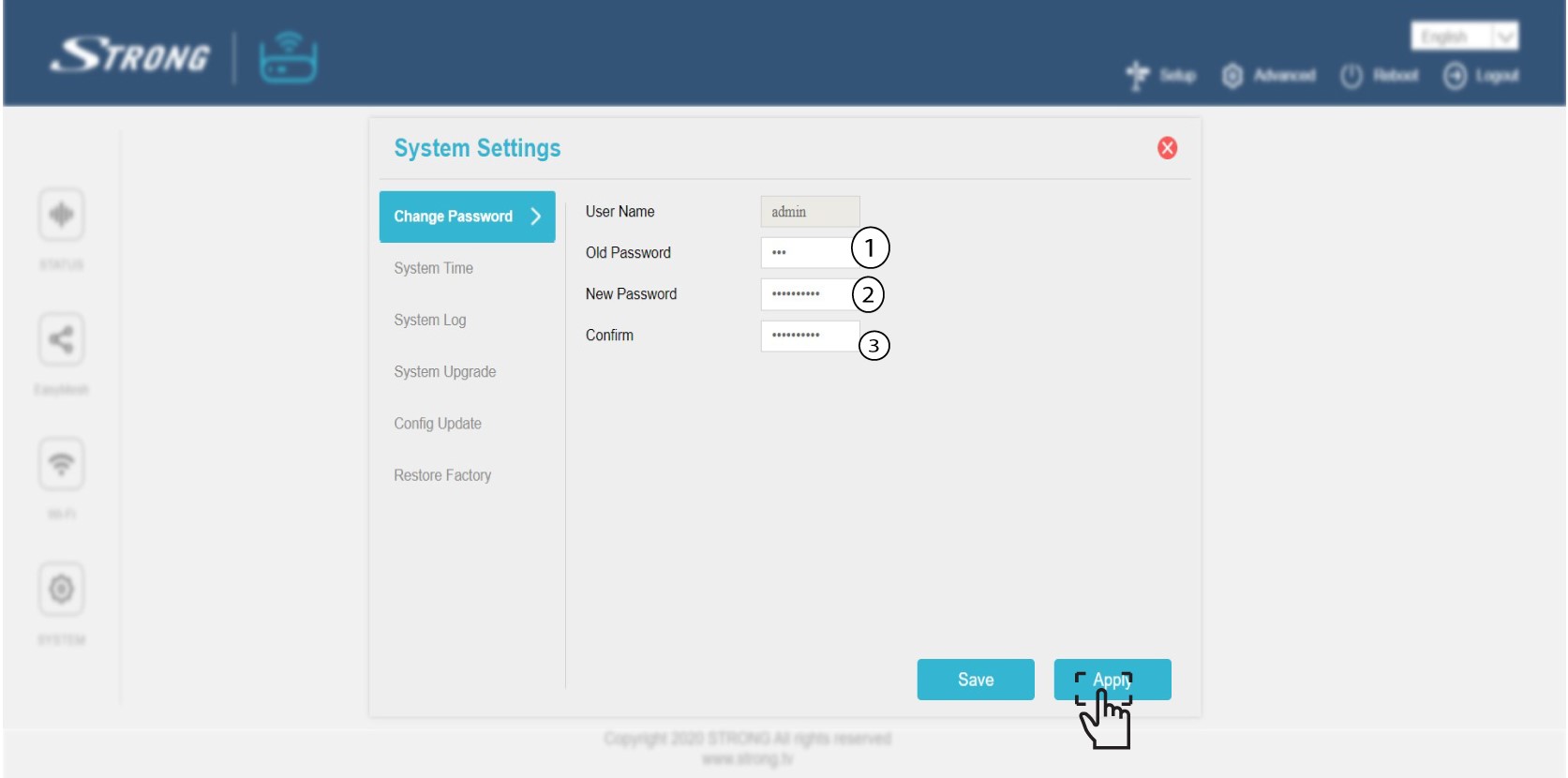
Въведете следната информация, преди да натиснете „Потвърди“:
o Стара парола: Въведете старата администраторска парола
o Нова парола: Въведете нова парола.
o Потвърдете паролата: Въведете същата парола, както в предходната стъпка.
Предупреждение: Моля, имайте предвид, че трябва да въведете парола с дължина между 8 и 32 символа съдържаща главни и малки букви, цифри и поне един специален символ (@, $, !, %, *, ?, &)
6. Запишетеновата парола
Запишете новата парола на лист хартия и я залепете под вашата карта „ mesh “.
