ATRIA Wi-Fi 6 Mesh 3000 (balení po 2 kusech)
Všechny otázky
ATRIA Wi-Fi 6 Mesh 3000 (balení po 2 kusech)
Jak mohu nastavit statickou IP adresu nebo přiřadit vyhrazenou IP adresu pro mé zařízení Atria Mesh AX3000?
Může být užitečné nastavit statickou IP adresu pro váš řadič mesh , abyste měli snazší přístup k webovému rozhraní ve vaší síti prostřednictvím aplikace Atria Mesh .
V webovém rozhraní můžete také přiřadit vyhrazené IP adresy zařízením připojeným k vaší síti mesh .
1. Případ1: Nastavení statické IP adresy pro řídicí jednotku mesh v aplikaci Atria Mesh
Na svém zařízení se musíte připojit k Wi-Fi sítě „ mesh “ a spustit aplikaci Atria.

2Zadejtesvé přihlašovací údaje
Zadejte uživatelské jméno a heslo (admin/admin) a poté klikněte na tlačítko „Přihlásit se“.

3. Nastavení internetu– Statické
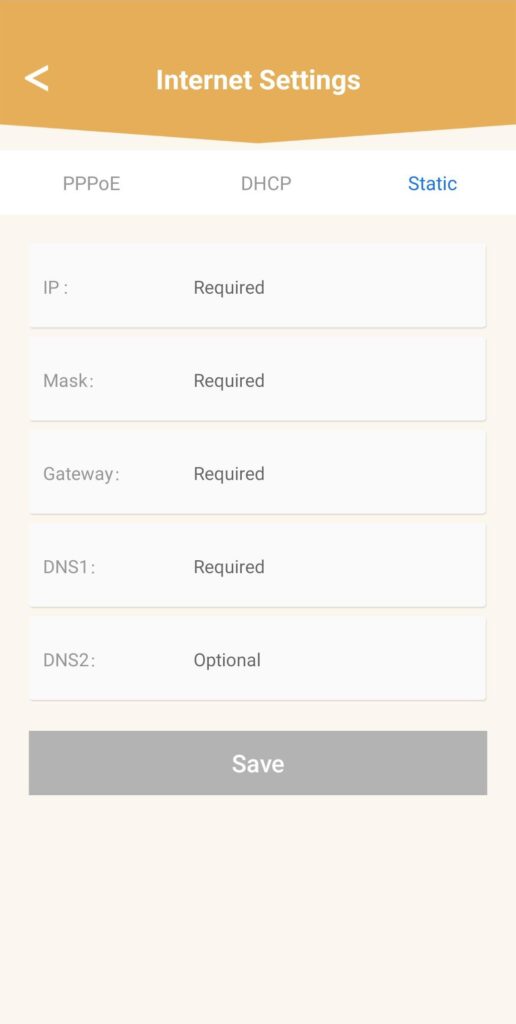
Klikněte na „Nastavení internetu “ a poté na „Statické“. Před kliknutím na „Uložit“ musíte zadat následující údaje:
• IP: zadejte IP adresu, kterou chcete přiřadit adrese mesh.
• Maska: pole se vyplní automaticky na základě dříve zadané IP adresy.
• Brána: pole se vyplní automaticky na základě dříve zadané IP adresy.
• DNS1: Zadejte primární adresu DNS poskytovatele internetového připojení box.
• DNS2: Zadejte sekundární adresu DNS poskytovatele internetového připojení box.
1. Případ2: Přiřaďte agentům/zařízením služby mesh vyhrazenou IP adresu v webovém uživatelském rozhraní
Chcete-li to provést, zadejte do svého zařízení SSID (název sítě Wi-Fi) a heslo k Wi-Fi routeru:
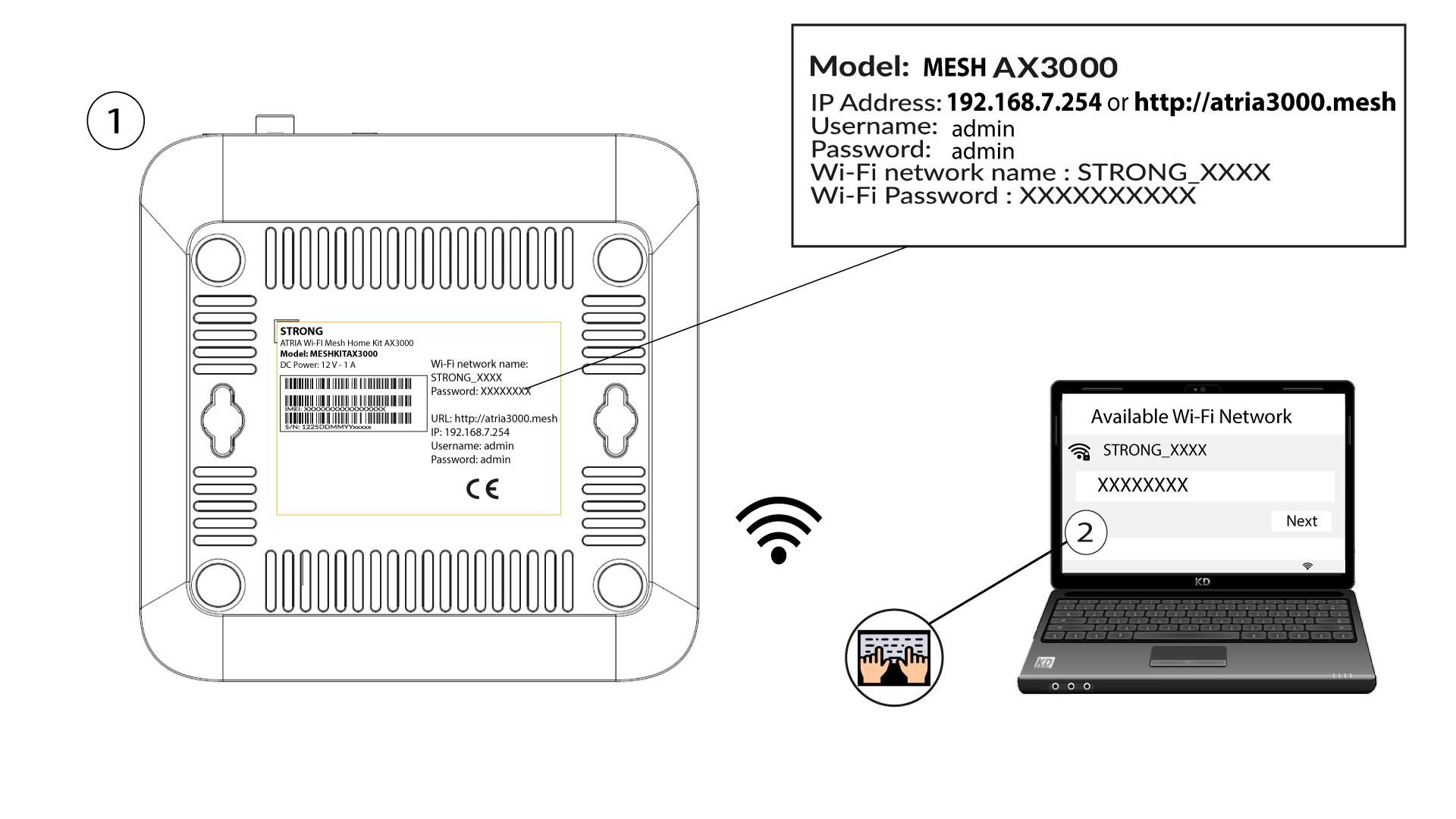
2. Přejdětena IP adresu webového uživatelského rozhraní
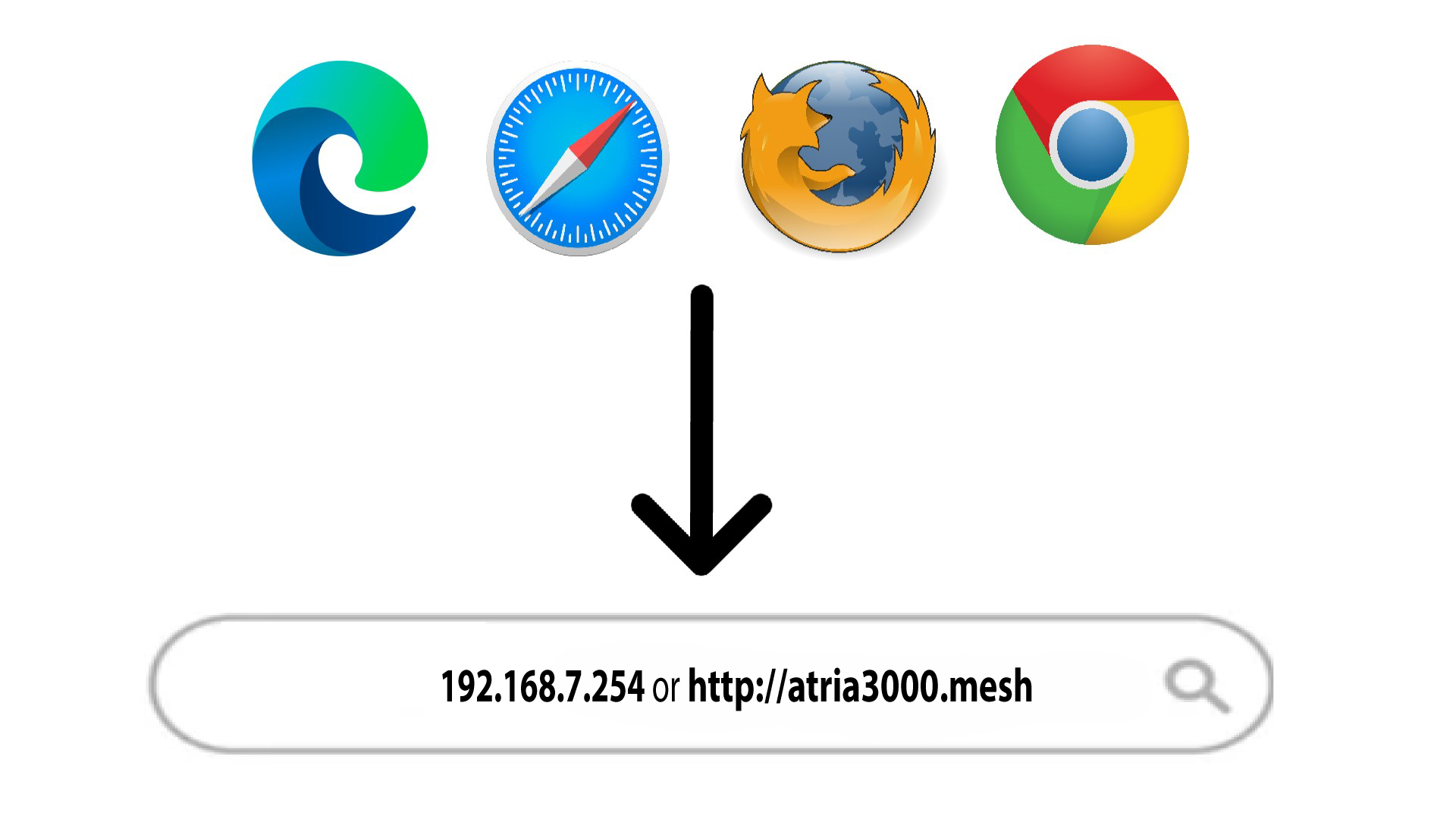
Poté zadejte do prohlížeče následující IP adresu: 192.168.7.254 nebo zadejte následující adresu: http://atria3000.mesh
3Zadejtesvé přihlašovací údaje
Musíte zadat uživatelské jméno (admin) a heslo (admin) (uveďte prosím, že po prvním přihlášení si vytvoříte své vlastní heslo správce, což znamená, že heslo uvedené na štítku výrobku již nebude fungovat). Poté klikněte na „Přihlásit se“.

4. Konfigurace IPv4
Klikněte na „Síť“, „Konfigurace LAN “ a „Konfigurace IPv4“.

5. PřidatIPv4
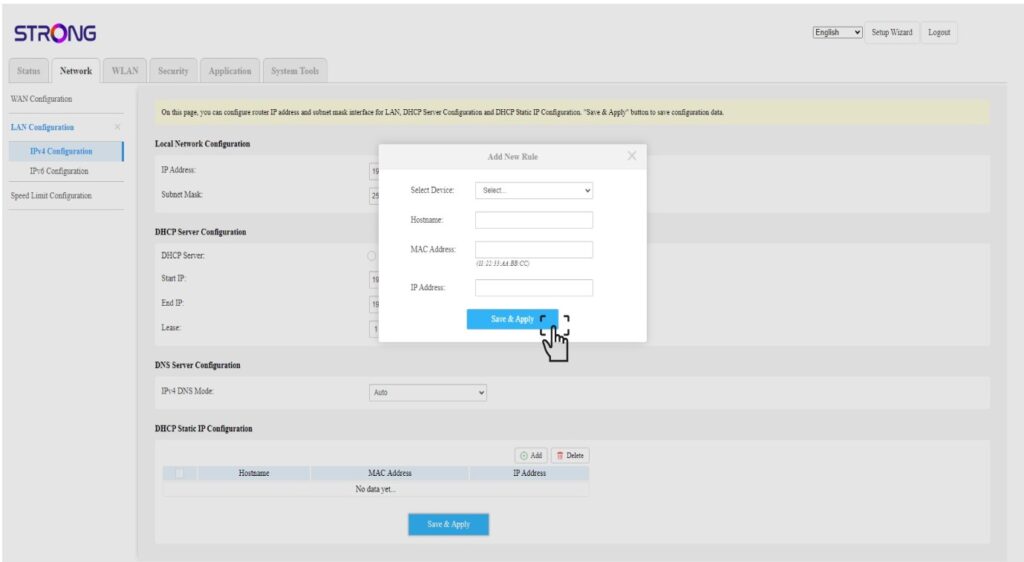
V okně „Konfigurace statické IP adresy DHCP“ klikněte na tlačítko „Přidat “. Poté zadejte následující údaje a klikněte na tlačítko „Uložit a použít“.
• Vybrat zařízení: vyberte název zařízení ze seznamu.
• Název hostitele: do tohoto pole se automaticky vyplní název zařízení.
• Adresa MAC: do tohoto pole se automaticky vyplní adresa MAC zařízení.
• IP adresa: do tohoto pole se automaticky vyplní statická IP adresa přidělená zařízení