ATRIA Wi-Fi 6 Mesh 3000 (balení po 2 kusech)
Všechny otázky
ATRIA Wi-Fi 6 Mesh 3000 (balení po 2 kusech)
Jak nastavím svou síť Wi-Fi mesh ?

Upozornění: Pro konfiguraci sítě Mesh se prosím řiďte stručným návodem k instalaci (QIG), který najdete v příručce „ box “ k vašemu produktu.
Vezměte prosím na vědomí, že tento postup je třeba zopakovat pro každé zařízení Mesh , které chcete přidat do své sítě Mesh .
1. Případ1: Tlačítko WPS
Než stisknete tlačítko napájení, musíte zařízení „Mesh “ zapojit do zásuvky a připojit jej k modemu pomocí kabelu RJ45.
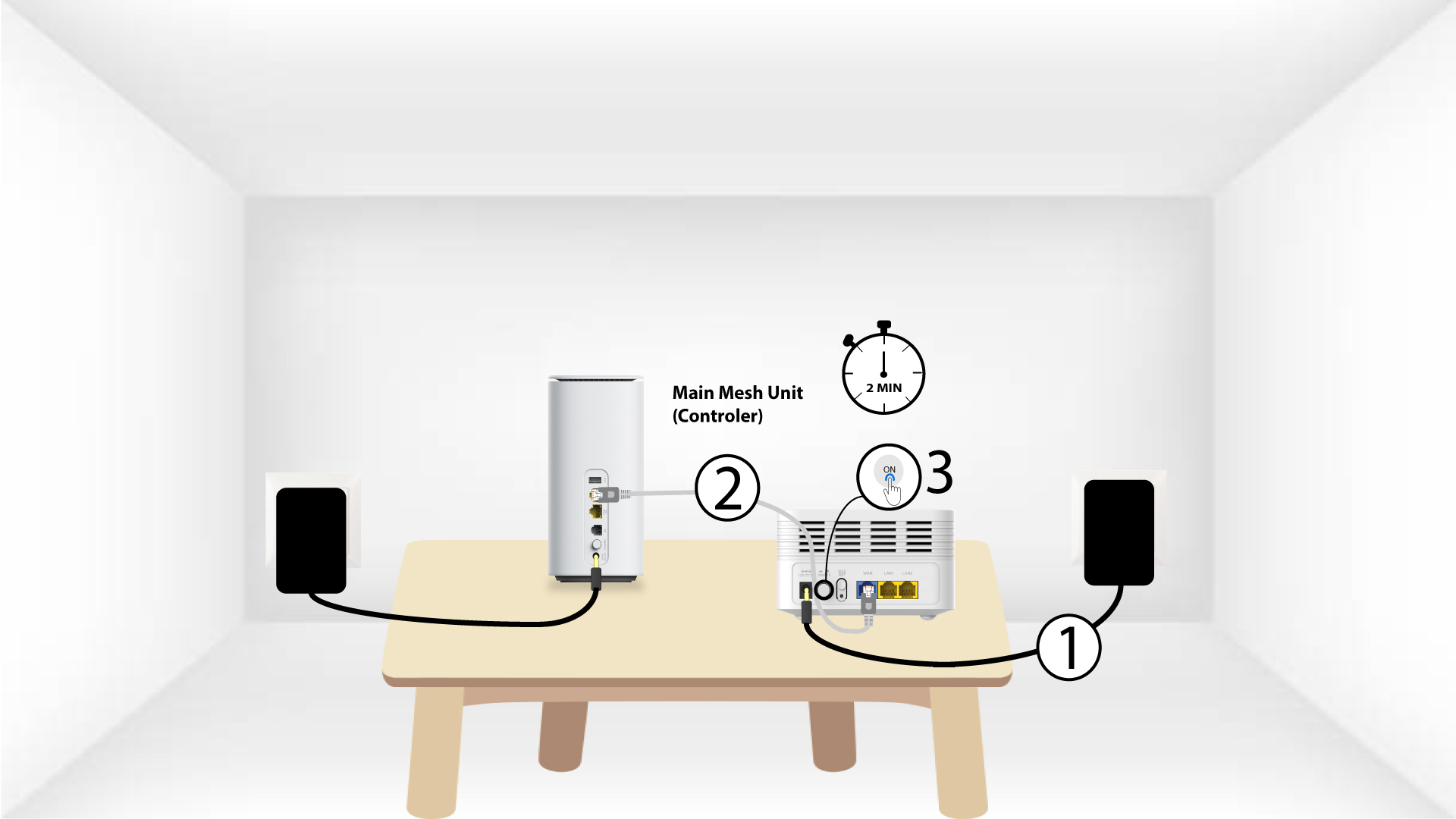
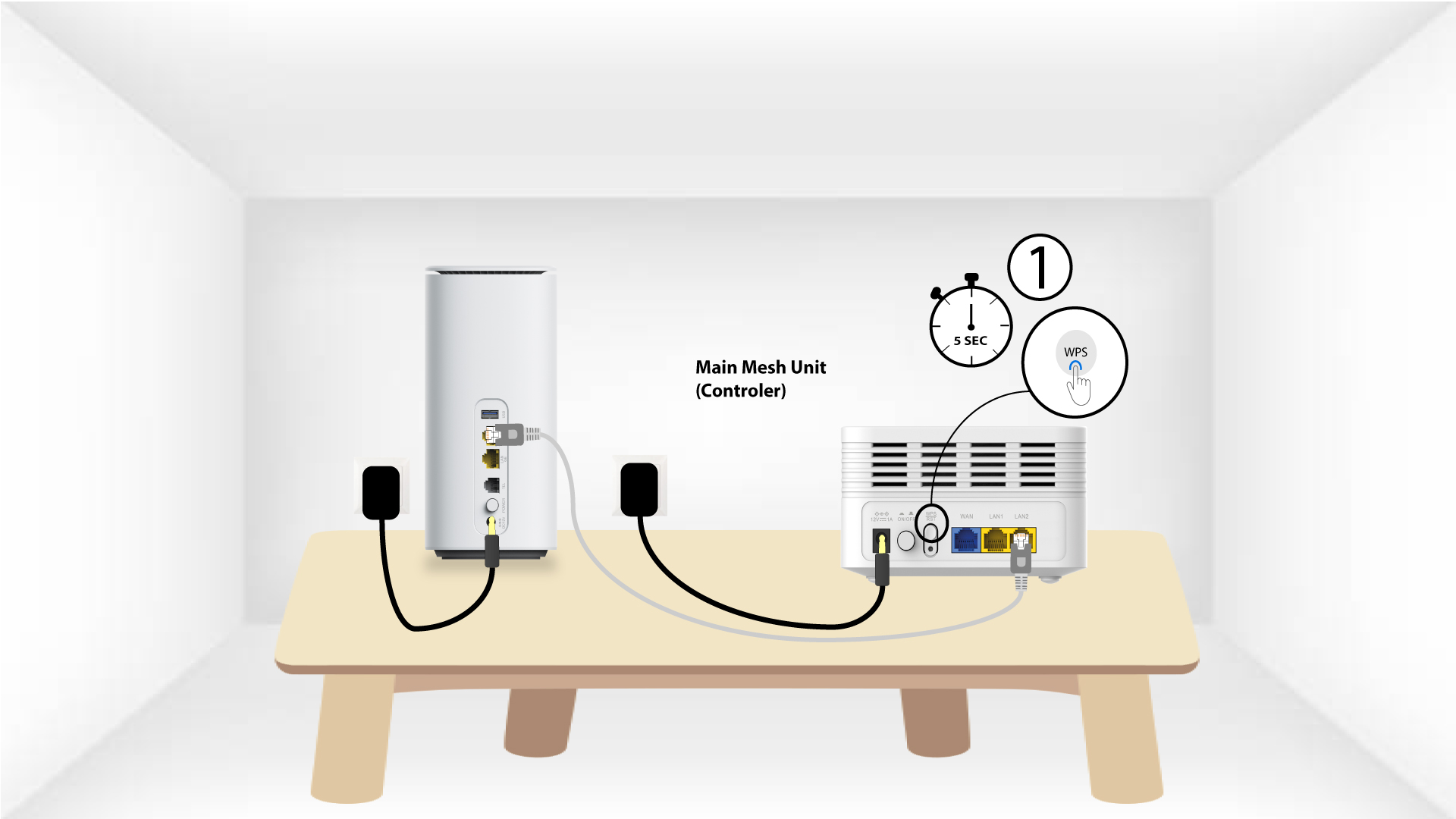
2 Hlavní stránka Mesh WPS
Stiskněte na zařízení „ mesh “, připojeném k vašemu modemu, tlačítko WPS a podržte ho stisknuté po dobu 5 sekund.
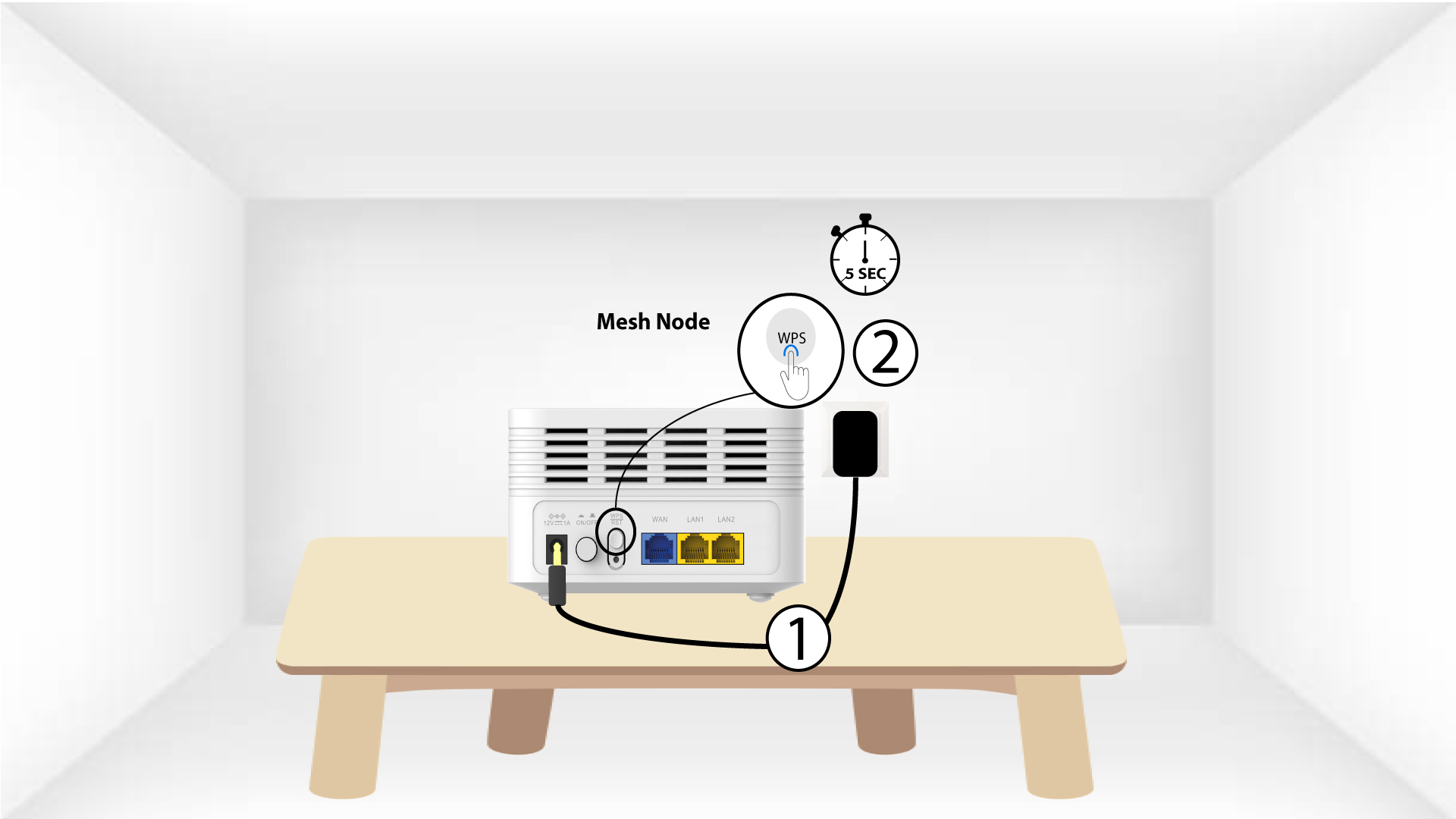
3Second Mesh jednotka WPS
Zapojte druhou jednotku Mesh do zásuvky a stiskněte tlačítko WPS na 5 sekund.
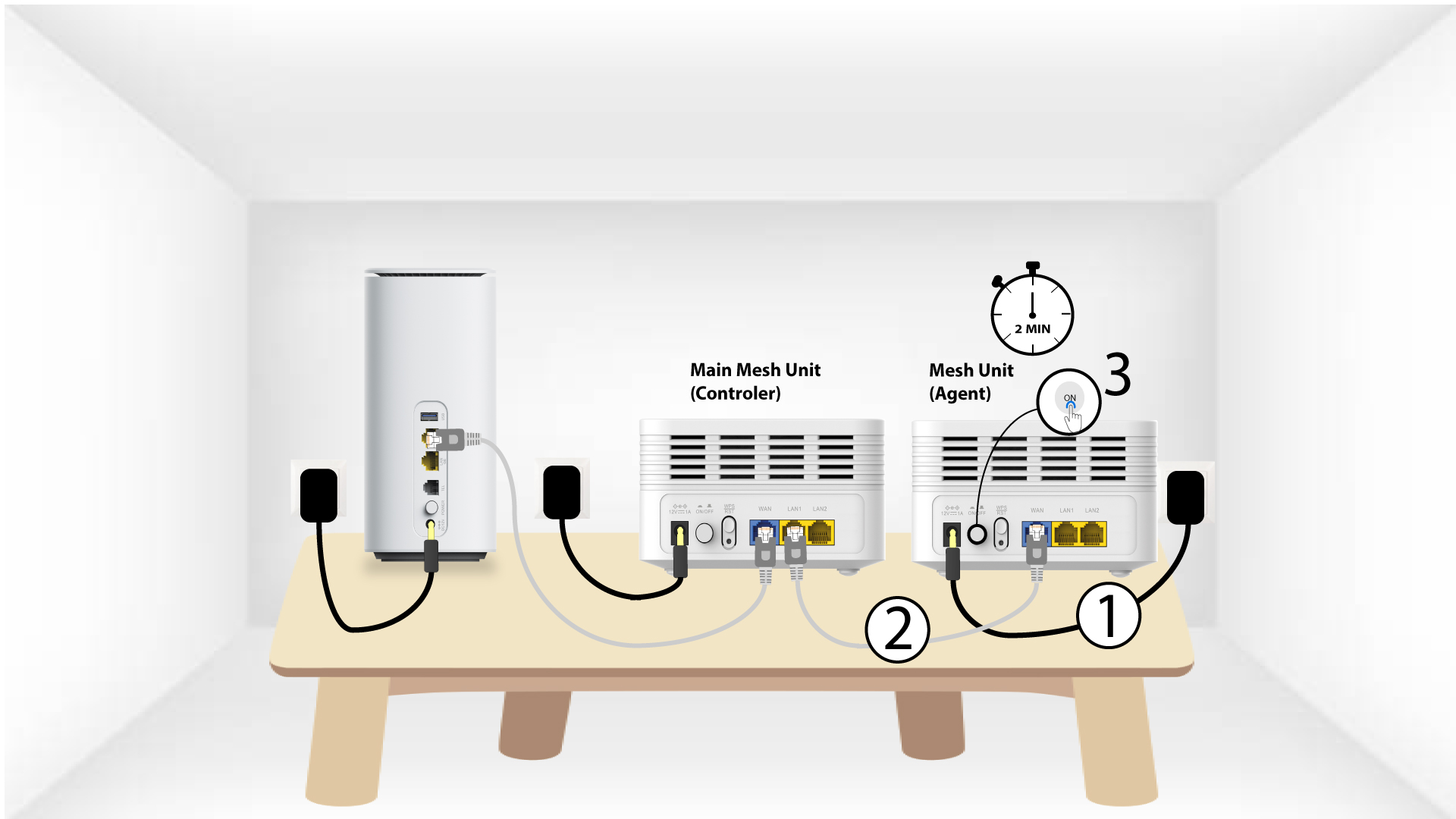
1. Případ2: Ethernetový kabel (RJ45)
Než stisknete tlačítko napájení, musíte zařízení „Mesh “ zapojit do zásuvky a připojit jej k modemu pomocí kabelu RJ45 do portu WLAN .
2. Ethernetovýkabel zapojený do LAN portů obou zařízení Mesh
Propojte hlavní jednotku „ Mesh “ (řídicí jednotku) s jednotkou „ Mesh “ (agentem) pomocí konektoru RJ45, a to do obou LAN portů na obou zařízeních „ Mesh “.