Mini router 4G AIRHOME 300 s odnímatelnými 4G anténami
Nebyly nalezeny žádné položky.
Nebyly nalezeny žádné položky.
Všechny otázky
Mini router 4G AIRHOME 300 s odnímatelnými 4G anténami
Nebyly nalezeny žádné položky.
Nebyly nalezeny žádné položky.
Jak mohu změnit PIN kód SIM karty?
1. Připojte sek Wi-Fi sítě routeru
Musíte se připojit k webovému uživatelskému rozhraní. Chcete-li to provést, zadejte do svého zařízení SSID a heslo routeru.

2. Přejdětena IP adresu webového uživatelského rozhraní
Poté zadejte do prohlížeče následující IP adresu: 192.168.0.1

3. Přihlašovacístránka
Jakmile se dostanete na stránku s touto IP adresou, klikněte na „Přihlásit se“.

4Zadejtesvé přihlašovací údaje
Musíte zadat uživatelské jméno a heslo. Poté klikněte na tlačítko „Přihlásit se“.

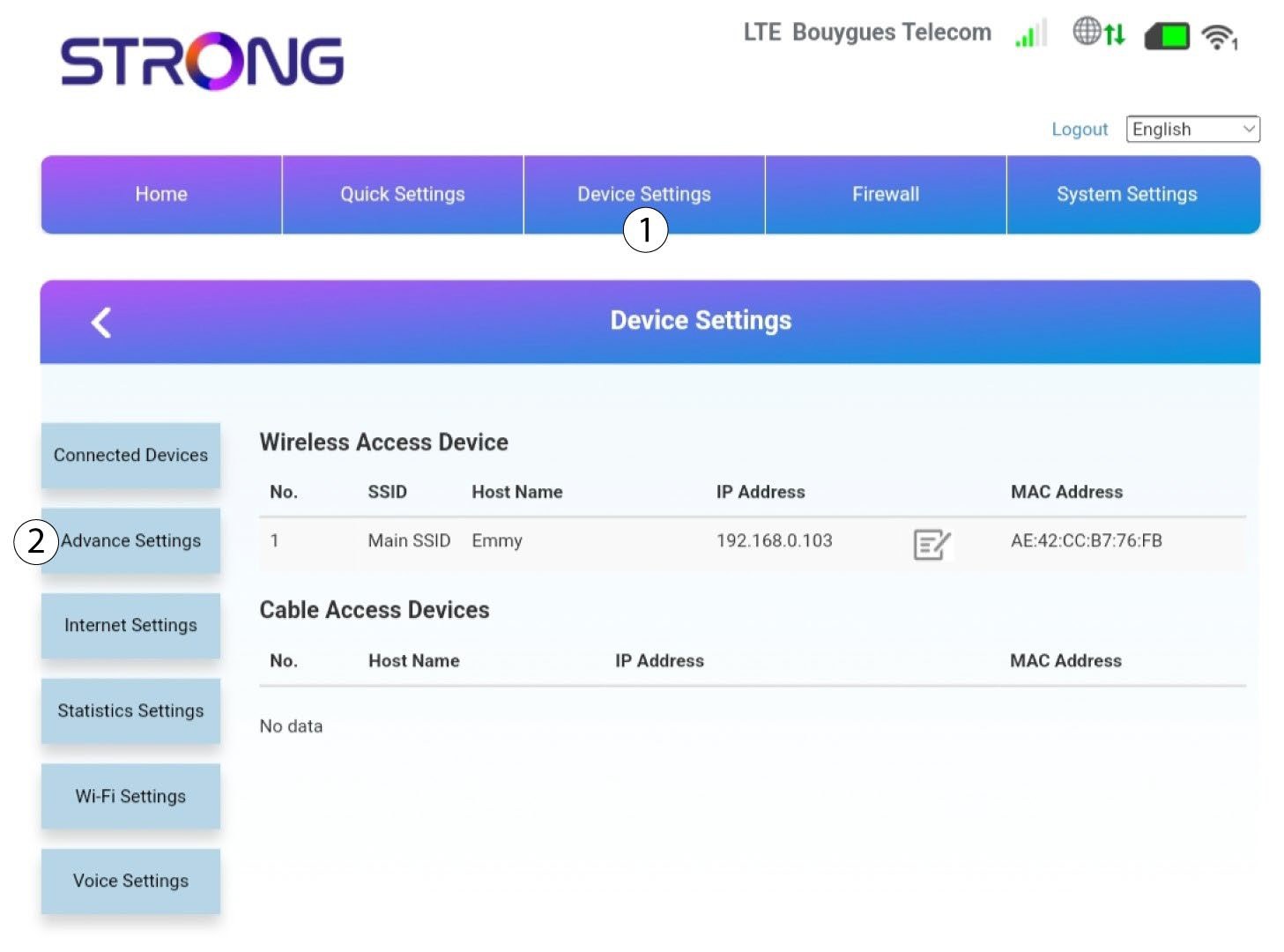
5. Pokročilánastavení
Poté klikněte na „Nastavení zařízení “ a na záložku „Pokročilá nastavení “.
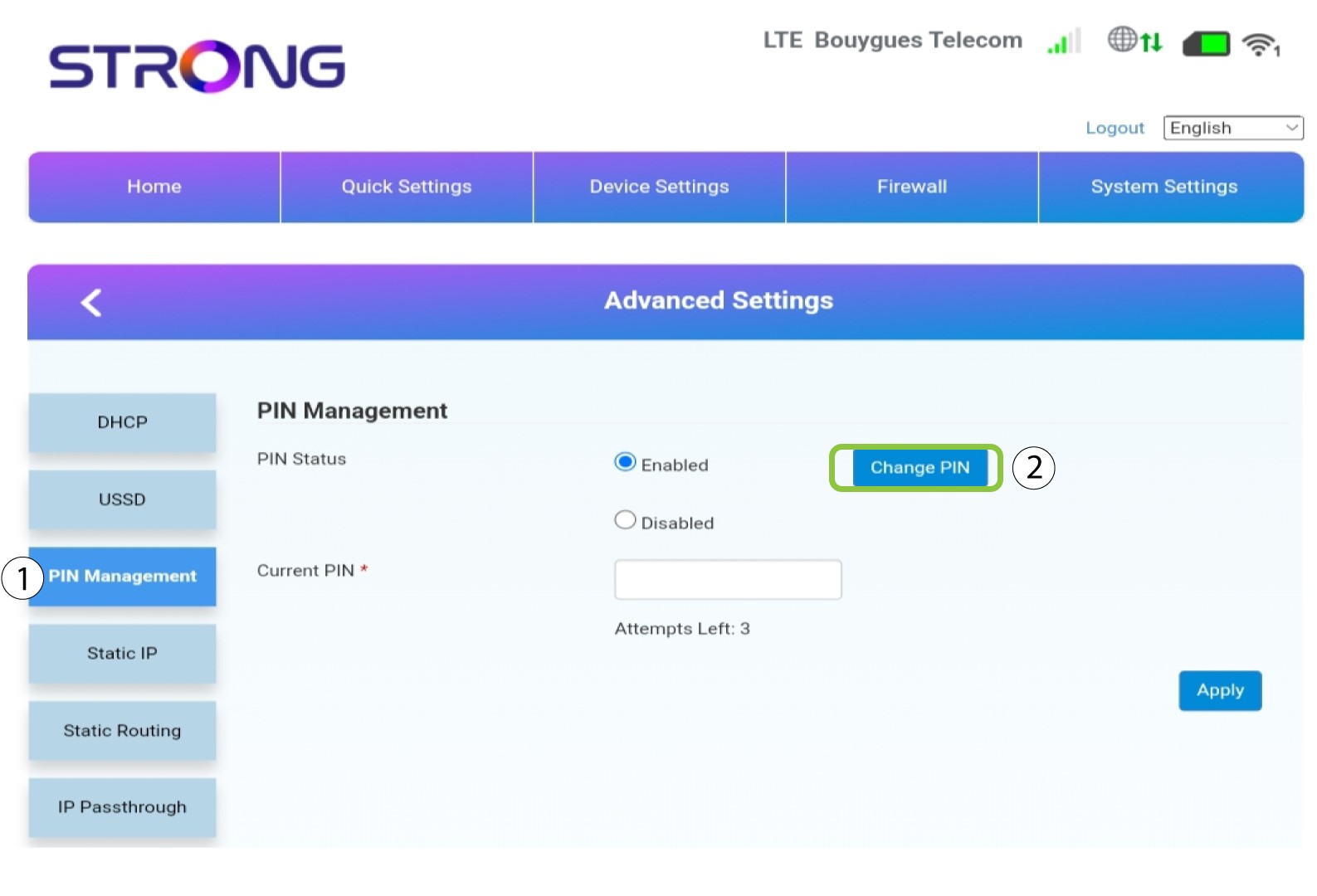
Správa 6PIN
Klikněte na položku „Správa PIN kódu “ a poté na „Změnit PIN kód“.
7Zadejtenový PIN kód
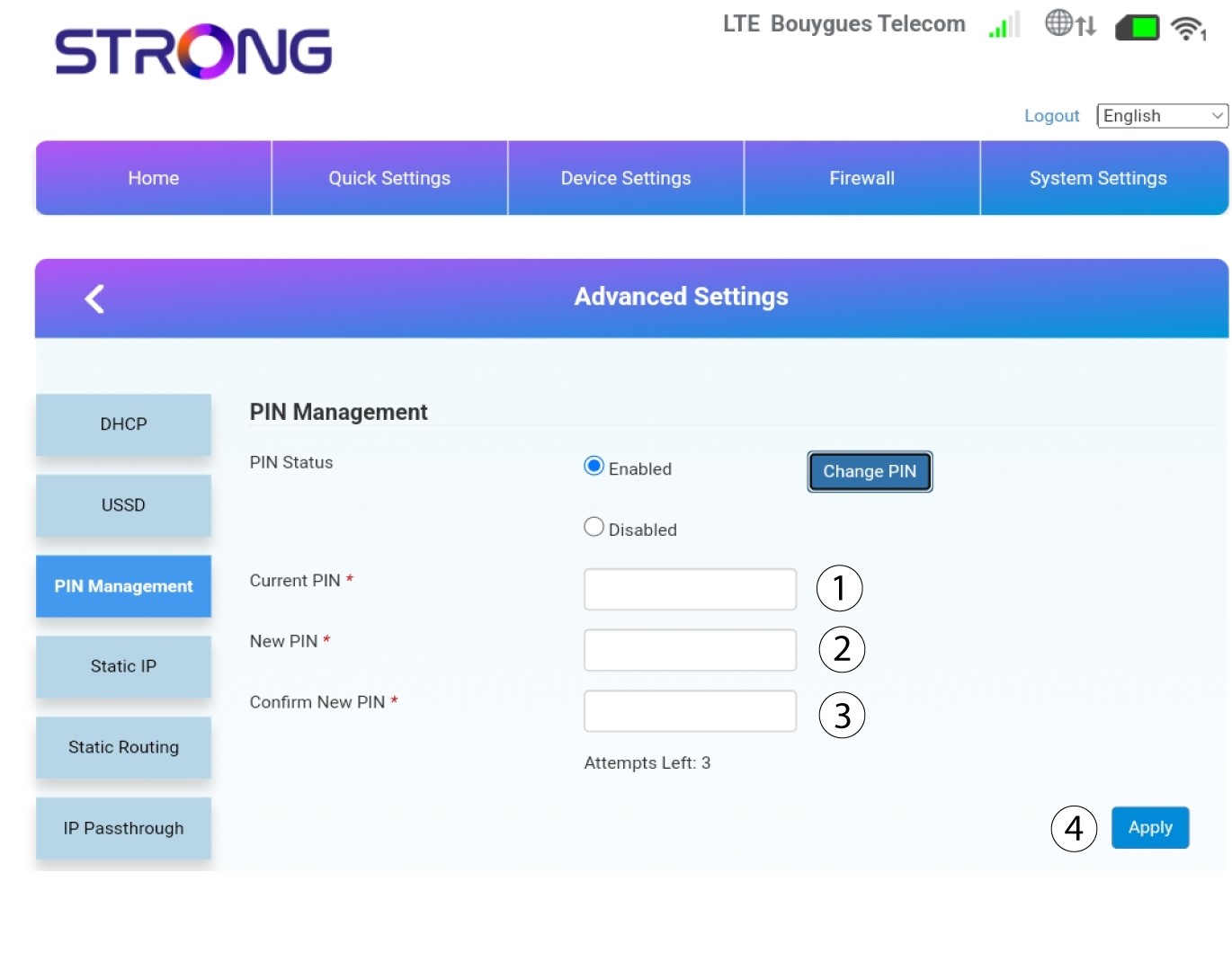
Zadejte následující údaje a klikněte na „Apply“:
• Aktuální PIN: zadejte PIN kód vaší SIM karty.
• Nový PIN: zadejte nový PIN kód.
• Potvrzení nového PINu: zadejte stejný PIN jako v předchozím poli.