
Mini router 4G AIRHOME 300 s odnímatelnými 4G anténami
Všechny otázky
Mini router 4G AIRHOME 300 s odnímatelnými 4G anténami
Jak mohu změnit SSID a heslo? (Nastavení Wi-Fi)

Jakmile změníte název sítě a heslo svého routeru, QR kód již nebude fungovat, protože se změní připojovací údaje vašeho routeru.
Zapište si prosím nové síťové údaje na kousek papíru.
1. Připojte sek Wi-Fi sítě routeru
Chcete-li změnit SSID a heslo, musíte se připojit k Wi-Fi svého zařízení.

2. Přejdětena IP adresu webového uživatelského rozhraní
Poté do prohlížeče zadejte následující IP adresu: 192.168.0.1.

3. Přihlašovacístránka
Poté klikněte na „Přihlásit se“.

4Zadejtesvé přihlašovací údaje
Musíte zadat uživatelské jméno a heslo.

5. Nastavení Wi-Fi
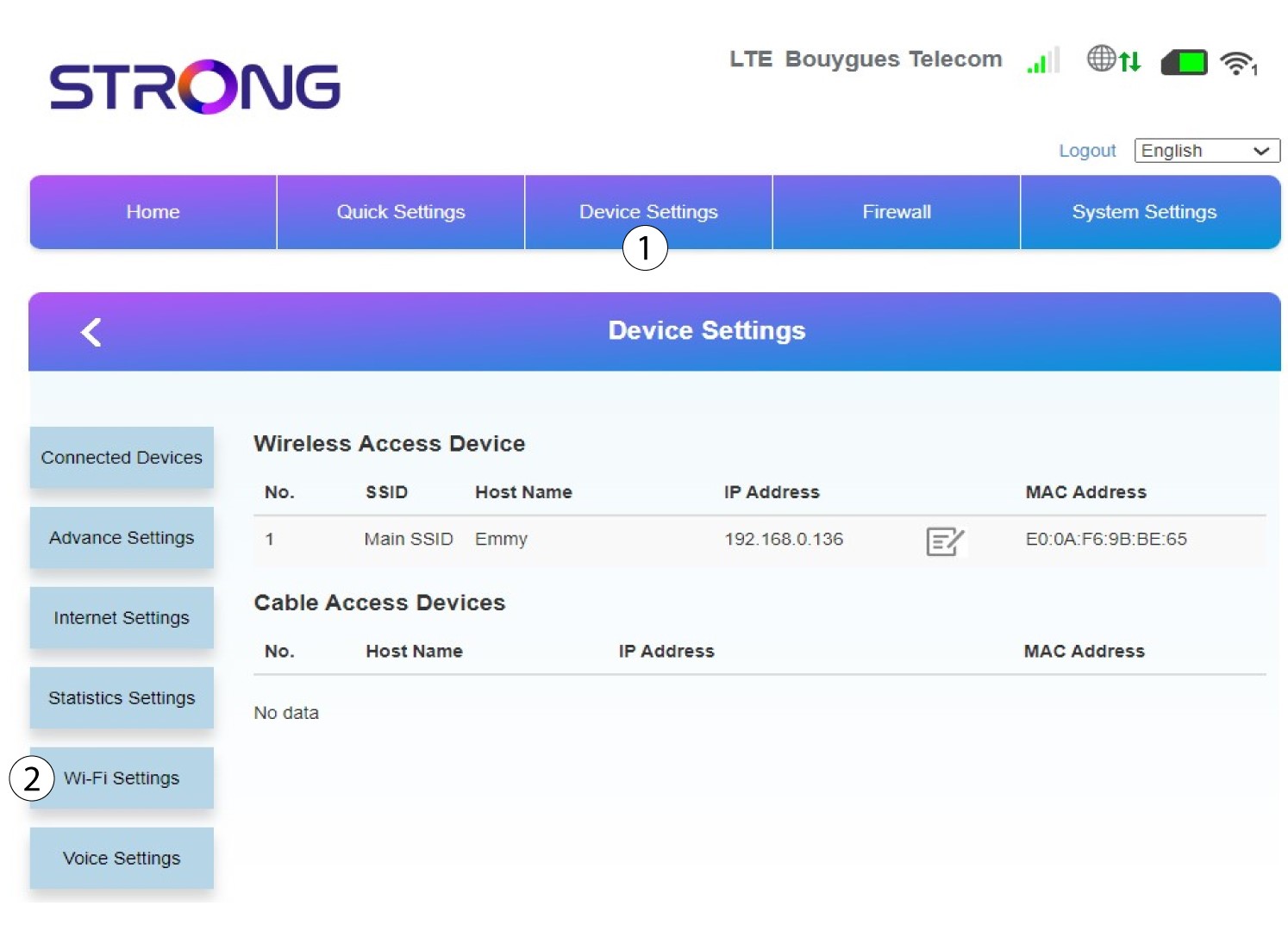
Klikněte na „Nastavení zařízení “ a vyberte „Nastavení Wi-Fi“.
6. HlavníSSID
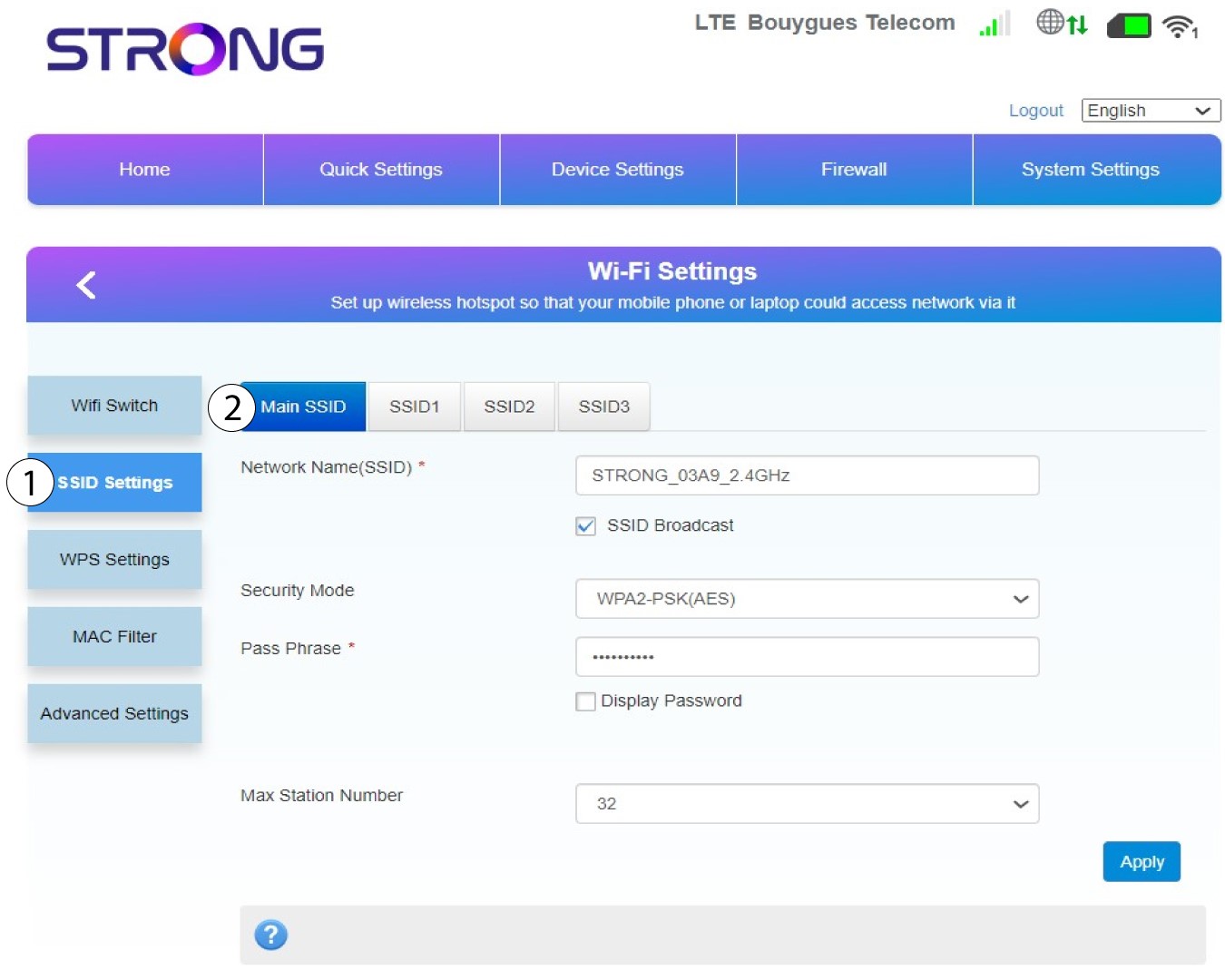
Poté vyberte možnost „Nastavení SSID “ a vyberte „Hlavní SSID“.
7Zadejtenový název sítě a heslo
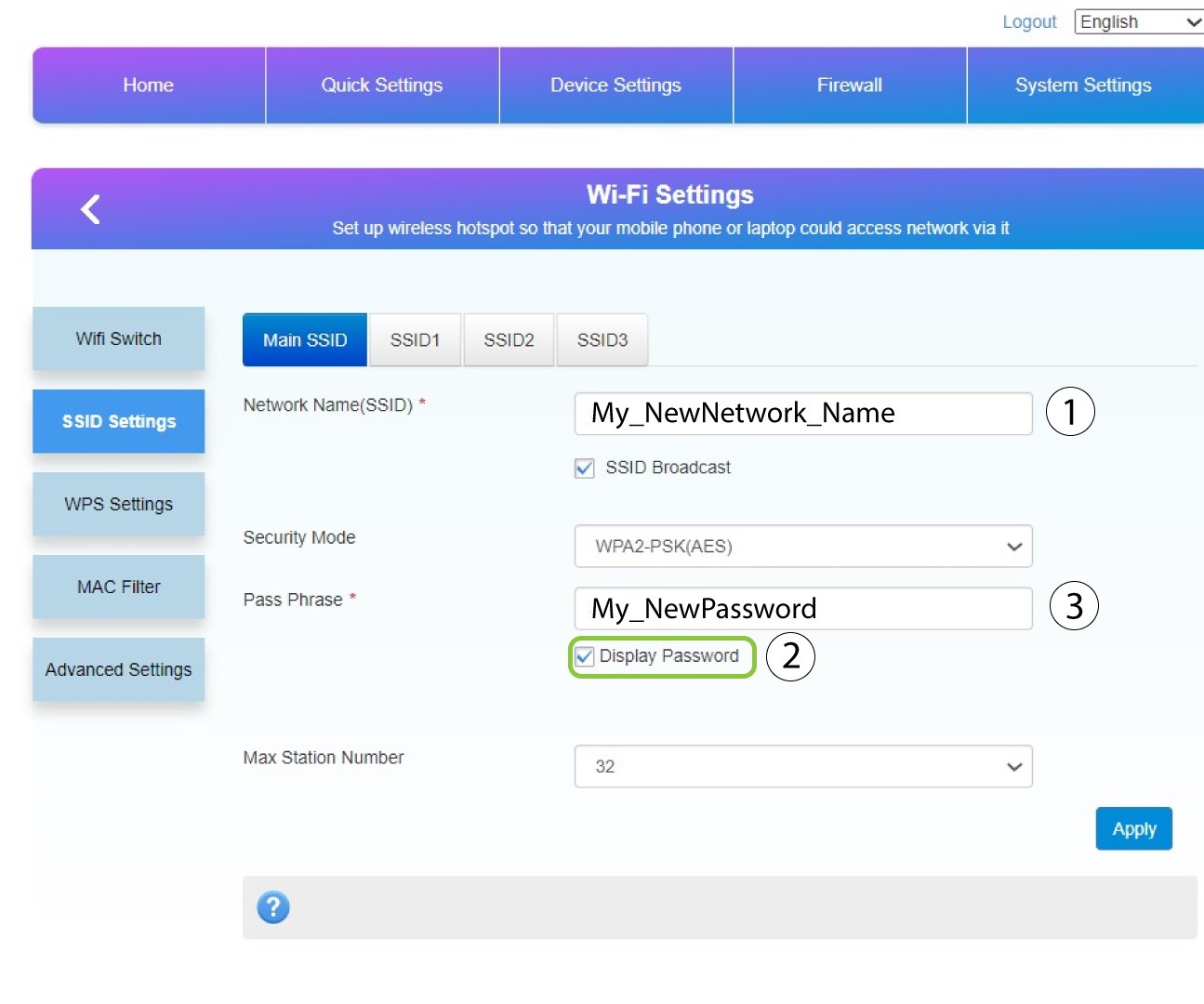
Změňte název zadaný v poli „Název sítě (SSID) “ a zaškrtněte políčko „Zobrazit heslo“ box. Poté změňte heslo zadané v poli „Heslo “.
8Uložtezměny
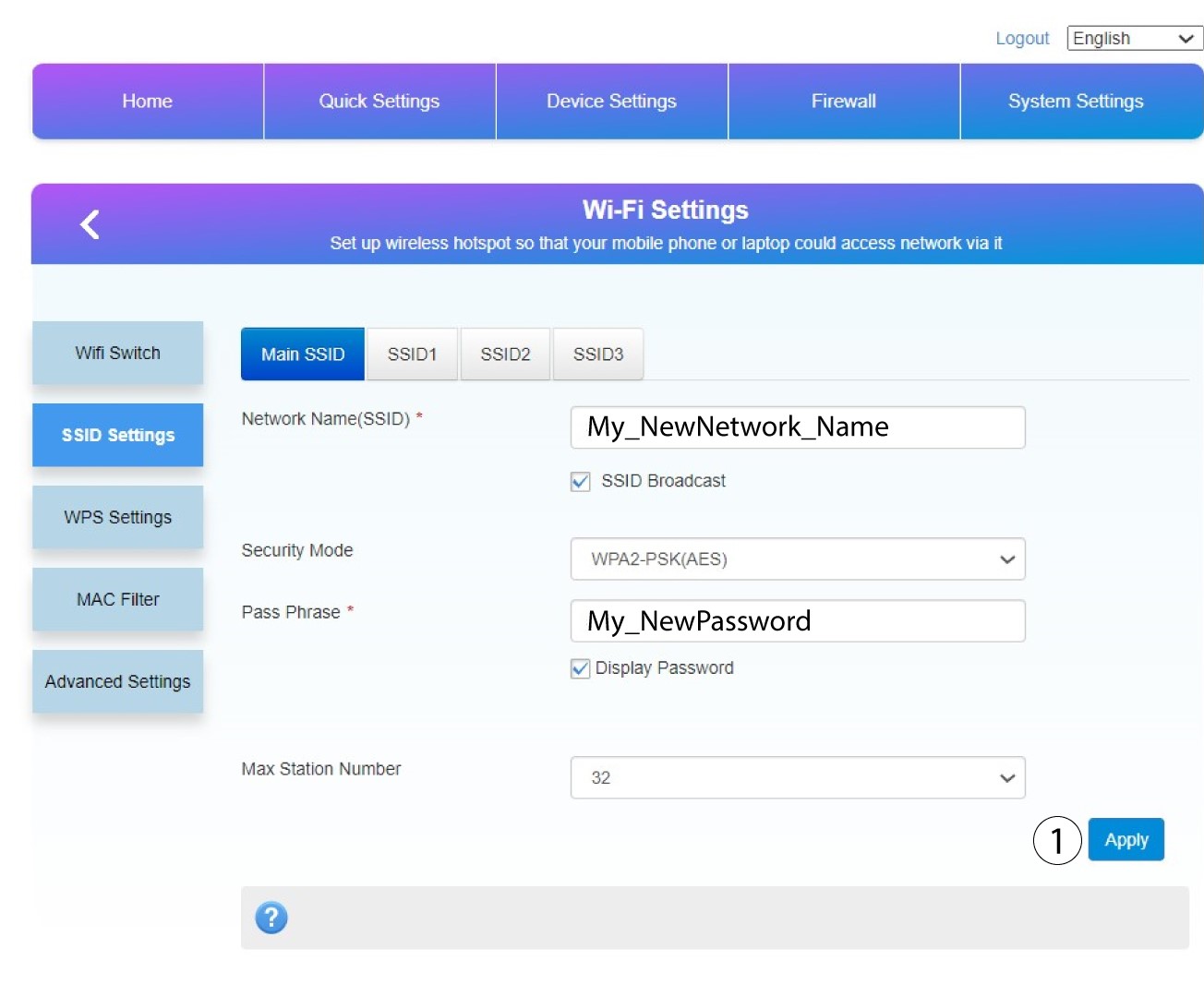
Kliknutím na tlačítko „Použít“ změny uložíte.
9. Zapištesi nové informace
Napište si nové SSID a heslo na papír a přilepte ho na router.
