4G AIRHOME 310 s odnímatelnými 4G anténami
Nebyly nalezeny žádné položky.
Nebyly nalezeny žádné položky.
Všechny otázky
4G AIRHOME 310 s odnímatelnými 4G anténami
Nebyly nalezeny žádné položky.
Nebyly nalezeny žádné položky.
Jak mohu připojit svá zařízení pomocí WPS?

Funkci WPS můžete využít například k nastavení připojení k Wi-Fi mezi routerem a vašimi počítači (Linux/Windows). Pomocí funkce WPS nelze připojit mobilní telefon. Chcete-li svůj telefon snadno připojit k Wi-Fi, naskenujte prosím QR kód umístěný na zadní straně routeru; telefon se tak automaticky připojí k síti bez nutnosti zadávat heslo k Wi-Fi.
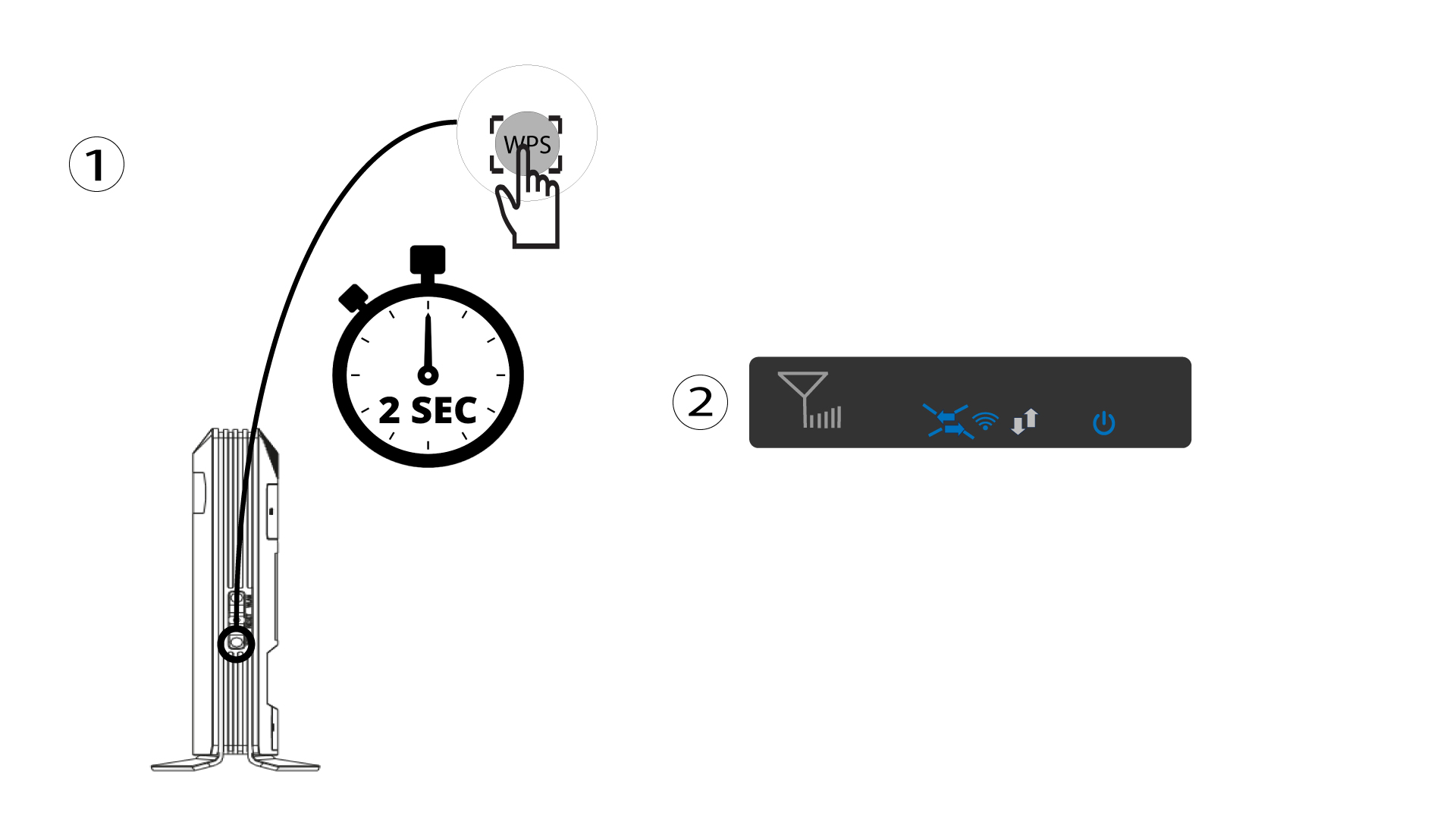
1. Stisknětetlačítko WPS
Stiskněte tlačítko WPS na 2 sekundy, aby se jakékoli kompatibilní zařízení ve vaší domácnosti mohlo automaticky připojit k Wi-Fi síti routeru. Po aktivaci budou vodorovné šipky blikat modře.
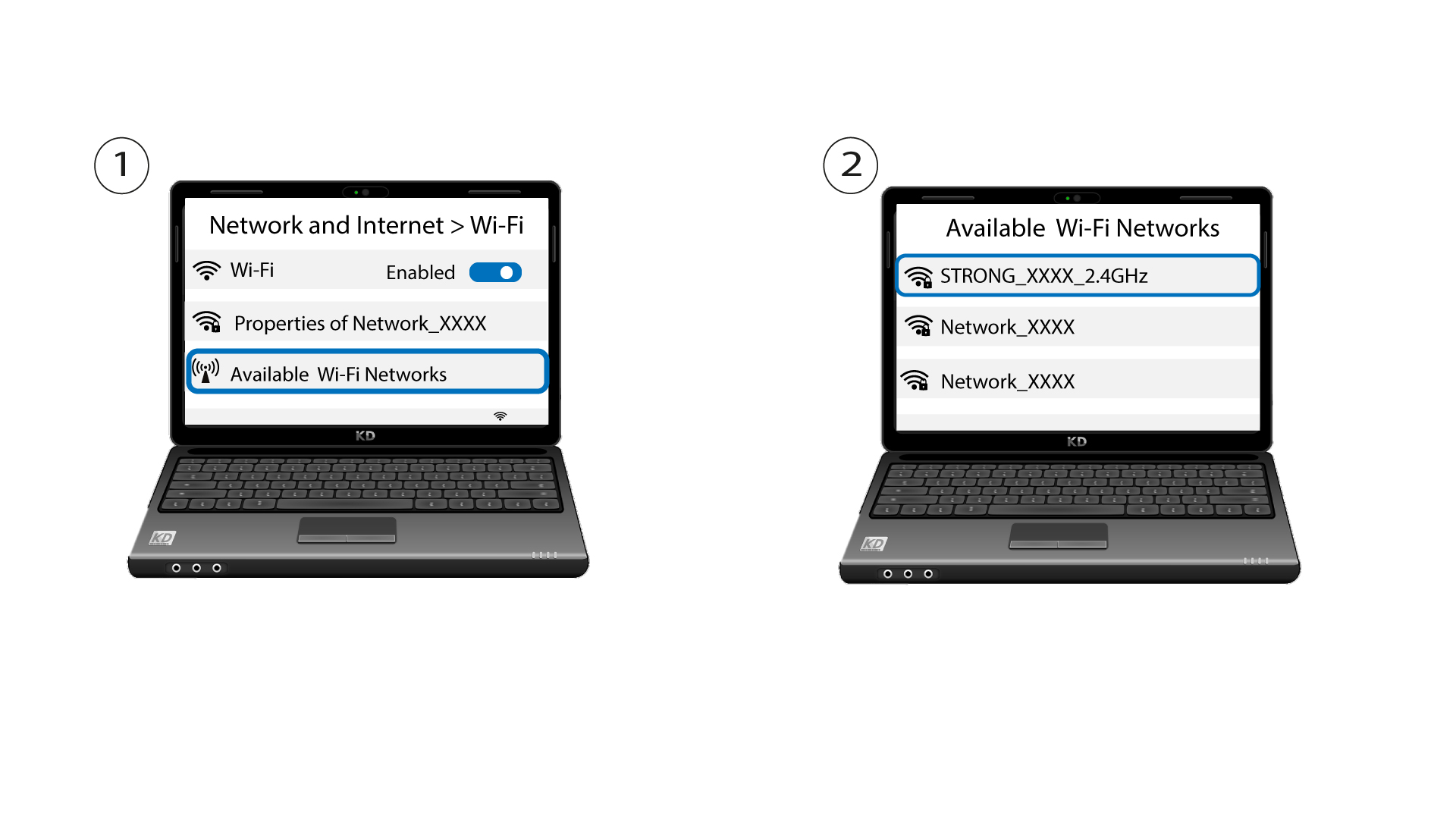
2Vybertesíť Wi-Fi ze seznamu dostupných sítí
Přejděte do nastavení Wi-Fi ve svém počítači nebo telefonu a kliknutím vyberte název routeru.
3. Připojte sek síti Wi-Fi
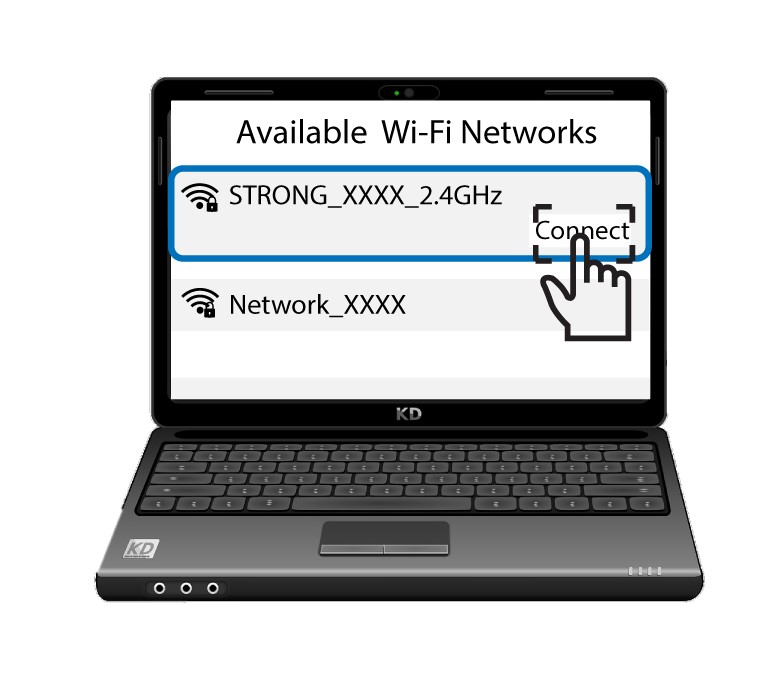
Poté klikněte na tlačítko „Připojit “.