Mobilní Wi-Fi 4G AIRSPOT 220 s displejem
Nebyly nalezeny žádné položky.
Nebyly nalezeny žádné položky.
Všechny otázky
Mobilní Wi-Fi 4G AIRSPOT 220 s displejem
Nebyly nalezeny žádné položky.
Nebyly nalezeny žádné položky.
Jak mohu obnovit tovární nastavení svého routeru?
Někdy se může stát, že vaše zařízení nefunguje správně a nemáte přístup k internetu. V takovém případě doporučujeme obnovit tovární nastavení zařízení a poté v případě potřeby znovu aktualizovat jeho firmware.
Máte na výběr ze dvou možností: zařízení můžete resetovat stisknutím tlačítka reset nebo prostřednictvím webového rozhraní.
PŘÍPAD 1: Tlačítko reset.
K tomu sejměte kryt na zadní straně routeru a pomocí kancelářské sponky stiskněte tlačítko RESET na 2 sekundy.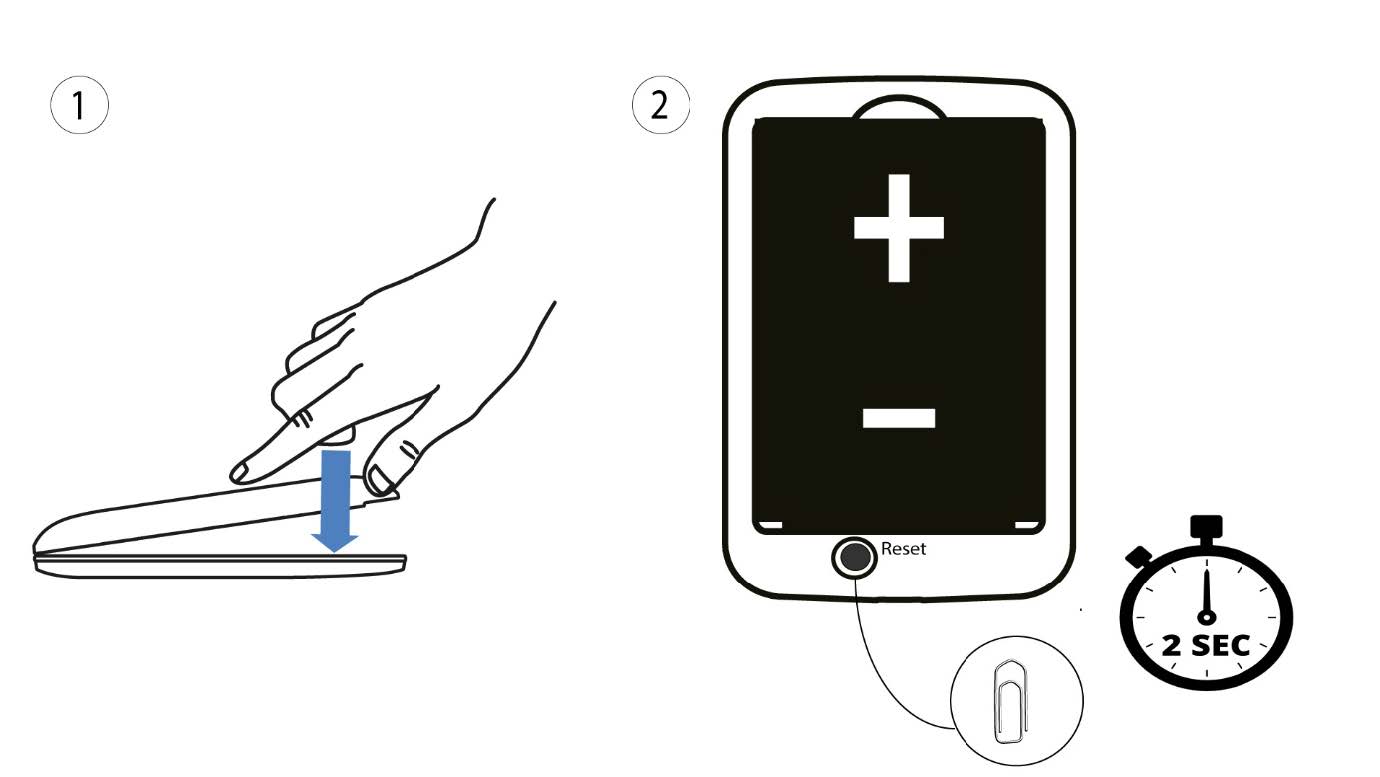
1. Případ2: resetování v webovém uživatelském rozhraní
1. Musíte se připojit k síti Wi-Fi svého zařízení.

2. Přejdětena IP adresu webového uživatelského rozhraní
Poté do prohlížeče zadejte následující IP adresu: 192.168.188.1.

3Přihlášení
Musíte zadat heslo.

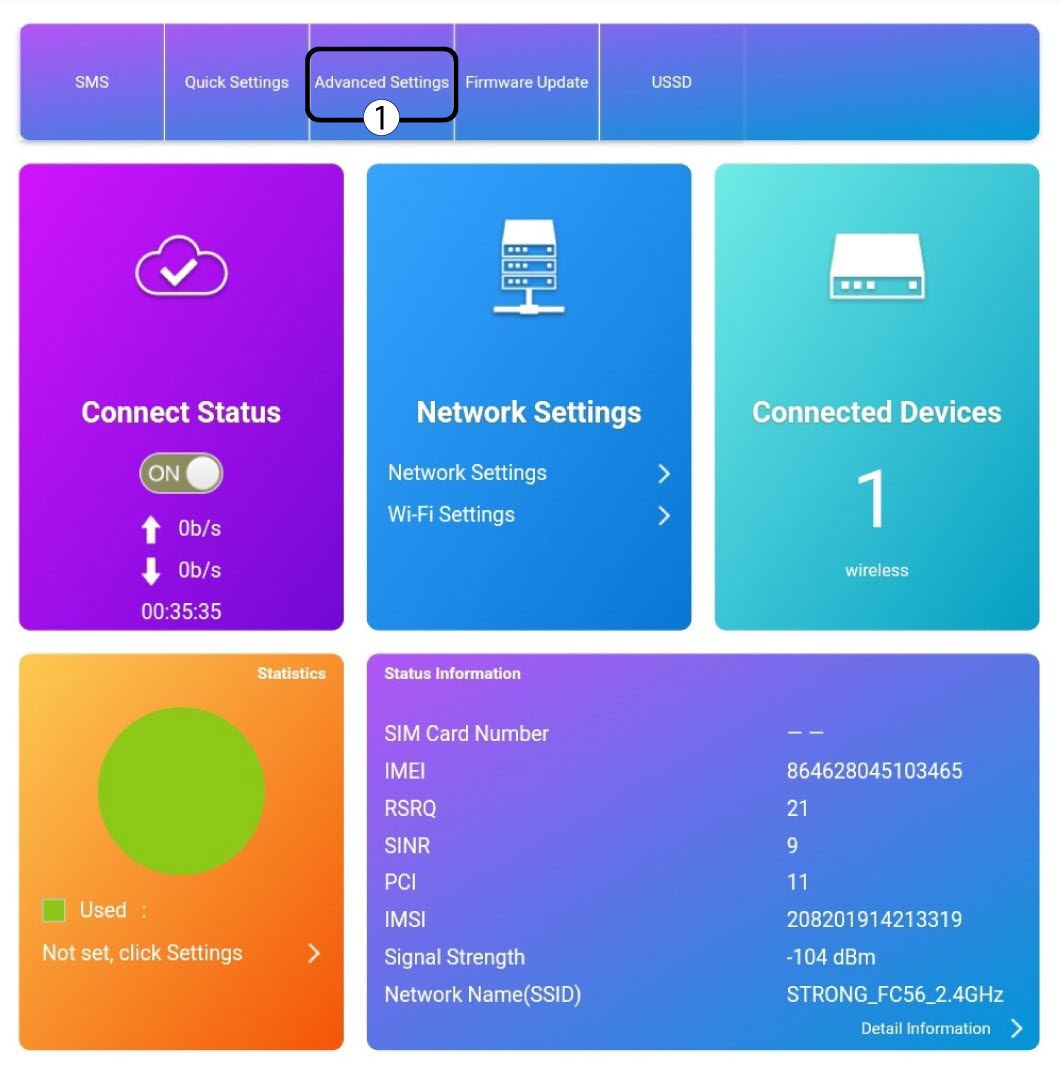
4Nastavení
Poté klikněte na „Pokročilá nastavení“.
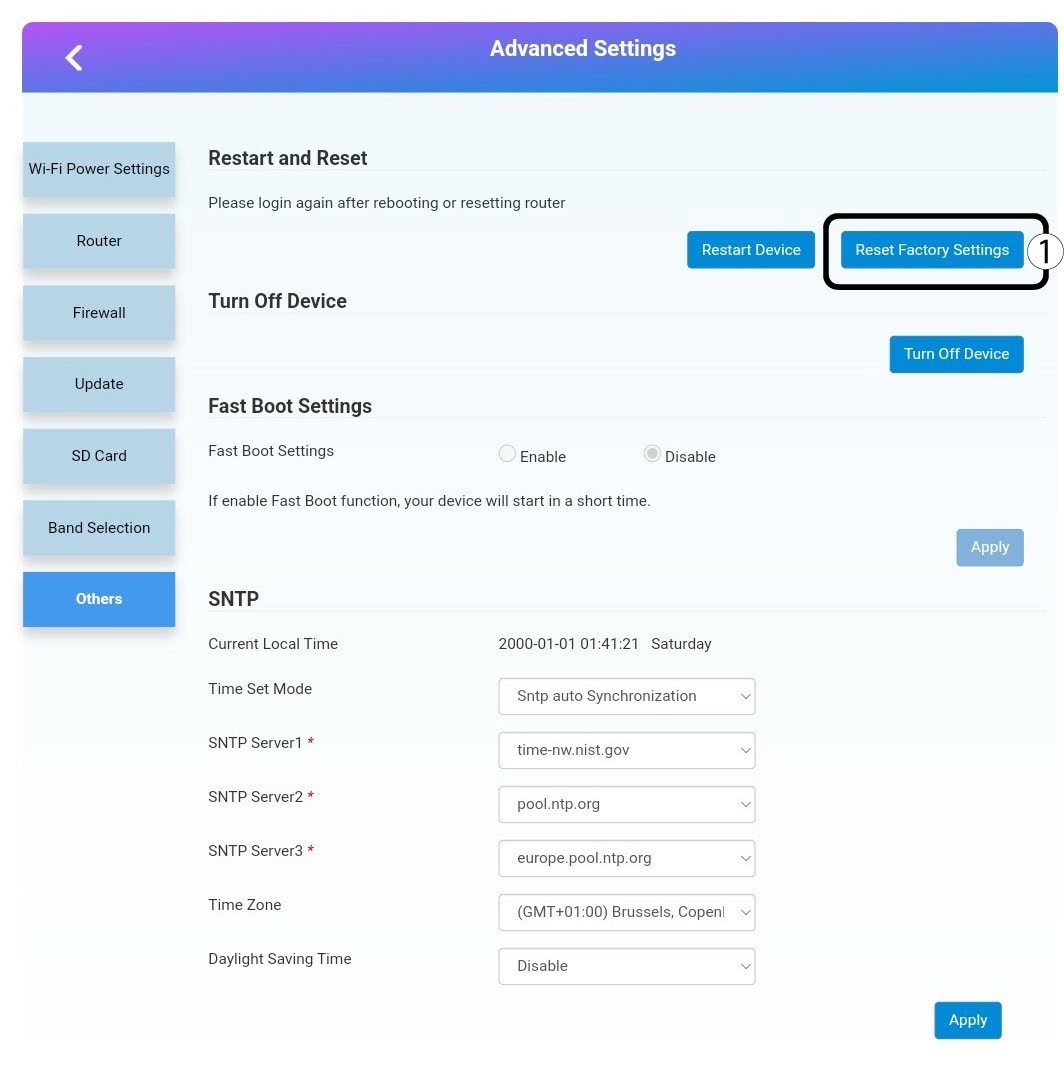
5 Obnovittovární nastavení
Klikněte na „Ostatní“. V části „Restart a reset “ klikněte na „Obnovit tovární nastavení“.
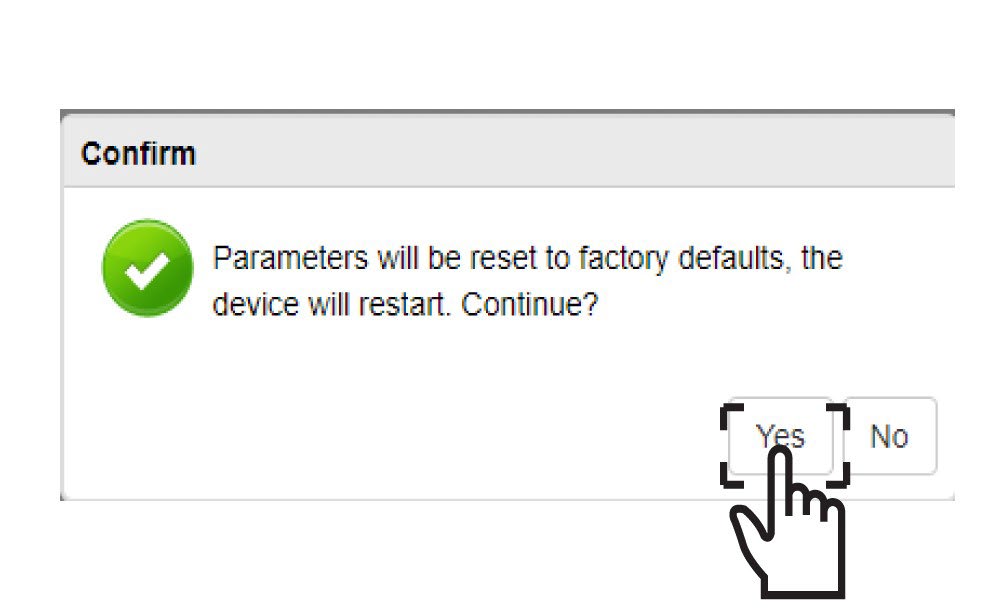
6Potvrzení
V zobrazené zprávě klikněte na„ANO “.