
ATRIA Mesh extender kit 1200 UK
Všechny otázky
ATRIA Mesh extender kit 1200 UK
Jak změnit heslo správce (webové rozhraní)
1. Připojte sek síti Wi-Fi svého mesh
Chcete-li to provést, zadejte do svého zařízení SSID (název sítě Wi-Fi) a heslo k Wi-Fi routeru:

2. Přejdětena IP adresu
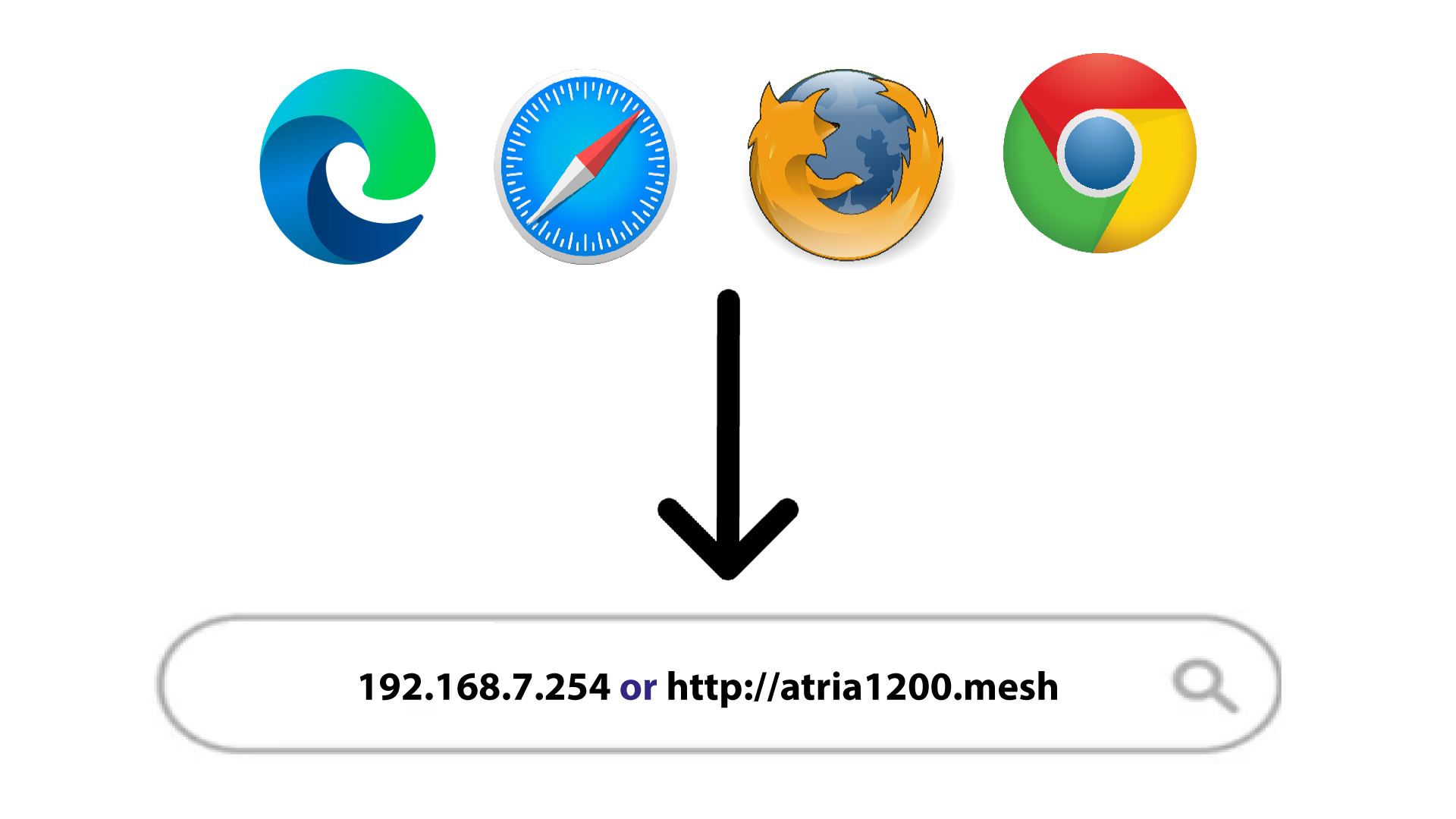
Poté zadejte do prohlížeče následující IP adresu: 192.168.7.254 nebo zadejte následující adresu: http://atria1200.mesh
3Zadejtesvé přihlašovací údaje
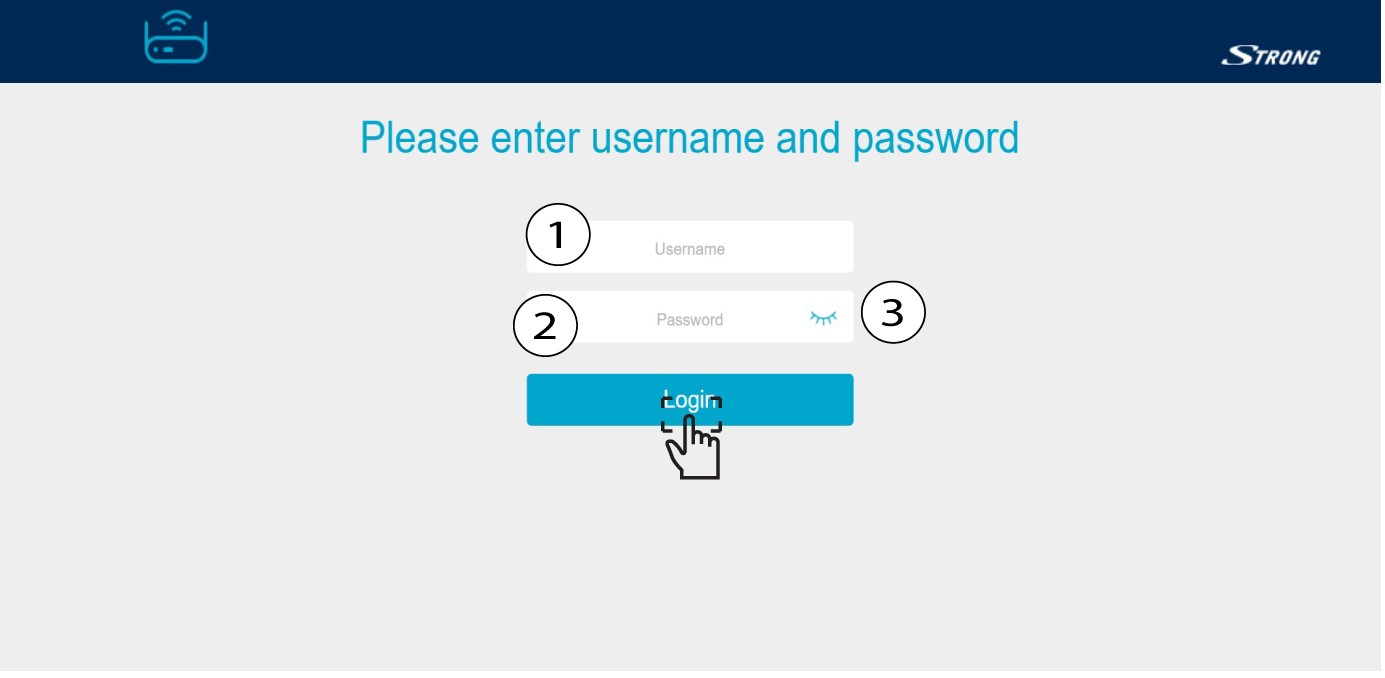
Zadejte uživatelské jméno (admin) a heslo (admin). Poté klikněte na „Přihlásit se“.
4 Nastavení systému
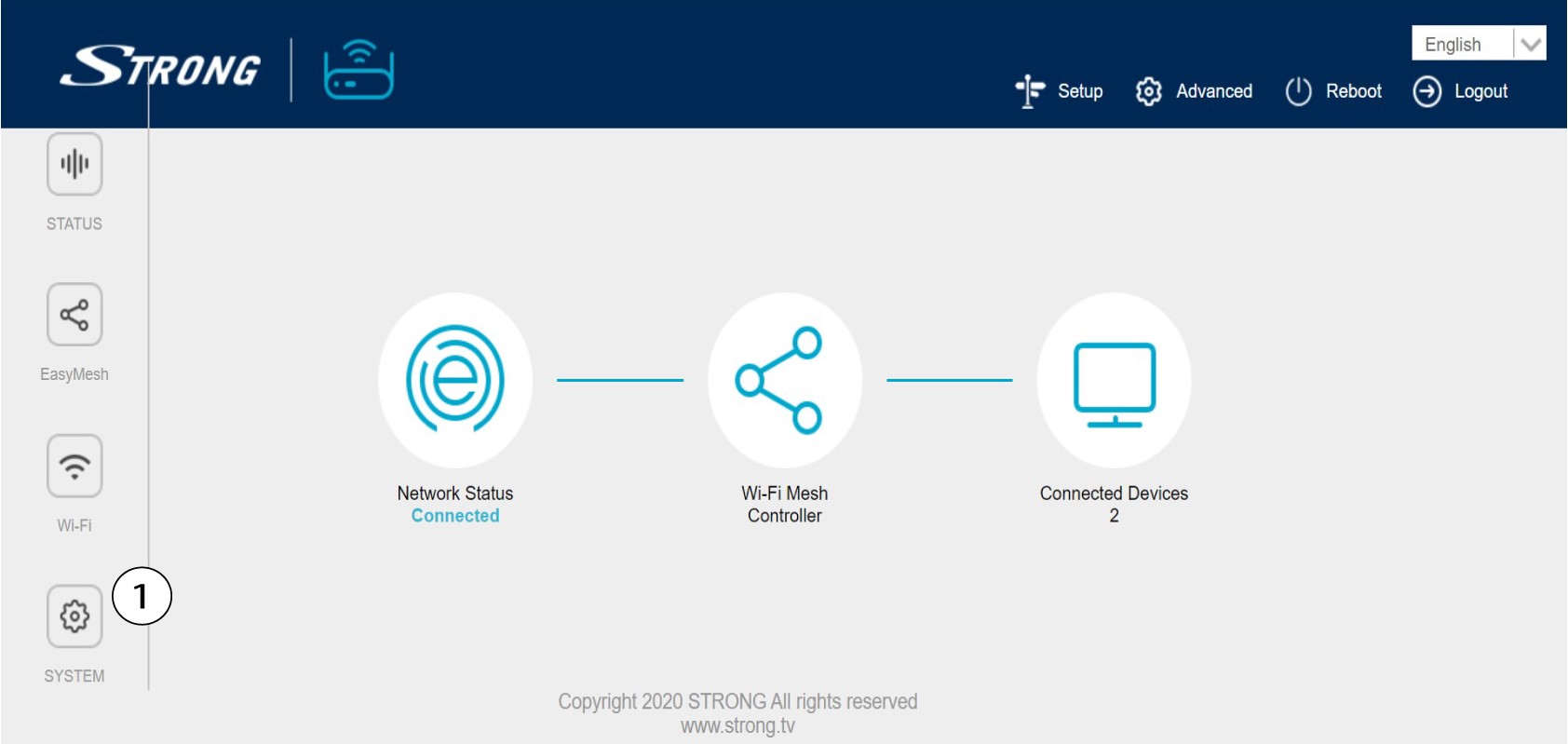
Nyní se nacházíte na hlavní stránce webového uživatelského rozhraní. Po prvním přihlášení možná budete muset změnit správcovské heslo webového uživatelského rozhraní; postup najdete v následujících pokynech. Chcete-li tak učinit, klikněte v levém panelu na položku „Systém “.
5. Úpravahesla správce
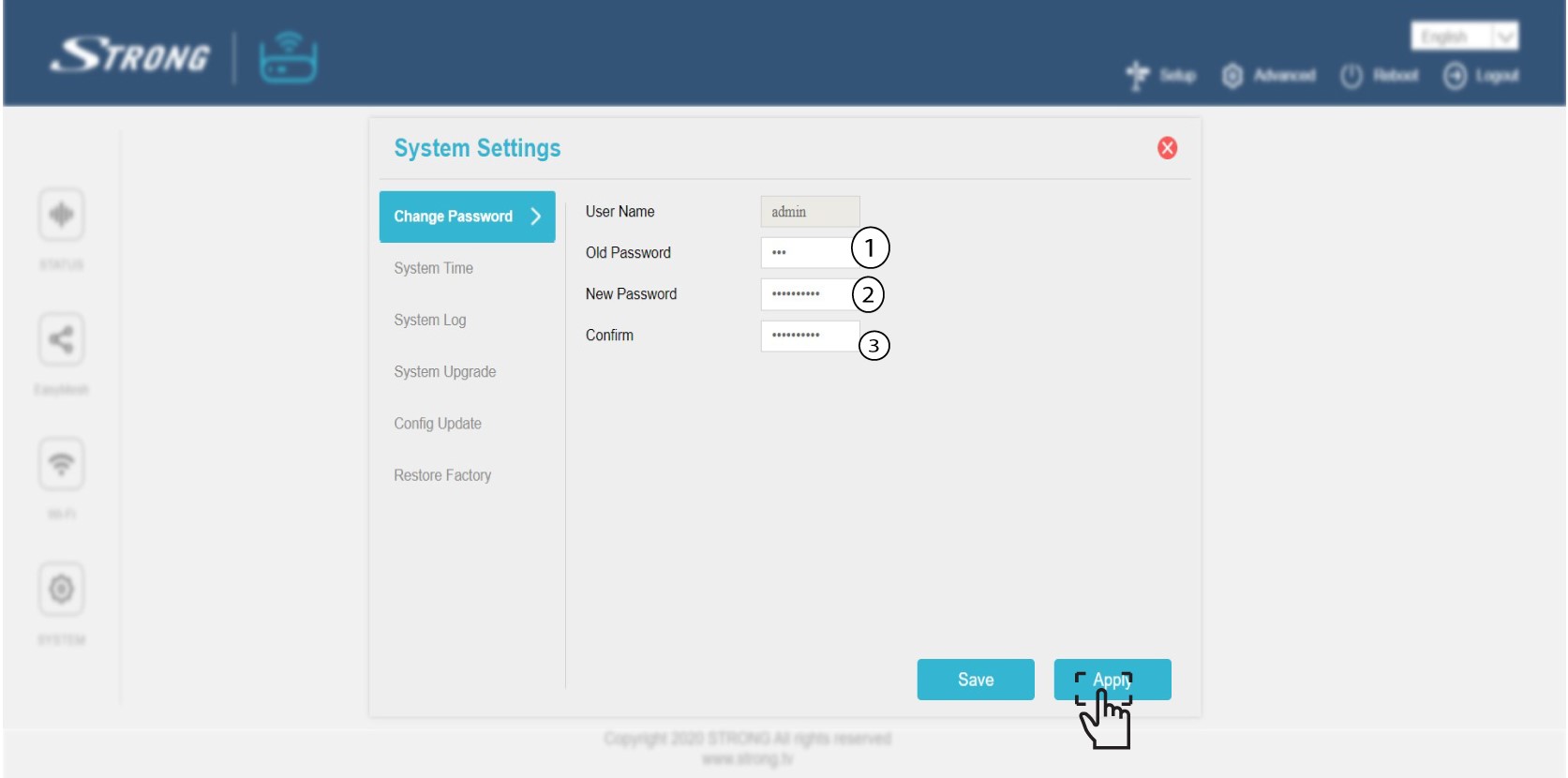
Před kliknutím na tlačítko „Potvrdit“ zadejte následující údaje:
o Staré heslo: Zadejte staré administrátorské heslo
o Nové heslo: Zadejte nové heslo.
o Potvrzení hesla: Zadejte stejné heslo jako v předchozím kroku.
Upozornění: Vezměte prosím na vědomí, že je nutné zadat heslo o délce 8 až 32 znaků obsahující velká a malá písmena, číslice a alespoň jeden speciální znak (@, $, !, %, *, ?, &)
6. Zapištesi nové heslo
Zapište si nové heslo na kousek papíru a přilepte ho pod svůj mesh.
