
4G AIRHOME 200 Mini-router med aftagelige 4G-antenner
Ingen varer fundet.
Ingen varer fundet.
Alle spørgsmål
4G AIRHOME 200 Mini-router med aftagelige 4G-antenner
Ingen varer fundet.
Ingen varer fundet.
Hvordan ændrer jeg administratoradgangskoden?
1Opret forbindelsetil webgrænsefladen
For at oprette forbindelse til webgrænsefladen skal du følge vejledningen i:
2. Redigerlogin-adgangskode
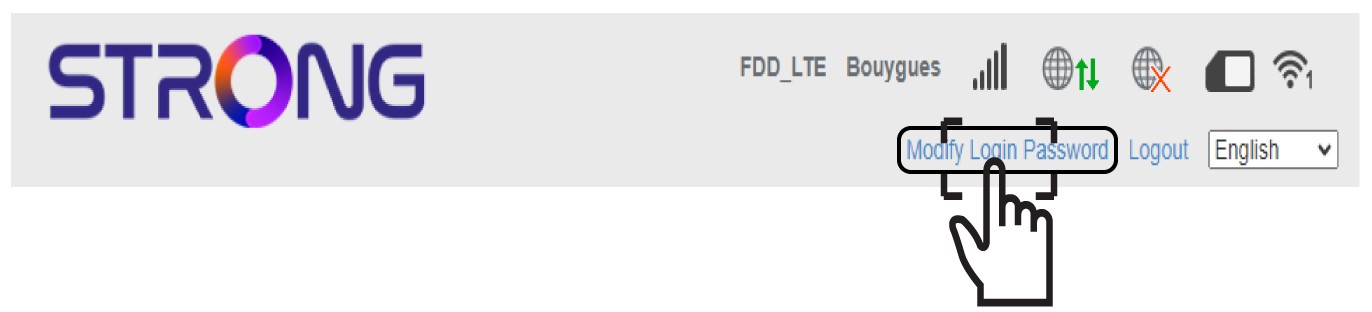
Når dette er gjort, skal du klikke på linket »Rediger login-adgangskode« i den øverste bjælke.
3Opretden nye adgangskode
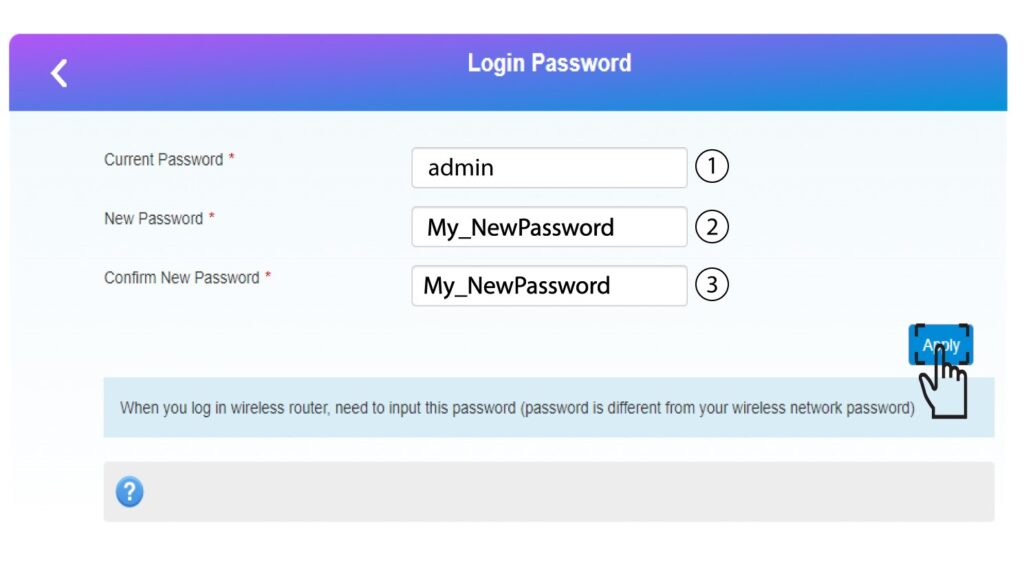
Indtast følgende oplysninger, inden du klikker på »Anvend«:
• Nuværende adgangskode: Indtast den nuværende adgangskode.
• Ny adgangskode: Indtast den nye adgangskode.
• Bekræft ny adgangskode: Indtast den samme adgangskode som i det forrige felt.
4Skrivden nye adgangskode ned
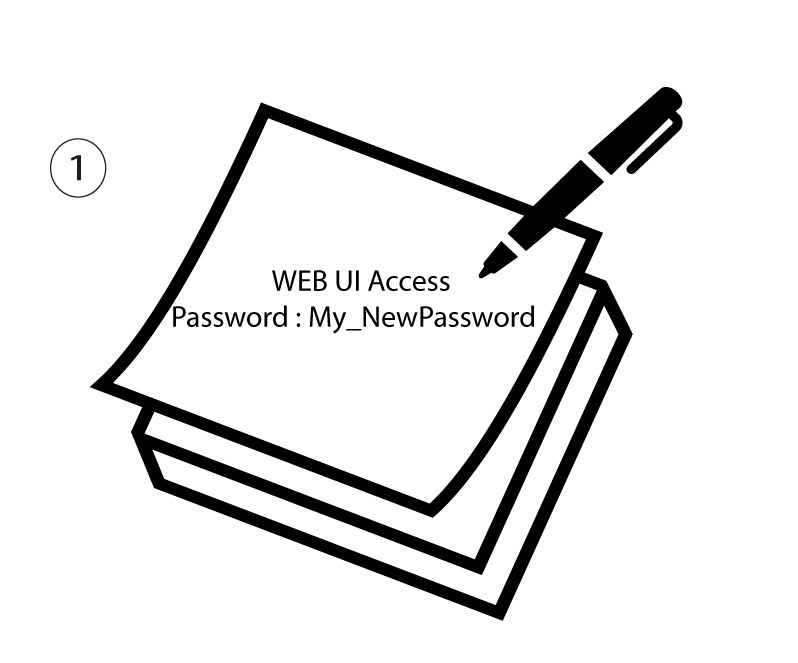
Skriv den nye adgangskode ned, så du kan få adgang til webgrænsefladen.
The new password can contain up to 32 characters including numbers, lower case, upper case, and special characters (! # $ * + , - . % : = ? @ [ ] ^ _ { | } ~).