
4G AIRHOME 200 Mini-router med aftagelige 4G-antenner
Ingen varer fundet.
Ingen varer fundet.
Alle spørgsmål
4G AIRHOME 200 Mini-router med aftagelige 4G-antenner
Ingen varer fundet.
Ingen varer fundet.
Hvordan ændrer jeg SSID’et (Wi-Fi-netværksnavnet) og Wi-Fi-adgangskoden? (Wi-Fi-indstillinger)
1. Opret forbindelsetil din routers Wi-Fi-netværk
For at ændre SSID’et (Wi-Fi-netværksnavnet) og Wi-Fi-adgangskoden skal du oprette forbindelse til din enheds Wi-Fi-netværk.

2. Gåtil webgrænsefladens IP-adresse
Indtast derefter følgende IP-adresse: 192.168.188.1 i din browser.

3Indtastdine adgangsoplysninger til turen
Du skal indtaste adgangskoden.

4. Wi-Fi-indstillinger
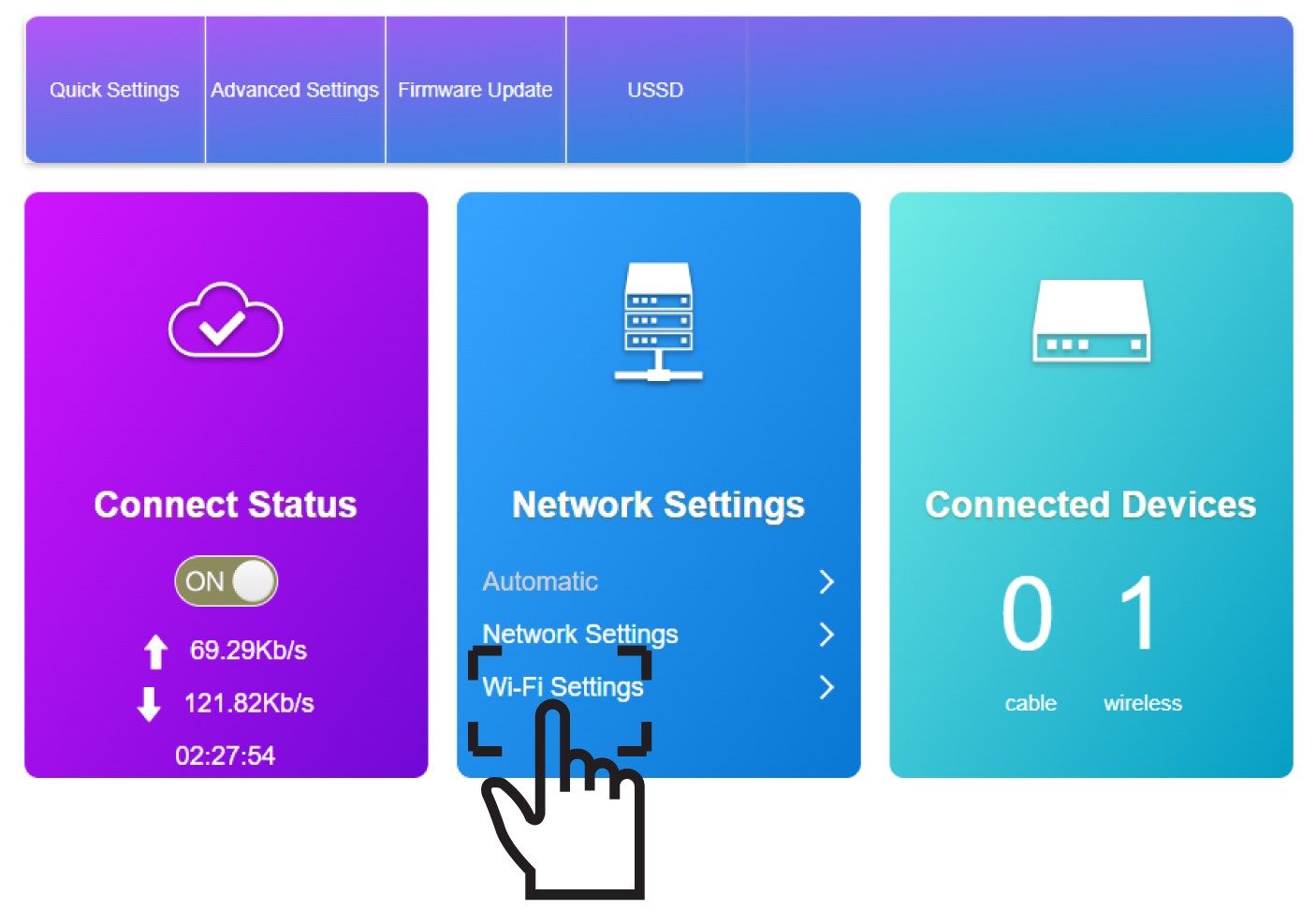
Klik på »Wi-Fi-indstillinger « i afsnittet »Netværksindstillinger«.
5Indtastde nye netværksoplysninger
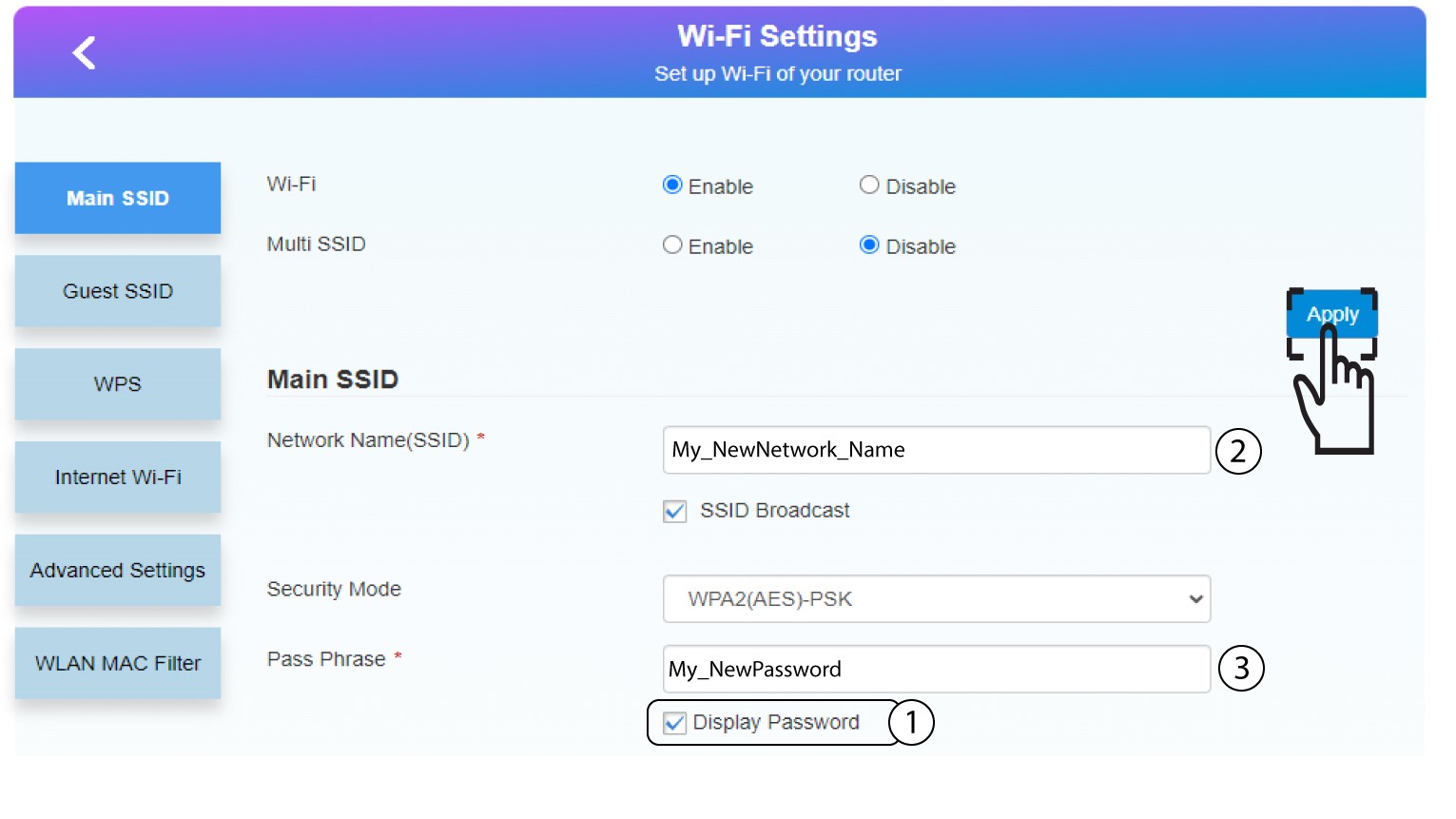
Klik på »Vis adgangskode«, og indtast følgende oplysninger, inden du klikker på »Anvend«:
a. Indtast det nye netværksnavn.
b. Indtast den nye Wi-Fi-adgangskode.
6. Gemde nye netværksoplysninger
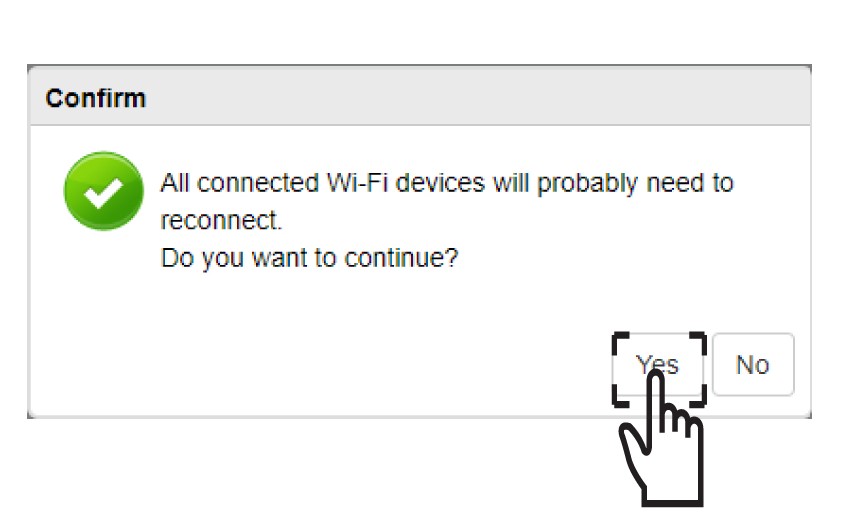
Klik på »Ja«i pop op-meddelelsen for at gemme dine ændringer.
7. Skrivde nye netværksoplysninger ned
Skriv de nye netværksoplysninger ned på et stykke papir.
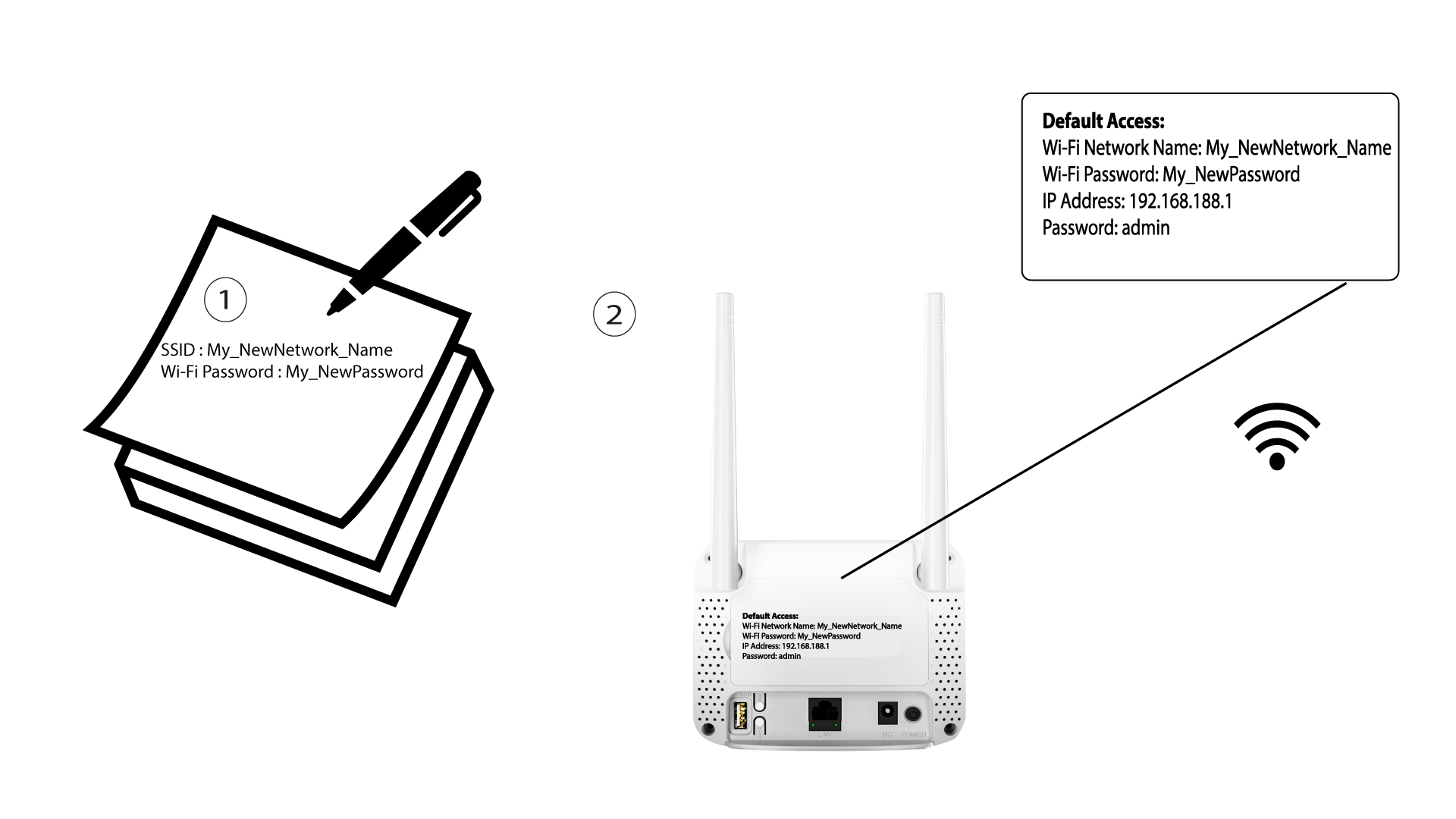

Når du har ændret Wi-Fi-netværksoplysningerne, vil alle enheder, der var forbundet til netværket, automatisk blive afbrudt.