4G AIRHOME 200 Mini-router med aftagelige 4G-antenner
Ingen varer fundet.
Ingen varer fundet.
Alle spørgsmål
4G AIRHOME 200 Mini-router med aftagelige 4G-antenner
Ingen varer fundet.
Ingen varer fundet.
Hvordan ændrer jeg IP-adressen på mit LAN?
1Opret forbindelsetil webgrænsefladen
Følg nedenstående fremgangsmåde for at få adgang til webgrænsefladen:
2. Afbrydinternetforbindelsen
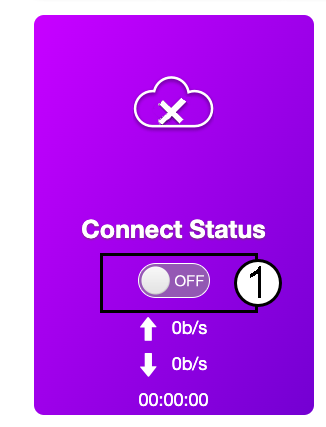
På startsiden skal du klikke på statusknappen »Connect« for at deaktivere internetforbindelsen.
Det er ikke muligt at ændre IP-adressen på dit LAN, mens din internetforbindelse er aktiv.
3. Avanceredeindstillinger
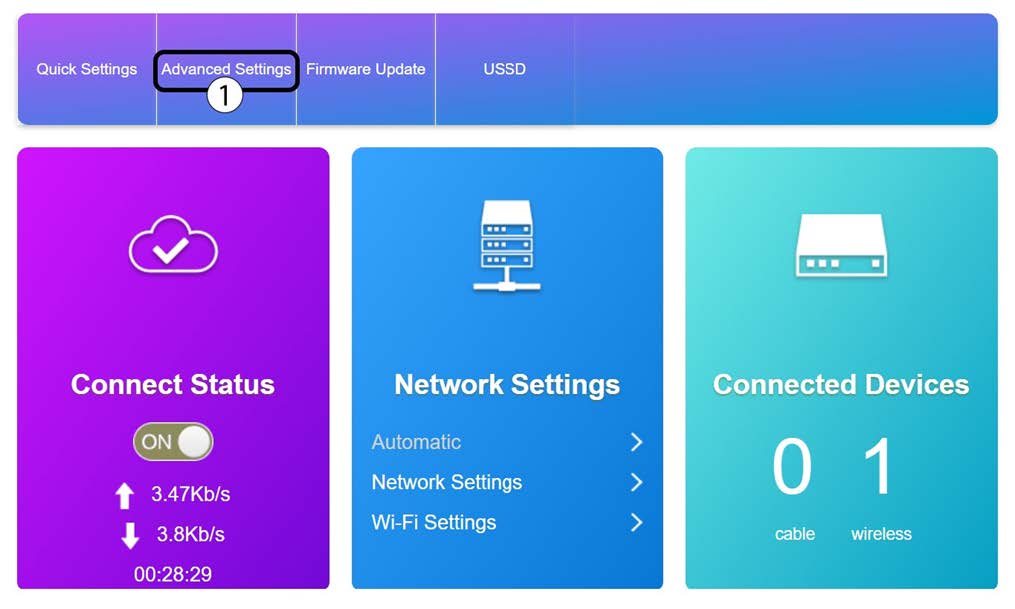
Klik på »Avancerede indstillinger«
4. Routerindstillinger
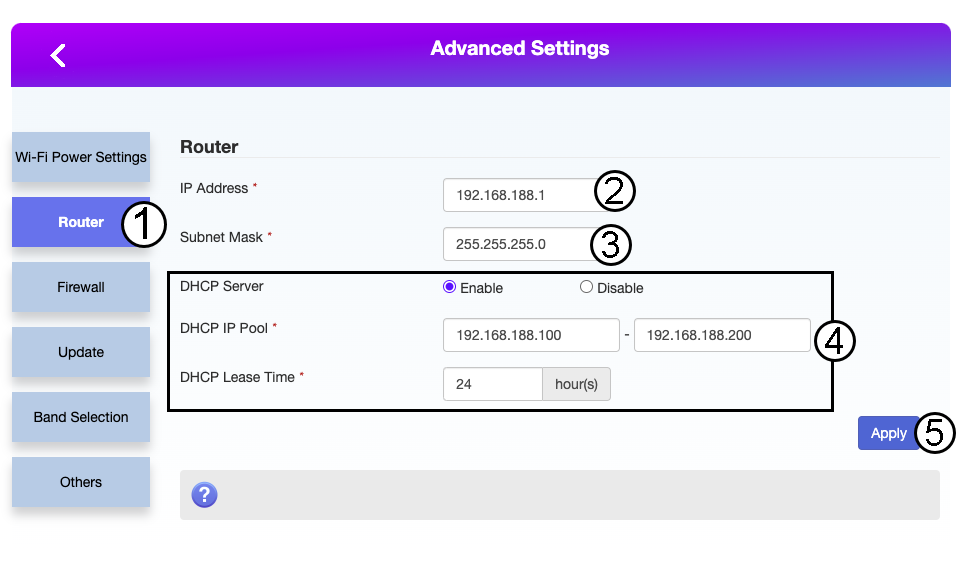
Klik på »Router«. Indtast derefter følgende oplysninger, inden du klikker på »Anvend«:
- IP-adresse: Indtast den nye IP-adresse på din router.
- Undernetmaske: Indtast IP-adressen for undernetmasken
- DHCP-server: Aktiver DHCP-serveren
- DHCP-IP-pulje: Indtast start- og slut-IP-adressen for din DHCP.
- DHCP-tid: Indtast den maksimale leasetid i timer.