4G AIRHOME 300 Mini-router med aftagelige 4G-antenner
Ingen varer fundet.
Ingen varer fundet.
Alle spørgsmål
4G AIRHOME 300 Mini-router med aftagelige 4G-antenner
Ingen varer fundet.
Ingen varer fundet.
Hvordan ændrer jeg PIN-koden til SIM-kortet?
1. Opret forbindelsetil routerens Wi-Fi-netværk
Du skal oprette forbindelse til webgrænsefladen. For at gøre dette skal du indtaste routerens SSID og adgangskode på din enhed.

2Gåtil IP-adressen for webgrænsefladen
Indtast derefter følgende IP-adresse i din browser: 192.168.0.1

3Loginside
Når du har indtastet IP-adressen, skal du klikke på »Login«.

4Indtastdine loginoplysninger
Du skal indtaste brugernavn og adgangskode. Klik derefter på »Log ind«.

5. Avanceredeindstillinger
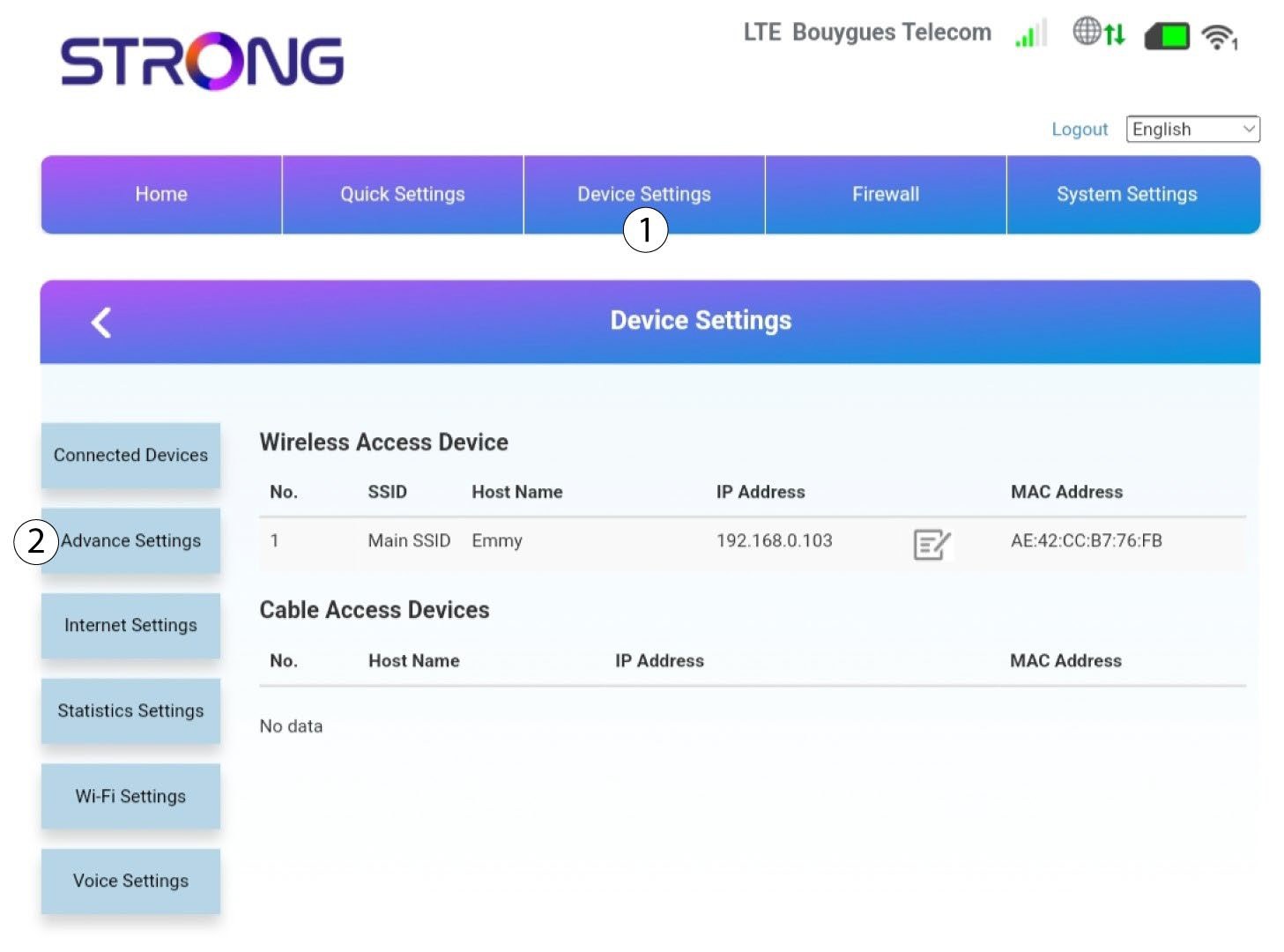
Klik derefter på »Enhedsindstillinger « og på fanen »Avancerede indstillinger «.
6PIN-styring
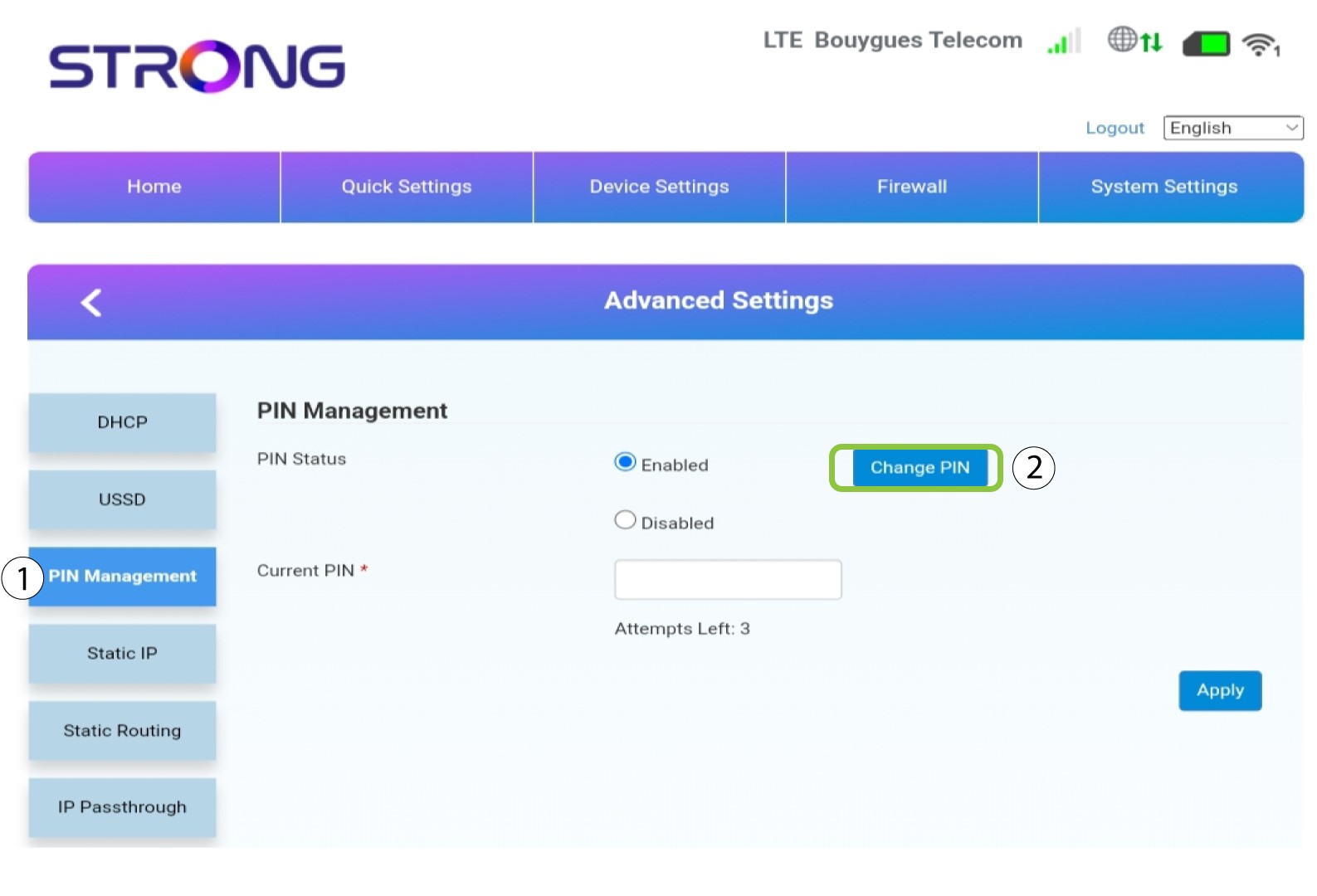
Klik på »PIN-administration « og »Skift PIN-kode«.
7Indtastden nye PIN-kode
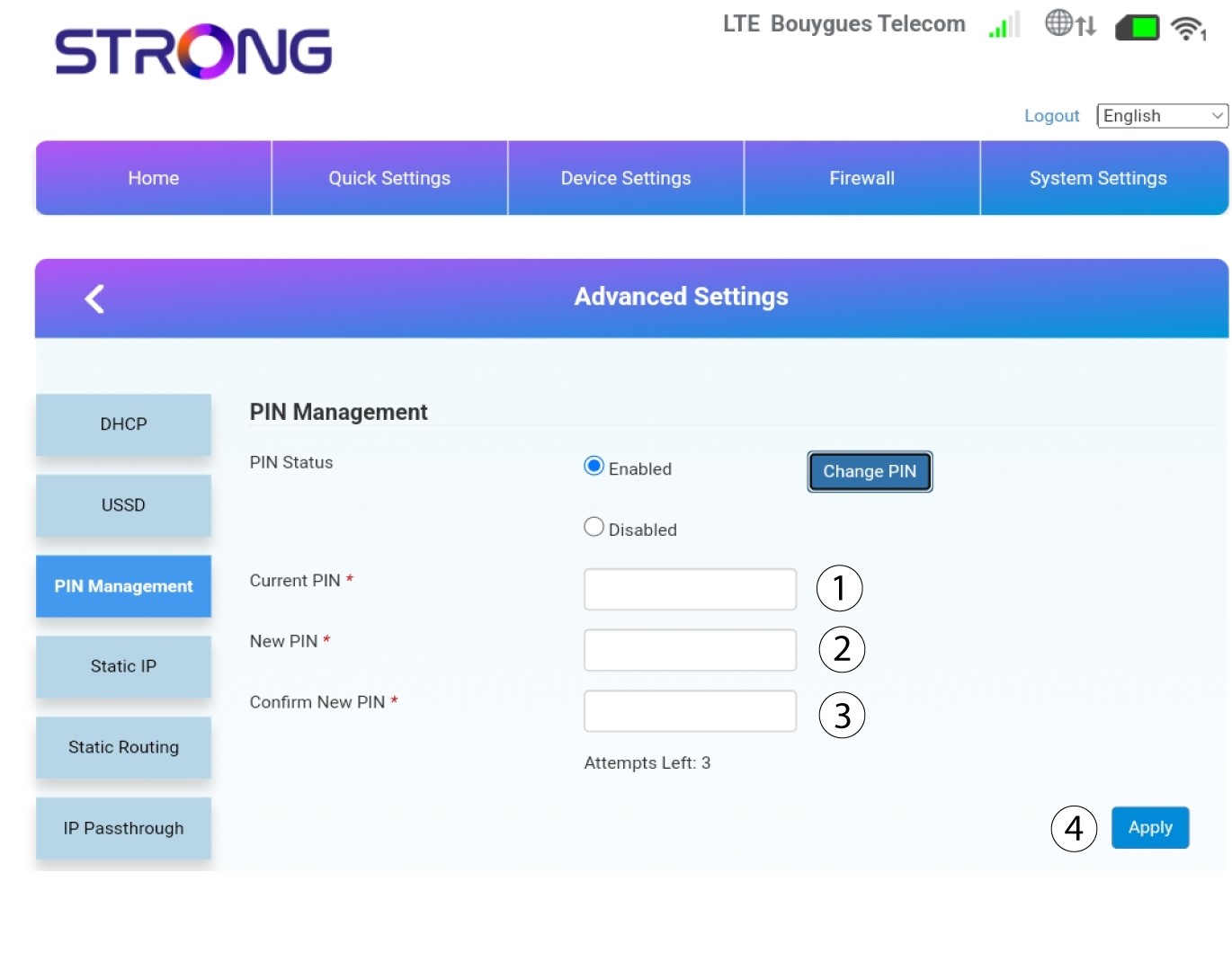
Indtast følgende oplysninger, og klik på »Anvend«:
• Nuværende PIN-kode: Indtast PIN-koden for dit SIM-kort.
• Ny PIN-kode: Indtast den nye PIN-kode.
• Bekræft ny PIN-kode: Indtast den samme PIN-kode som i det forrige felt.