
4G AIRHOME 300 Mini-router med aftagelige 4G-antenner
Alle spørgsmål
4G AIRHOME 300 Mini-router med aftagelige 4G-antenner
Hvordan ændrer jeg SSID og adgangskode? (Hurtige indstillinger)
Hvordan ændrer jeg SSID og adgangskode?
I webgrænsefladen har du to muligheder for at ændre din routers SSID og adgangskode:
• Ved hjælp af Hurtigindstillinger
• Eller ved hjælp af Wi-Fi-indstillinger.
1Hurtigeindstillinger
I webgrænsefladen kan du via »Hurtigindstillinger« ændre oplysningerne om dit netværk: netværksnavnet og adgangskoden.
For at gøre det skal du klikke på »Hurtige indstillinger« i den øverste bjælke.
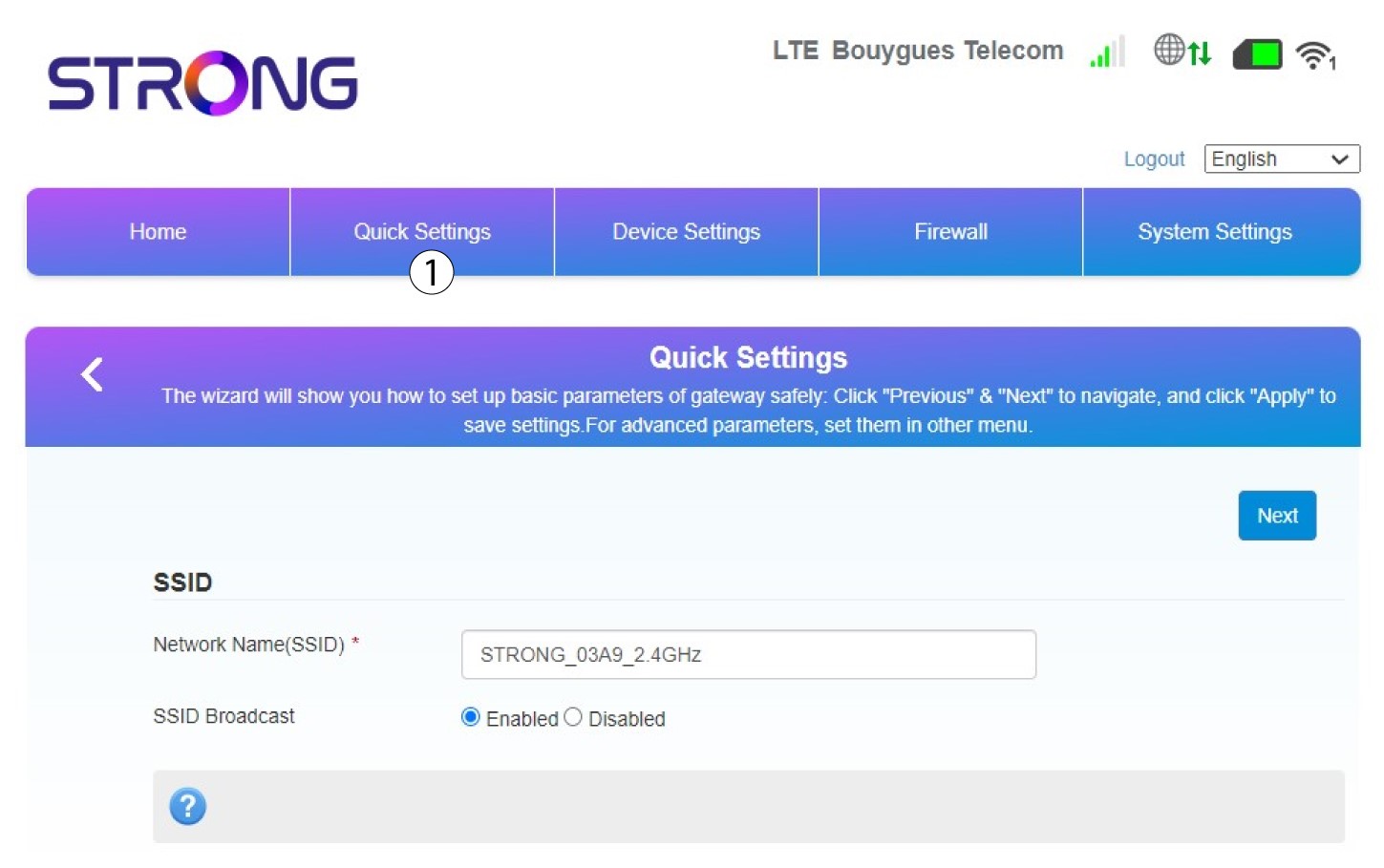
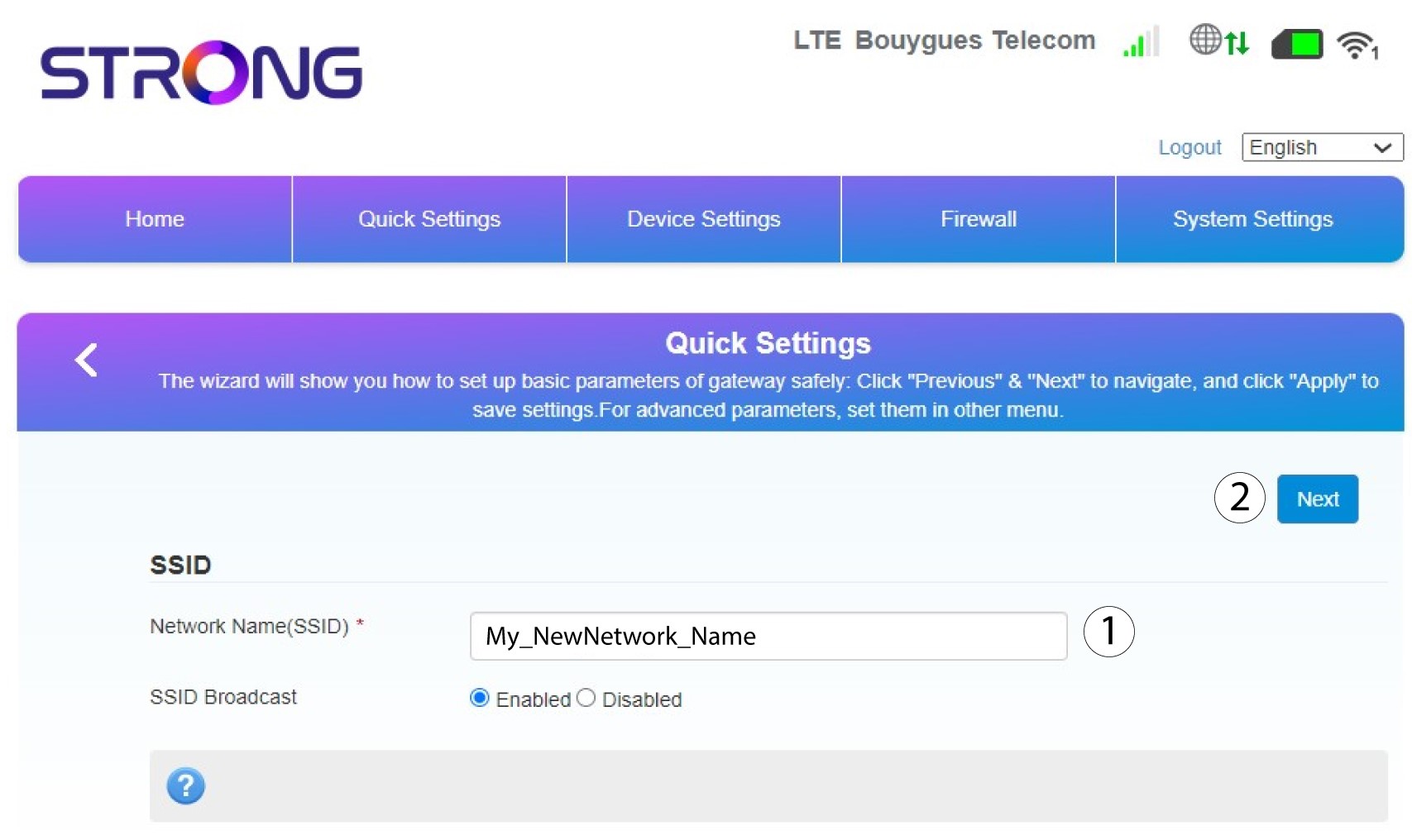
2Indtastdet nye netværksnavn
Indtast derefter dit nye netværksnavn, og klik på »Næste«.
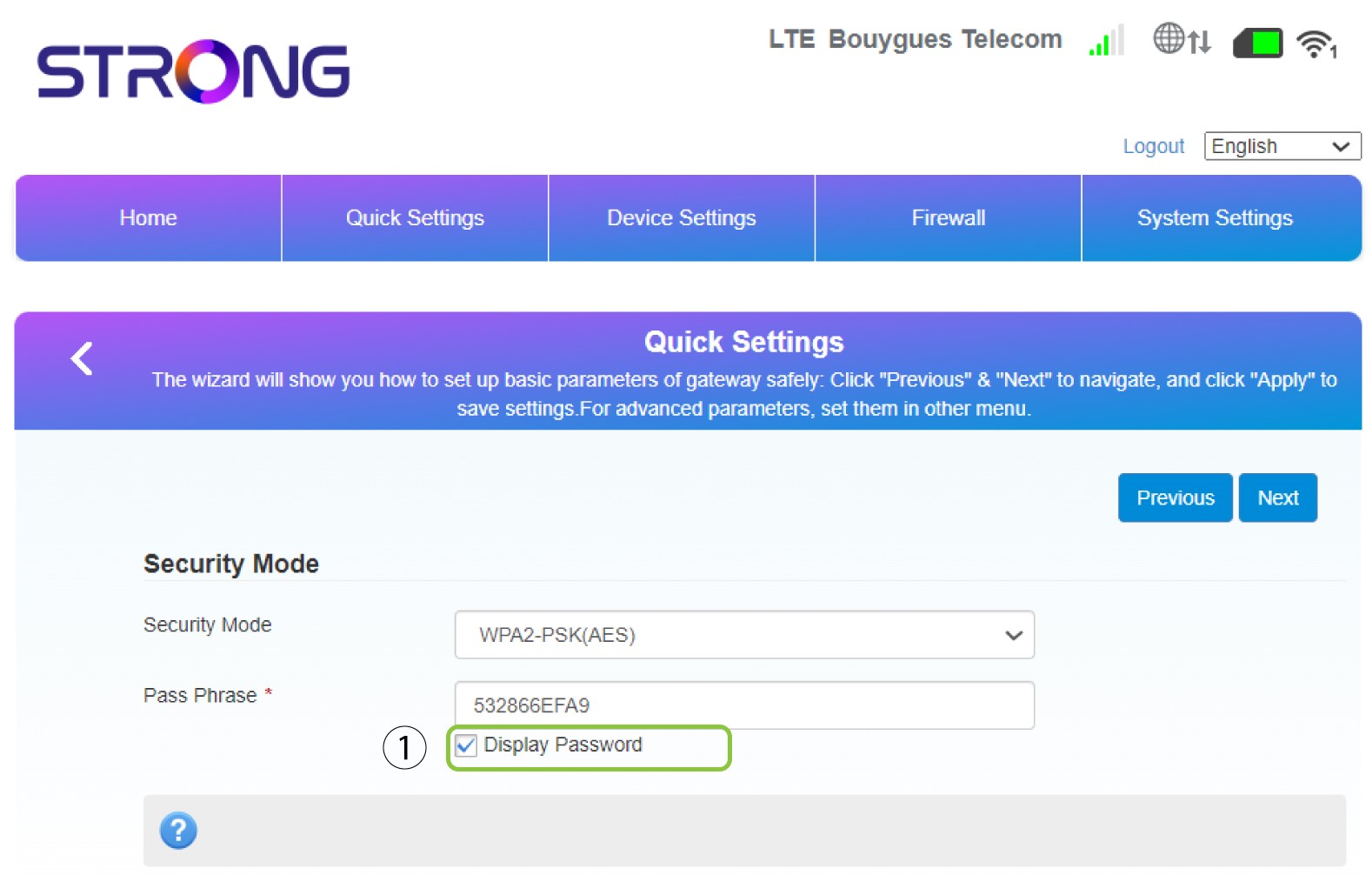
3Visdin adgangskode
Klik på »Vis adgangskode«.
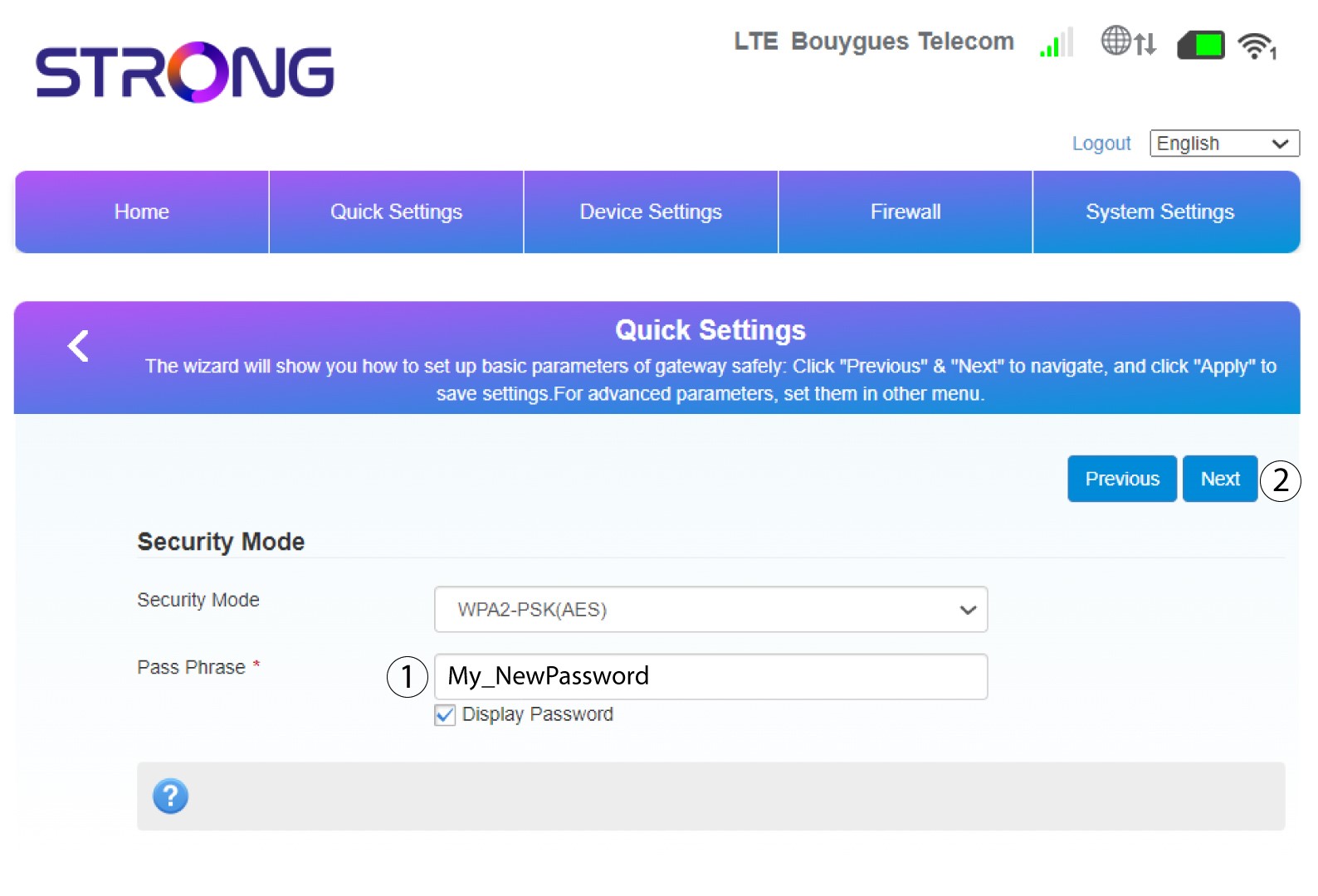
4Indtasten ny adgangskode
Skift din adgangskode. Klik derefter på »Næste«.
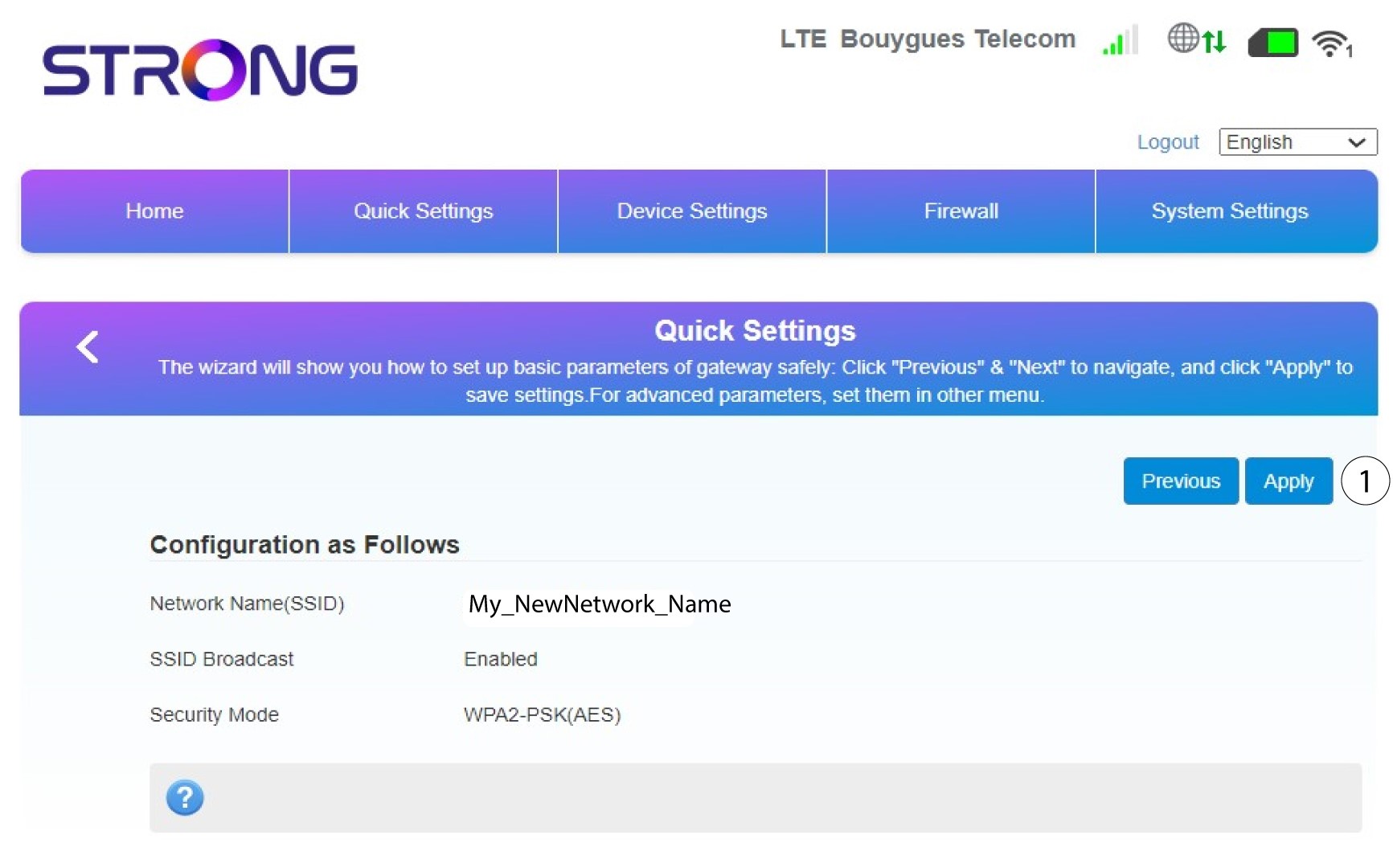
5. Gennemgådine ændringer
Klik på »Anvend« for at gemme ændringerne.
6Skrivdet nye netværksnavn og den nye adgangskode ned
Skriv venligst det nye SSID og den nye adgangskode, du har oprettet, ned på et stykke papir.


Når du har ændret din routers netværksnavn og adgangskode, vil QR-koden ikke længere fungere, da din routers forbindelsesoplysninger vil være anderledes.