
4G AIRHOME 300 Mini-router med aftagelige 4G-antenner
Alle spørgsmål
4G AIRHOME 300 Mini-router med aftagelige 4G-antenner
Hvordan ændrer jeg SSID og adgangskode? (Wi-Fi-indstillinger)

Når du har ændret din routers netværksnavn og adgangskode, vil QR-koden ikke længere fungere, da din routers forbindelsesoplysninger vil være anderledes.
Skriv venligst de nye netværksoplysninger ned på et stykke papir.
1. Opret forbindelsetil routerens Wi-Fi-netværk
For at ændre SSID og adgangskode skal du oprette forbindelse til din enheds Wi-Fi-netværk.

2Gåtil IP-adressen for webgrænsefladen
Indtast derefter følgende IP-adresse: 192.168.0.1 i din browser.

3Loginside
Klik derefter på »Log ind«.

4Indtastdine loginoplysninger
Du skal indtaste brugernavn og adgangskode.

5. Wi-Fi-indstillinger
Klik på »Enhedsindstillinger«, og vælg »Wi-Fi-indstillinger«.
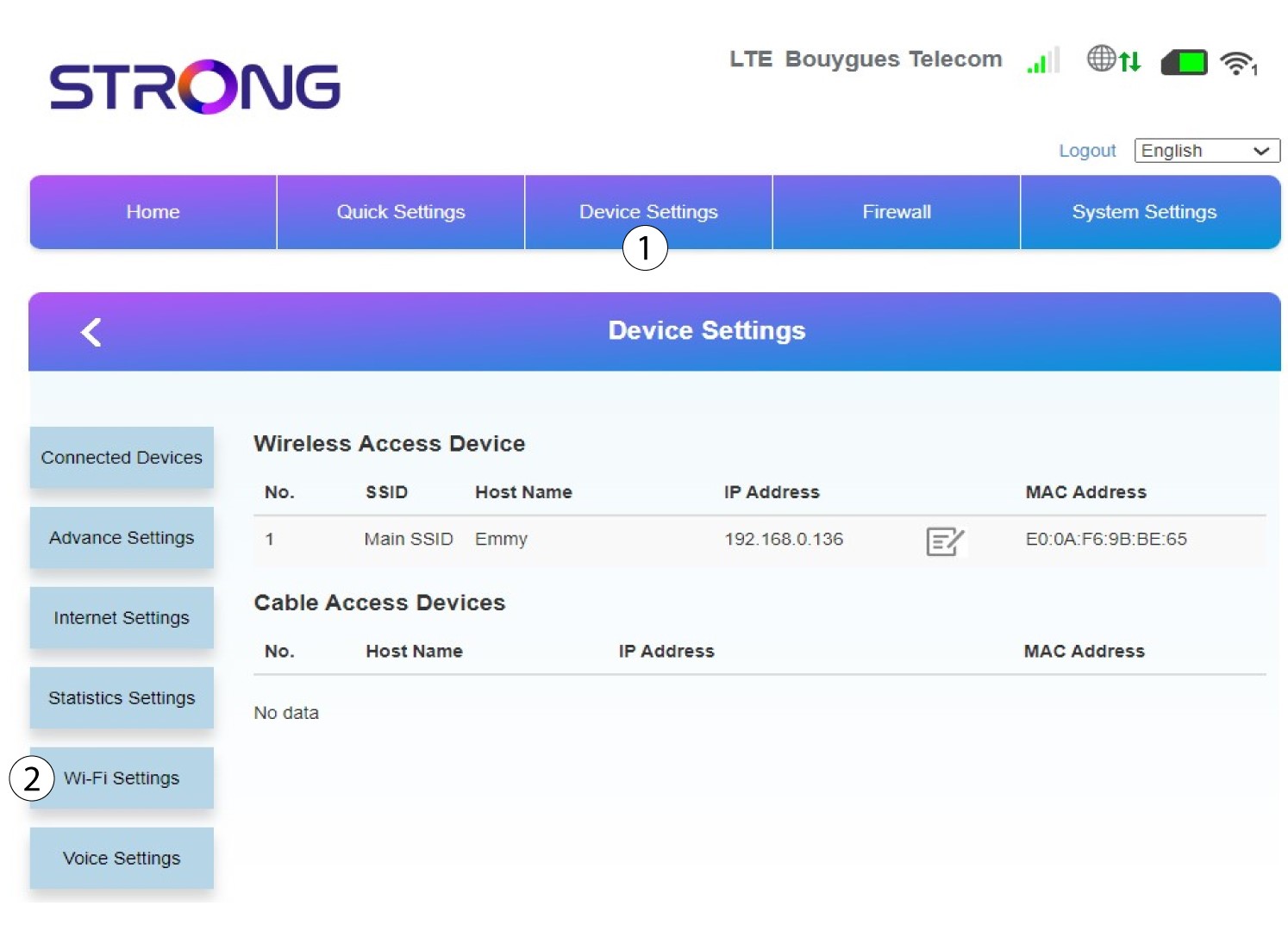
6Hoved-SSID
Vælg derefter »SSID-indstillinger « og vælg »Hoved-SSID«.
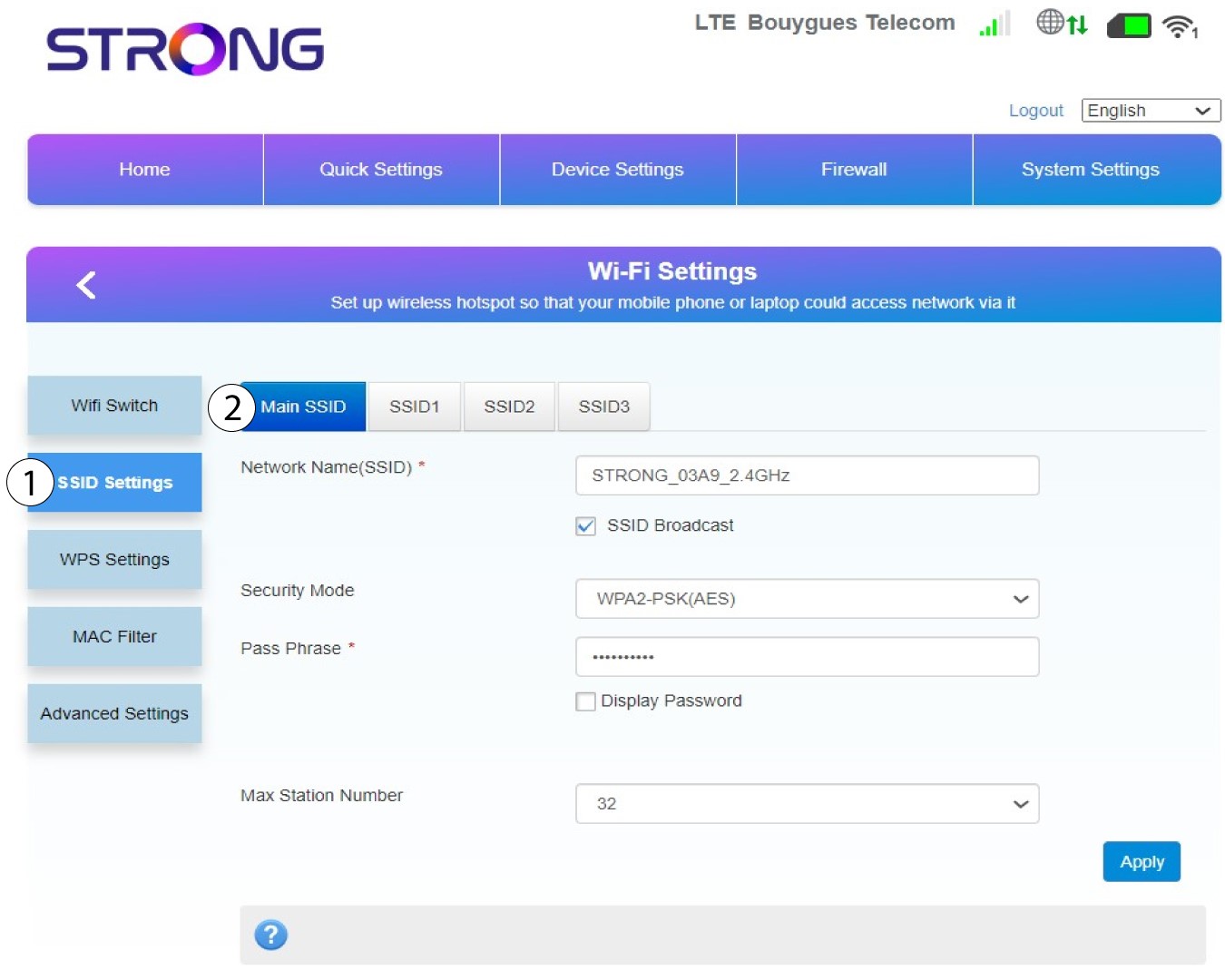
7Indtastet nyt netværksnavn og en ny adgangskode
Rediger det navn, der er indtastet i feltet »Netværksnavn (SSID) «, og sæt flueben ved »Vis adgangskode« boks. Rediger derefter den adgangskode, der er indtastet i feltet »Adgangskode «.
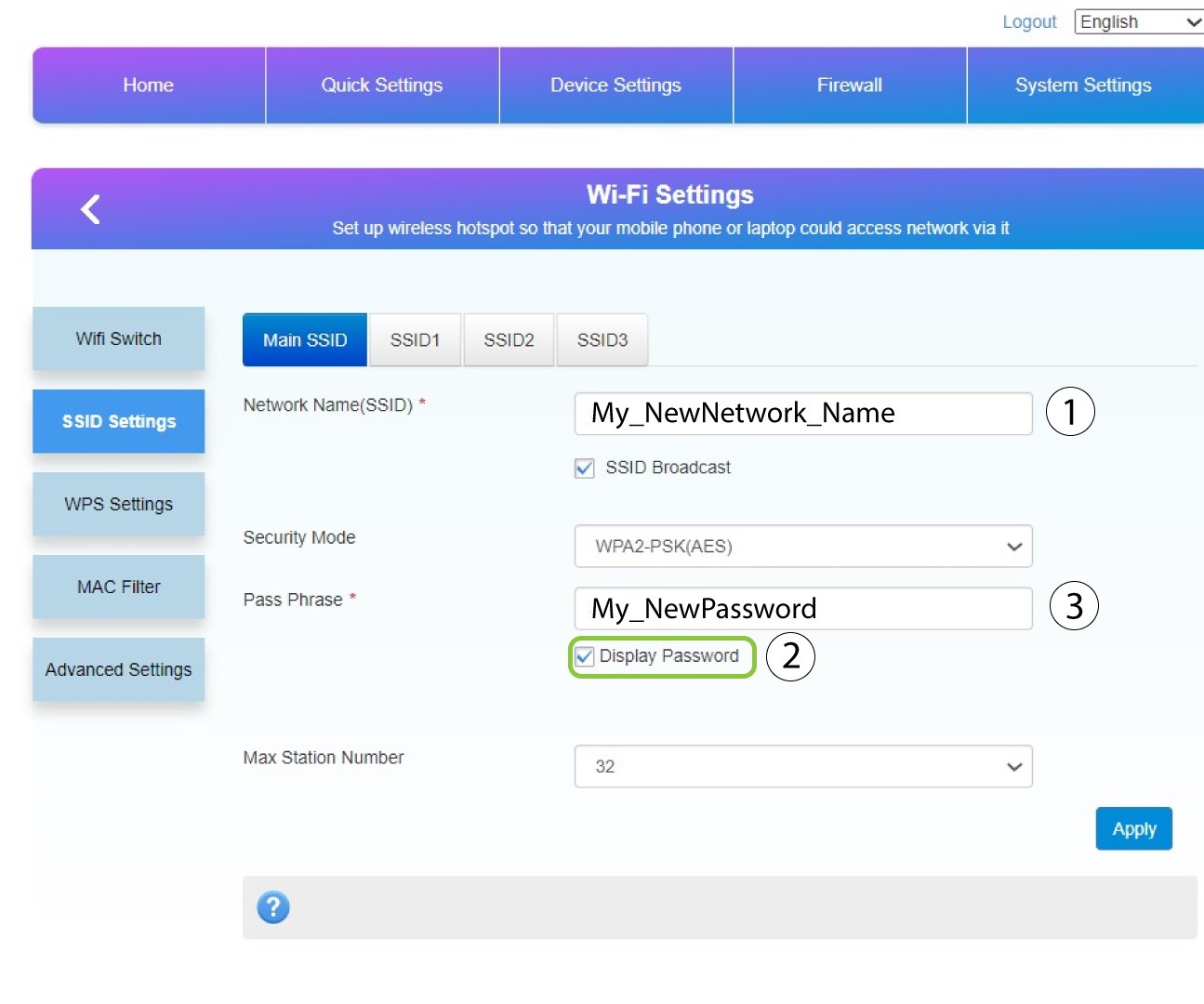
8Gemdine ændringer
Klik på »Anvend« for at gemme ændringerne.
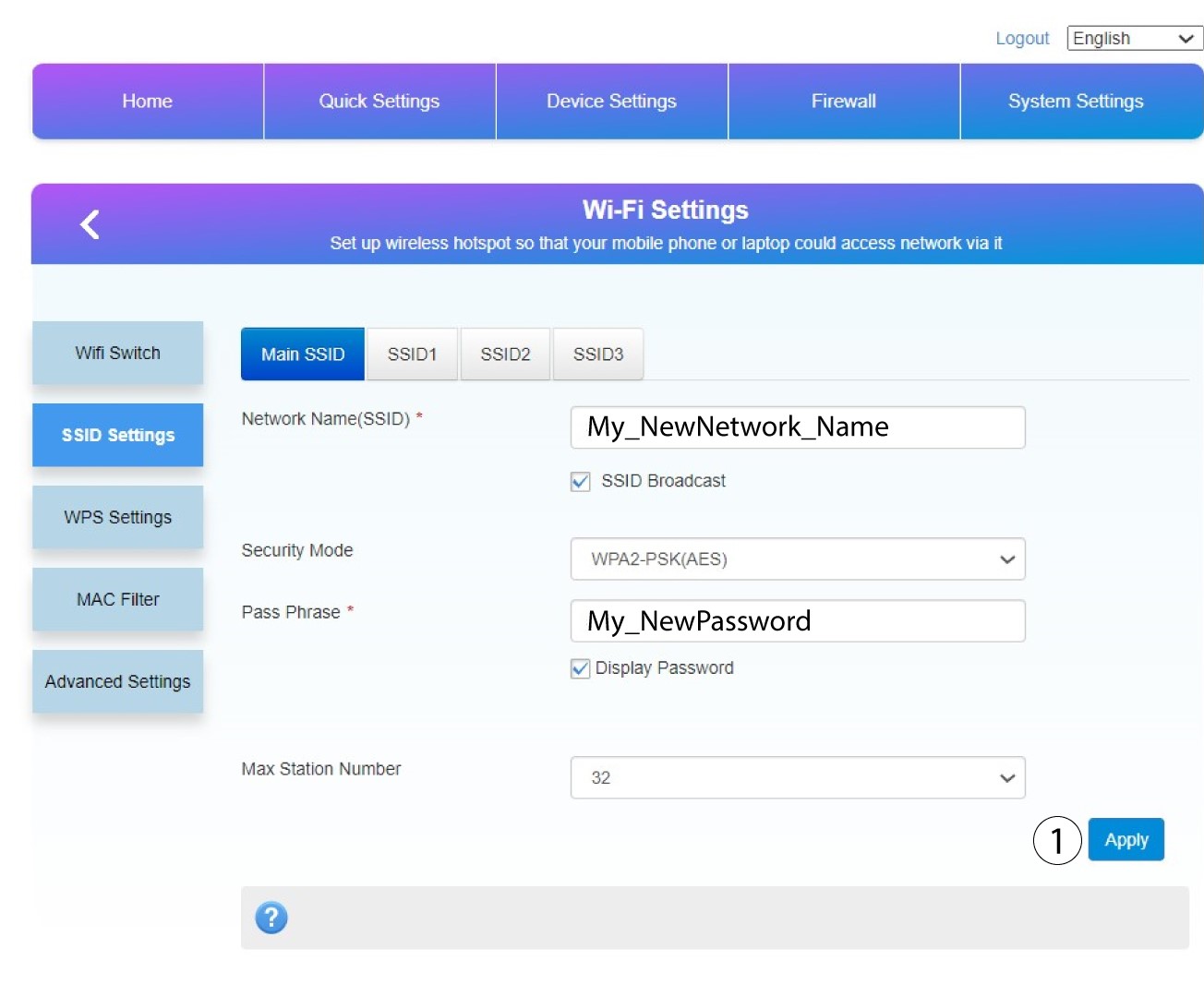
9Skrivdine nye oplysninger ned
Skriv dit nye SSID og din adgangskode ned på et stykke papir, og sæt det fast på routeren med tape.
