4G AIRHOME 310 med aftagelige 4G-antenner
Alle spørgsmål
4G AIRHOME 310 med aftagelige 4G-antenner
Hvordan ændrer jeg SSID’et (Wi-Fi-netværksnavnet) og adgangskoden? (Tilfælde 2: Wi-Fi-indstillinger)
Hvordan ændrer jeg SSID’et (Wi-Fi-netværksnavnet) og adgangskoden? (Tilfælde 1: Hurtige indstillinger)
I webgrænsefladen har du to muligheder for at ændre din routers SSID og adgangskode:
• Ved hjælp af Hurtigindstillinger
• Eller ved hjælp af Wi-Fi-indstillinger.
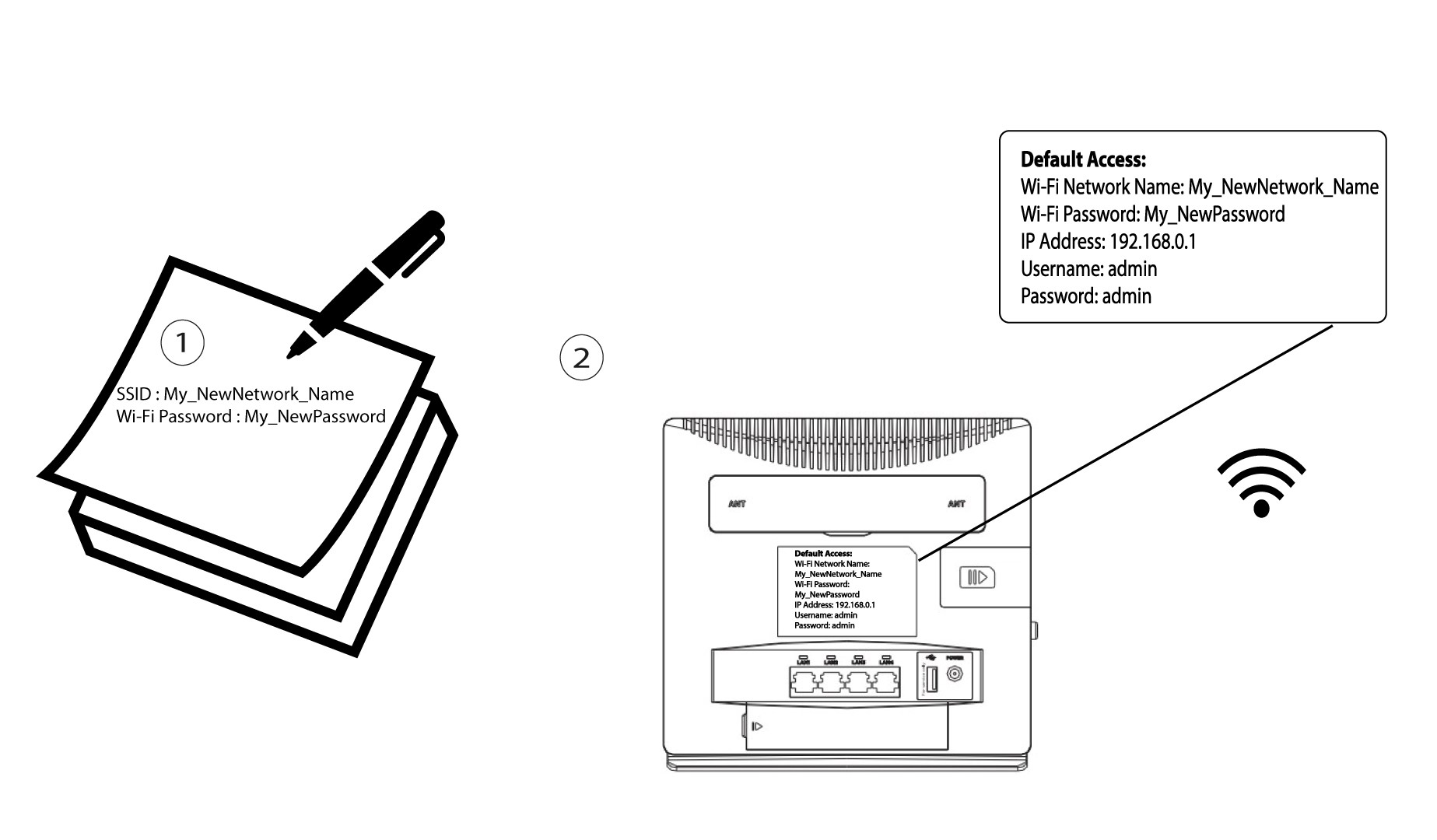
1. Opret forbindelsetil routerens Wi-Fi-netværk
For at ændre SSID og adgangskode skal du oprette forbindelse til din enheds Wi-Fi-netværk. Derefter skal du oprette forbindelse til webgrænsefladen ved at følge denne fremgangsmåde:

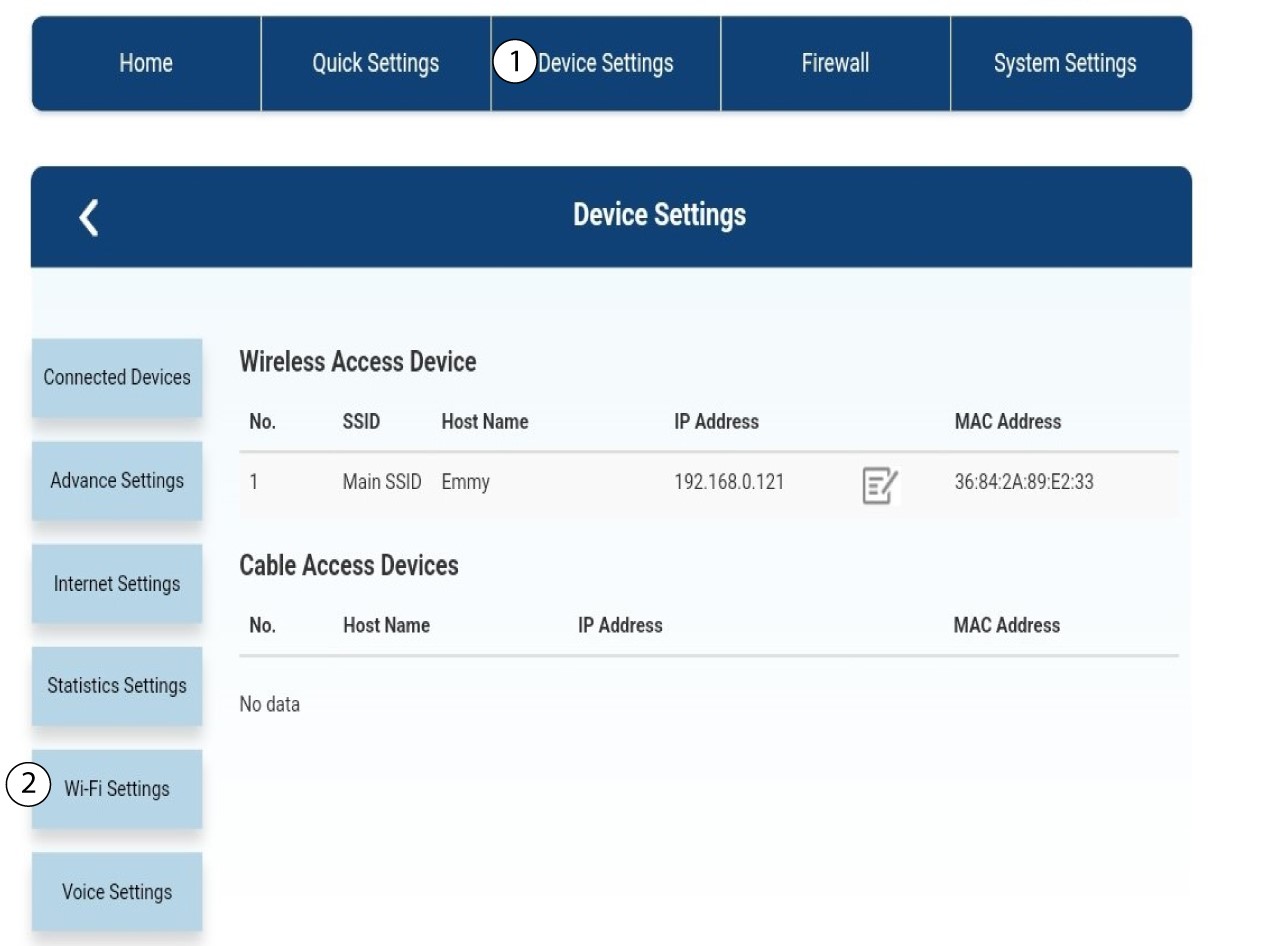
2. Wi-Fi-indstillinger
Klik på »Enhedsindstillinger«, og vælg »Wi-Fi-indstillinger«.
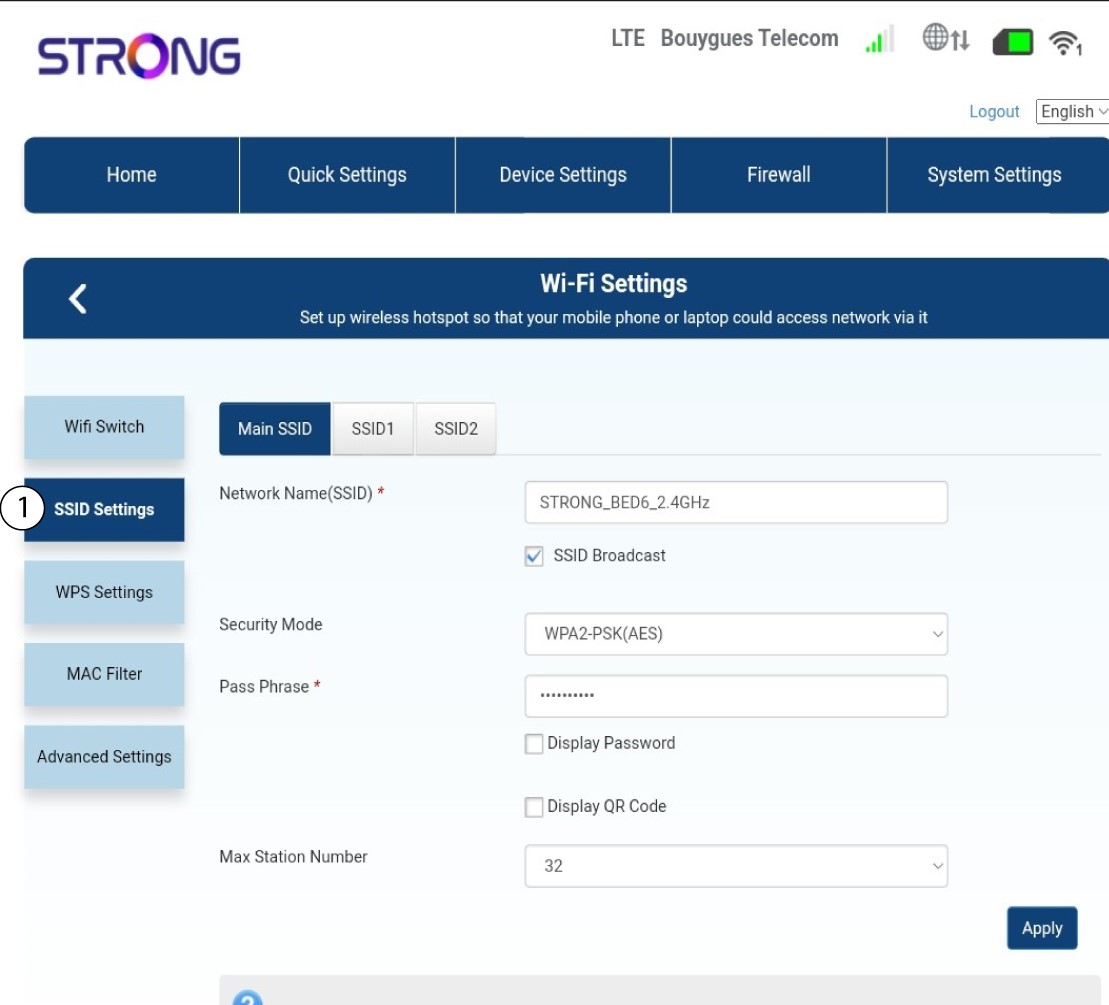
3SSID-indstillinger
Vælg derefter »SSID-indstillinger«.
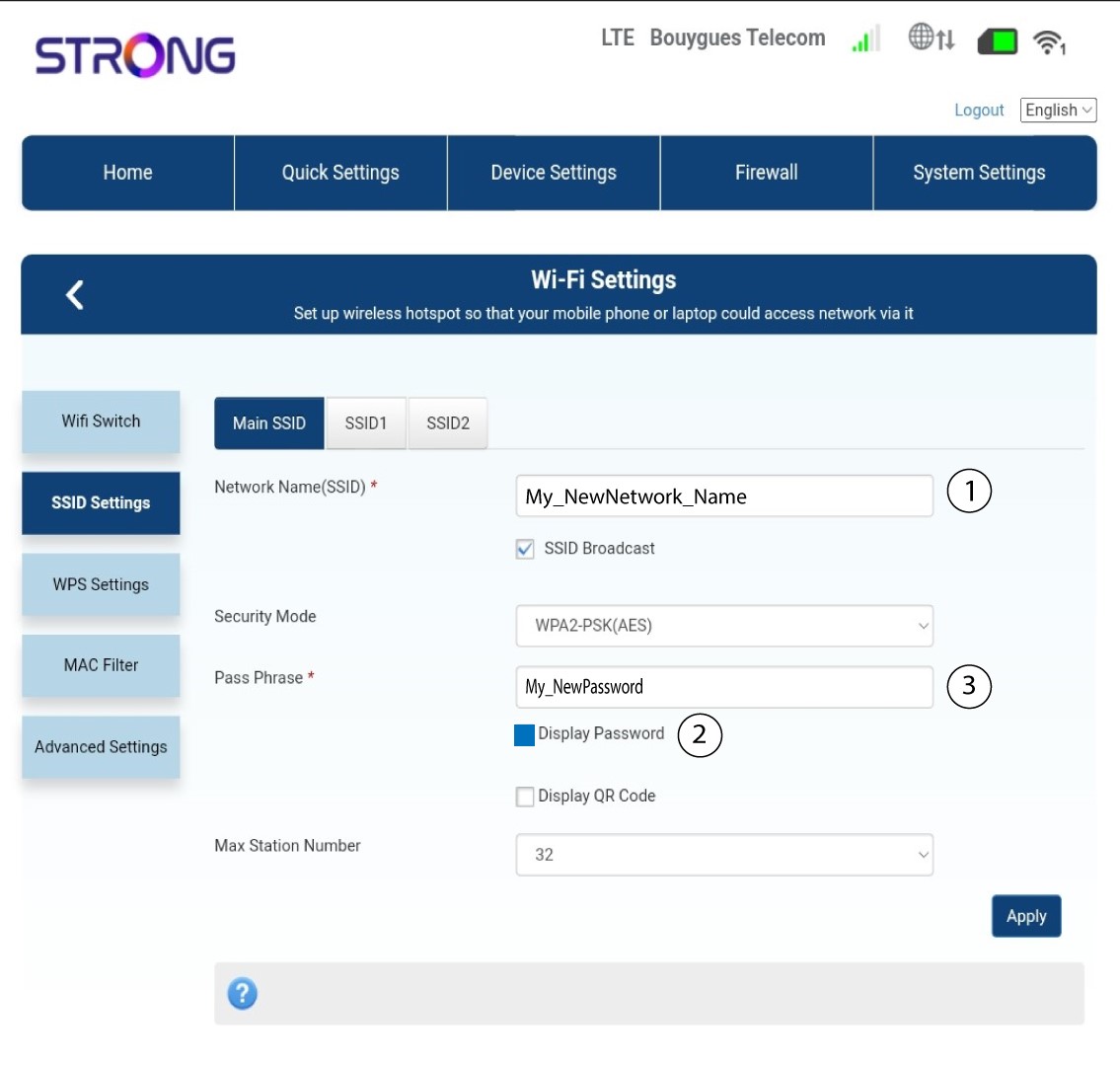
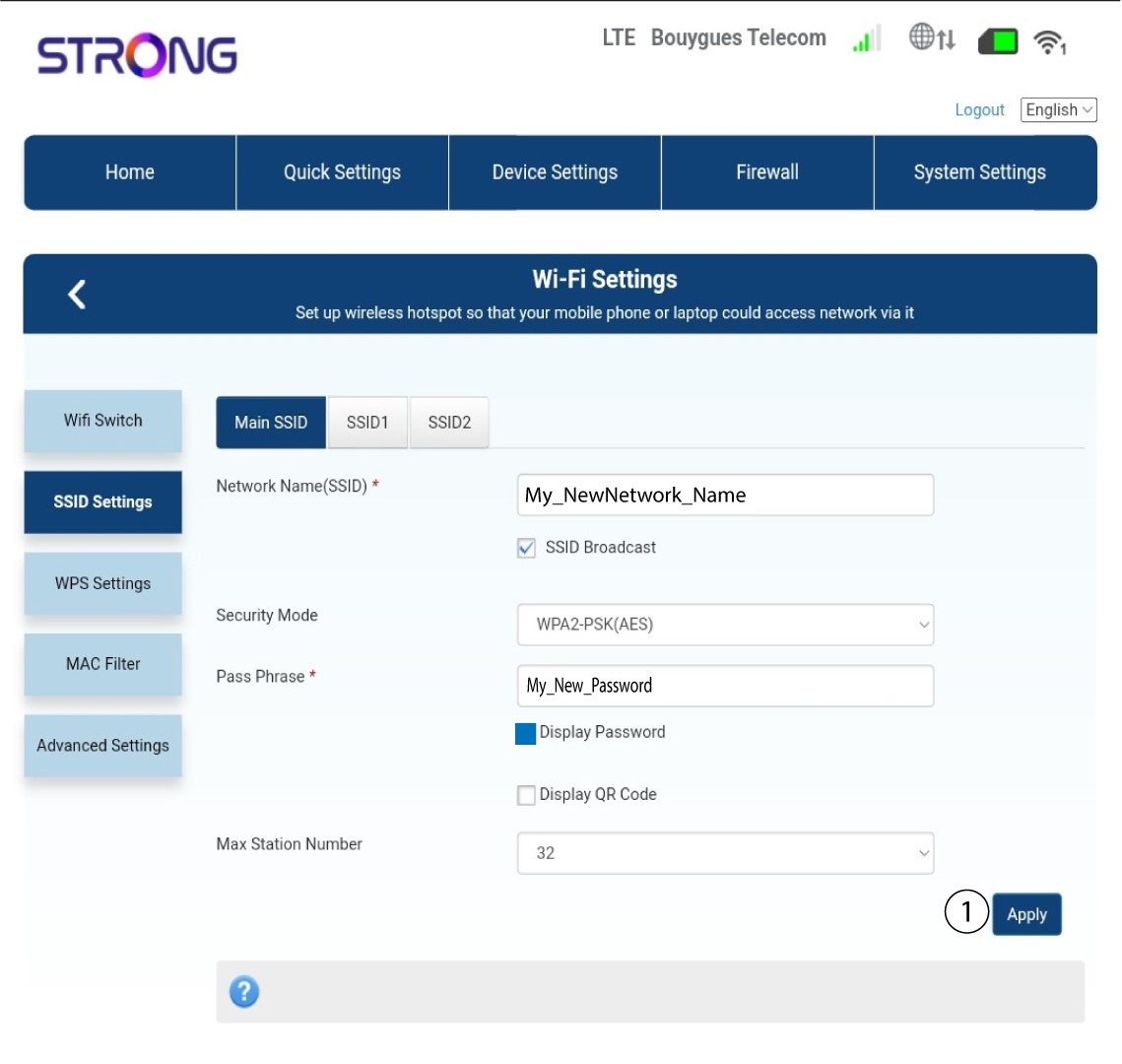
4Indtastdine nye netværksoplysninger
Rediger det navn, der er indtastet i feltet »Netværksnavn (SSID)«, og marker afkrydsningsfeltet »Vis adgangskode « boks. Rediger derefter den adgangskode, der er indtastet i feltet »Adgangskode «.
5. Gemde nye netværksoplysninger
Klik på »Anvend« for at gemme ændringerne.
6. Skrivde nye netværksoplysninger ned
Skriv dit nye SSID og din adgangskode ned på et stykke papir, og sæt det fast på routeren med tape.