
Dual Band Repeater 750 V2
Alle spørgsmål
Dual Band Repeater 750 V2
Hvordan konfigurerer jeg min repeater som en router?
TIPS: Inden du konfigurerer din repeater, bør du gennemgå nedenstående fremgangsmåde for at finde det bedste sted at placere din repeater: Hvad er den bedste placering til min repeater?
1Opret forbindelsetil webgrænsefladen
Følg en af nedenstående fremgangsmåder for at oprette forbindelse til webgrænsefladen:
- Hvordan opretter jeg forbindelse til repeaterens webgrænseflade? (RJ45-kabel)
- Hvordan opretter jeg forbindelse til repeaterens webgrænseflade? (Wi-Fi)
2Vælgroutertilstand
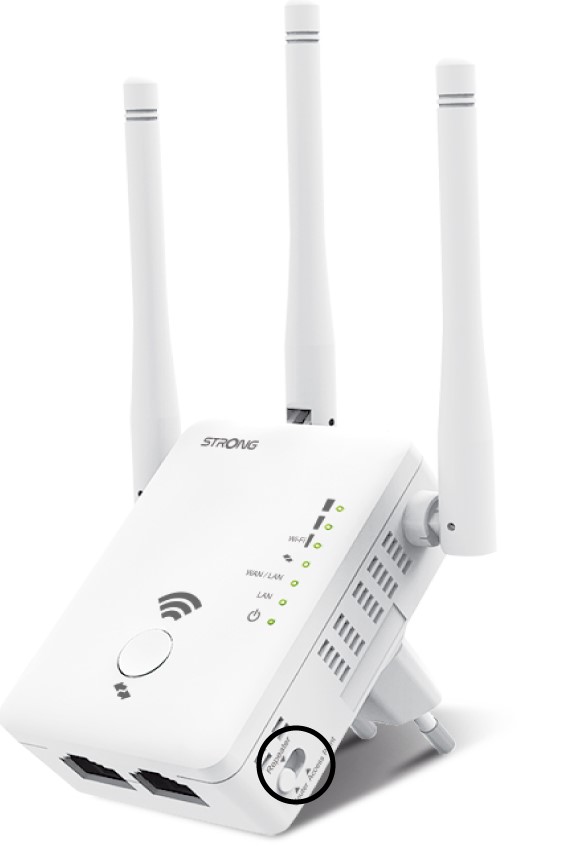
Vælg indstillingen »Router« på mode- switch en, der sidder på højre side af din repeater.
3Router-guiden
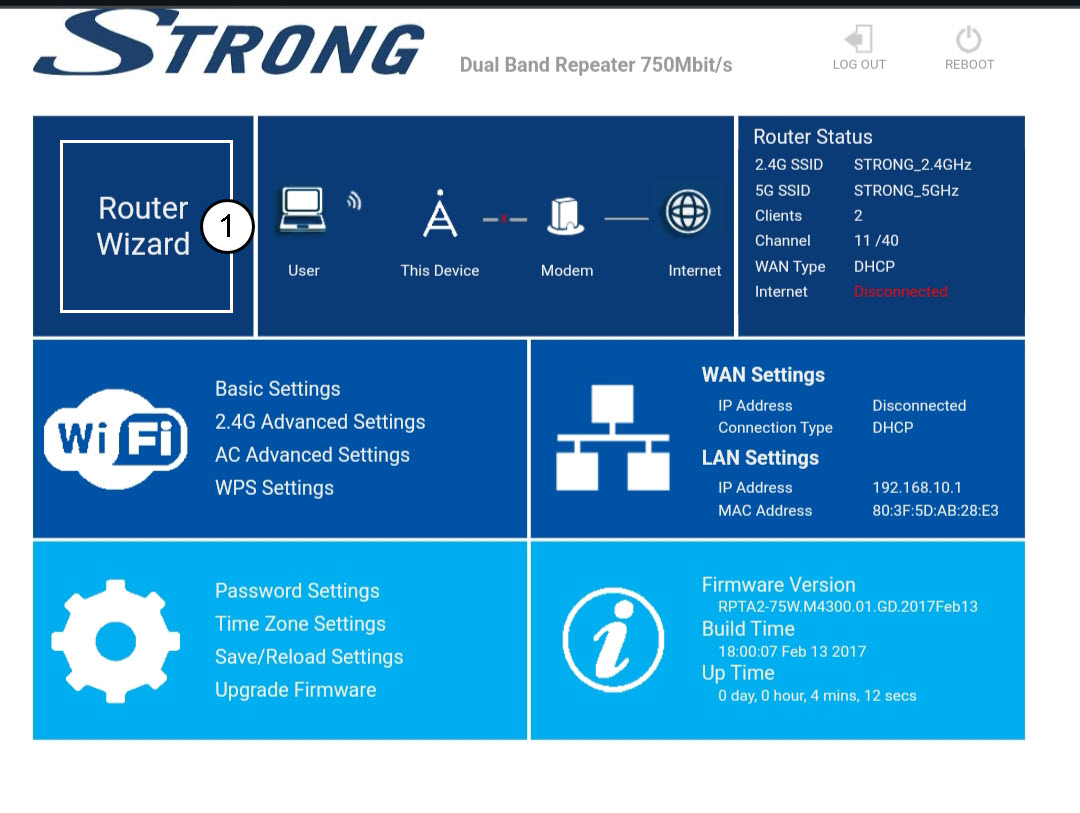
Klik på »Router-guiden«.
4. Konfiguration af routeren
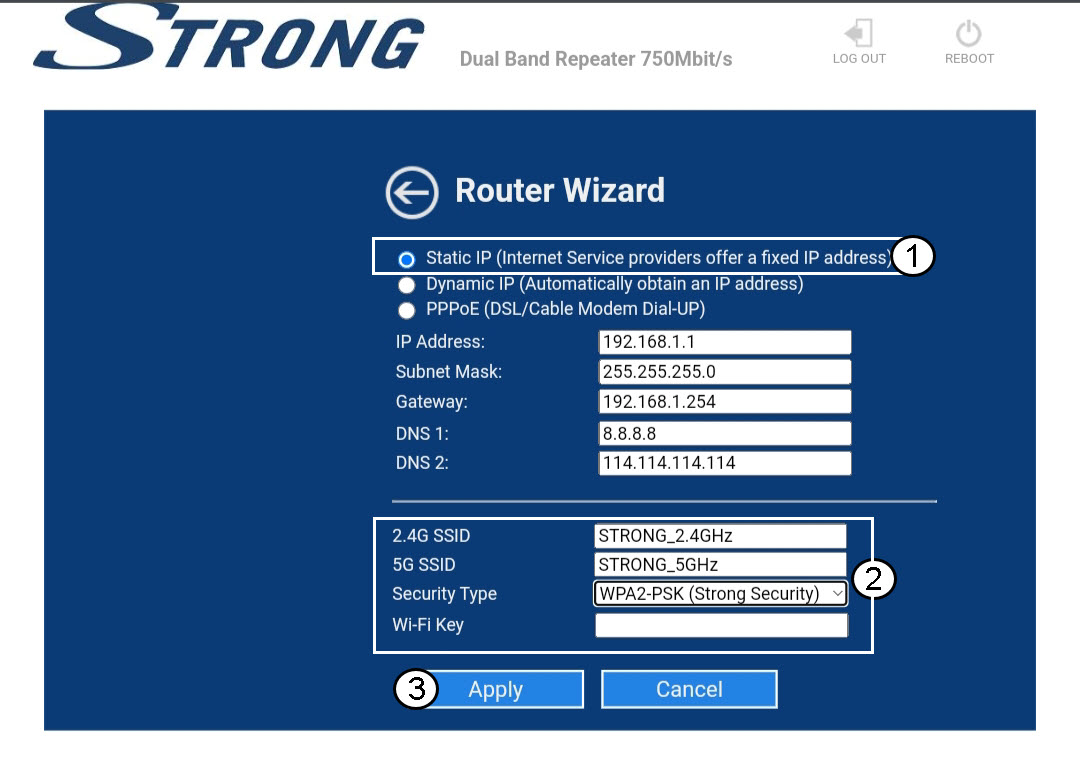
Vælg indstillingen »Statisk IP« for at konfigurere dit netværk. Indtast et navn for hvert SSID, og vælg sikkerhedstypen for dit netværk. Vi anbefaler, at du vælger indstillingen »WPA2-PSK«. Klik på »Anvend« for at bekræfte.
TIPS: Du kan oprette forbindelse til webgrænsefladen ved at bruge repeaterens IP-adresse..
5Vent, mens konfigurationen foregår
Vent venligst, mens repeateren konfigureres.
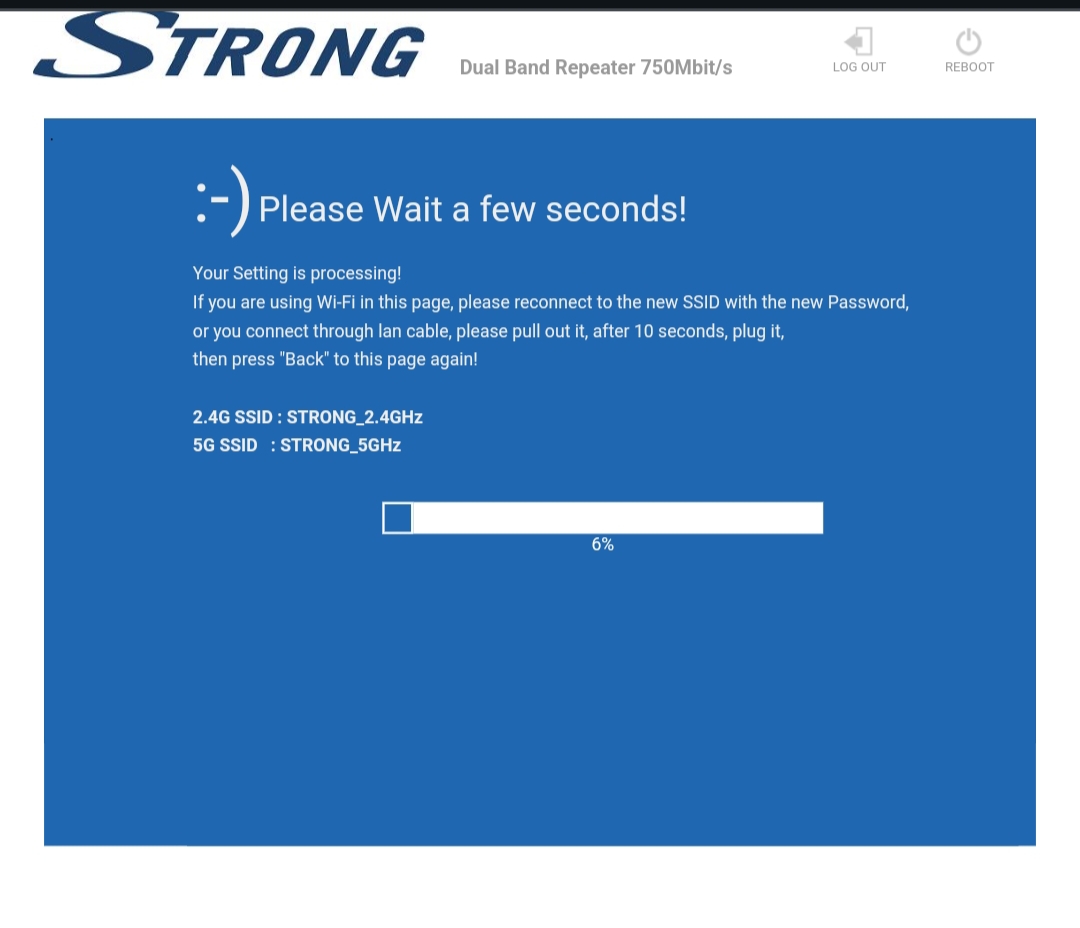

Advarsel: Skriv adgangskoderne og navnene på Wi-Fi-netværkene ned.