
Dual Band Repeater 750 V2
Ingen varer fundet.
Ingen varer fundet.
Alle spørgsmål
Dual Band Repeater 750 V2
Ingen varer fundet.
Ingen varer fundet.
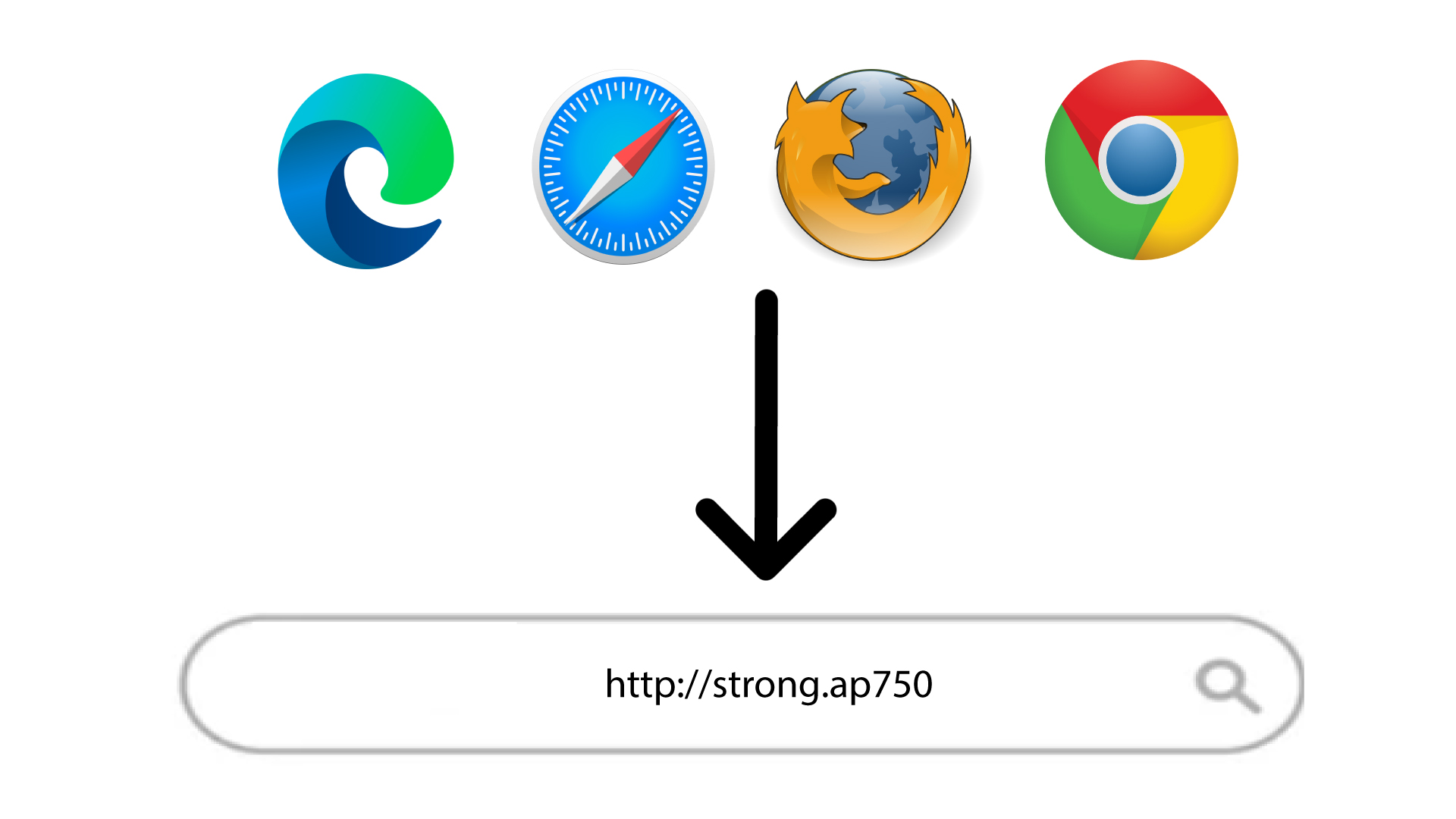
Jeg kan ikke få adgang til webgrænsefladen (http://strong.ap750) efter at have konfigureret min repeater. Hvorfor?

ADVARSEL: Det er normalt, at du ikke kan oprette forbindelse til webgrænsefladen efter opsætningen, da forbindelsesoplysningerne er ændret. Der oprettes nemlig to Wi-Fi-netværk, når opsætningen er afsluttet. Du skal oprette forbindelse til et af disse netværk for at få adgang til webgrænsefladen.
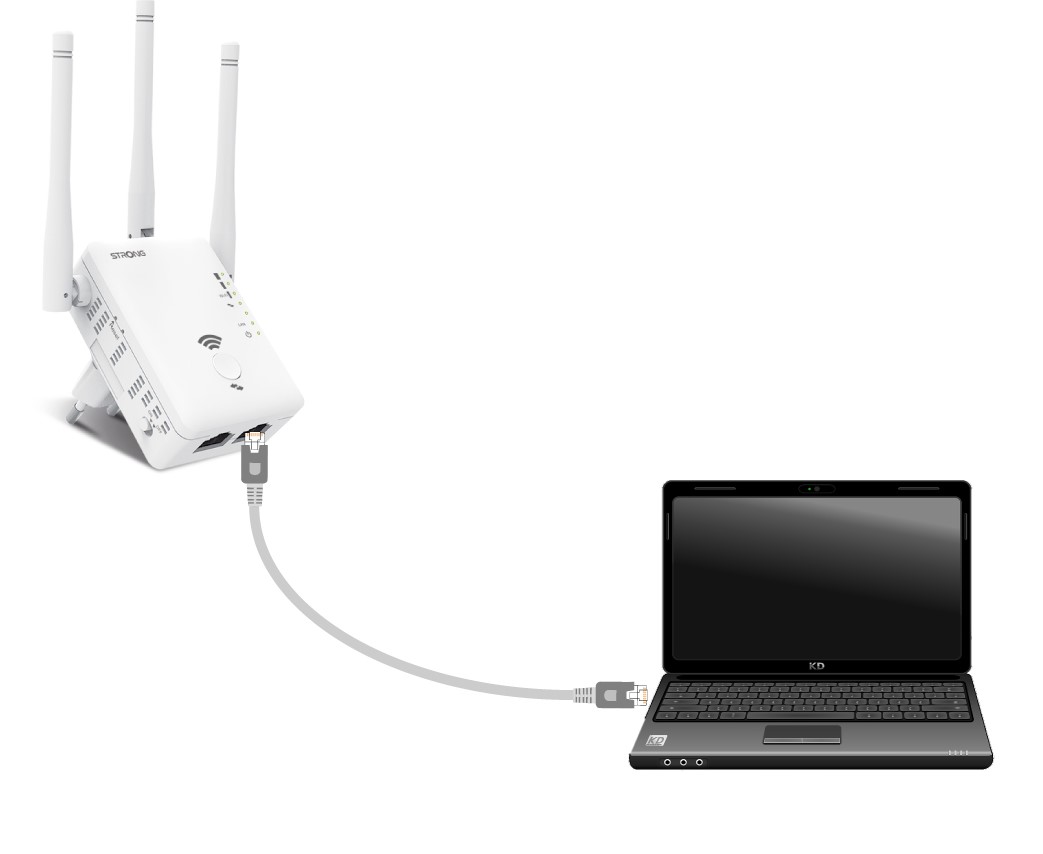
1. Tilslutdin router med et RJ45-kabel
Tilslut din repeater til en computer via et RJ45-kabel.
2Gåtil URL’en til webgrænsefladen
Indtast URL-adressen i din browser.
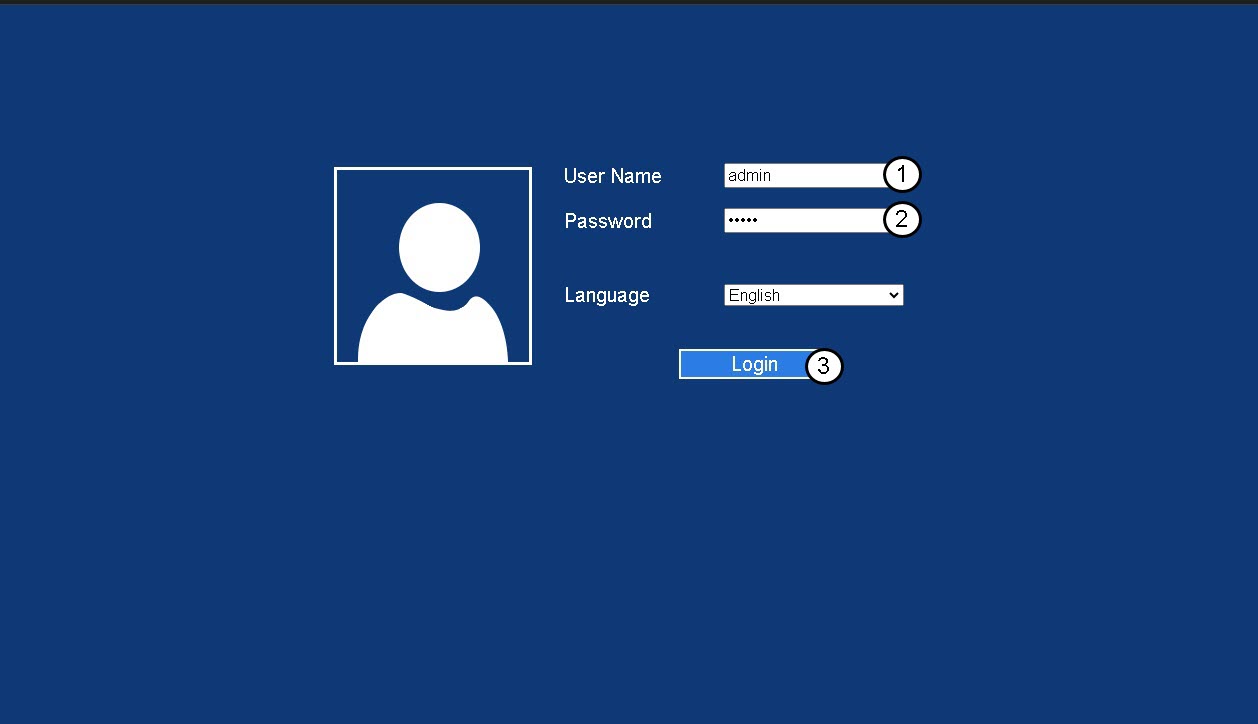
3Loginside
Indtast din administratoradgangskode, og klik på »Log ind«.
4Findrouterens IP-adresse
Se efter repeaterens IP-adresse i enhedsoplysningerne
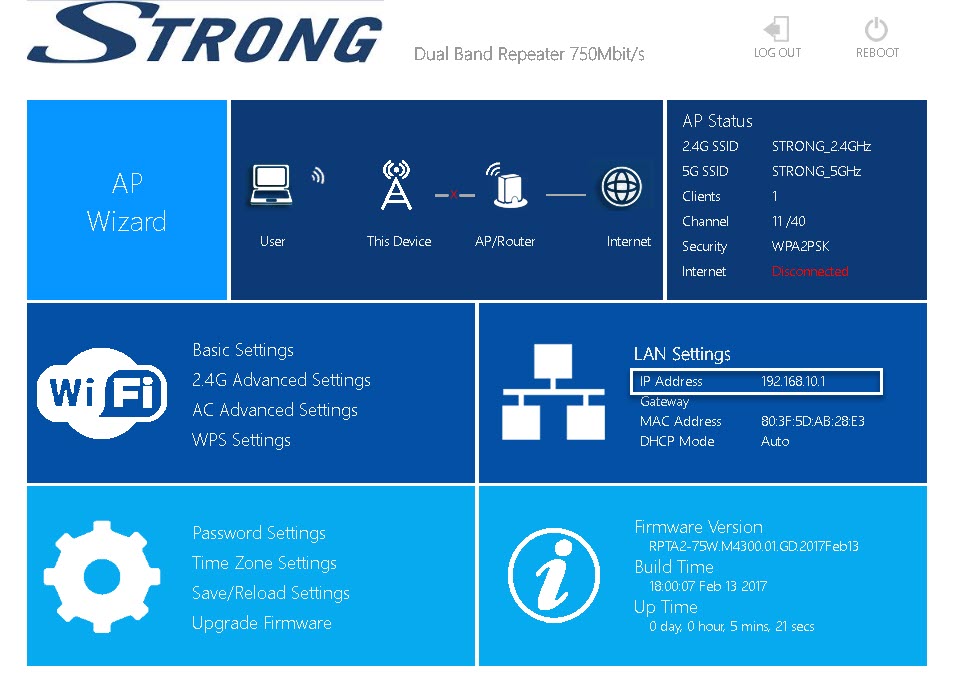
TIP: Din repeaters IP-adresse ændres, når den er konfigureret til Wi-Fi-værten.