
4G+ AIRHOME 710 med aftagelige 4G+-antenner
Ingen varer fundet.
Ingen varer fundet.
Alle spørgsmål
4G+ AIRHOME 710 med aftagelige 4G+-antenner
Ingen varer fundet.
Ingen varer fundet.
Hvordan deaktiverer jeg 2,4 GHz-Wi-Fi-netværket?
1. Opret forbindelsetil din routers Wi-Fi-netværk
For at deaktivere Wi-Fi skal du oprette forbindelse til webgrænsefladen. For at gøre dette skal du indtaste routerens SSID (Wi-Fi-netværksnavn) og Wi-Fi-adgangskode på din enhed.

2Gåtil IP-adressen for webgrænsefladen
Indtast derefter følgende IP-adresse i din browser: 192.168.188.1.

3Finddine loginoplysninger til webgrænsefladen
Se produktmærkaten på bagsiden af enheden for at finde dit brugernavn og din adgangskode.

4Indtastdine loginoplysninger
Du skal indtaste brugernavn og adgangskode. Klik derefter på »Log ind«. For yderligere oplysninger om login kan du læsevejledningen ilogin-proceduren.

5. Wi-Fi-indstillinger
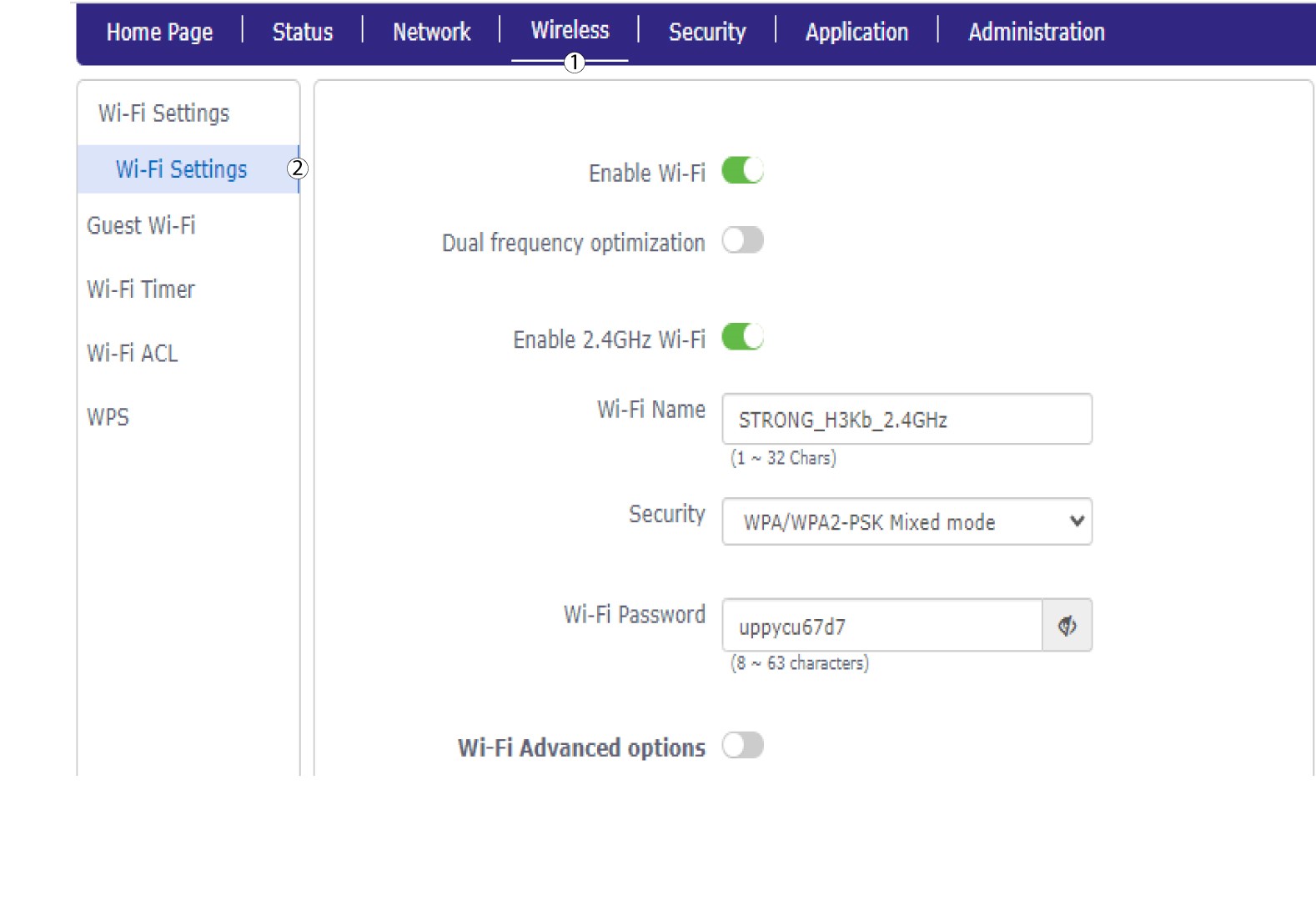
Klik på »Trådløst « og vælg »Wi-Fi-indstillinger«.
6. DeaktiverWi-Fi
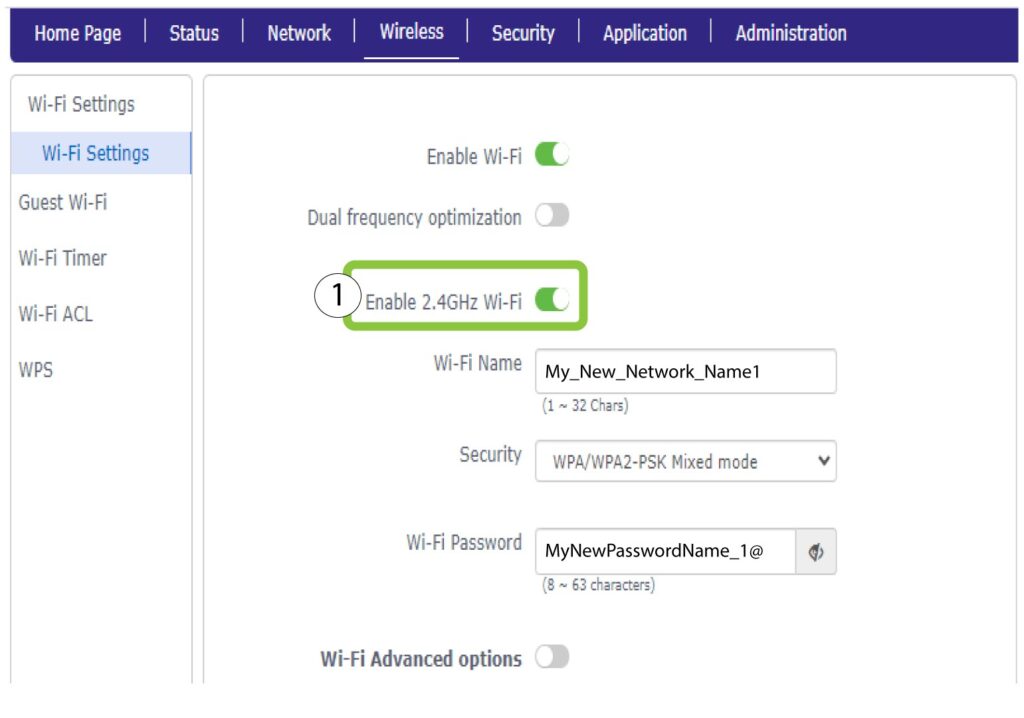
Klik derefter på knappen »Aktiver 2,4 GHz Wi-Fi« for at deaktivere begge netværk.
7Gemændringerne
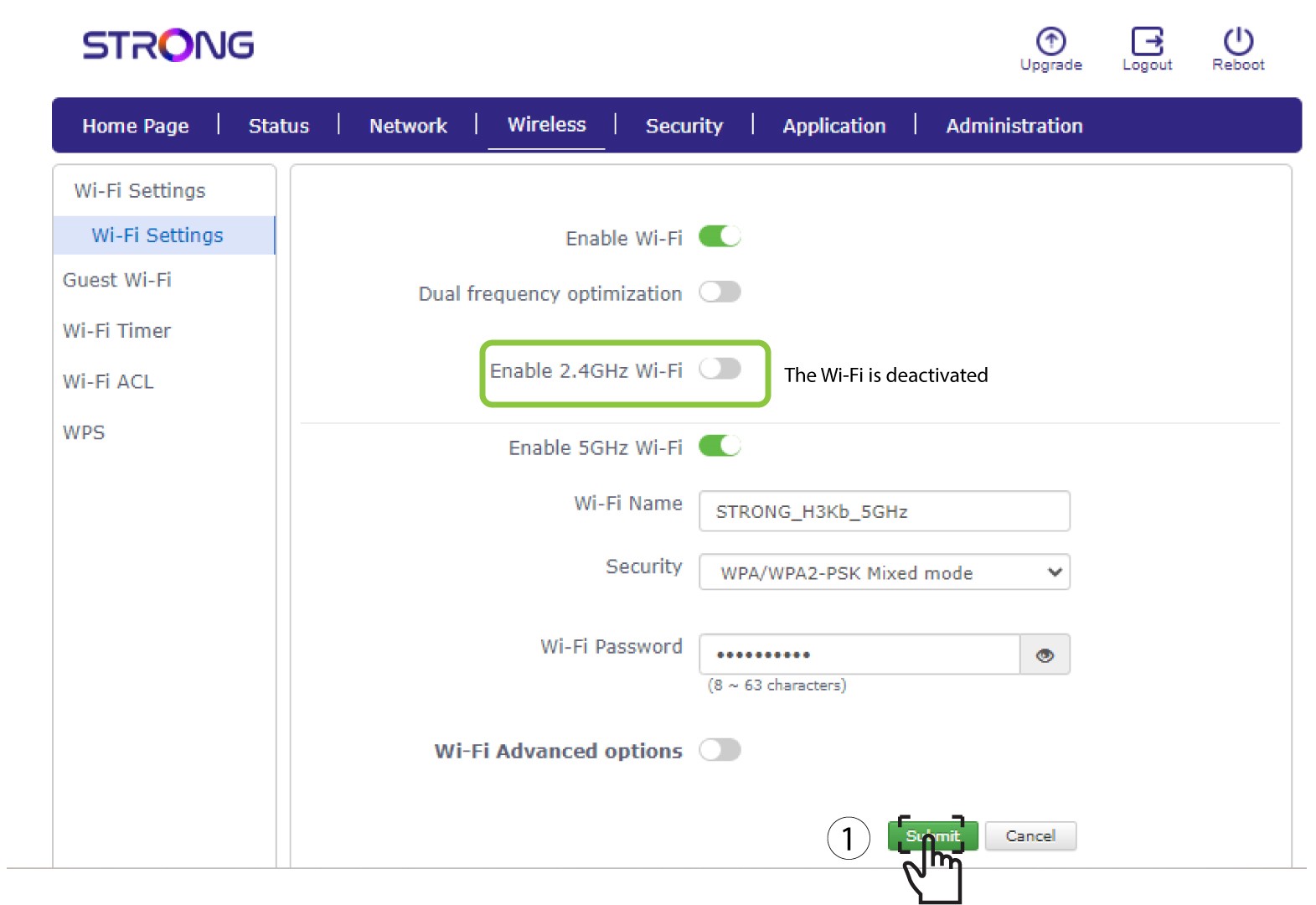
Klik derefter på »Send«.
Hvis du ønsker at deaktivere begge Wi-Fi-netværk, skal du følge nedenstående fremgangsmåde:
Hvis du kun ønsker at deaktivere 5 GHz Wi-Fi-netværket, skal du følge nedenstående fremgangsmåde: