4G+ AIRHOME 710 med aftagelige 4G+-antenner
Ingen varer fundet.
Ingen varer fundet.
Alle spørgsmål
4G+ AIRHOME 710 med aftagelige 4G+-antenner
Ingen varer fundet.
Ingen varer fundet.
Hvordan indtaster jeg min SIM-PIN-kode?
1. Opret forbindelsetil din routers Wi-Fi-netværk
For at indtaste din SIM-PIN-kode skal du oprette forbindelse til webgrænsefladen. For at gøre dette skal du indtaste routerens SSID (Wi-Fi-netværksnavn) og Wi-Fi-adgangskode på din enhed.

2Gåtil IP-adressen for webgrænsefladen
Indtast derefter følgende IP-adresse i din browser: 192.168.188.1

3Finddine loginoplysninger til webgrænsefladen
Se venligst på produktmærkaten på bagsiden af enheden for at finde dit brugernavn og din adgangskode.

4Indtastdine loginoplysninger
Du skal indtaste brugernavn og adgangskode. Klik derefter på »Log ind«.

5. Gåtil forbindelsesmenuen
Når du logger ind på webgrænsefladen for første gang, vises der en advarselsmeddelelse, der opfordrer dig til at indtaste PIN-koden ved at klikke på forbindelsesknappen.

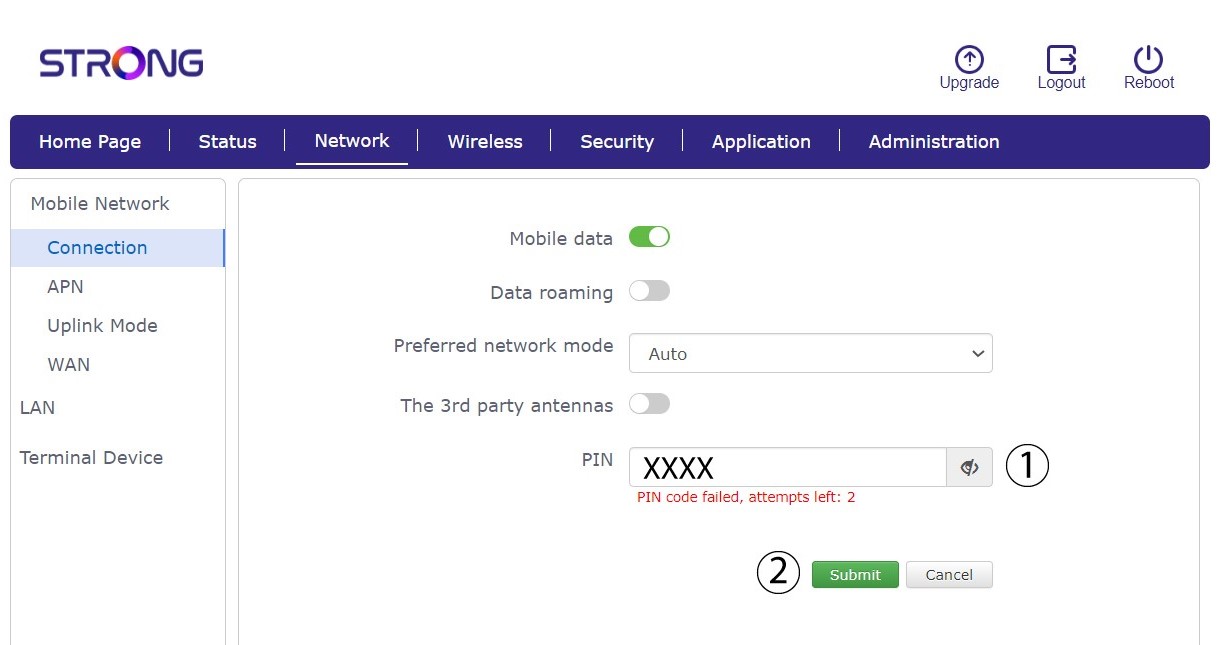
6IndtastPIN-koden til dit SIM-kort
Indtast din PIN-kode i feltet, og klik på »Send«.
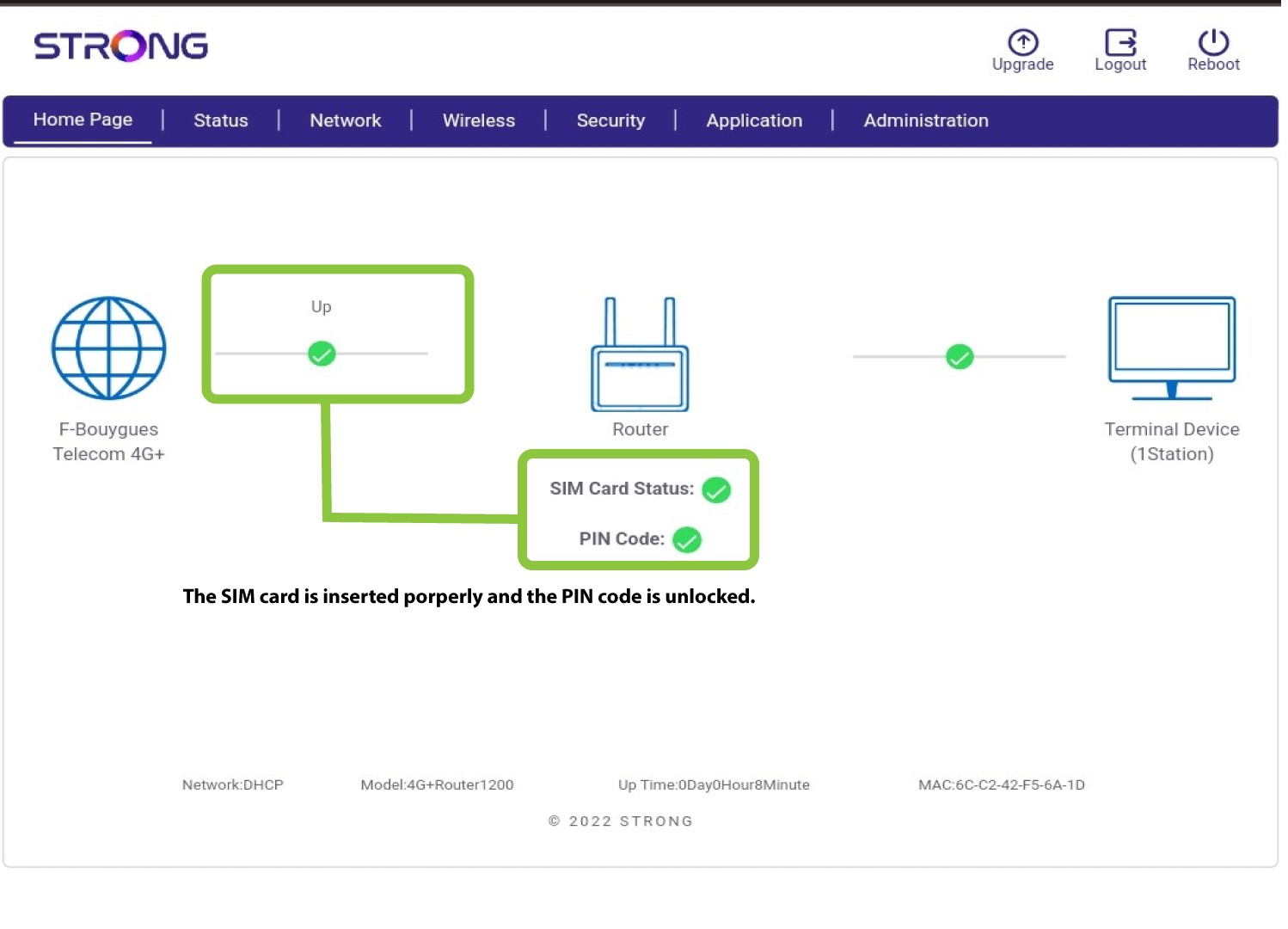
7SIM-korteter ulåst
SIM-kortet er låst op, og ikonet for det bliver nu grønt med netværksnavnet ved siden af.