LEAP 41 | 4K Google TV med HDR10+
Alle spørgsmål
LEAP 41 | 4K Google TV med HDR10+
Hvordan ændrer jeg lydstyrkeindstillingerne på min SRT 41, når lydstyrken er for lav?
Tips: Hvis lydstyrken på din SRT 41 er for lav, kan du følge nedenstående fremgangsmåde for at nulstille indstillingerne på din SRT 41. Under installationen af din SRT 41 kan du indstille, at lydstyrken skal styres via HDMI-CEC. Når denne indstilling er aktiveret, kan du bruge fjernbetjeningen til din SRT 41 til at justere lydstyrken på dit tv. Du kan aktivere eller deaktivere denne funktion i tv'ets skærm- og lydindstillinger. Standardlydstyrken på din SRT 41 er indstillet til et bestemt niveau, og den kan være for lav. Hvis lydstyrken er
for lav, er det bedre at deaktivere denne indstilling. Hvordan kan du aktivere eller deaktivere denne funktion?
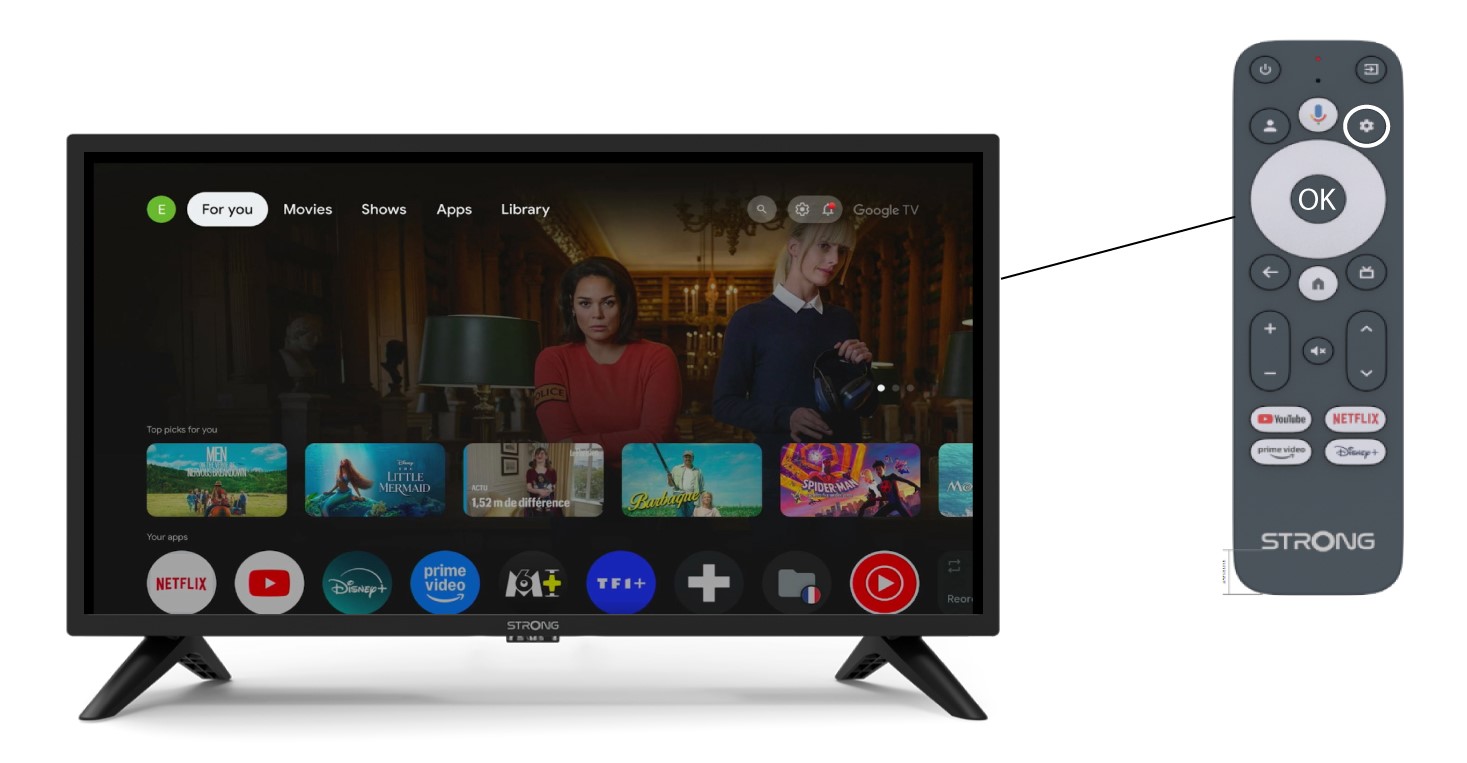
1Indstillinger
I dette tilfælde skal du trykke på knappen »Indstillinger« på din Google-fjernbetjening og derefter trykke på OK.
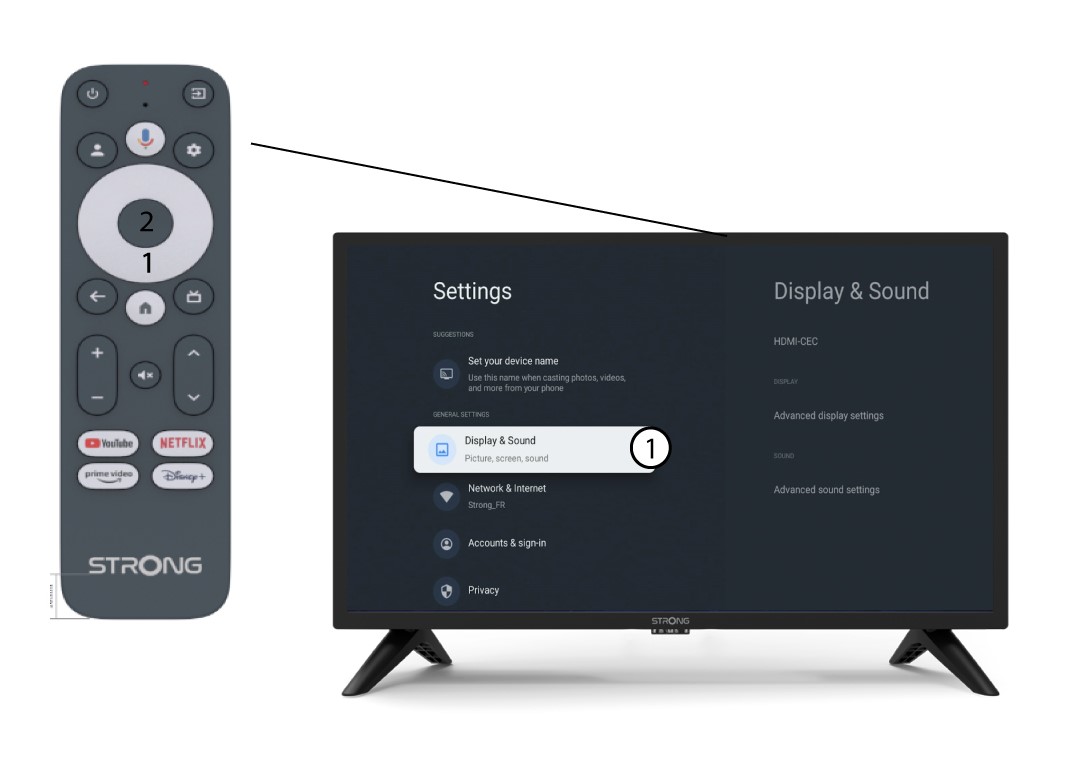
2. Skærmog lyd
På siden »Indstillinger«, der vises på skærmen, skal du vælge »Skærm og lyd«.
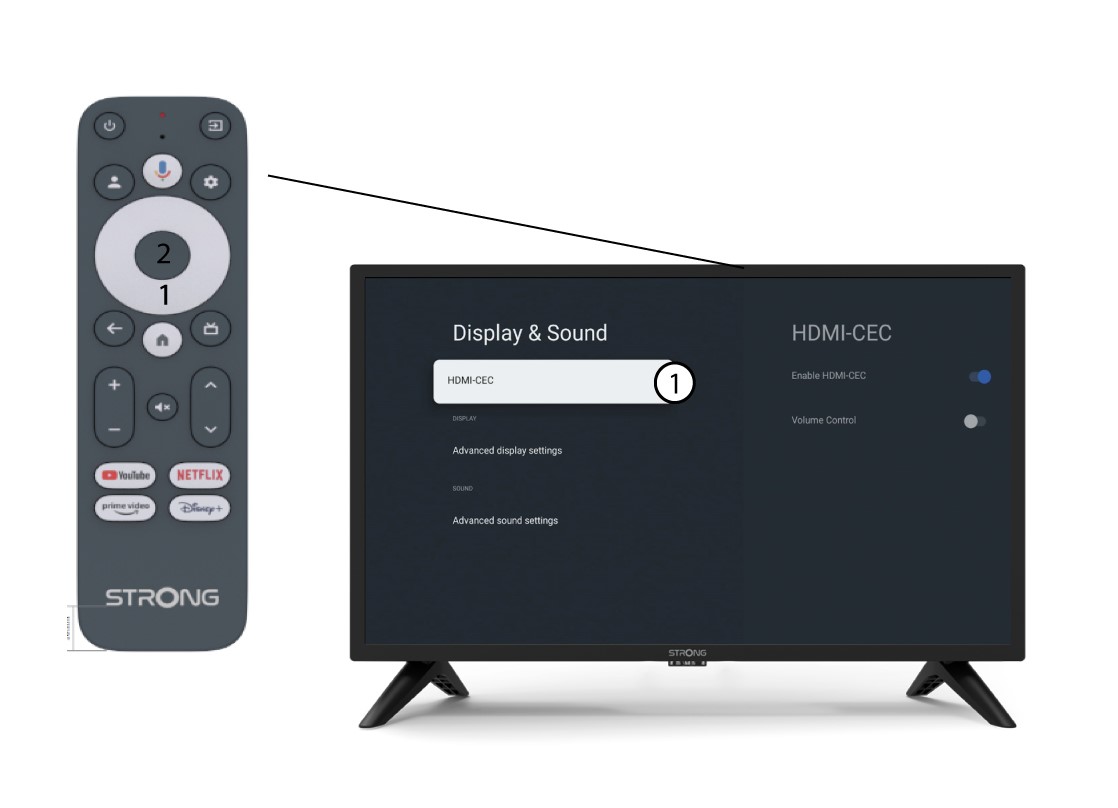
3 HDMICEC
Tryk derefter på den højre navigationsknap, og vælg »HDMI-CEC«.
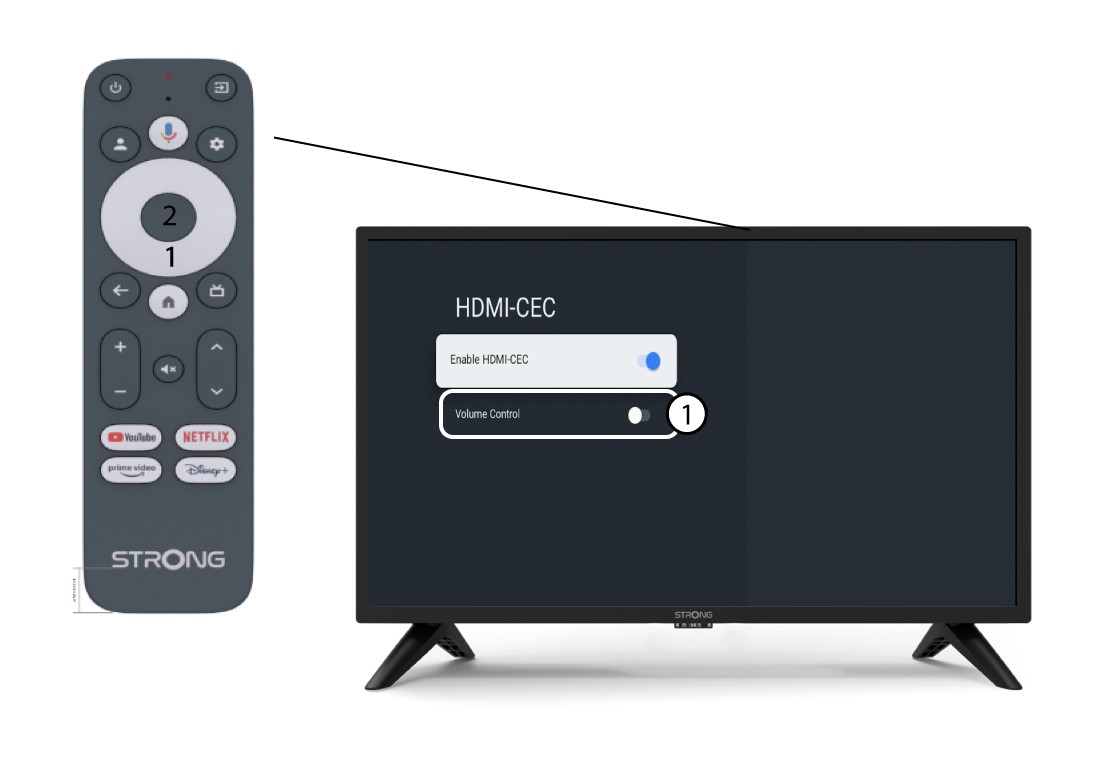
4. Lydstyrkekontrol
Vælg»Lydstyrkekontrol«, og tryk på OK-knappen for at de switch re denne funktion.
5Startskærm
Tryk på HOME-knappen for at vende tilbage til startskærmen.
Lydstyrken kan nu igen justeres med SRT 41-fjernbetjeningen.