
ATRIA Wi-Fi 5 Mesh 2100 UK add-on)
Alle Fragen
ATRIA Wi-Fi 5 Mesh 2100 UK add-on)
Wie greife ich auf die Web-Benutzeroberfläche zu?
Um auf die Web-Benutzeroberfläche zugreifen zu können, müssen Sie mit dem WLAN Ihres Geräts verbunden sein, nachdem Sie den „ Mesh “ über das RJ45-Kabel angeschlossen haben.
1. Verbindungzum WLAN
Geben Sie dazu die SSID (den WLAN-Netzwerknamen) und das WLAN-Passwort des Routers in Ihr Gerät ein:

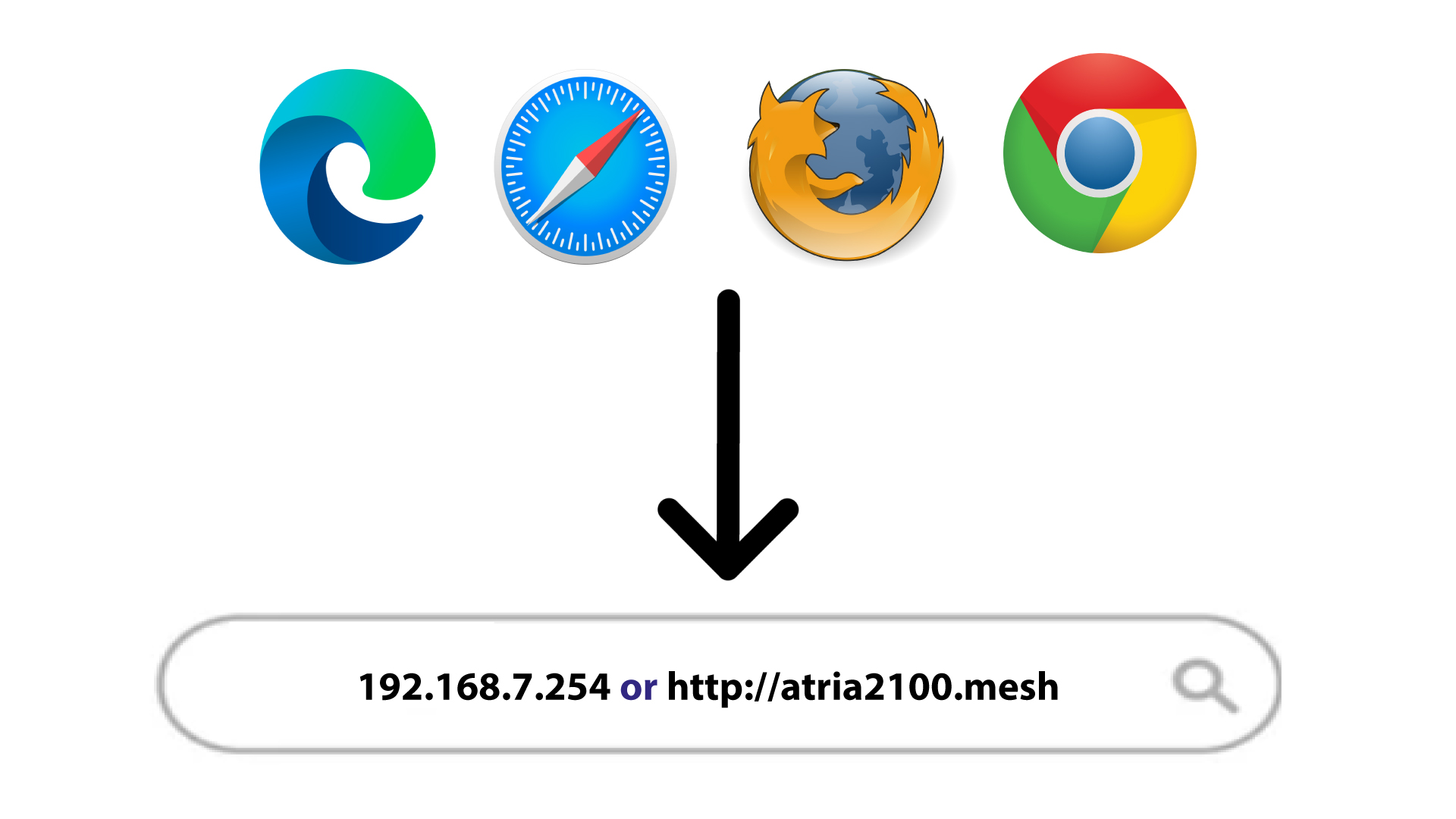
2IP-Adresse der Web-Benutzeroberfläche im Browser
Geben Sie anschließend die folgende IP-Adresse in Ihren Browser ein: 192.168.7.254 oder geben Sie die folgende Adresse ein: http://atria2100.mesh
3Qualifikationen
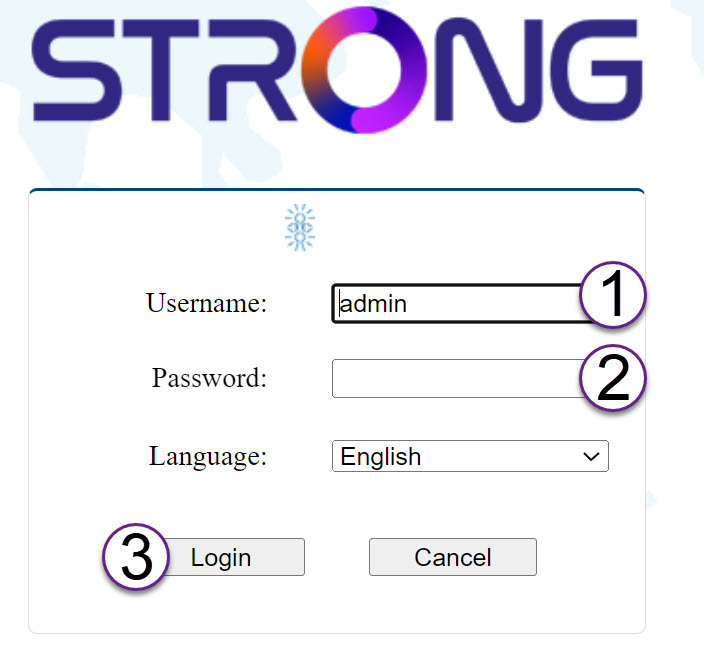
Sie müssen den Benutzernamen (admin) und das Passwort (admin) eingeben (bitte beachten Sie, dass Sie nach der ersten Anmeldung Ihr persönliches Admin-Passwort festlegen müssen, was bedeutet, dass das auf dem Produktetikett angegebene Passwort danach nicht mehr funktioniert).
Klicken Sie anschließend auf „Anmelden“.
4Pop-up
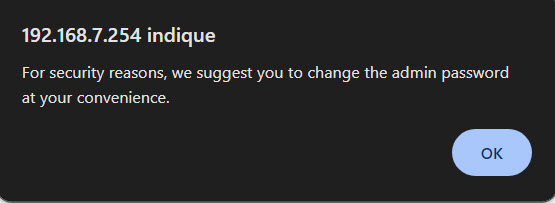
Klicken Sie in der angezeigten Popup-Meldung auf „OK “.
5Startseite
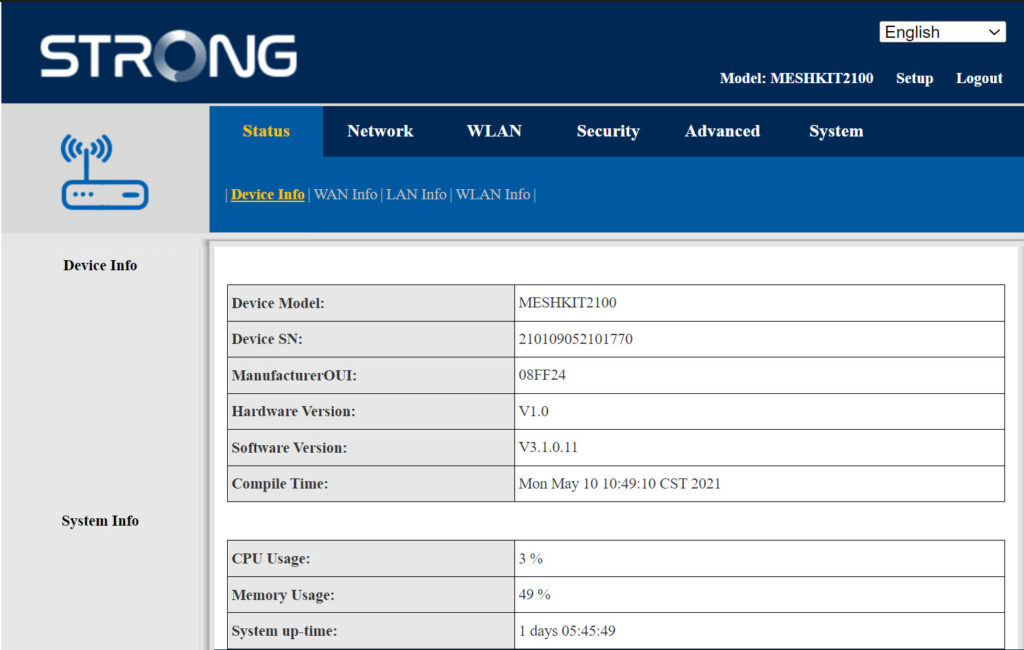
Sie befinden sich nun auf der Startseite der Web-Benutzeroberfläche.
Möglicherweise müssen Sie das Administratorkennwort der Web-Benutzeroberfläche nach Ihrer ersten Anmeldung ändern. Befolgen Sie dazu bitte die folgenden Anweisungen.
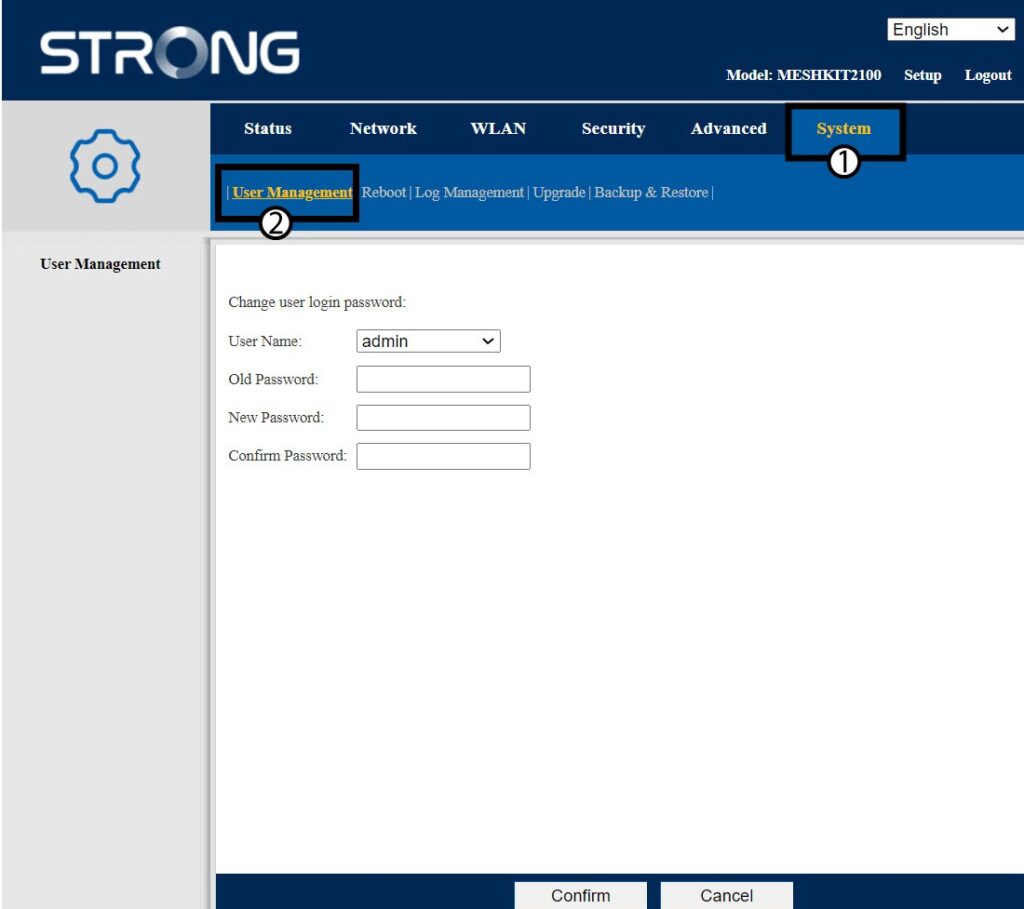
6Benutzerverwaltung
Klicken Sie auf „System- und Benutzerverwaltung“.
7Passwort ändern
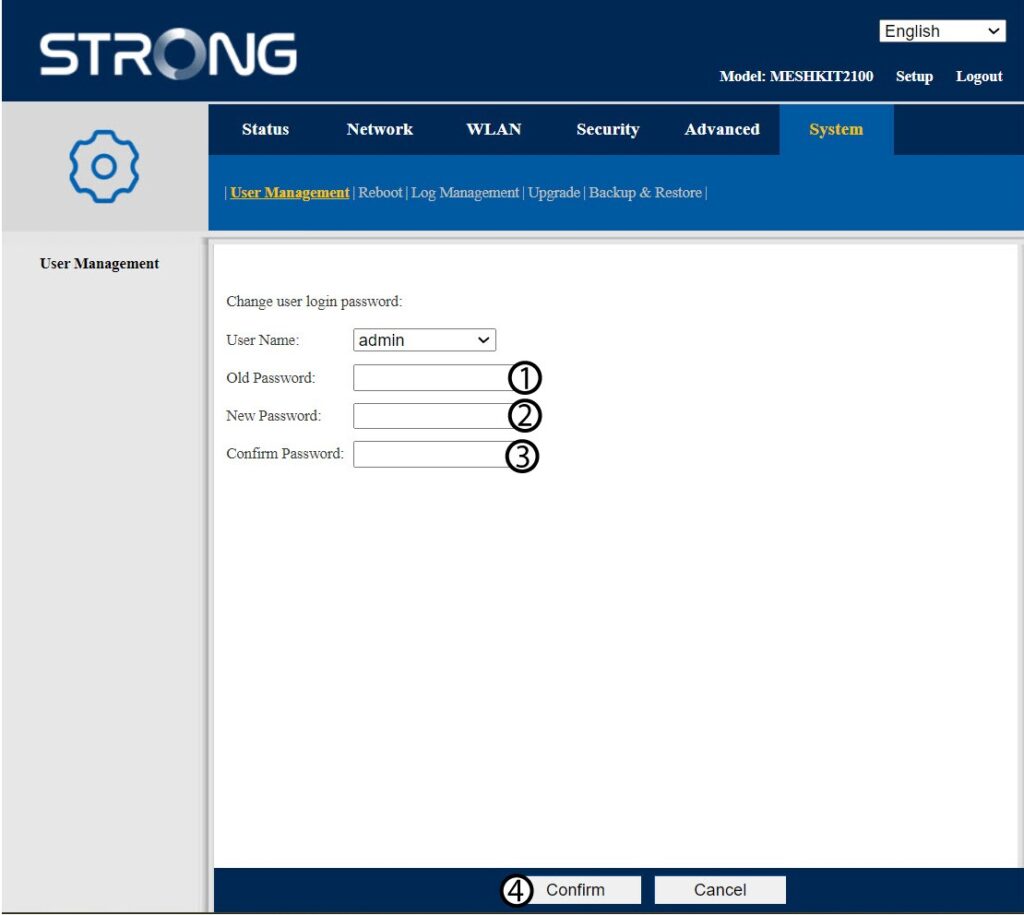
Geben Sie die folgenden Informationen ein, bevor Sie auf „Bestätigen“ klicken:
- Altes Passwort: Geben Sie das alte Administrationspasswort ein
- Neues Passwort: Geben Sie ein neues Passwort ein.
- Passwort bestätigen: Geben Sie dasselbe Passwort wie im vorherigen Schritt ein.
8. Notieren Siesich die neuen Informationen.
Schreiben Sie das neue Passwort auf einen Zettel und kleben Sie diesen unter Ihren Router.


Warnung: Bitte beachten Sie, dass Sie ein Passwort mit einer Länge von 8 bis 32 Zeichen eingeben müssen, das Groß- und Kleinbuchstaben, Ziffern sowie mindestens ein Sonderzeichen (@, $, !, %, *, ?, &) enthält.