4G AIRHOME 200 Mini-Router mit abnehmbaren 4G-Antennen
Keine Artikel gefunden.
Keine Artikel gefunden.
Alle Fragen
4G AIRHOME 200 Mini-Router mit abnehmbaren 4G-Antennen
Keine Artikel gefunden.
Keine Artikel gefunden.
Wie ändere ich die IP-Adresse meines LANs?
1. Verbindungzur Web-Benutzeroberfläche herstellen
Um auf die Web-Benutzeroberfläche zuzugreifen, befolgen Sie bitte die folgenden Schritte:
2. Trennen Siedie Internetverbindung.
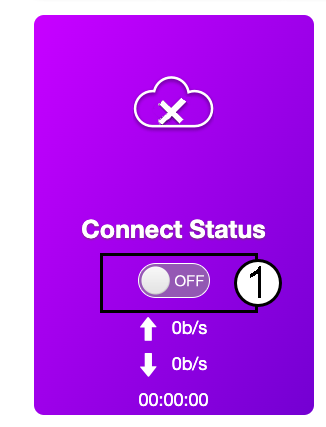
Klicken Sie auf der Startseite auf den Schalter „Verbindungsstatus“, um die Internetverbindung zu deaktivieren.
Es ist nicht möglich, die IP-Adresse Ihres LANs zu ändern, solange Ihre Internetverbindung aktiv ist.
3. ErweiterteEinstellungen
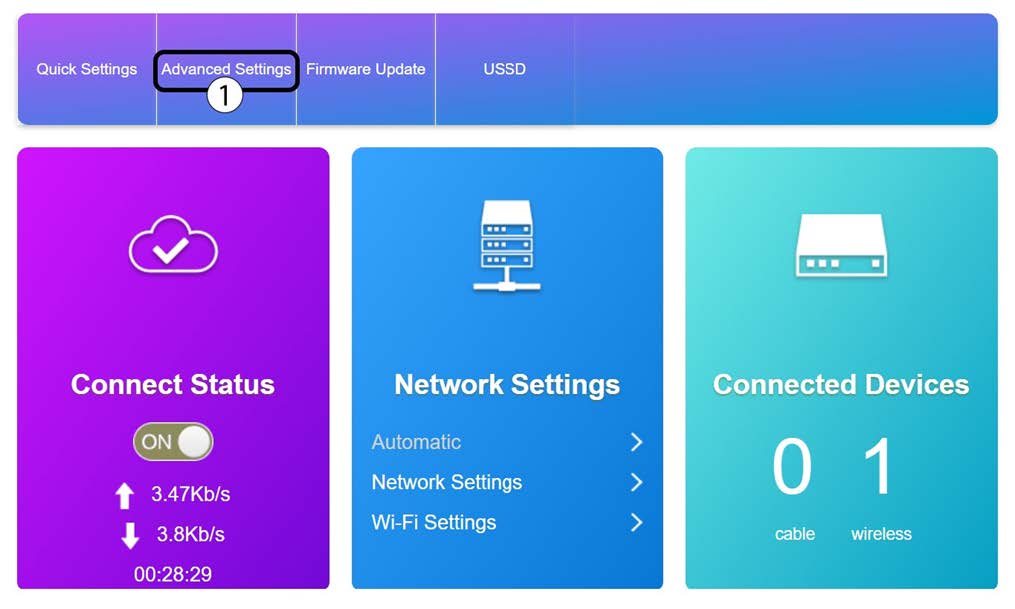
Klicken Sie auf „Erweiterte Einstellungen“
4Router-Einstellungen
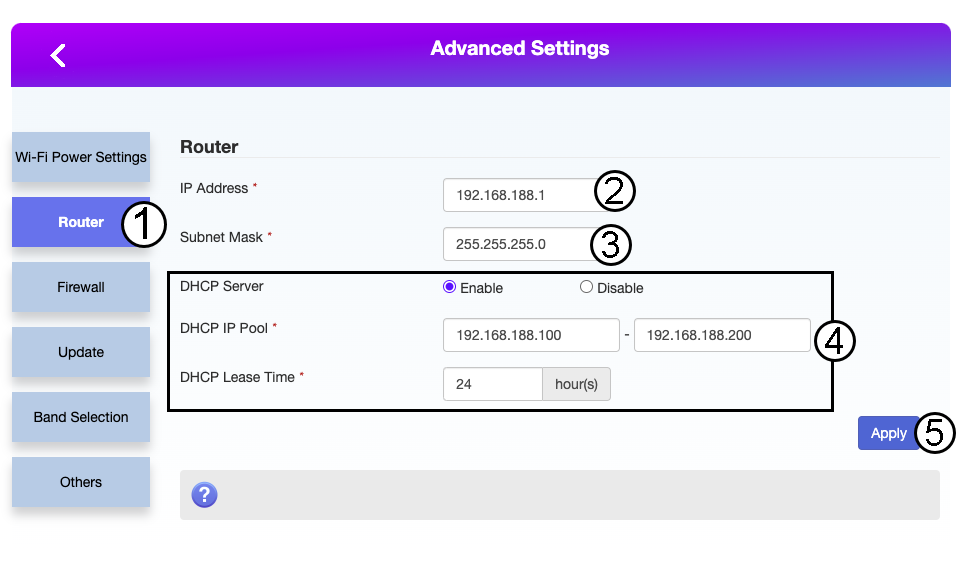
Klicken Sie auf „Router“. Geben Sie anschließend die folgenden Informationen ein, bevor Sie auf „Übernehmen“ klicken:
- IP-Adresse: Geben Sie die neue IP-Adresse Ihres Routers ein.
- Subnetzmaske: Geben Sie die IP-Adresse der Subnetzmaske ein
- DHCP-Server: DHCP-Server aktivieren
- DHCP-IP-Pool: Geben Sie die Start- und End-IP-Adresse für Ihren DHCP ein.
- DHCP-Zeit: Geben Sie die maximale Lease-Dauer in Stunden ein.