
4G AIRHOME 200 Mini-Router mit abnehmbaren 4G-Antennen
Alle Fragen
4G AIRHOME 200 Mini-Router mit abnehmbaren 4G-Antennen
Wie ändere ich die SSID (WLAN-Netzwerkname) und das WLAN-Passwort? (Schnelleinstellungen)
In der Web-Benutzeroberfläche haben Sie zwei Möglichkeiten, die SSID (den WLAN-Netzwerknamen) und das WLAN-Passwort Ihres Routers zu ändern:
• Über die Schnelleinstellungen
• Oder über die WLAN-Einstellungen.
1. Verbindungzur Web-Benutzeroberfläche herstellen
Befolgen Sie diese Schritte, um auf die Web-Benutzeroberfläche zuzugreifen:
2Schnelleinstellungen
Klicken Sie dazu in der oberen Leiste auf „Schnelleinstellungen “.

3APN-Einstellungen
Klicken Sie auf „Weiter“.
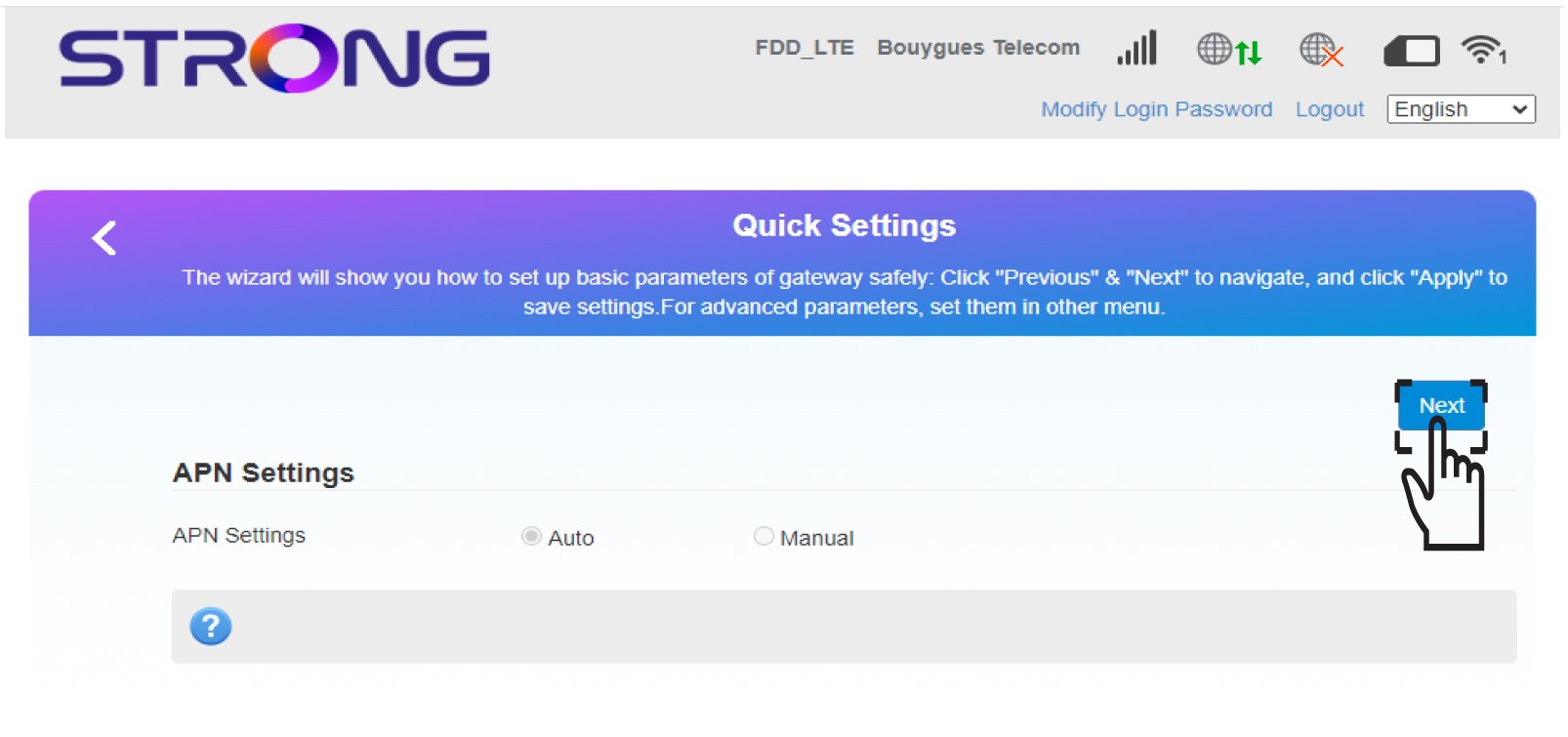
4 Geben Sieden Namen des neuen WLAN-Netzwerks ein
Geben Sie den neuen Netzwerknamen ein und klicken Sie auf „Weiter“.

5Geben Siedas neue WLAN-Passwort ein
Klicken Sie auf „Passwort anzeigen“, geben Sie das neue Passwort für das WLAN-Netzwerk ein und klicken Sie anschließend auf „Weiter“.
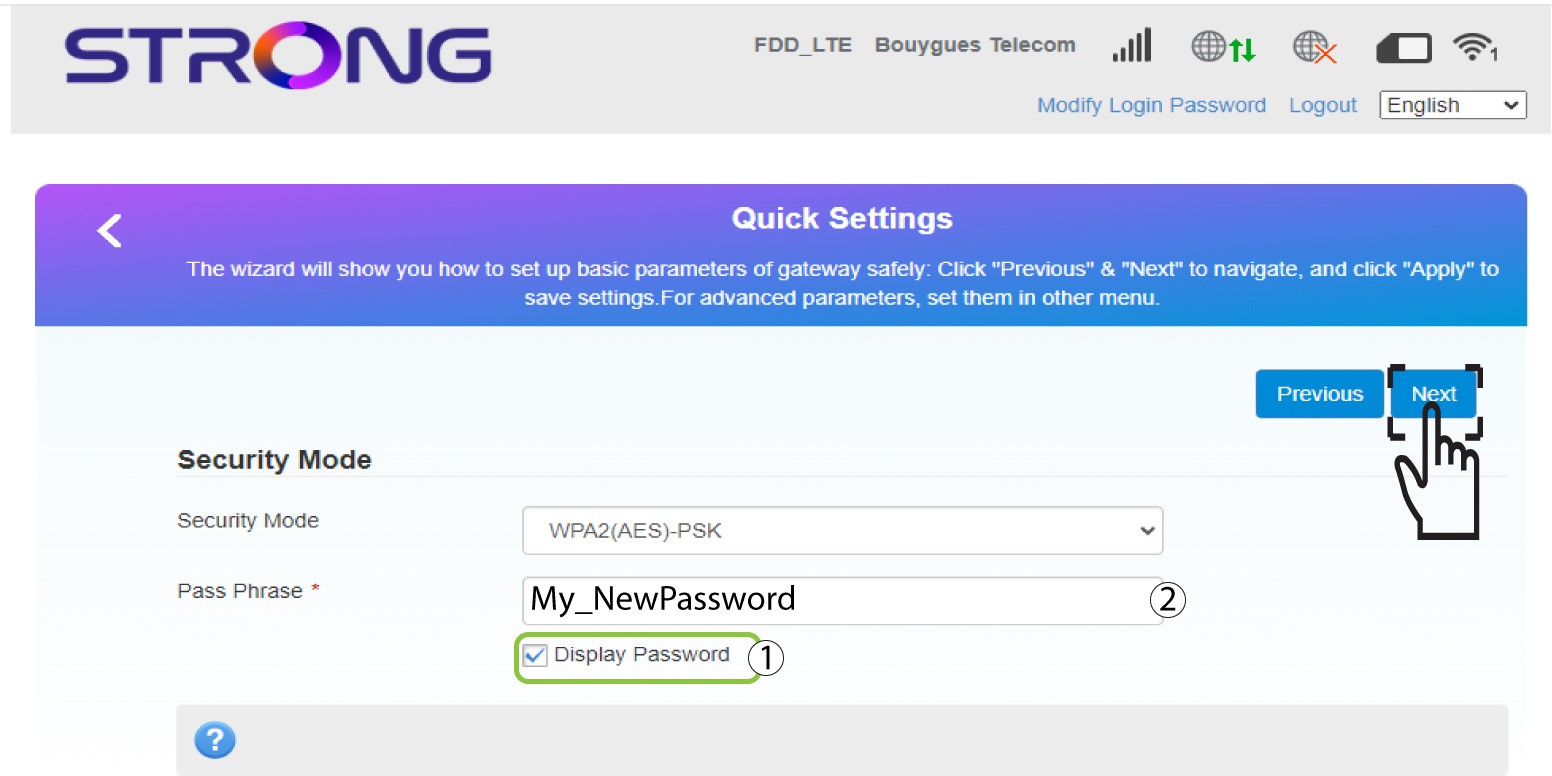
6. Änderungen speichern
Klicken Sie auf „Übernehmen“, um die Änderungen zu speichern.
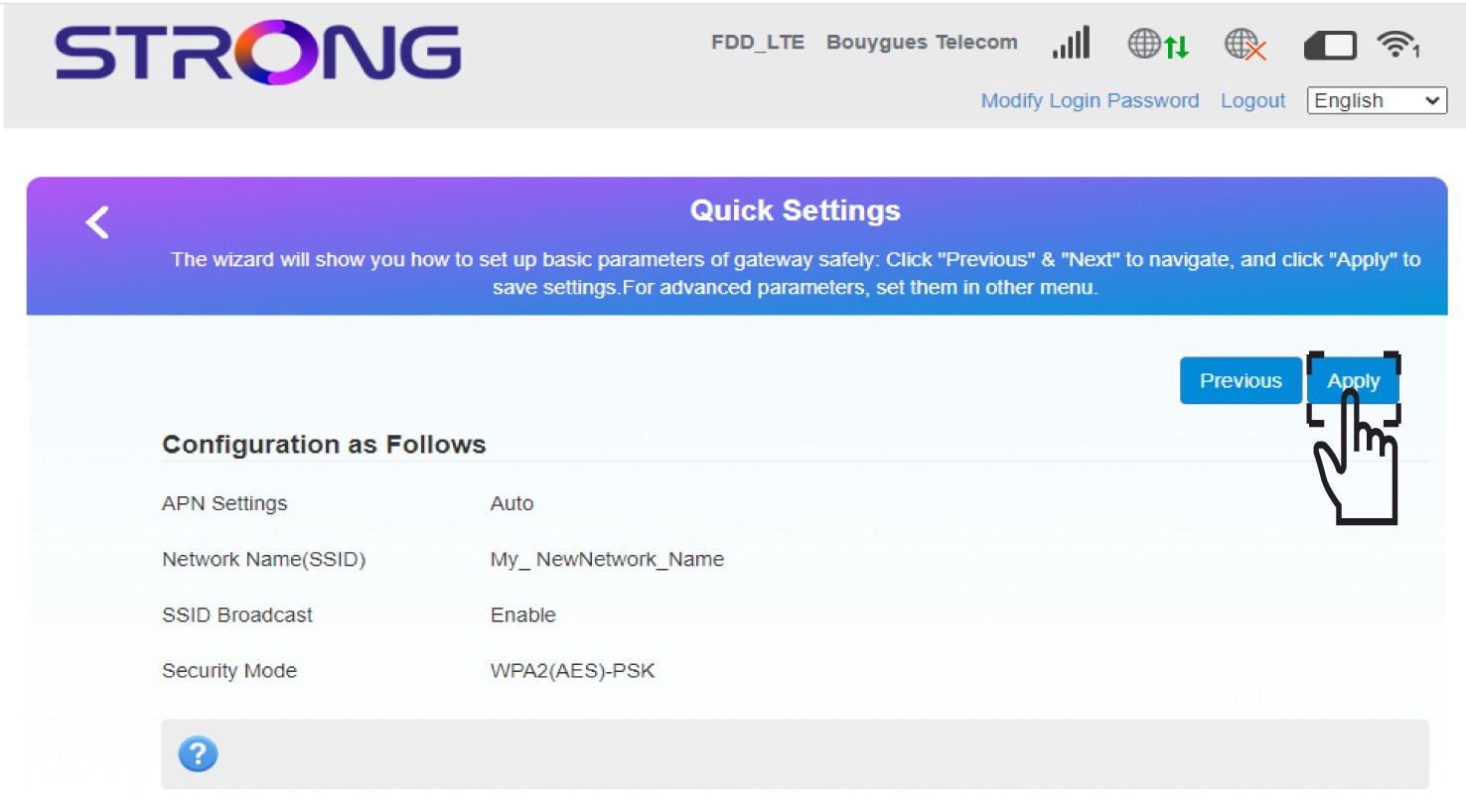
7. Die neuen Netzwerkinformationen eingeben
Notieren Sie sich die neuen Netzwerkdaten auf einem Blatt Papier.
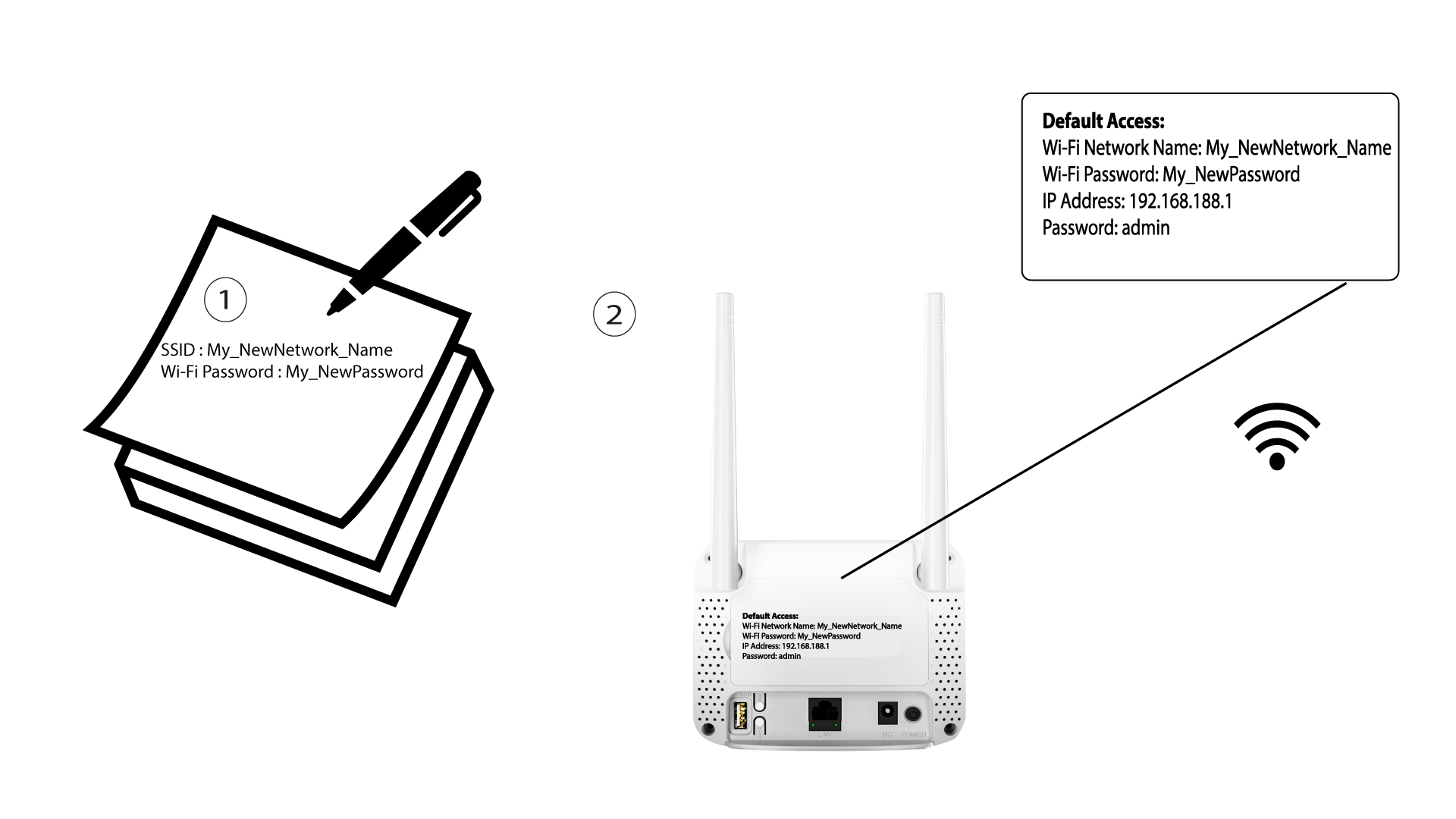

Nach der Änderung der WLAN-Netzwerkdaten werden alle Geräte, die mit dem Netzwerk verbunden waren, automatisch getrennt.