Mesh ATRIA Wi-Fi 6 Mesh 3000 (πακέτο 2 τεμαχίων)
Όλες οι ερωτήσεις
Mesh ATRIA Wi-Fi 6 Mesh 3000 (πακέτο 2 τεμαχίων)
Πώς μπορώ να ενημερώσω το firmware της μονάδας « Mesh »;
Ίσως χρειαστεί να ενημερώσετε το firmware της συσκευής σας για να επιλύσετε ορισμένα προβλήματα ή για να αποκτήσετε την πιο πρόσφατη έκδοση του λογισμικού.
Για να ενημερώσετε το υλικολογισμικό της συσκευής, πρέπει να μεταβείτε σε αυτή τη σελίδα. Εκεί θα βρείτε το αρχείο του υλικολογισμικού — κάντε κλικ στο όνομά του για να το κατεβάσετε.
1. Συνδεθείτεστο Wi-Fi της συσκευής
Για να συνεχίσετε, συνδεθείτε στο περιβάλλον χρήστη μέσω ιστού (Web UI). Ακολουθήστε την παρακάτω διαδικασία: Σύνδεση στο Wi-Fi και πρόσβαση στο περιβάλλον χρήστη μέσω ιστού (Web UI)
2. Προσδιορισμόςτων διευθύνσεων IP των κόμβων του Mesh
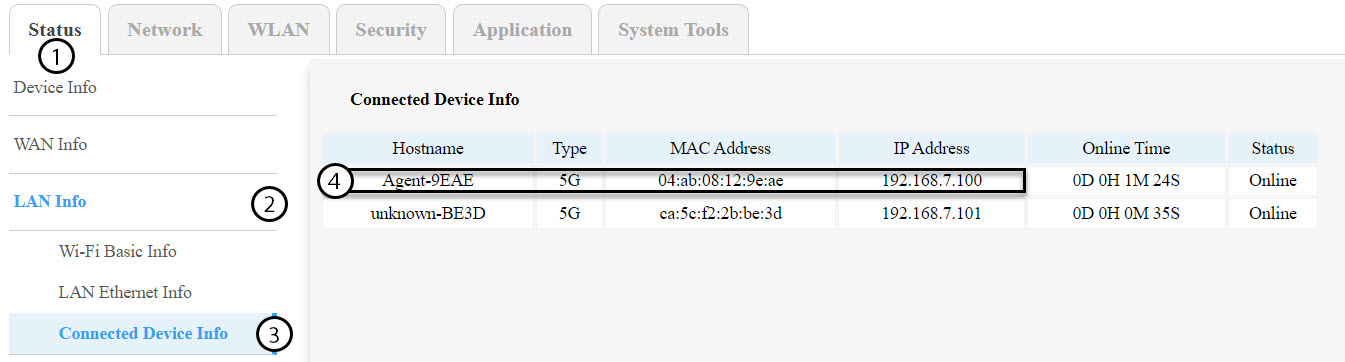
Πρέπει να εντοπίσετε τις διευθύνσεις IP των άλλων κόμβων του mesh , μεταβαίνοντας στην ενότητα «Status» > «LAN Info» > «Connected Device Info».
ΣΥΜΒΟΥΛΕΣ: Το όνομα της δεύτερης μονάδας « mesh » θα είναι Agent-XXXX.
3. Καταγράψτετη διεύθυνση IP κάθε συσκευής
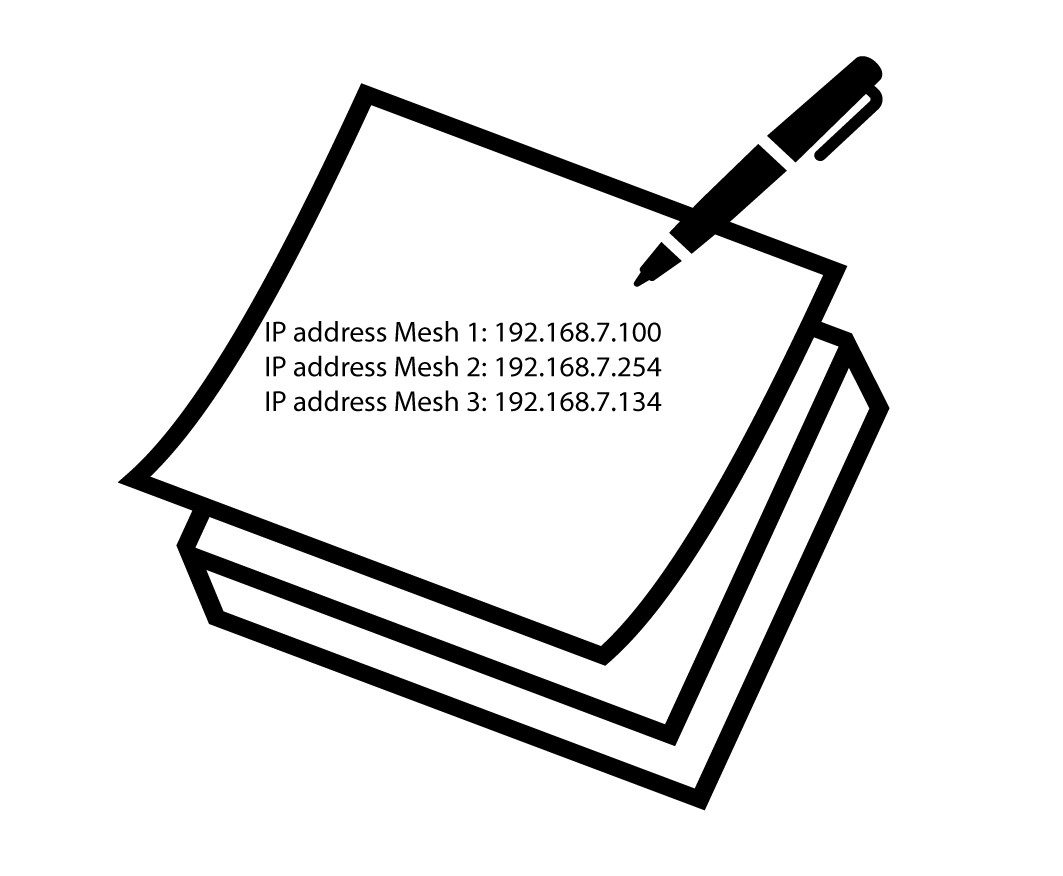
Σημειώστε τις διευθύνσεις IP τόσο του κόμβου-πράκτορα όσο και του κεντρικού κόμβου για μελλοντική χρήση.
Προειδοποίηση: Ενημερώνετε πάντα πρώτα τους κόμβους-πράκτορες και τελευταίο τον κύριο κόμβο. Θα πρέπει να επαναλάβετε αυτή τη διαδικασία για κάθε μονάδα « mesh ».
4. Συνδεθείτεστο περιβάλλον χρήστη ιστού (Web UI) κάθε κόμβου του Mesh
Συνδεθείτε στο περιβάλλον εργασίας χρήστη (Web UI) κάθε κόμβου του mesh χρησιμοποιώντας τη διεύθυνση IP που σημειώσατε προηγουμένως. Μπορείτε να ακολουθήσετε αυτή τη διαδικασία:
Πώς μπορώ να αποκτήσω πρόσβαση στο Web UI;
5Πρόσβασηστο μενού ενημέρωσης υλικολογισμικού
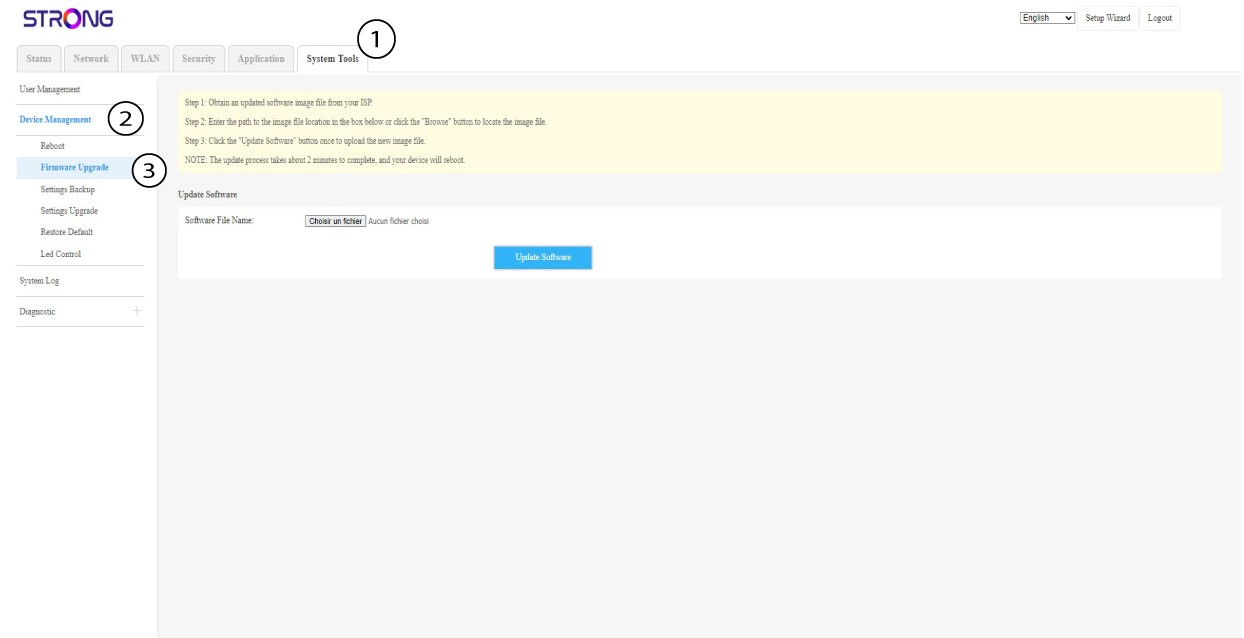
Για κάθε συσκευή, κάντε κλικ στην επιλογή «Εργαλεία συστήματος», επιλέξτε «Διαχείριση συσκευών» και, στη συνέχεια , «Ενημέρωση υλικολογισμικού».
6. Μεταφόρτωσηκαι εγκατάσταση του firmware
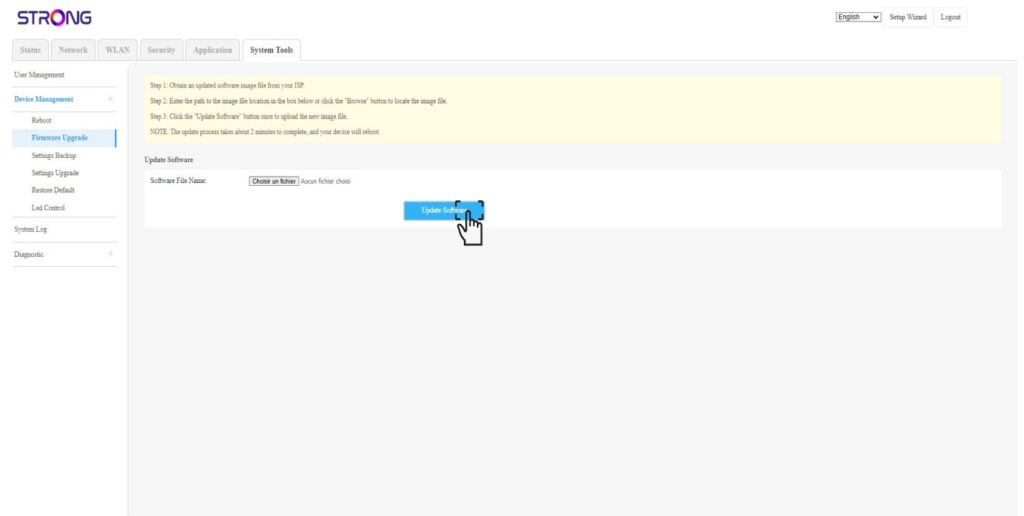
Επιλέξτε το αρχείο κάνοντας κλικ στο κουμπί «Επιλογή αρχείου» και,στη συνέχεια ,κάντε κλικ στο κουμπί «Ενημέρωση λογισμικού».