
Mesh ATRIA Wi-Fi 6 Mesh 3000 (πακέτο 2 τεμαχίων)
Όλες οι ερωτήσεις
Mesh ATRIA Wi-Fi 6 Mesh 3000 (πακέτο 2 τεμαχίων)
Πώς πρέπει να οργανώσω το δίκτυο « Mesh » για να βελτιστοποιήσω το δίκτυο Wi-Fi μου;
Για να βελτιστοποιήσετε την κάλυψή σας, θα πρέπει να εγκαταστήσετε το mesh στο σημείο όπου αντιμετωπίζετε προβλήματα κάλυψης, ώστε να καλύψετε τη μεγαλύτερη δυνατή περιοχή στο σπίτι σας. Βεβαιωθείτε ότι οι μονάδες mesh δεν βρίσκονται σε δωμάτιο όπου υπάρχει φέροντος τοίχος, καθώς όσο πιο παχύς είναι ο τοίχος, τόσο πιο δύσκολο είναι για το σήμα Wi-Fi να τον διαπεράσει.
1. Κάλυψη
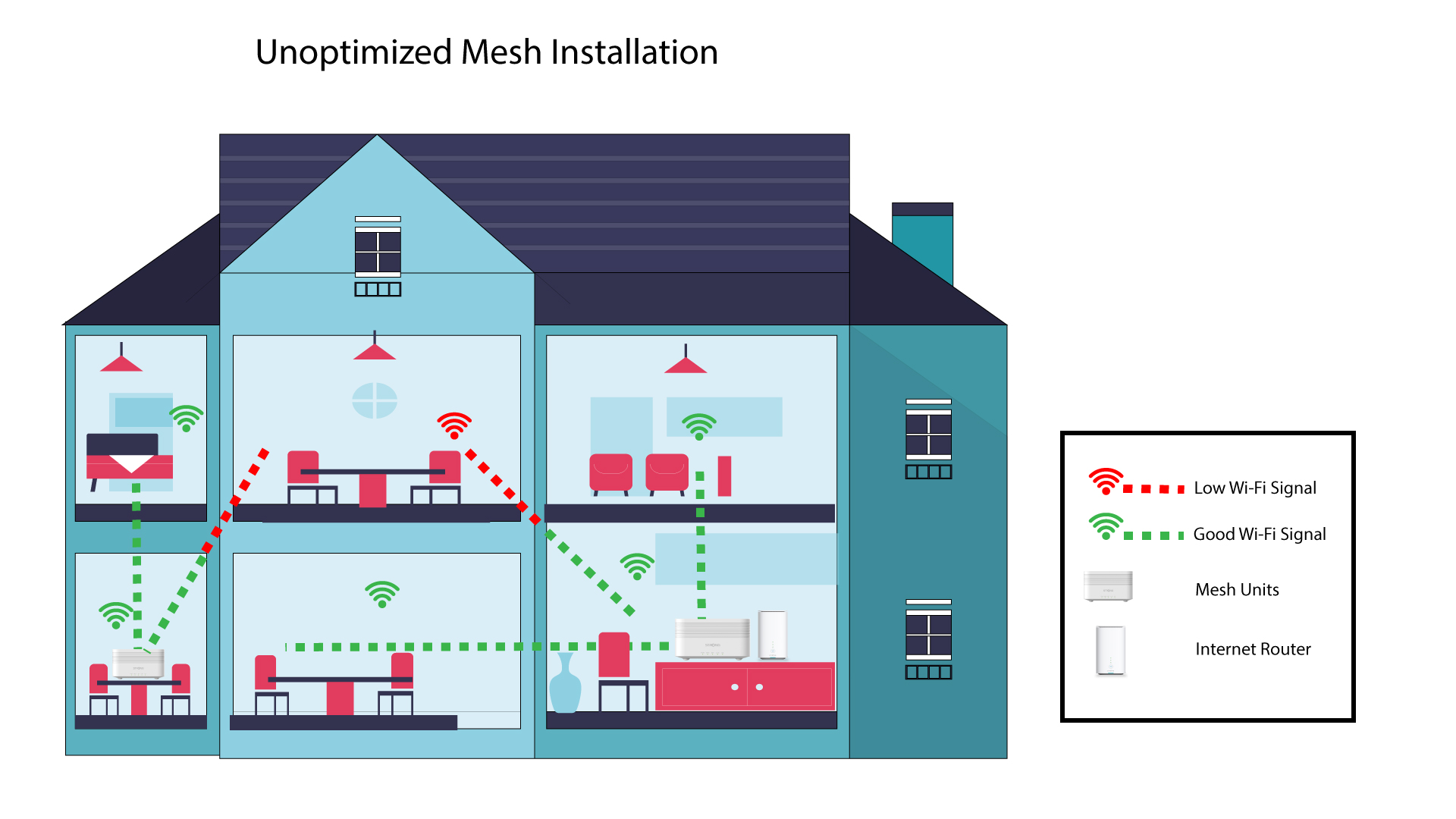
Το παρακάτω διάγραμμα απεικονίζει την κάλυψη Wi-Fi στο εσωτερικό ενός σπιτιού, όπου οι κόμβοι του δικτύου « mesh » δεν βρίσκονται στη σωστή περιοχή του σπιτιού για να εξασφαλίσουν επαρκή κάλυψη.
2Διάθεση
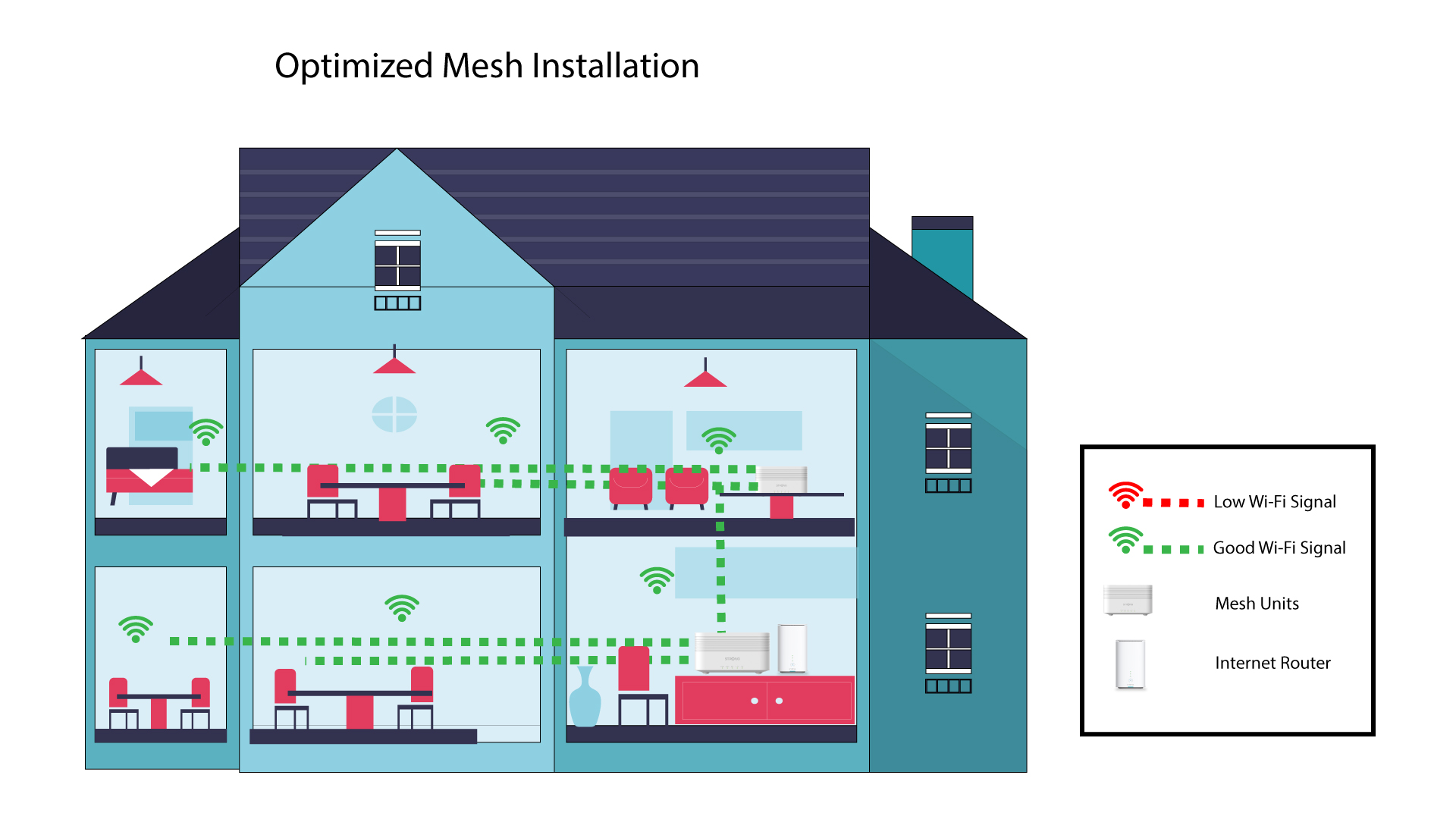
Το παρακάτω διάγραμμα απεικονίζει την κάλυψη Wi-Fi στο εσωτερικό ενός σπιτιού, όπου οι κόμβοι του δικτύου « mesh » είναι τοποθετημένοι στη δεξιά πλευρά του σπιτιού, ώστε να εξασφαλίζεται η κατάλληλη κάλυψη.
Αν έχετε μεγάλο σπίτι, μπορείτε να εγκαταστήσετε αρκετές συσκευές mesh για να καλύψετε όλα τα δωμάτια.
Μπορείτε να ελέγξετε μέσα από την εφαρμογή αν η κάλυψη που παρέχουν οι κόμβοι mesh στο σπίτι σας είναι ικανοποιητική.
1. Κάλυψη της εφαρμογής Atria
Για να το κάνετε αυτό, συνδεθείτε στο Wi-Fi της συσκευής « Mesh » και ανοίξτε την εφαρμογή στη συσκευή σας.
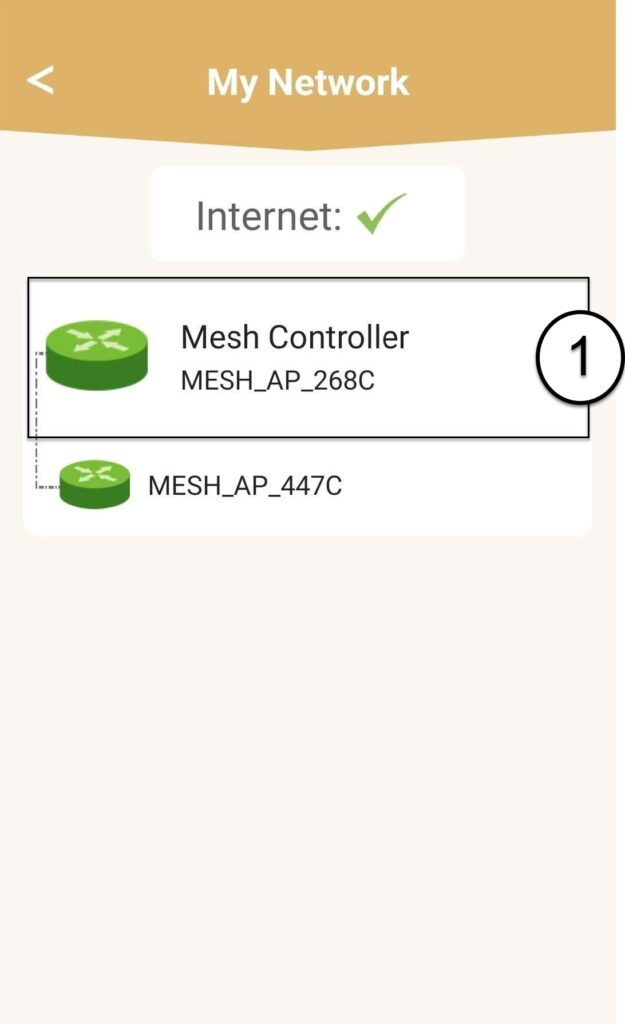
Στη συνέχεια, κάντε κλικ στην επιλογή «Τα δίκτυά μου».

2Mesh Πληροφορίες για τη μονάδα
Κάντε κλικ στο όνομα της μονάδας « mesh » για να δείτε τις πληροφορίες της
3. Μετονομάστετις μονάδες
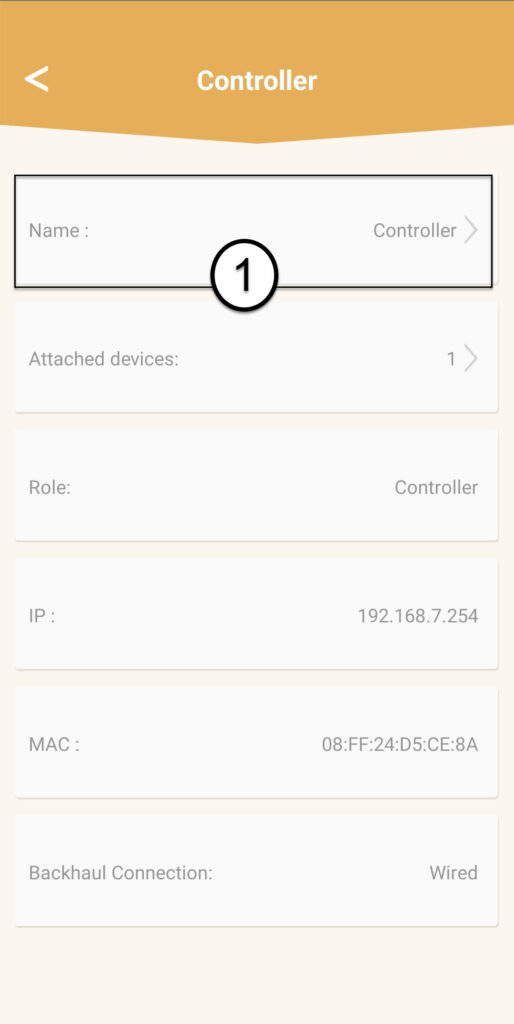
Κάντε κλικ στο πεδίο ονόματος και πληκτρολογήστε ένα νέο όνομα:
• Ο ελεγκτής « mesh » πρέπει να ονομαστεί ως εξής: MeshAX3000-Main-Όνοματουδωματίου
• Οι « mesh » πρέπει να ονομαστούν ως εξής: MeshAX3000-Όνοματουδωματίου

Προειδοποίηση: Εάν η μονάδα « mesh » εμφανίζεται με γκρι χρώμα, αυτό σημαίνει ότι δεν παρέχει επαρκή κάλυψη και ότι θα πρέπει να προσαρμόσετε τη θέση της για να βελτιστοποιήσετε το δίκτυο « mesh ».