Mesh ATRIA Wi-Fi 6 Mesh 3000 (πακέτο 2 τεμαχίων)
Όλες οι ερωτήσεις
Mesh ATRIA Wi-Fi 6 Mesh 3000 (πακέτο 2 τεμαχίων)
Τι μπορώ να κάνω στο περιβάλλον χρήστη του ιστού;
1. Συνδεθείτεστο Wi-Fi της συσκευής
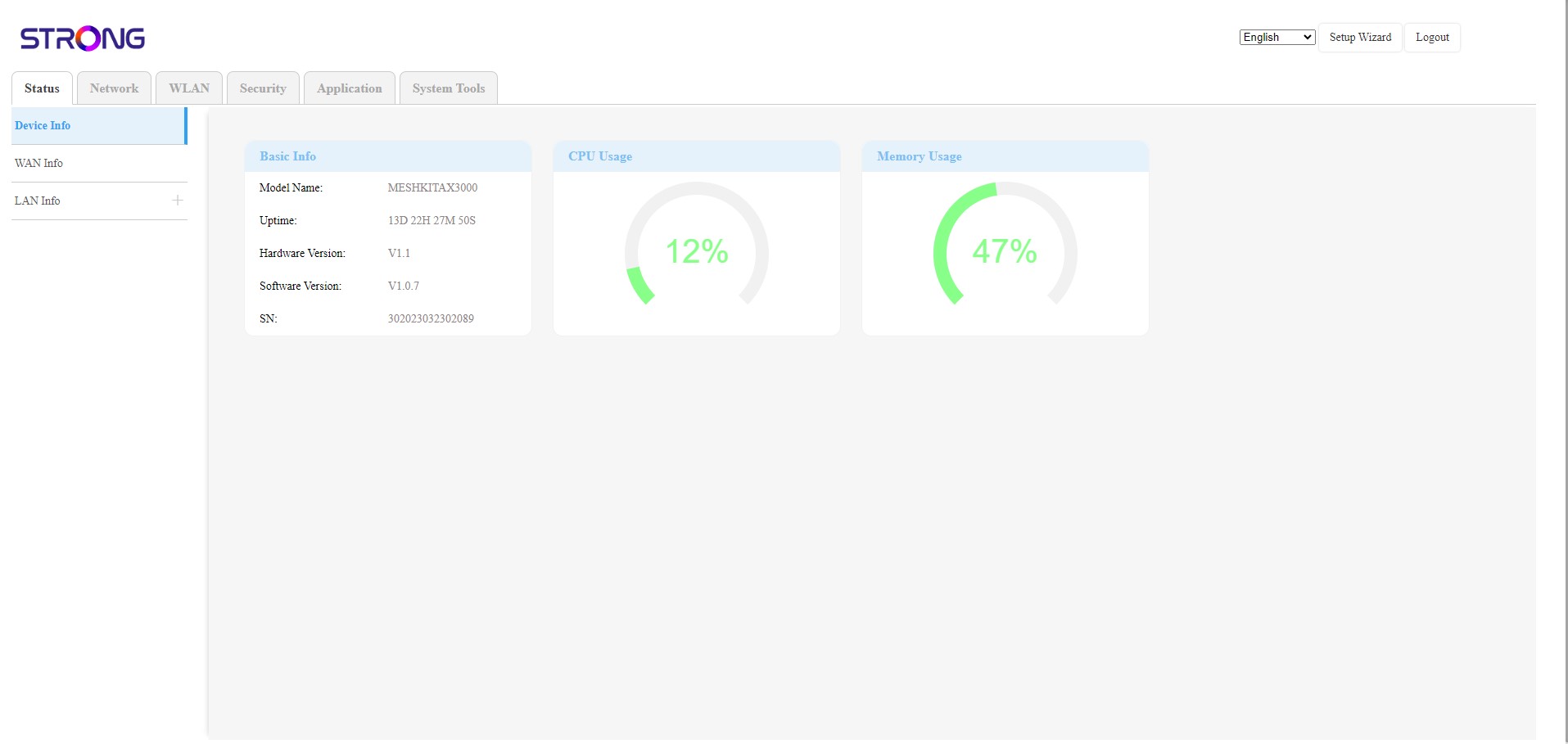
Το περιβάλλον εργασίας χρήστη (Web UI) χωρίζεται σε 6 ενότητες:
• Κατάσταση: Εδώ μπορείτε να βρείτε όλες τις πληροφορίες σχετικά με τη συσκευή Mesh και το δίκτυο.
• Δίκτυο: Εδώ μπορείτε να ρυθμίσετε το WAN, τις παραμέτρους LAN (IPv4 / IPv6) και να ορίσετε ένα όριο ταχύτητας.
• WLAN: Εδώ μπορείτε να επιλέξετε μεταξύ δικτύου 2,4G και 5G, να ρυθμίσετε πολλαπλά SSID, το WPS, να διαχειριστείτε την πρόσβαση στο διαδίκτυο των διαφόρων διευθύνσεων MAC, να τροποποιήσετε τα SSID και τους κωδικούς πρόσβασης Wi-Fi και να ρυθμίσετε το « Mesh ».
• Ασφάλεια: Εδώ μπορείτε να ρυθμίσετε ένα τείχος προστασίας (firewall), τις ρυθμίσεις DoS, τα φίλτρα URL/MAC, τα φίλτρα IP, τον γονικό έλεγχο/έλεγχο υπηρεσιών και να προγραμματίσετε την ενεργοποίηση του δικτύου « Mesh ».
• Εφαρμογή: εδώ μπορείτε να διαμορφώσετε τις ρυθμίσεις NAT (ALG, DMZ, προώθηση θυρών), ένα VPN, το SNTP (ζώνη ώρας), ένα δυναμικό DNS, το UPnP και να αποκτήσετε πρόσβαση στη διαμόρφωση IPTV.
• Εργαλεία συστήματος: εδώ μπορείτε να αλλάξετε τα στοιχεία σύνδεσης, να επανεκκινήσετε τη συσκευή, να ενημερώσετε το υλικολογισμικό, να αποθηκεύσετε και να επαναφέρετε ένα αντίγραφο ασφαλείας, να επαναφέρετε τις εργοστασιακές ρυθμίσεις, να διαχειριστείτε τις ενδείξεις LED, να αποκτήσετε πρόσβαση στα αρχεία καταγραφής και να εκτελέσετε διαγνωστικά.