
5G AIRHOME 1050 | Wi-Fi 6
Todas las preguntas
5G AIRHOME 1050 | Wi-Fi 6
¿Cómo puedo acceder a la interfaz de usuario web?
Para acceder a la interfaz de usuario web, debes estar conectado a la red Wi-Fi de tu dispositivo tras haber colocado la tarjeta SIM en la ranura.
1. Conéctatea la red Wi-Fi del router
Para ello, introduce el SSID (nombre de la red Wi-Fi) y la contraseña Wi-Fi del router en tu dispositivo:

2. Accedea la dirección IP de la interfaz de usuario web
A continuación, introduce la siguiente dirección IP en tu navegador: 192.168.0.1

3. Buscatu credencial
Para consultar tus datos de acceso, fíjate en la etiqueta situada en la parte posterior de tu dispositivo.
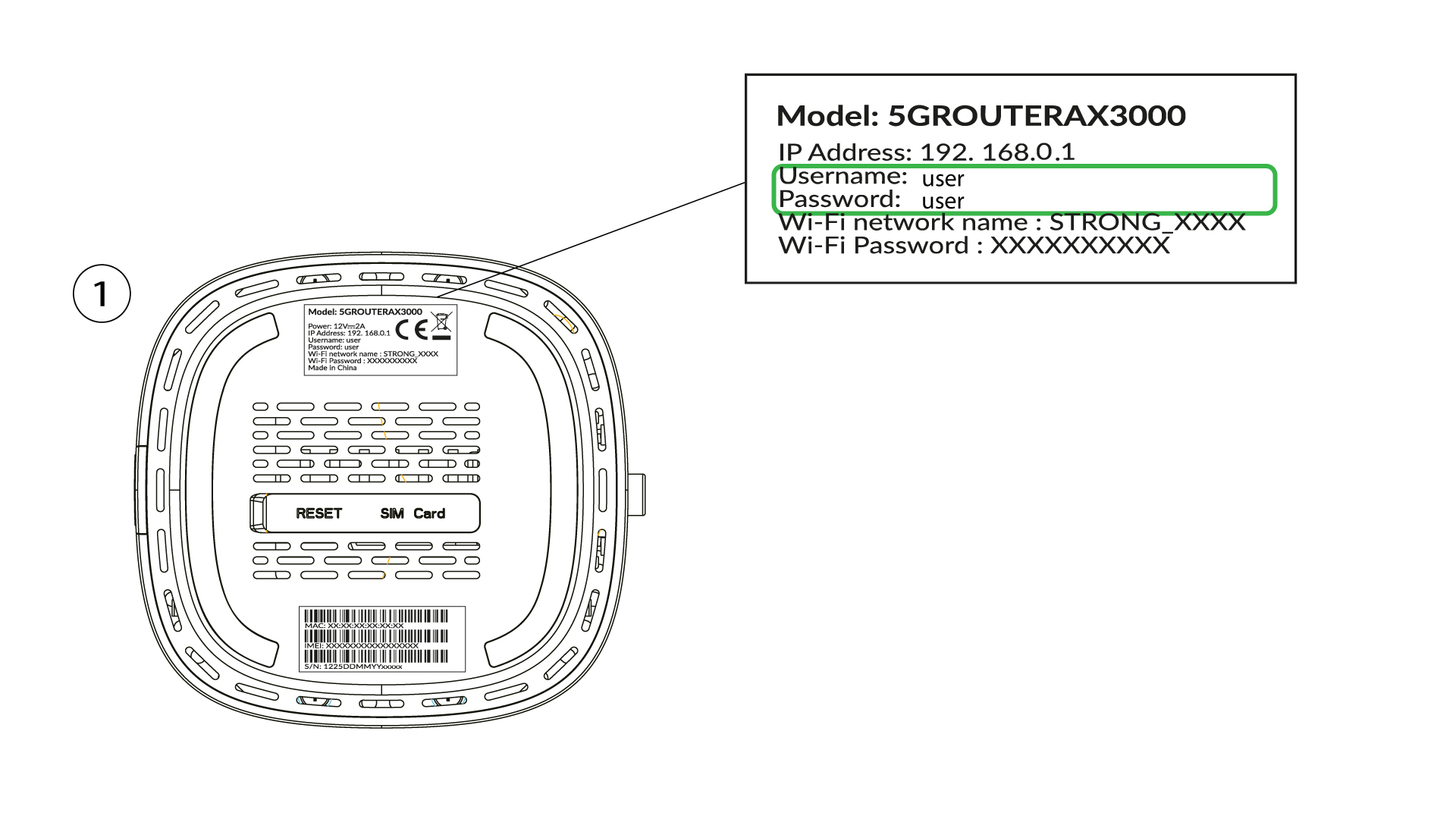
4. Introducetus datos de acceso
Debes introducir el nombre de usuario y la contraseña y hacer clic en «Iniciar sesión» ( para encontrar tus datos de acceso, consulta el paso anterior).

5. Cambiarla contraseña de administrador
En la ventana emergente que aparece, debes crear una nueva contraseña de administrador tras tu primera conexión; para ello, introduce la siguiente información antes de hacer clic en «Confirmar»:
- Editar contraseña: introduce una contraseña de entre 8 y 32 caracteres que contenga mayúsculas, minúsculas, números y al menos un carácter especial (@, $, !, %, *, ?, &)
- Confirmar contraseña: introduce la misma contraseña.
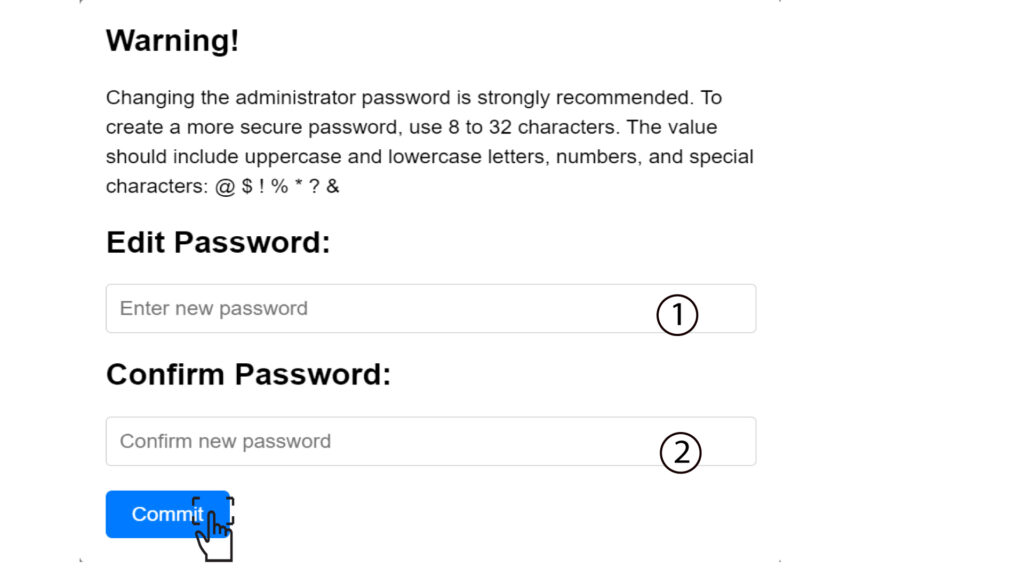
6. Introducelas nuevas credenciales
Por favor, anota la nueva contraseña de administrador y el nombre de usuario en un papel:
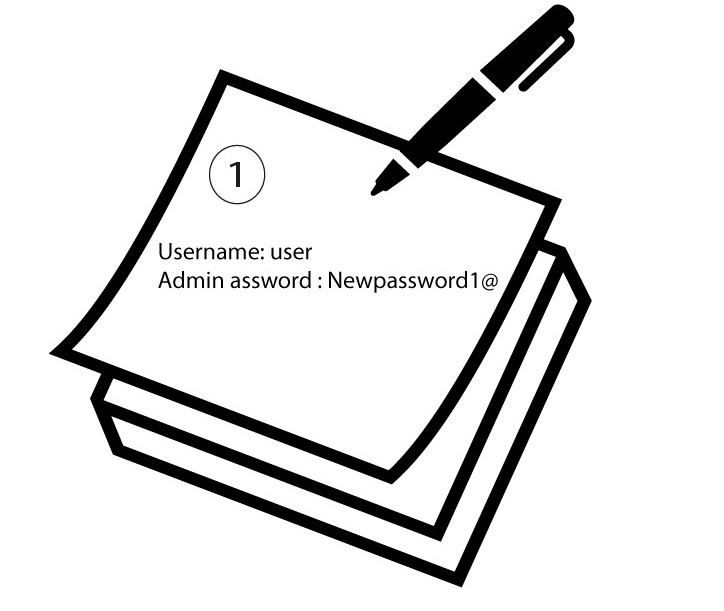

Advertencia: Si la contraseña de administración predeterminada es «user», debes cambiarla tras la primera conexión para proteger el acceso al router y evitar posibles ataques informáticos. Una vez que hayas configurado la nueva contraseña, anótala.