Punto de acceso Wi-Fi 4G AIRSPOT 220 con pantalla
No se han encontrado artículos.
No se han encontrado artículos.
Todas las preguntas
Punto de acceso Wi-Fi 4G AIRSPOT 220 con pantalla
No se han encontrado artículos.
No se han encontrado artículos.
¿Cómo puedo cambiar la contraseña de administrador?
1. Accedera la interfaz de usuario web
Para conectarte a la interfaz de usuario web, sigue las instrucciones que se indican en: «¿Cómo puedo acceder a la interfaz de usuario web?».
2. Cambiarcontraseña
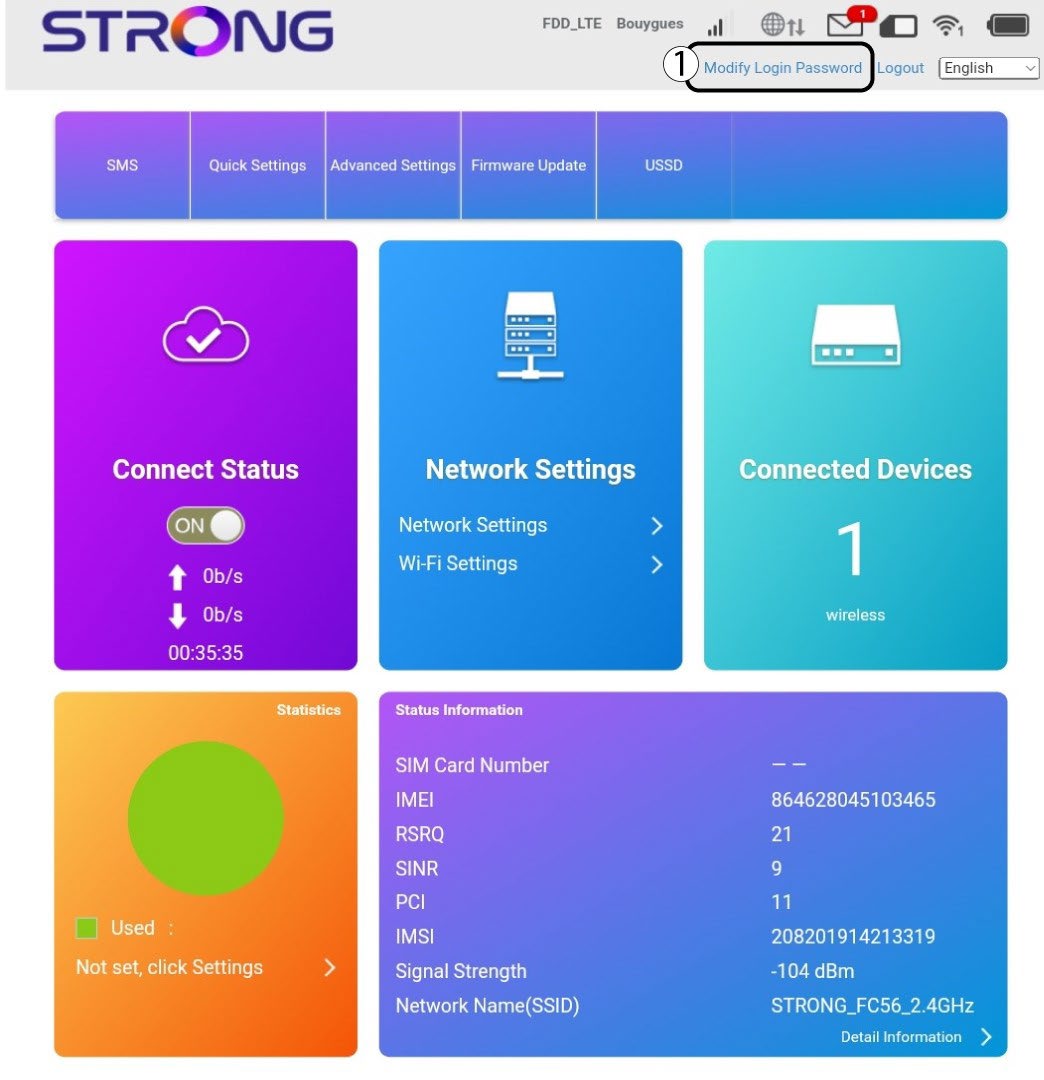
Una vez hecho esto, haz clic en «Modificar contraseña de acceso » en la barra superior.
3. Introducelos nuevos datos
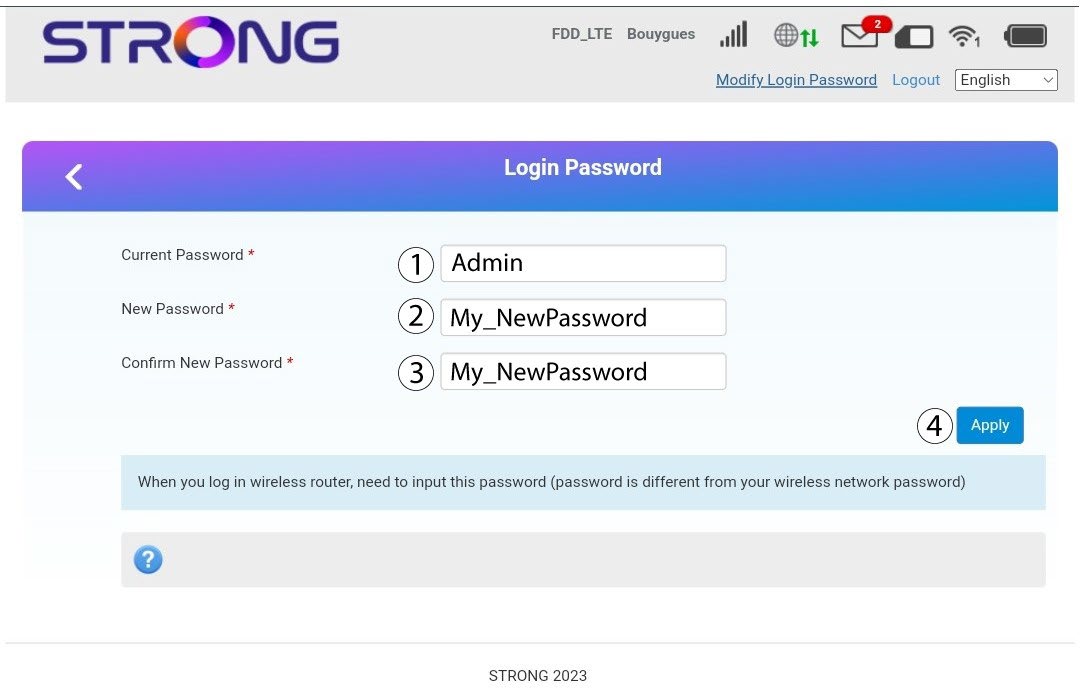
Introduce la siguiente información antes de hacer clic en «Aplicar»:
· Contraseña actual: Introduce la contraseña actual.
· New Password: Enter the new password. The new password can contain up to 32 characters including numbers, lower case, upper case, and special characters (! # $ * + , - . % : = ? @ [ ] ^ _ { | } ~).
· Confirmar nueva contraseña: Introduce la misma contraseña que en el campo anterior.
4. Guardala información
Anota la nueva contraseña para acceder a la interfaz de usuario web.