Punto de acceso Wi-Fi 4G AIRSPOT 220 con pantalla
Todas las preguntas
Punto de acceso Wi-Fi 4G AIRSPOT 220 con pantalla
¿Cómo puedo restablecer la configuración de fábrica de mi router?
En ocasiones, es posible que tu dispositivo no funcione correctamente y que no tengas acceso a Internet. En ese caso, te recomendamos que restablezcas la configuración de fábrica del dispositivo y que, a continuación, actualices de nuevo su firmware si es necesario.
Tienes dos formas de hacerlo: puedes restablecer el dispositivo pulsando el botón de restablecimiento o haciéndolo a través de la interfaz de usuario web.
CASO 1: Botón de reinicio.
Para ello, retira la tapa situada en la parte trasera del router y pulsa el botón RESET durante 2 segundos con un clip.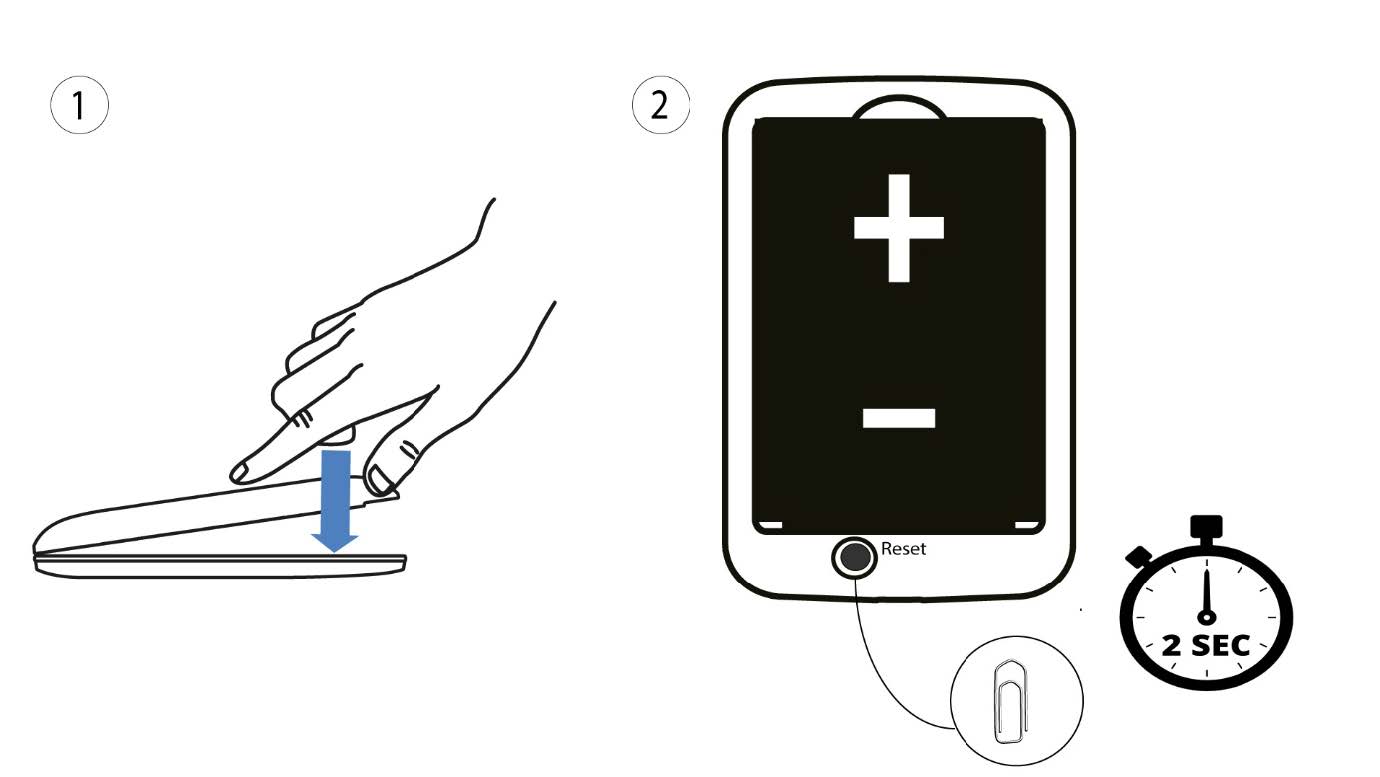
1. Caso2: restablecimiento en la interfaz de usuario web
1. Debes conectarte a la red Wi-Fi de tu dispositivo.

2. Accedea la dirección IP de la interfaz de usuario web
A continuación, introduce la siguiente dirección IP: 192.168.188.1 en tu navegador.

3Iniciarsesión
Debes introducir la contraseña.

4. Ajustes
A continuación, haz clic en «Configuración avanzada».
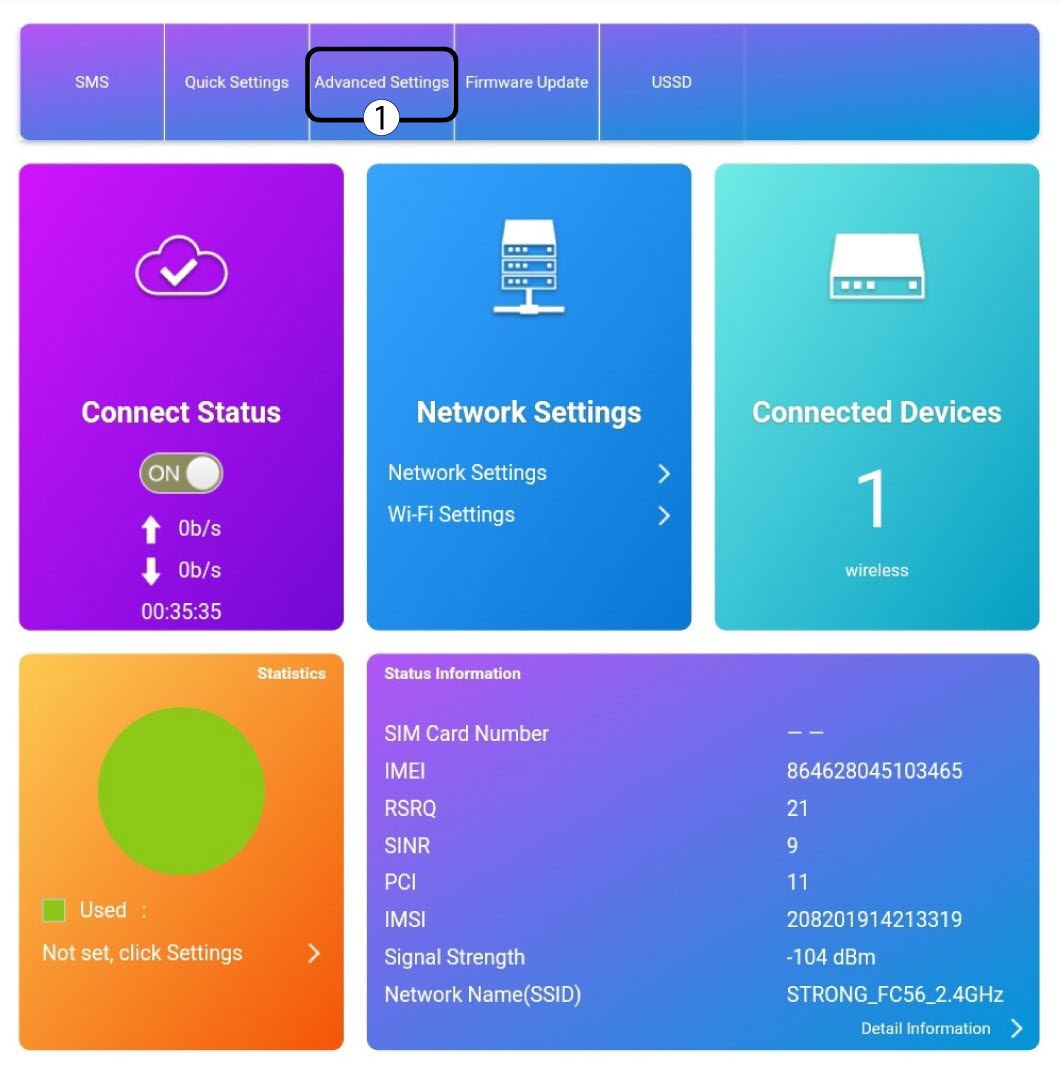
5. Restablecera los ajustes de fábrica
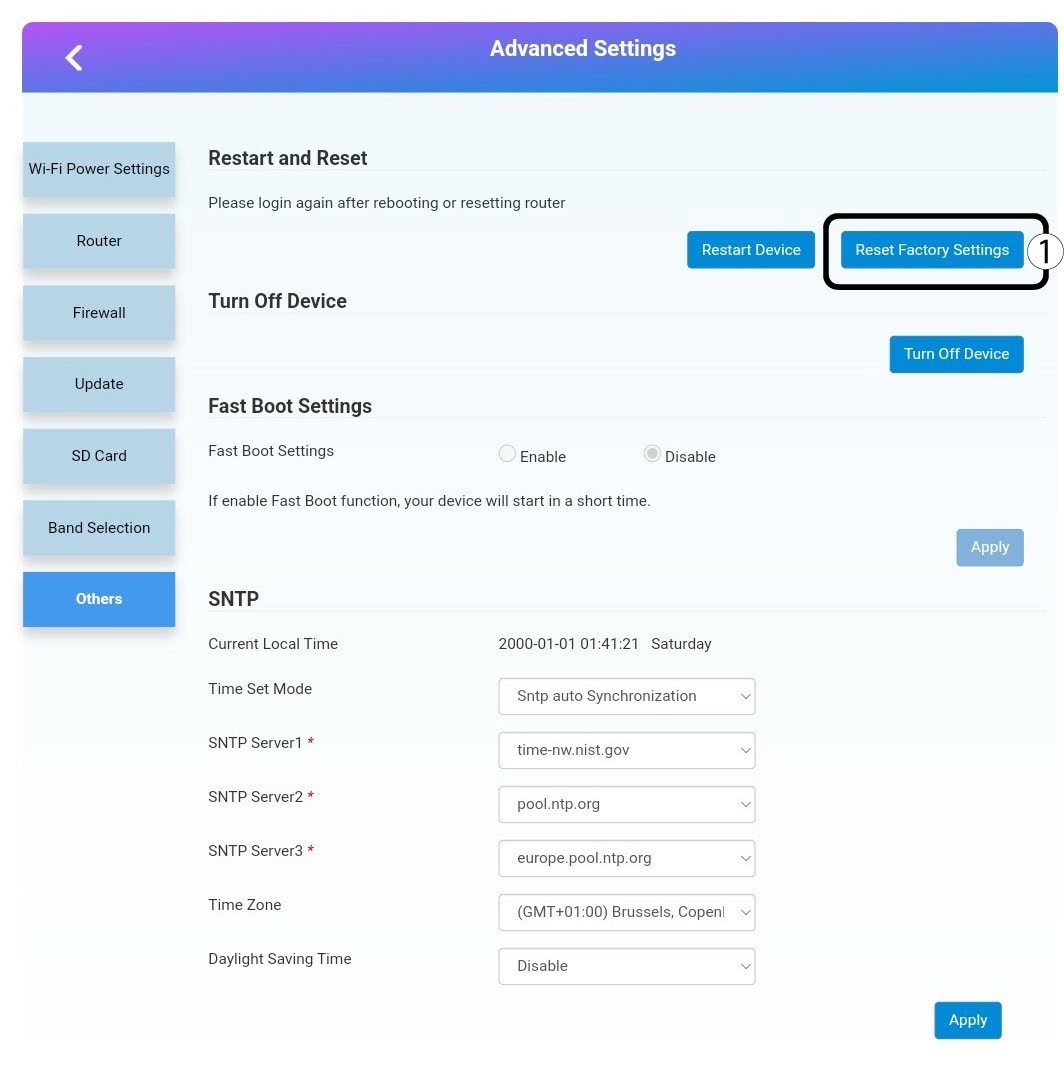
Haz clic en «Otros». En la sección «Reiniciar y restablecer», haz clic en «Restablecer la configuración de fábrica».
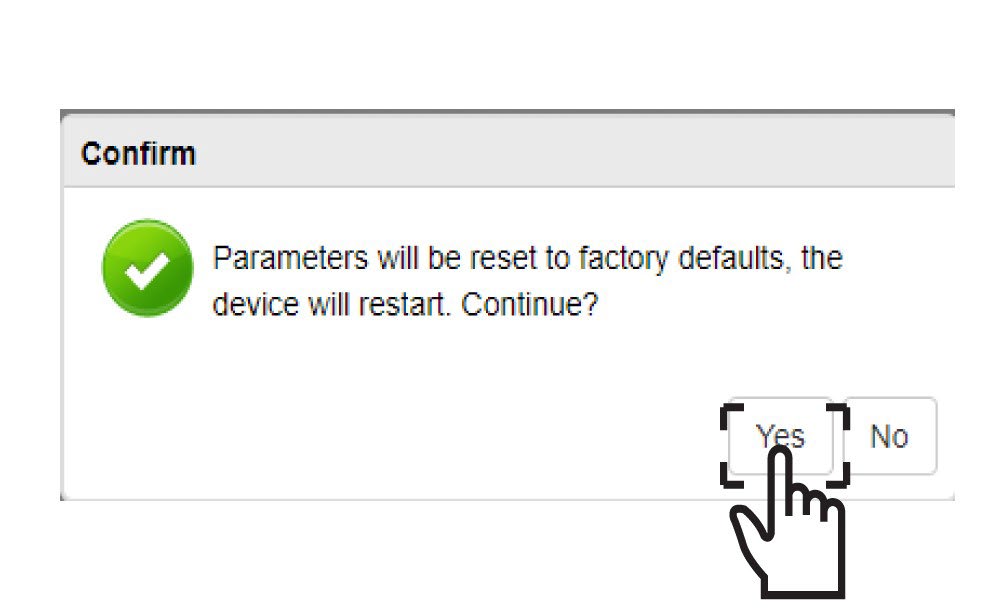
6. Confirmación
Haz clic en«SÍ» en el mensaje emergente.