
Punto de acceso Wi-Fi 4G+ AIRSPOT 510
No se han encontrado artículos.
No se han encontrado artículos.
Todas las preguntas
Punto de acceso Wi-Fi 4G+ AIRSPOT 510
No se han encontrado artículos.
No se han encontrado artículos.
¿Cómo puedo cambiar la contraseña de administrador?
1. Accedera la interfaz de usuario web
Para acceder a la interfaz de usuario web, consulta «¿Cómo puedo acceder a la interfaz de usuario web?».
2. Accedea la configuración de contraseñas
En la sección «Gestión» , haz clic en «Configuración del sistema » y luego en «Cambiar contraseña».
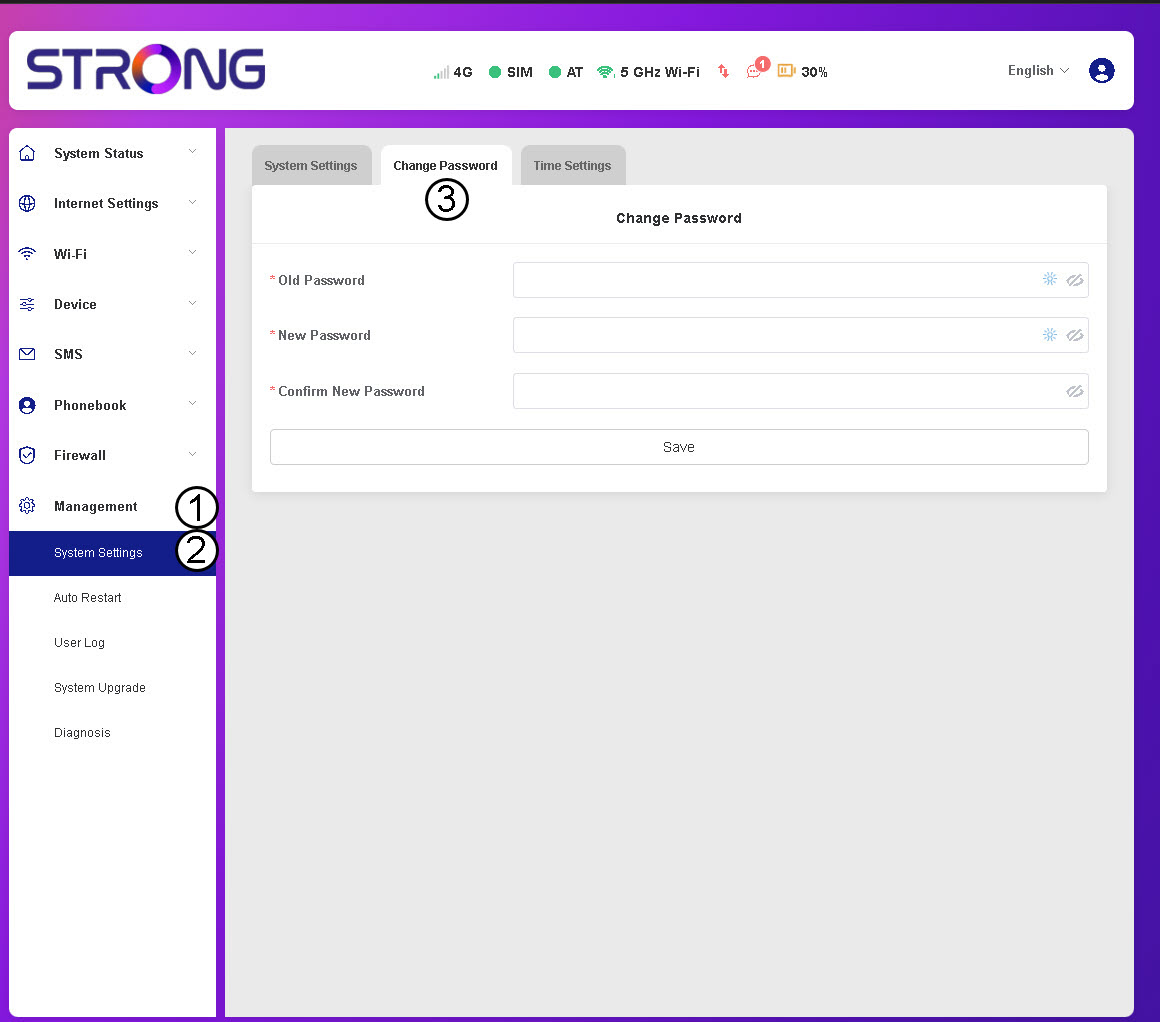
3. Introducirla información de la contraseña
A continuación, introduce la siguiente información antes de hacer clic en «Guardar»:
- Contraseña anterior: Introduce tu contraseña actual.
- Nueva contraseña: Introduce una contraseña que contenga al menos 8 caracteres e incluya una combinación de mayúsculas, minúsculas, números y caracteres especiales. Solo se permiten los siguientes caracteres especiales: @$%*&.
- Confirmar nueva contraseña: Introduce la misma contraseña que en el campo anterior.


ADVERTENCIA: Si has olvidado tu contraseña actual, tendrás que restablecer el dispositivo a su configuración de fábrica.