Mini router 4G AIRHOME 300 con antenas 4G desmontables
Todas las preguntas
Mini router 4G AIRHOME 300 con antenas 4G desmontables
¿Cómo puedo cambiar el código PIN de la tarjeta SIM?
1. Conéctatea la red Wi-Fi del router
Debes conectarte a la interfaz de usuario web. Para ello, introduce el SSID y la contraseña del router en tu dispositivo.

2. Accedea la dirección IP de la interfaz de usuario web
A continuación, introduce la siguiente dirección IP en tu navegador: 192.168.0.1

3. Página de inicio de sesión
Una vez que hayas accedido a la dirección IP, haz clic en «Iniciar sesión».

4. Introducetus datos de acceso
Debes introducir el nombre de usuario y la contraseña. A continuación, haz clic en «Iniciar sesión».

5. Configuración avanzada
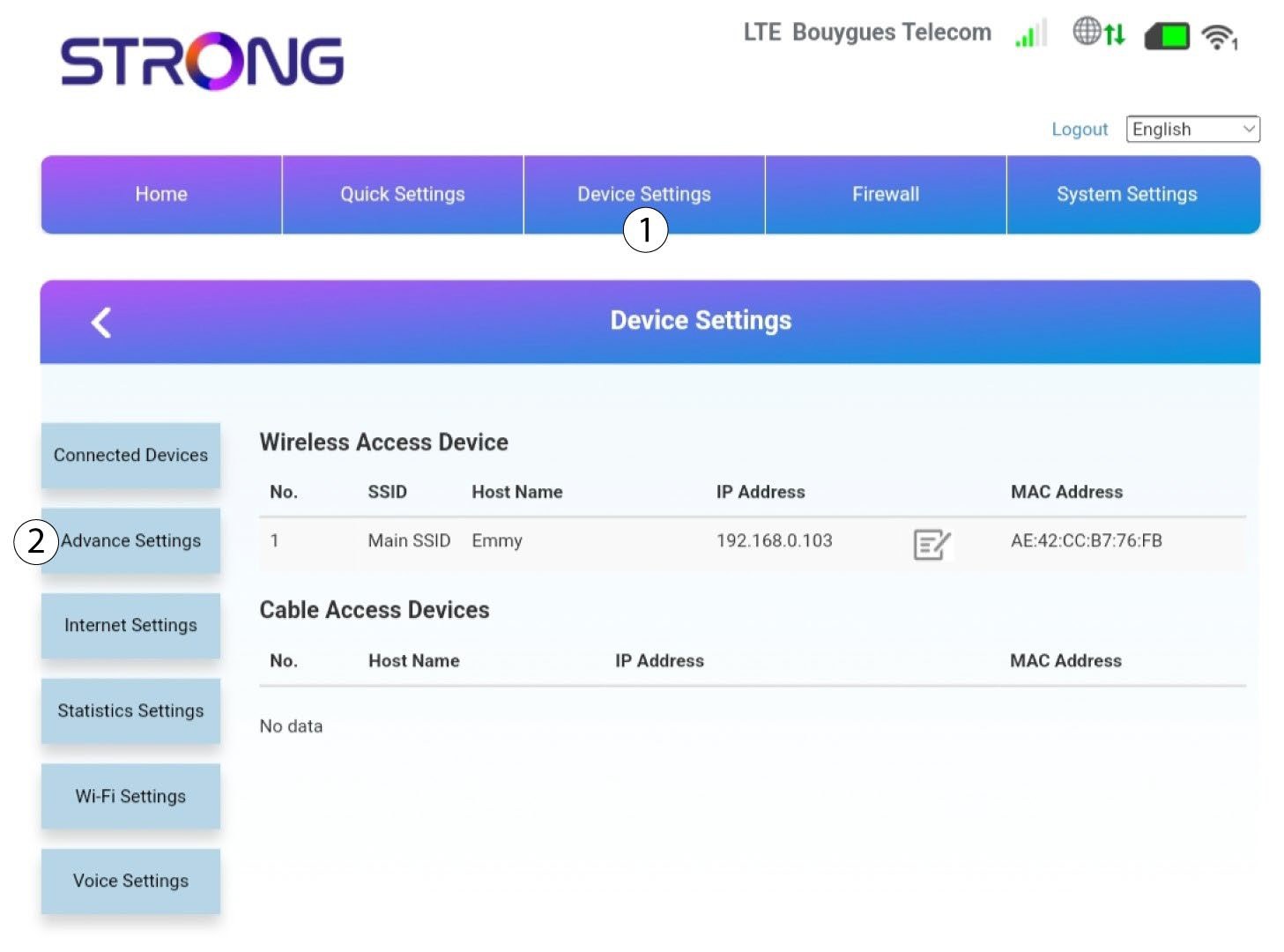
A continuación, haz clic en «Configuración del dispositivo » y en la pestaña «Configuración avanzada ».
Gestión de 6PIN
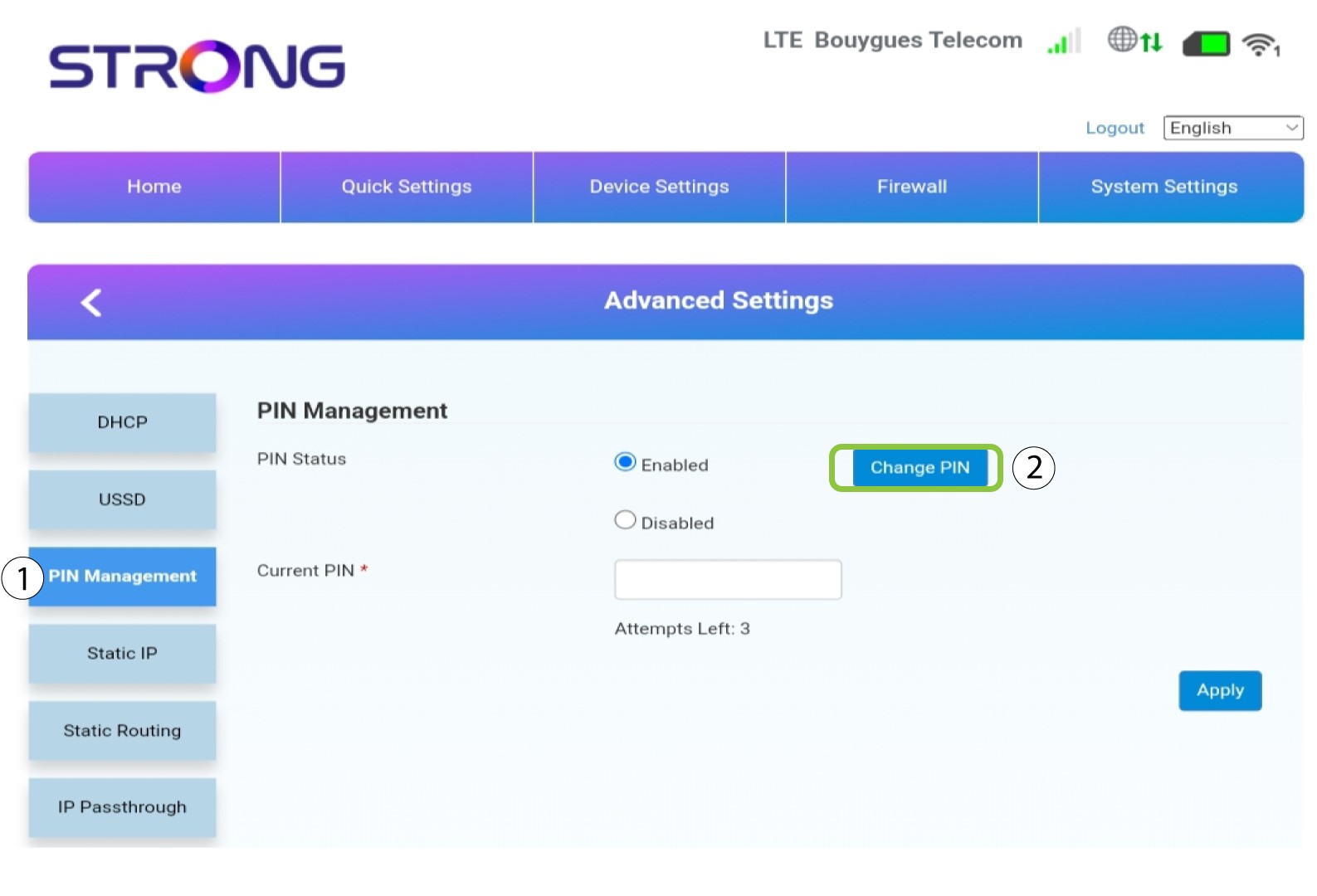
Haz clic en «Gestión del PIN » y luego en «Cambiar PIN».
7. Introduceel nuevo código PIN
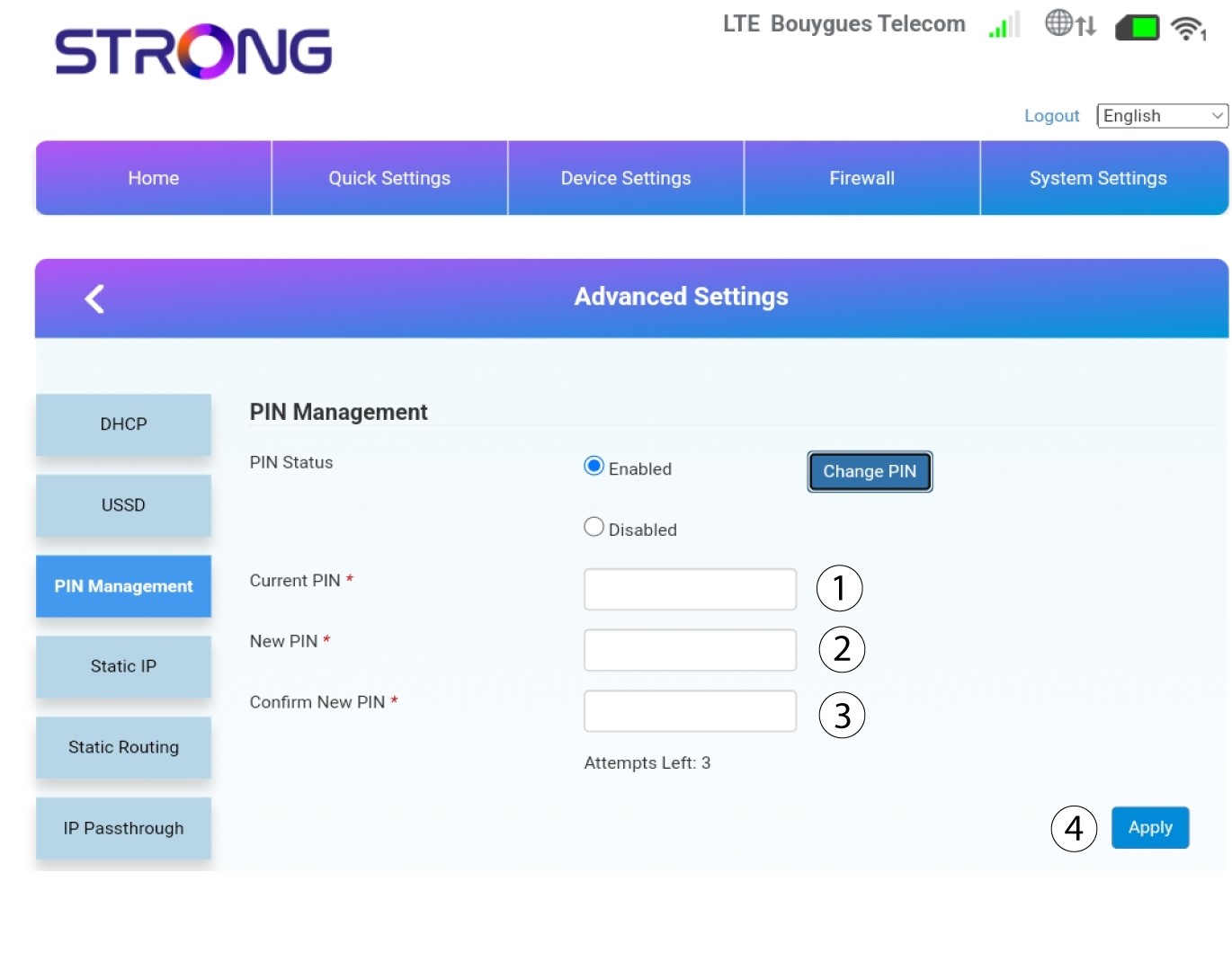
Introduce la siguiente información y haz clic en «Aplicar»:
• PIN actual: introduce el código PIN de tu tarjeta SIM.
• Nuevo PIN: introduce el nuevo código PIN.
• Confirmar nuevo PIN: introduce el mismo código PIN que en el campo anterior.