
Mini router 4G AIRHOME 300 con antenas 4G desmontables
Todas las preguntas
Mini router 4G AIRHOME 300 con antenas 4G desmontables
¿Cómo puedo cambiar el SSID y la contraseña? (Configuración de Wi-Fi)

Una vez que hayas cambiado el nombre de red y la contraseña de tu router, el código QR dejará de funcionar, ya que los datos de conexión de tu router serán diferentes.
Por favor, anota la nueva información de red en un papel.
1. Conéctatea la red Wi-Fi del router
Para cambiar el SSID y la contraseña, debes conectarte a la red Wi-Fi de tu dispositivo.

2. Accedea la dirección IP de la interfaz de usuario web
A continuación, introduce la siguiente dirección IP: 192.168.0.1 en tu navegador.

3. Página de inicio de sesión
A continuación, haz clic en «Iniciar sesión».

4. Introducetus datos de acceso
Debes introducir el nombre de usuario y la contraseña.

5. Ajustes de Wi-Fi
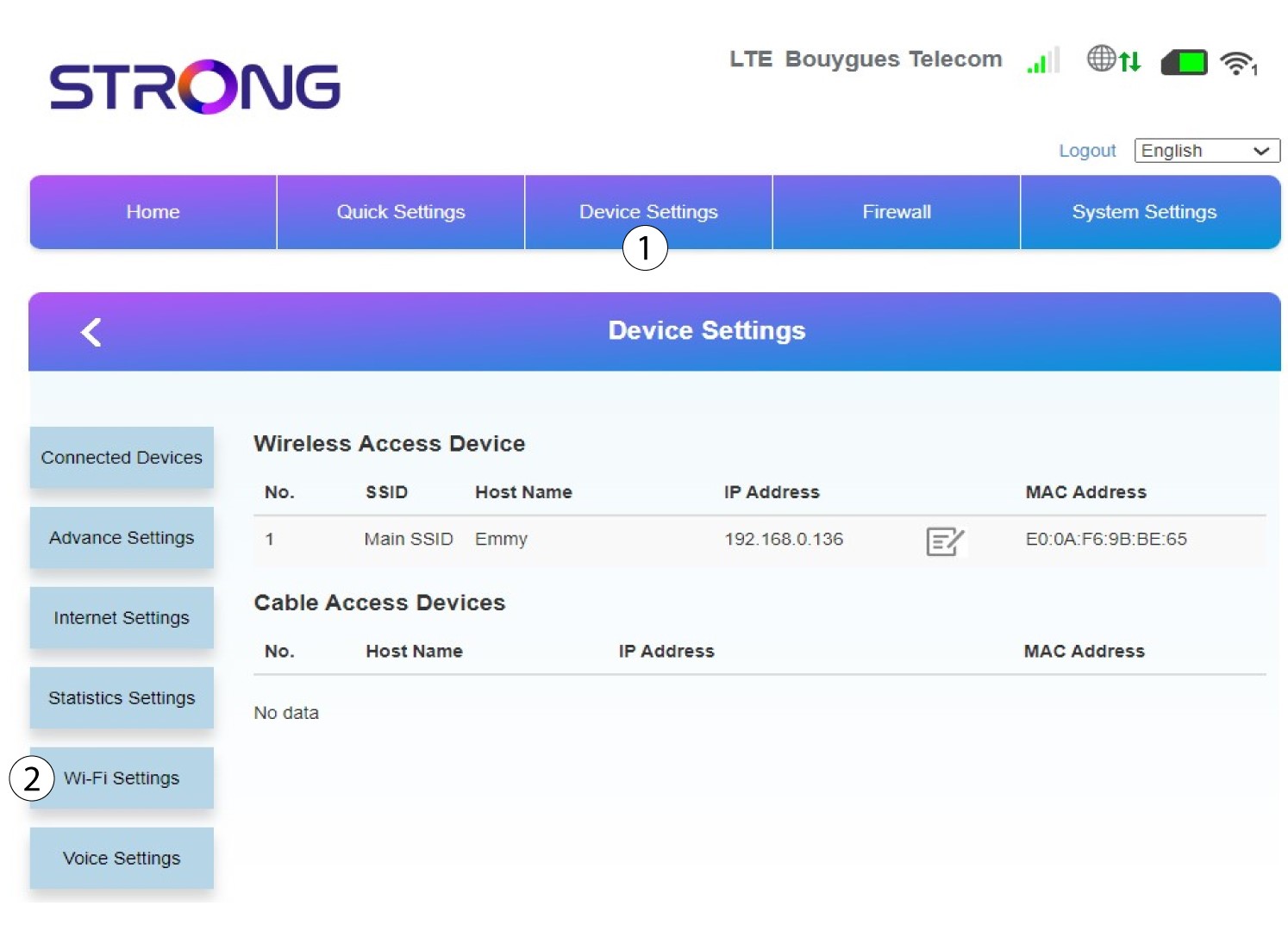
Haz clic en «Configuración del dispositivo » y selecciona «Configuración de Wi-Fi».
6. SSID principal
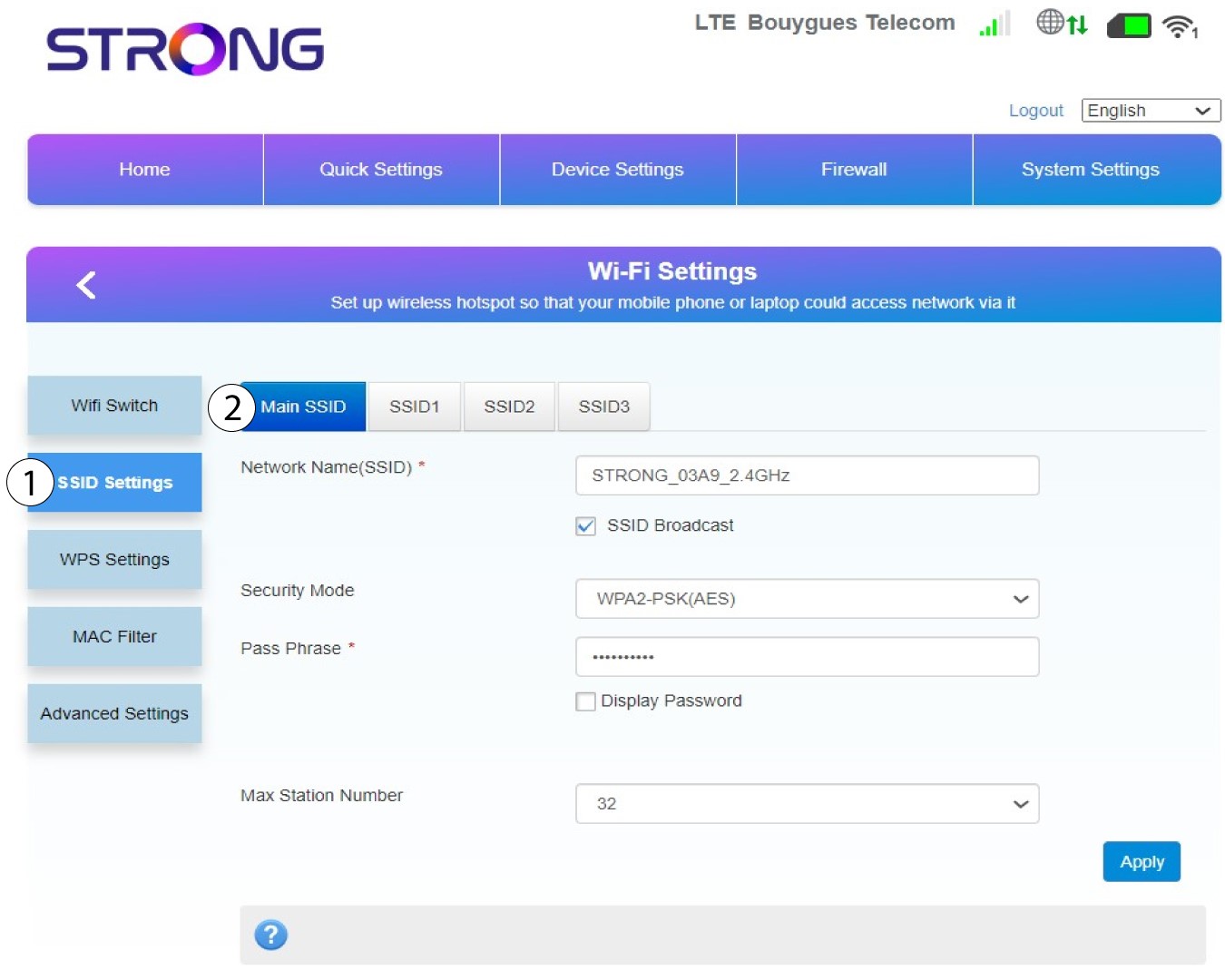
A continuación, selecciona «Configuración de SSID » y elige el «SSID principal».
7. Introduceun nuevo nombre de red y una nueva contraseña
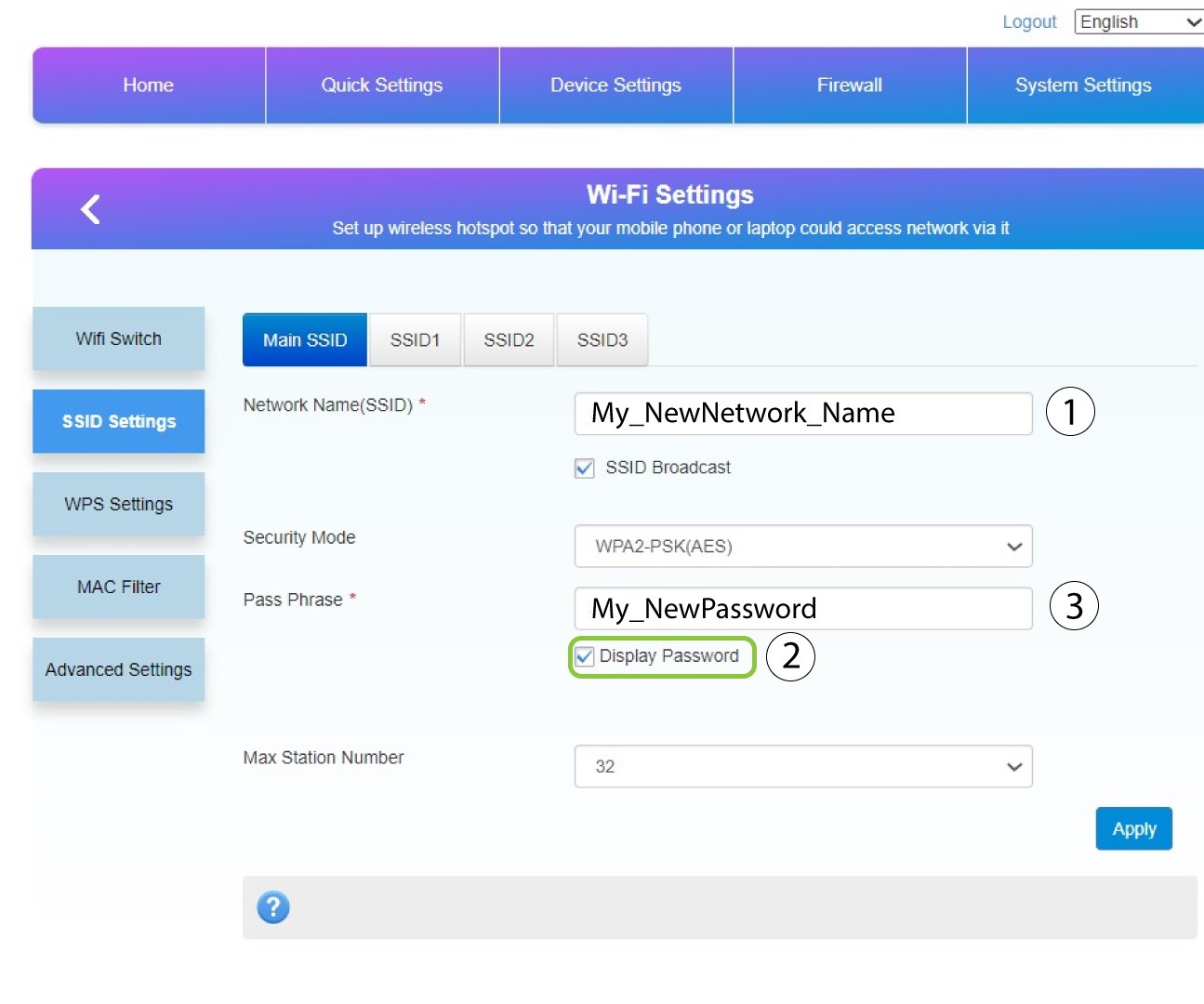
Modifica el nombre introducido en el campo «Nombre de red (SSID) » y marca la casilla «Mostrar contraseña» box. A continuación, cambia la contraseña introducida en el campo «Frase de contraseña ».
8. Guardalos cambios
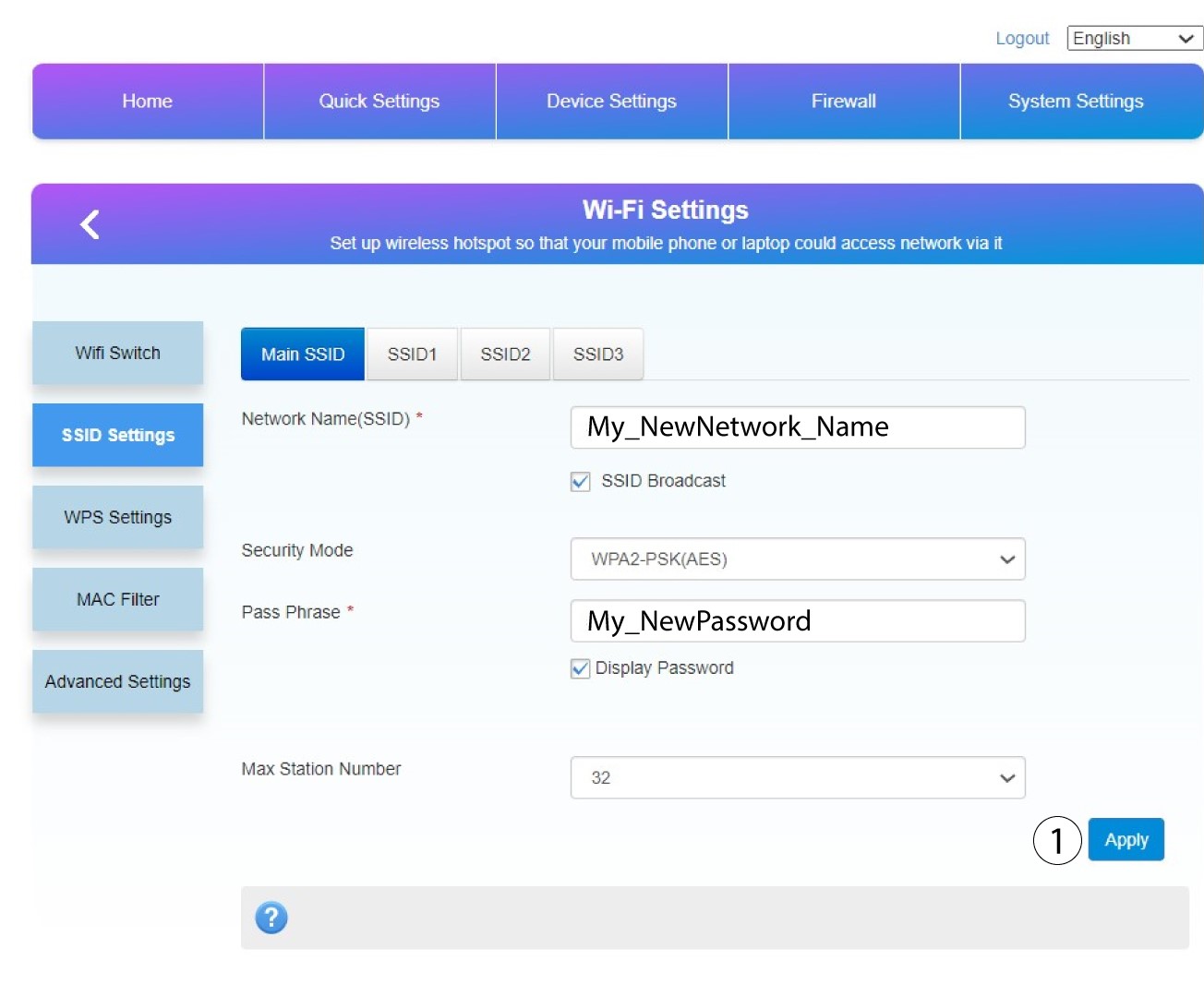
Haz clic en «Aplicar » para guardar los cambios.
9. Anotala nueva información
Anota tu nuevo SSID y contraseña en un papel y pégalo al router.
