
kit Mesh ATRIA kit | MESHKIT1200
No se han encontrado artículos.
No se han encontrado artículos.
Todas las preguntas
kit Mesh ATRIA kit | MESHKIT1200
No se han encontrado artículos.
No se han encontrado artículos.
¿Cómo configuro mi red Wi-Fi mesh (Caso 1: botón WPS)?
Para configurar la red de tu Mesh , consulta la Guía de inicio rápido (QIG) que se incluye en el manual de usuario ( box ) de tu producto.
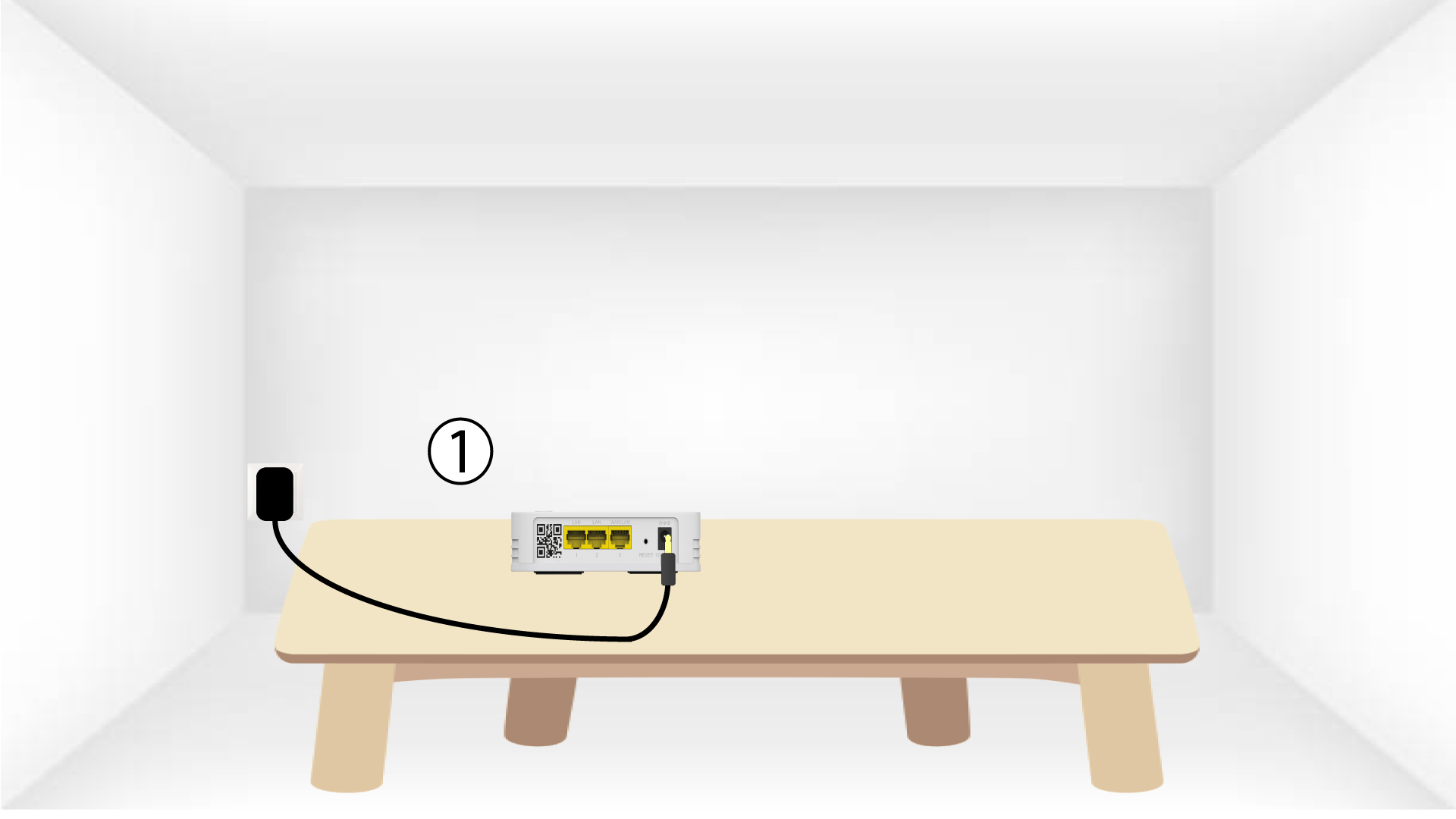
1. Enchufa el dispositivo
Debes enchufar el dispositivo « mesh » para encenderlo (no tiene botón de encendido) y conectarlo a
tu módem mediante un cable RJ45.

2. Esperamientras se realiza la configuración
A continuación, debes esperar unos minutos a que el dispositivo se configure automáticamente.
3. Conecta el segundo dispositivo
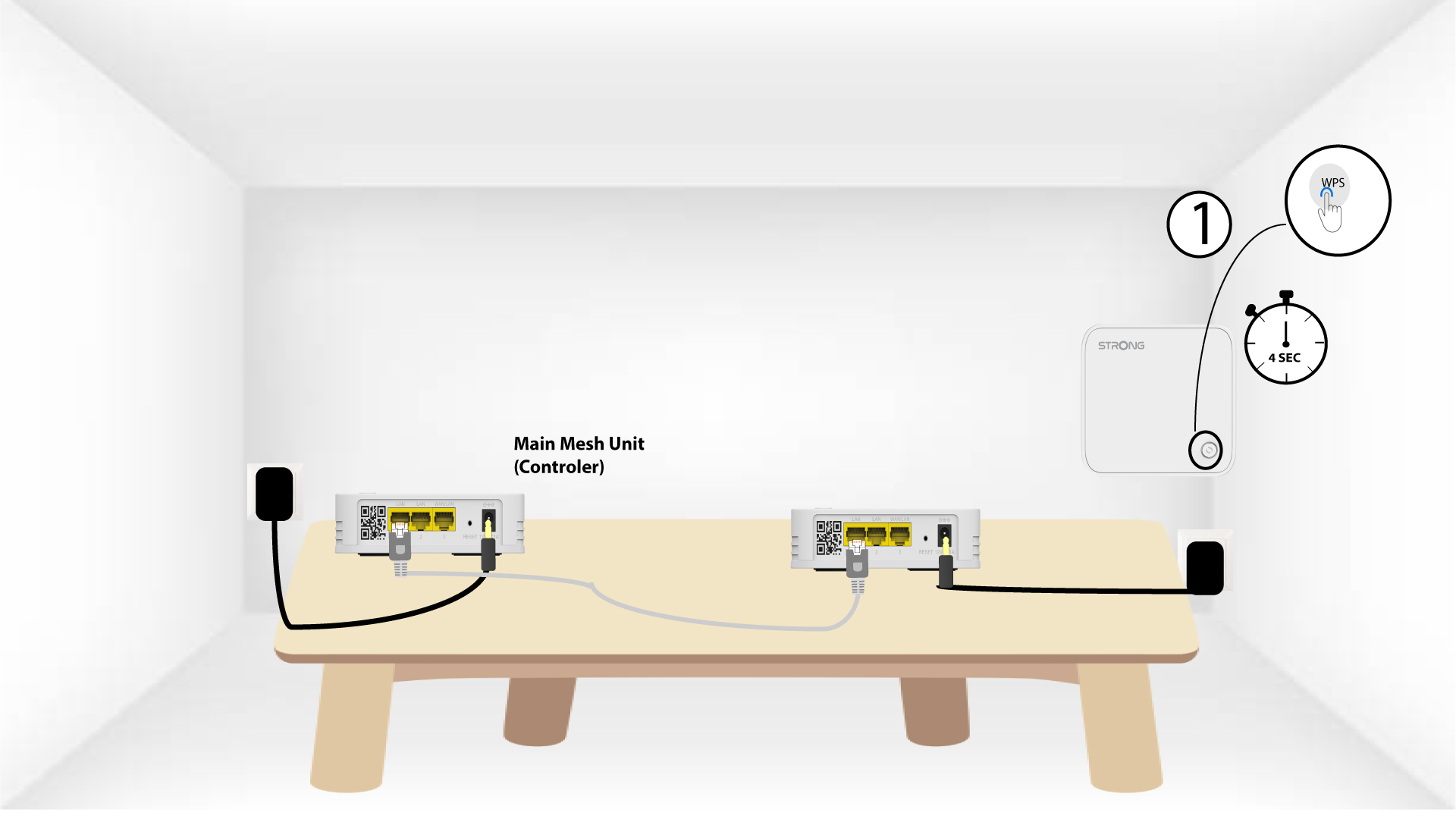
Debes enchufar la segunda unidad « mesh ».
4. Activael WPS en el dispositivo principal mesh
Pulsa el botón WPS durante al menos 4 segundos en la unidad « Mesh » que esté conectada a tu módem o router.
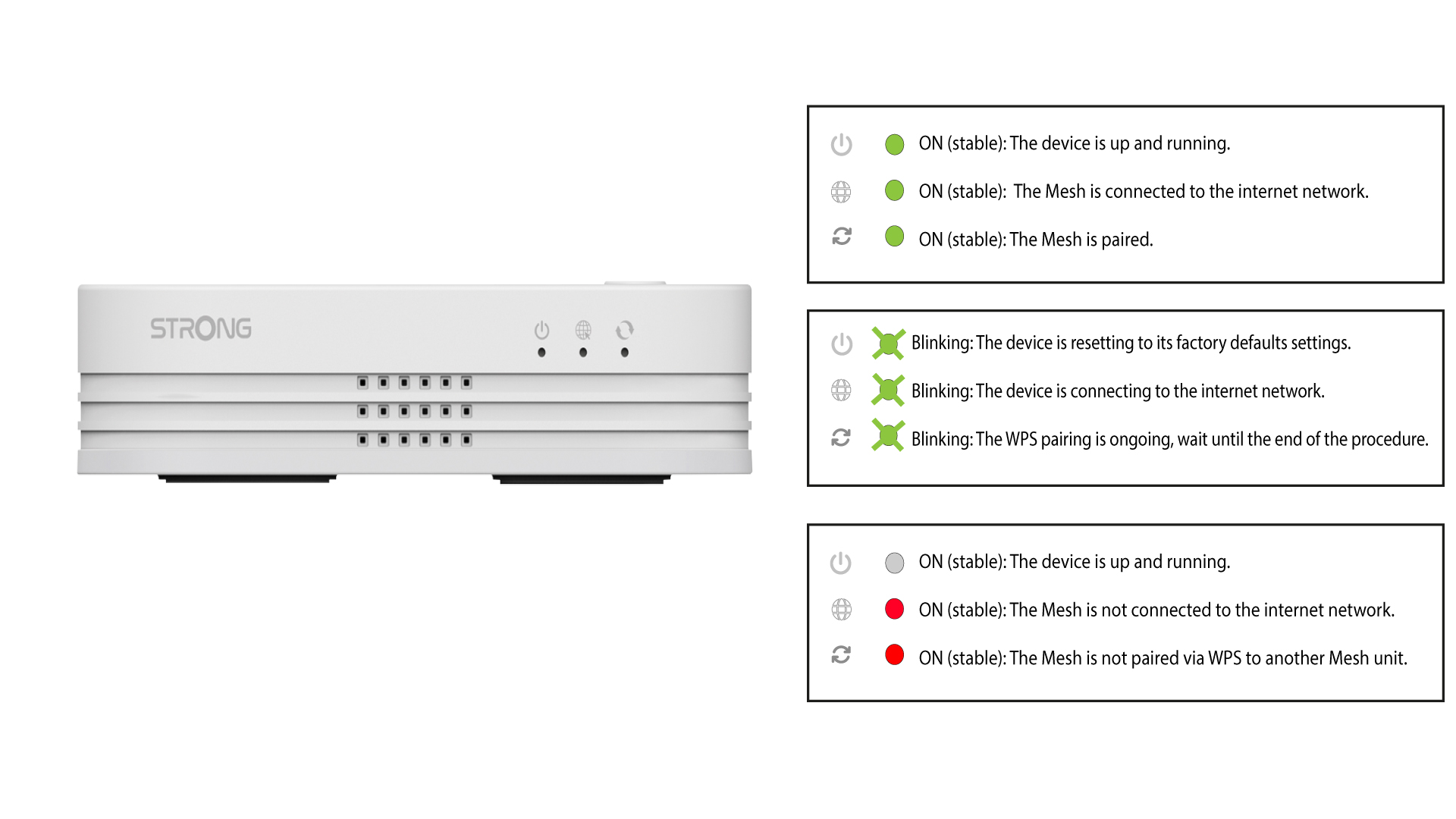
El LED parpadeará en verde tras activar el WPS.
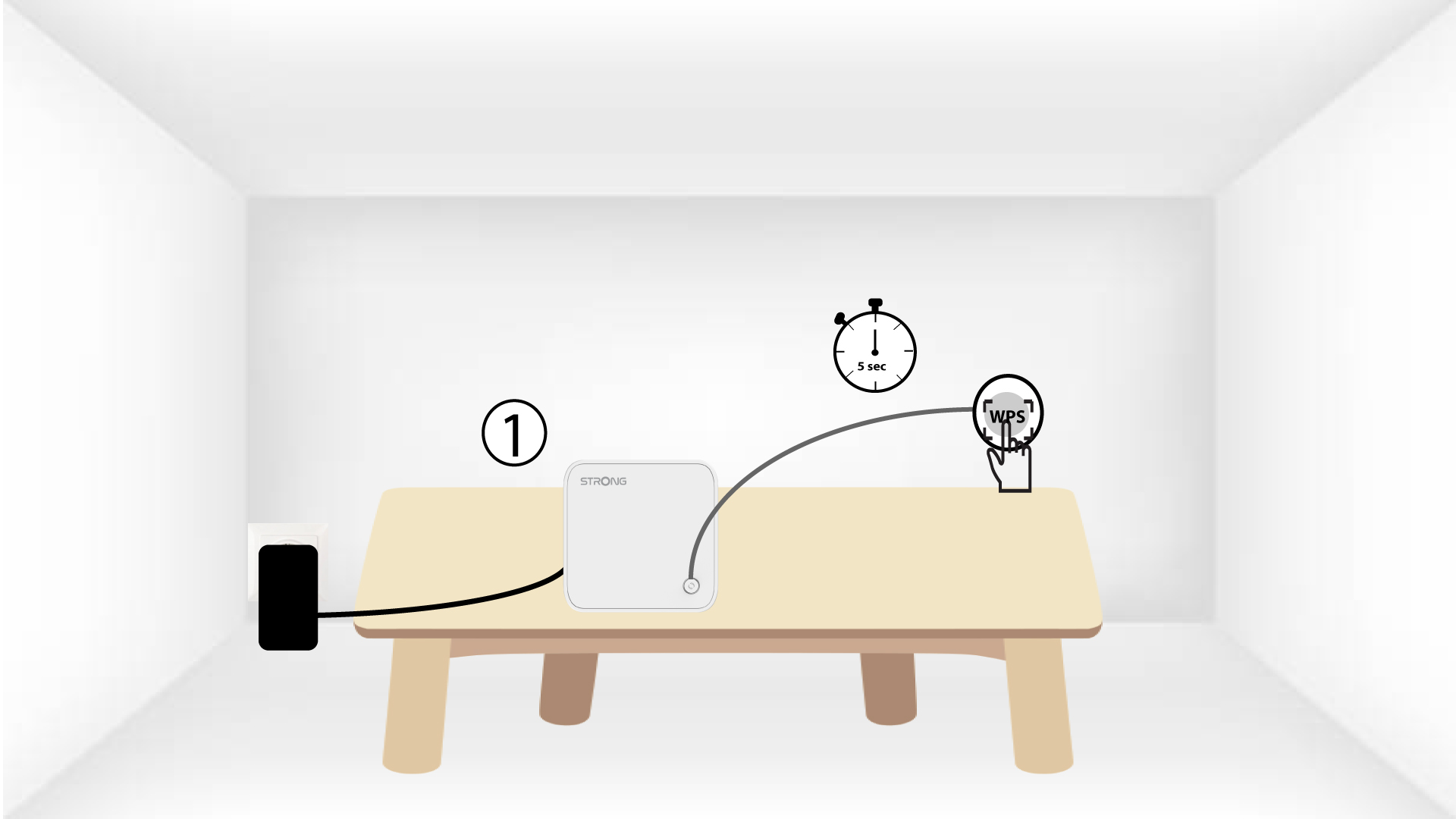
5. Activael WPS en el segundo mesh
Pulsa el botón WPS durante al menos 4 segundos en la segunda unidad « Mesh ».
6 dispositivosse están emparejando
Lorem ipsum dolor sit amet, consectetur adipisicing elit. Culpa enim esse excepturi nemo nesciunt officia officiis optio.