
kit Mesh ATRIA kit | MESHKIT1200
Todas las preguntas
kit Mesh ATRIA kit | MESHKIT1200
He olvidado la contraseña del Wi-Fi de mi red « Mesh », ¿cómo puedo recuperarla?
La contraseña predeterminada de la red Wi-Fi se encuentra en la parte inferior del dispositivo; sin embargo, si ya la has cambiado, es posible que tengas que restablecer el Mesh 1200 a su configuración de fábrica predeterminada.

1CASO1: Información de red en la interfaz de usuario web
Para conectarte a la interfaz de usuario web, consulta este procedimiento: ¿Cómo puedo acceder a la interfaz de usuario web?
2. Ajustes de Wi-Fi
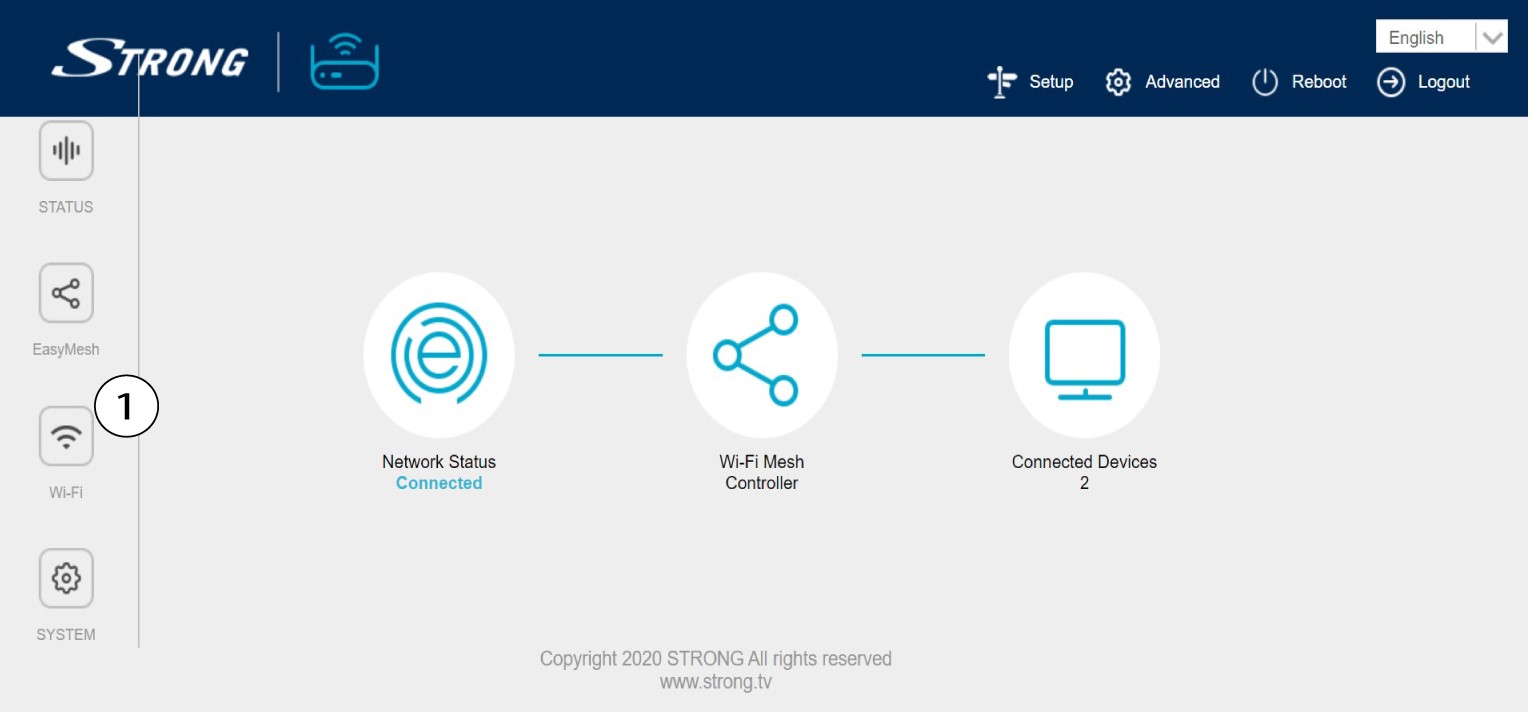
Haz clic en «Wi-Fi» en la barra de la izquierda.
WLAN de 32,4 G
A continuación, tanto en la red WLAN 5G como en la WLAN 2,4G, el nombre de tu red Wi-Fi aparece en el campo «SSID», y puedes
ver la contraseña de esta red Wi-Fi marcando la casilla «Mostrar box » situada a la derecha del campo «Clave de Wi-Fi».

4. Anota la información
Anota la contraseña en un trozo de papel.

1CASO2: Información de red en la aplicación
Para conectarte a la interfaz de usuario web, consulta este procedimiento: ¿Cómo se utiliza la aplicación «Atria Mesh »?
2. Ajustes de Wi-Fi
Haz clic en «Wi-Fi» en la barra de la izquierda.

3. Mostrarla contraseña
Haz clic en el icono del ojo para mostrar la contraseña.

4. Anota la información
Anota la contraseña en un trozo de papel.