
Punto de acceso Wi-Fi 4G+ AIRSPOT 520 con pantalla táctil
No se han encontrado artículos.
No se han encontrado artículos.
Todas las preguntas
Punto de acceso Wi-Fi 4G+ AIRSPOT 520 con pantalla táctil
No se han encontrado artículos.
No se han encontrado artículos.
¿Cómo introduzco mi código PIN? (Pantalla Mi-Fi)
Cuando insertes la tarjeta SIM por primera vez, el dispositivo te pedirá que introduzcas el código PIN.
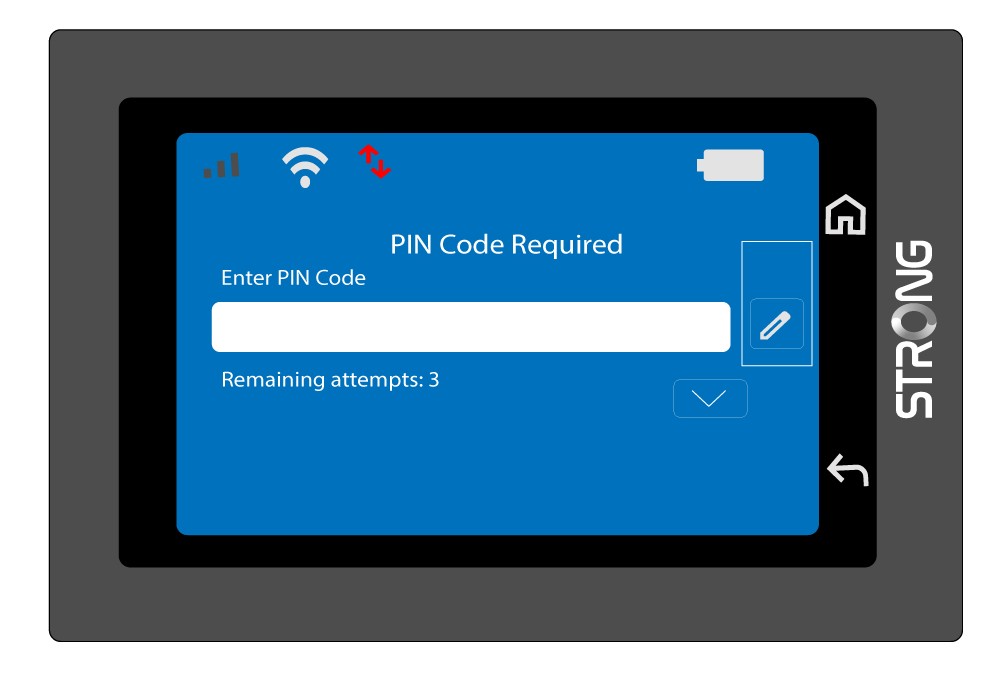
1. Accedeal teclado
Haz clic en el icono del lápiz para acceder al teclado numérico.
2. Introduceel código PIN
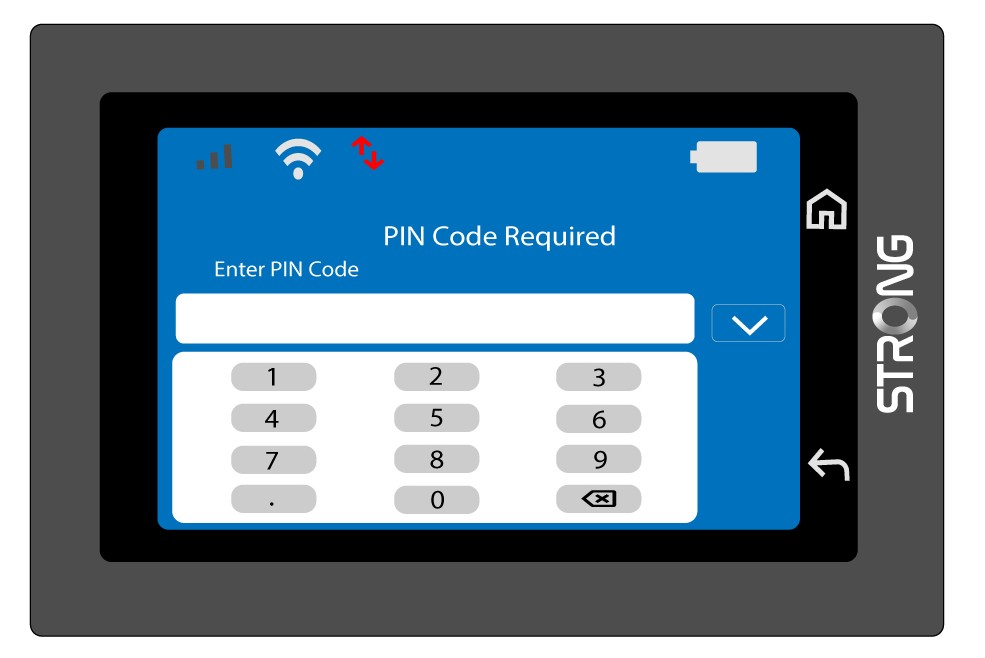
Introduce tu código PIN con el teclado numérico y, a continuación, pulsa el icono (v) para confirmar.
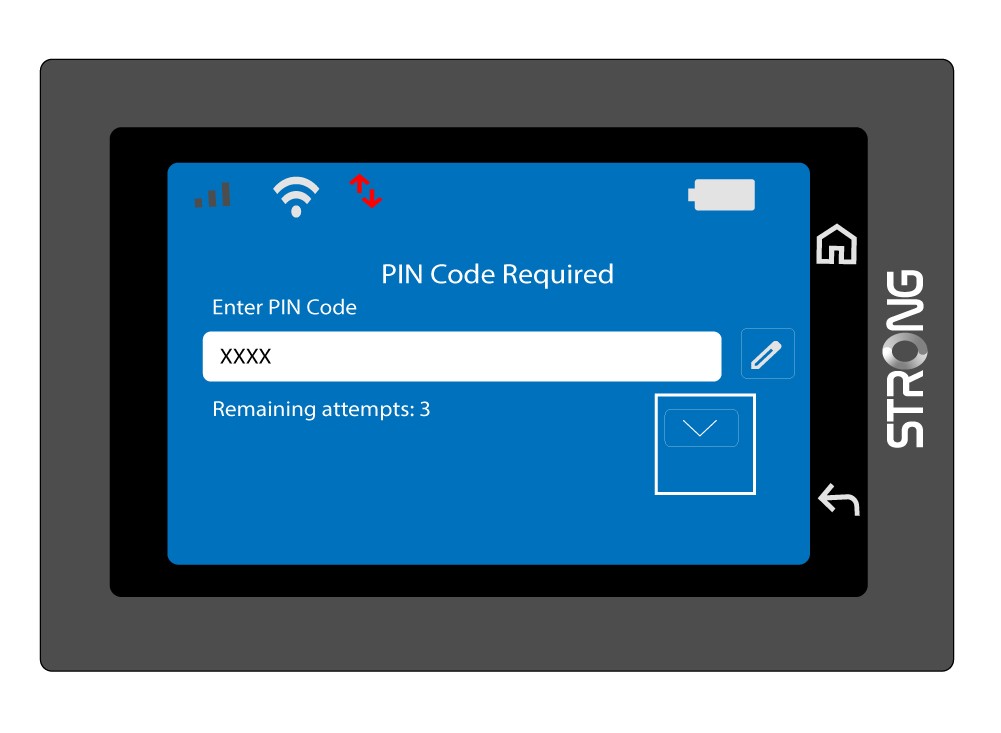
3. Confirmael código
Introduce el código PIN en la pantalla principal.
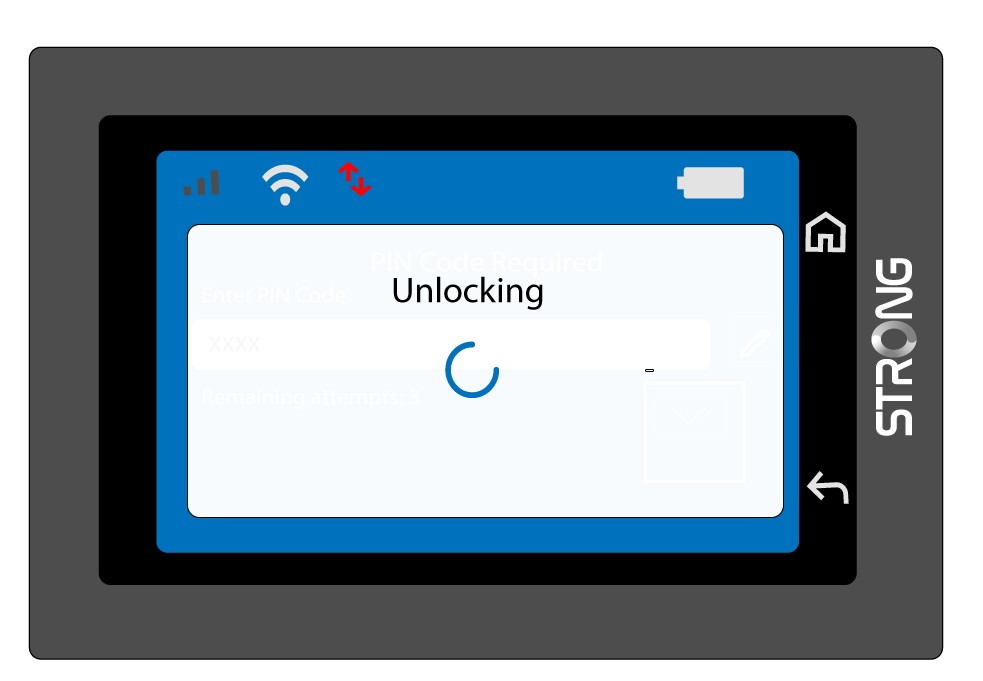
4. Esperaa recibir la confirmación
Espera a que el mensaje de desbloqueo desaparezca de la pantalla.
5. Listopara usar
Deberías ver la siguiente pantalla.
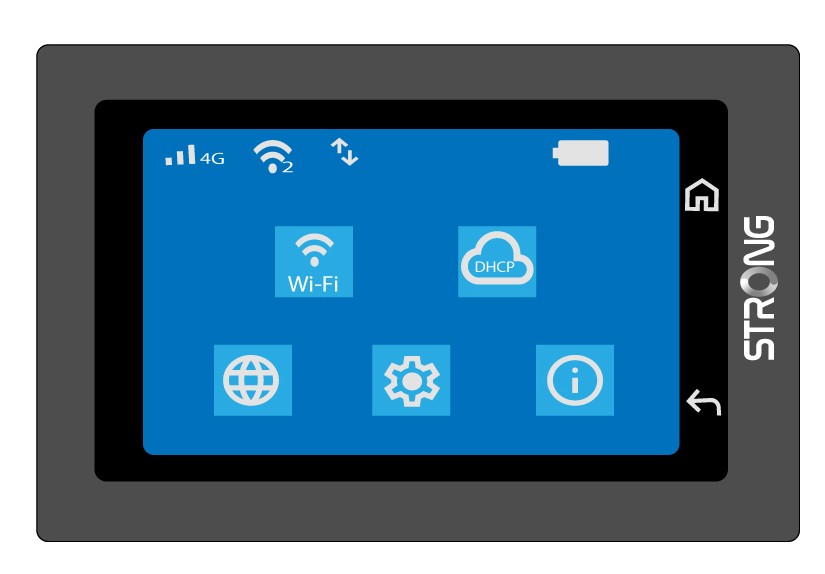
Tras introducir correctamente el código por primera vez, el Mi-Fi memorizará tu código PIN.