
Punto de acceso Wi-Fi 4G+ AIRSPOT 520 con pantalla táctil
No se han encontrado artículos.
No se han encontrado artículos.
Todas las preguntas
Punto de acceso Wi-Fi 4G+ AIRSPOT 520 con pantalla táctil
No se han encontrado artículos.
No se han encontrado artículos.
¿Cómo puedo restablecer mi router a los ajustes de fábrica? (Botón de reinicio)
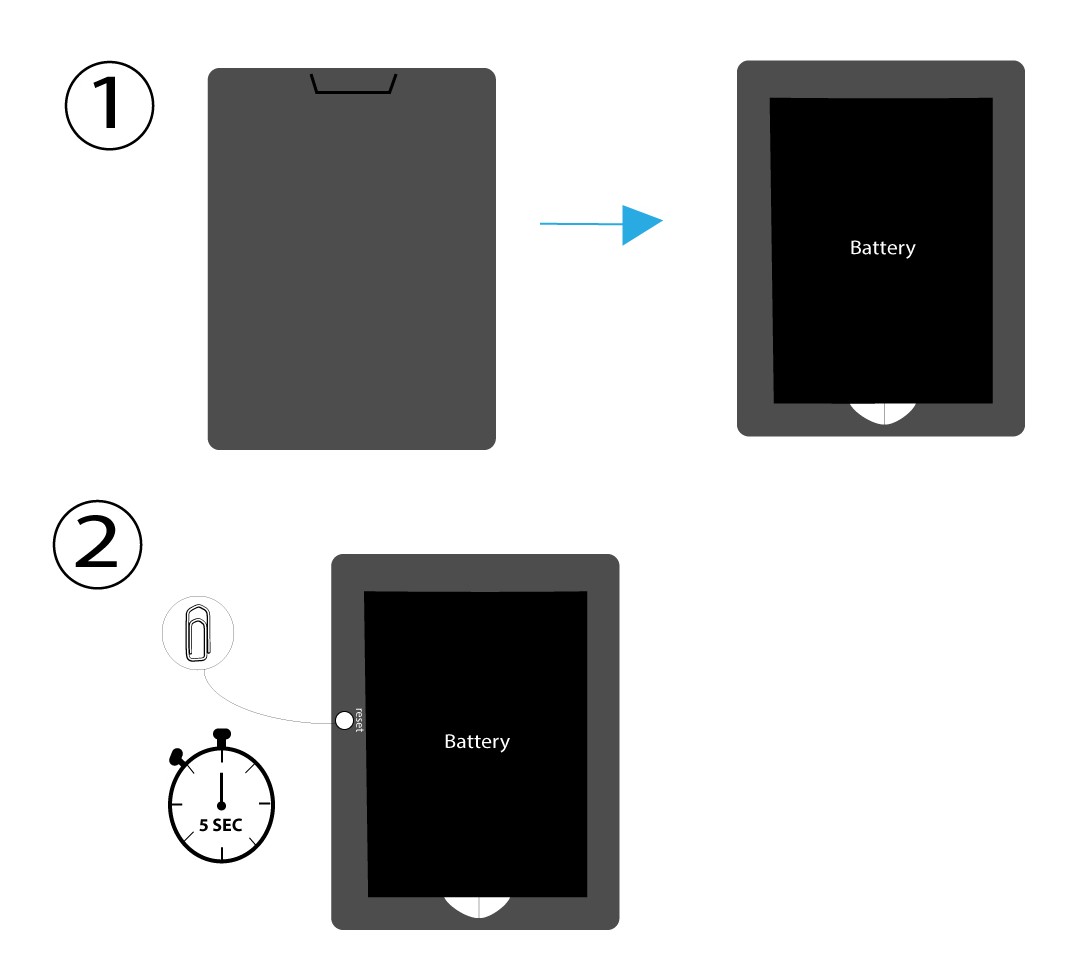
CASO 1: Botón de reinicio
Para ello, retira la tapa situada en la parte trasera del router y pulsa el botón RESET durante 5 segundos con un clip.
CASO 2: Restablecimiento de fábrica en la interfaz de usuario web
1. Restablecimiento a los valores de fábricaen la interfaz de usuario web
Sigue los pasos que se indican aquí para conectarte a la interfaz de usuario web: ¿Cómo puedo acceder a la interfaz de usuario web?
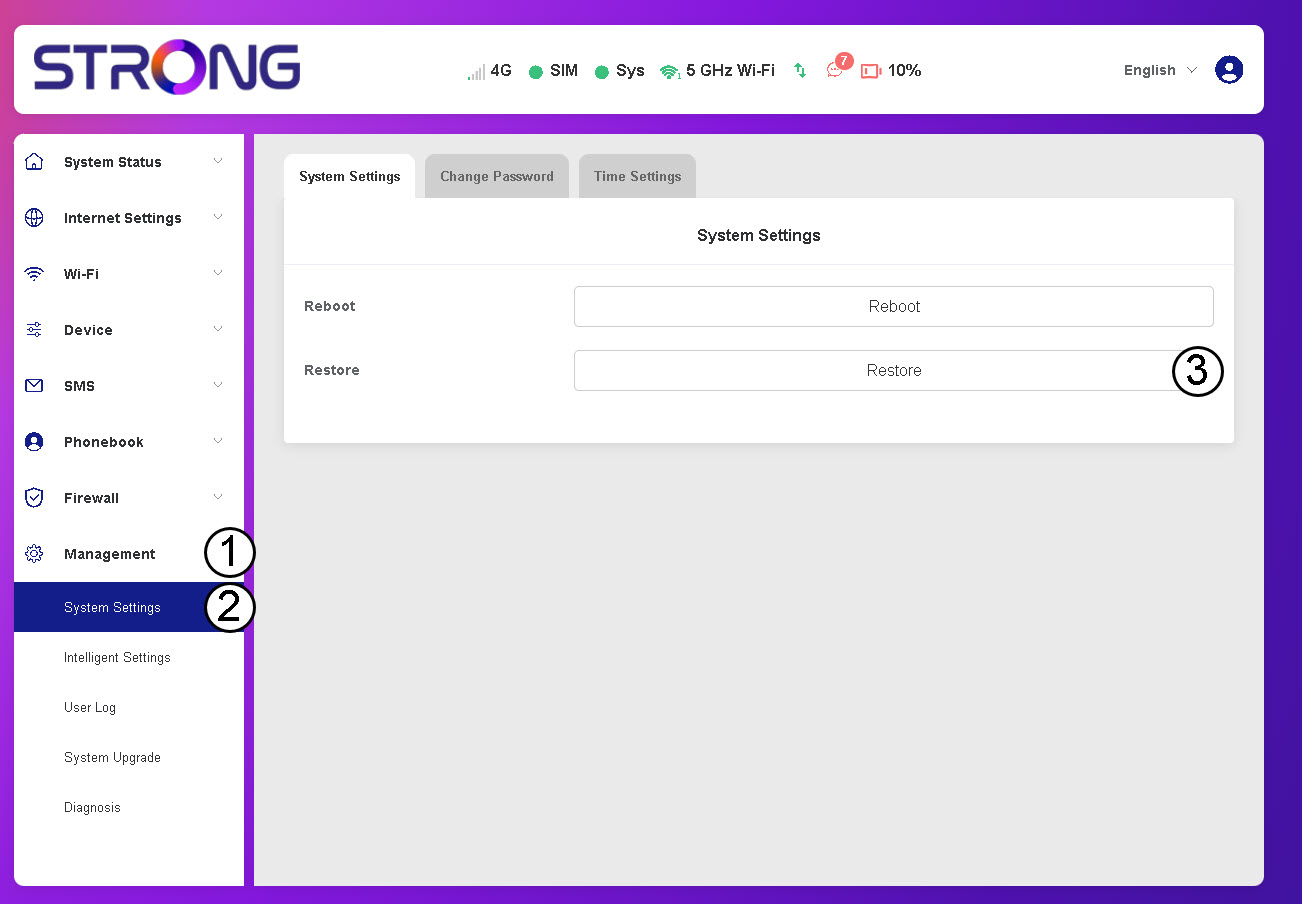
2. Accedea la opción «Restaurar»
Haz clic en «Gestión», «Configuración del sistema » y«Restaurar».
3. Haz clicen «Confirmar»
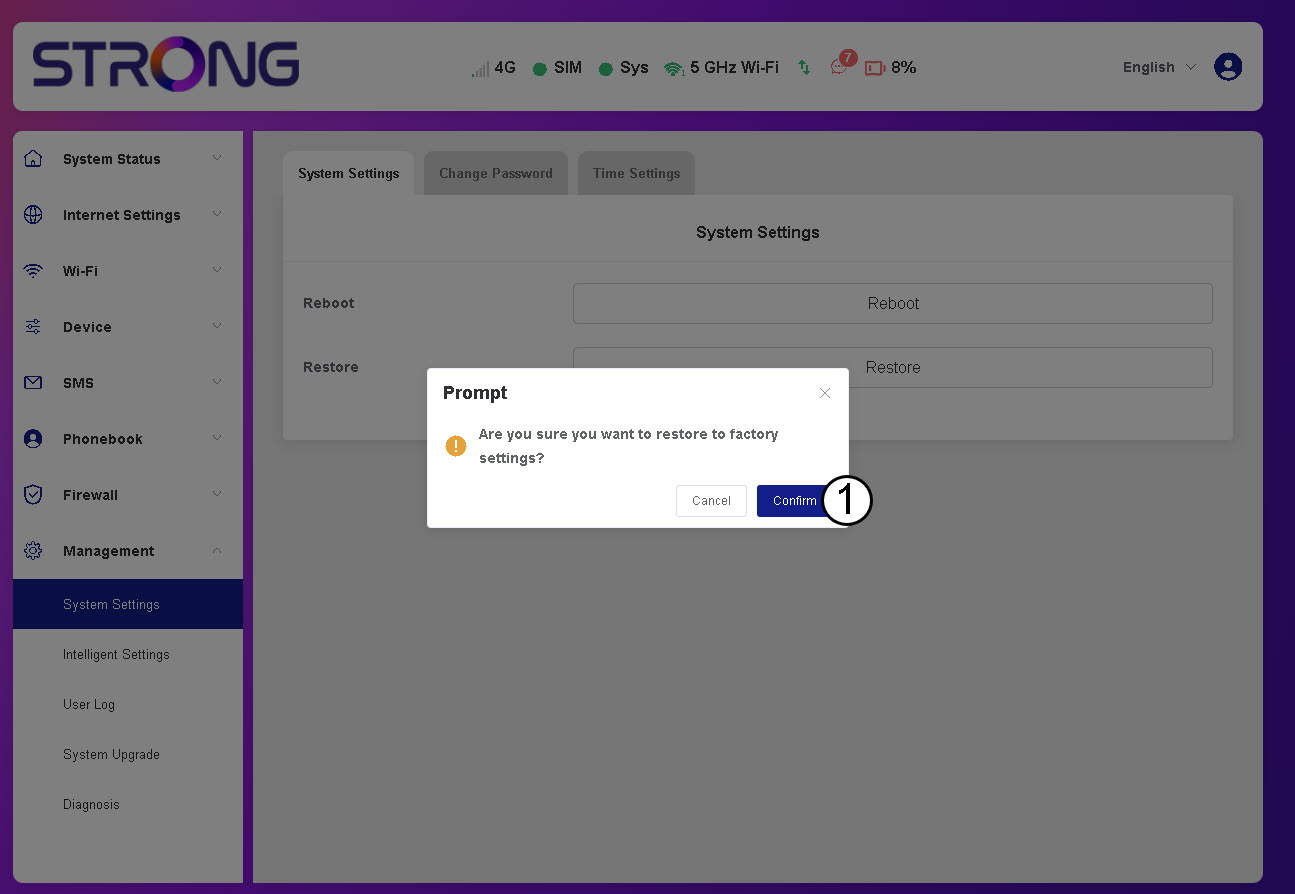
4. Esperaa que el router se reinicie
Por favor, espera: el router se apagará y se volverá a encender una vez que haya finalizado el proceso.
CASO 3: Botón de reinicio