LEAP 41 | Google TV 4K con HDR10+
Todas las preguntas
LEAP 41 | Google TV 4K con HDR10+
¿Cómo puedo volver a configurar los ajustes de volumen de mi SRT 41 cuando el volumen es demasiado bajo?
Consejos: Si el volumen de tu SRT 41 es demasiado bajo, puedes seguir el procedimiento que se indica a continuación para restablecer los parámetros de tu SRT 41. Durante la instalación de tu SRT 41, puedes configurar el control de volumen para que se gestione mediante HDMI-CEC. Cuando esta opción está activada, puedes utilizar el mando a distancia de tu SRT 41 para ajustar el volumen de tu televisor. Puedes activar o desactivar esta función en los ajustes de pantalla y sonido de tu televisor. El volumen predeterminado de tu SRT 41 está configurado en un nivel concreto, y puede resultar demasiado bajo. Si el volumen es
demasiado bajo, es mejor desactivar esta opción. ¿Cómo puedes activar o desactivar esta función?
1. Ajustes
En este caso, pulsa el botón «Configuración» del mando a distancia de Google y, a continuación, pulsa «Aceptar».
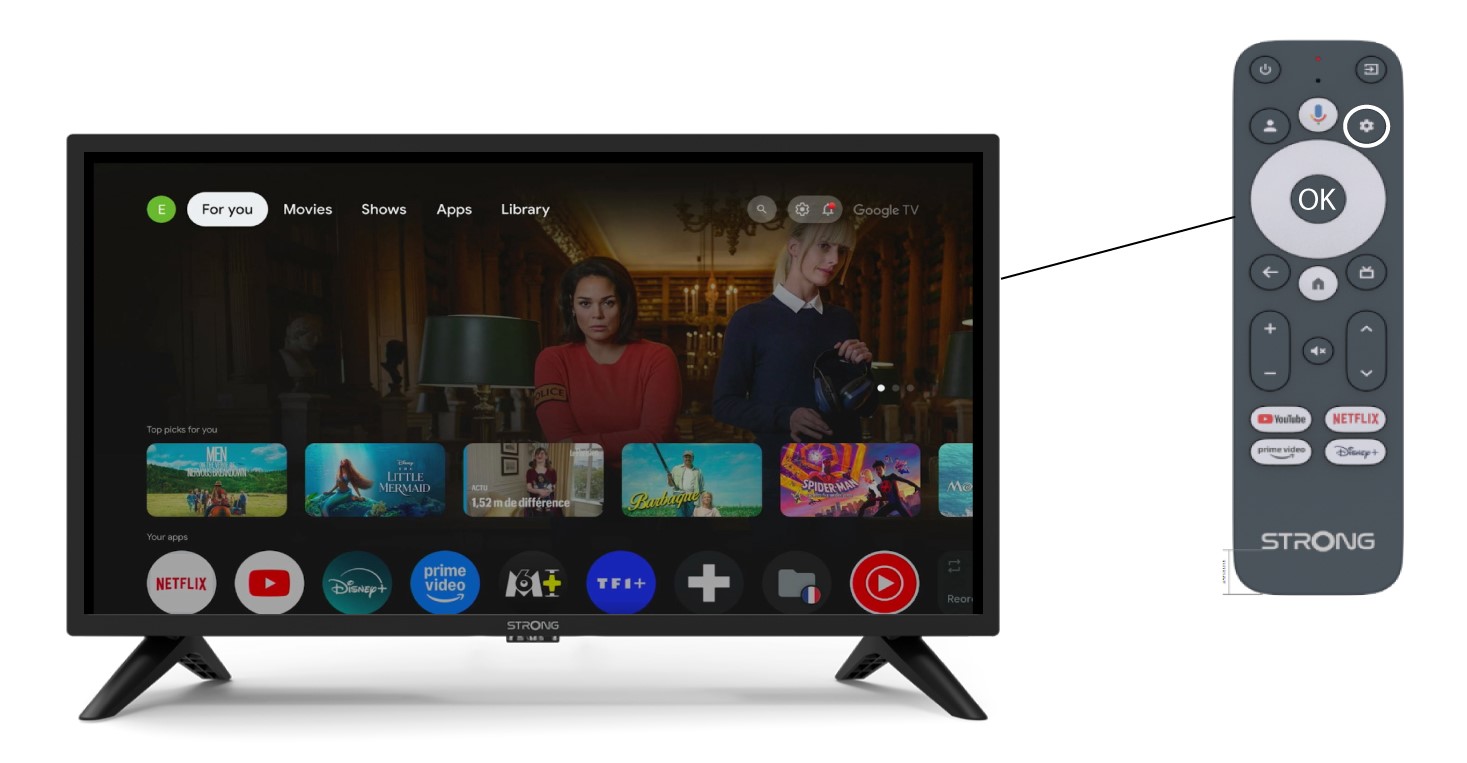
2. Pantallay sonido
En la página «Ajustes» que aparece en la pantalla, selecciona «Pantalla y sonido».
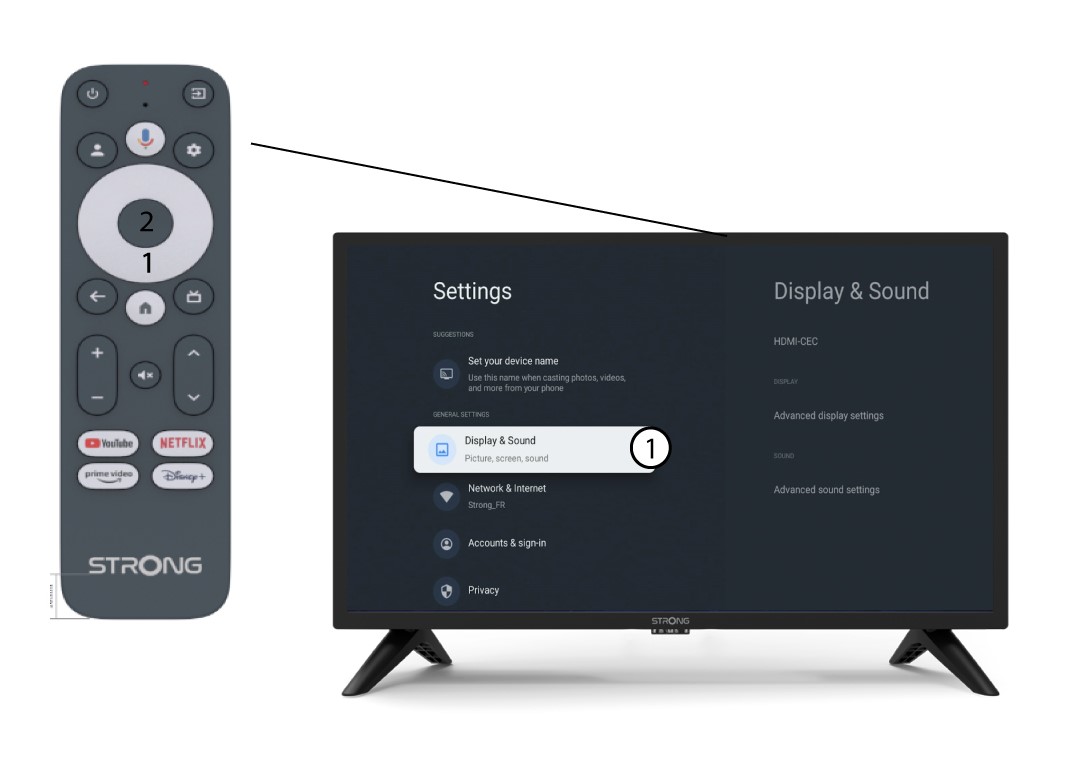
3 HDMICEC
A continuación, pulsa el botón de navegación de la derecha y selecciona «HDMI-CEC».
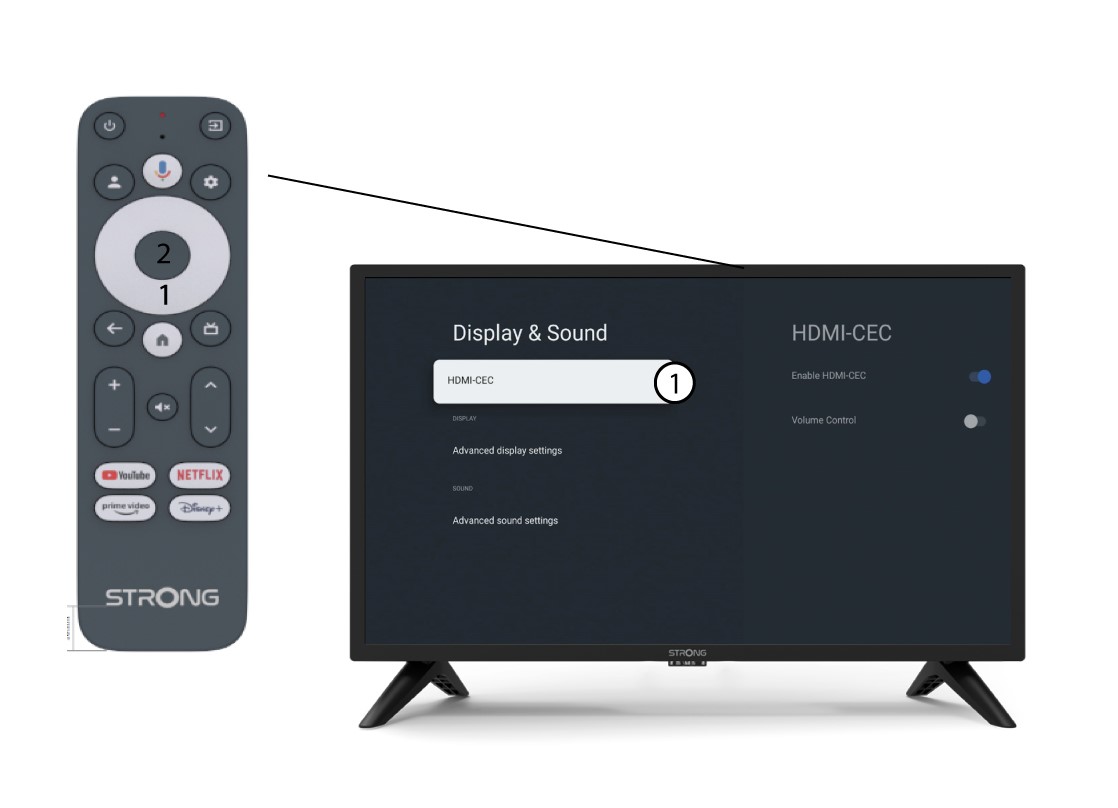
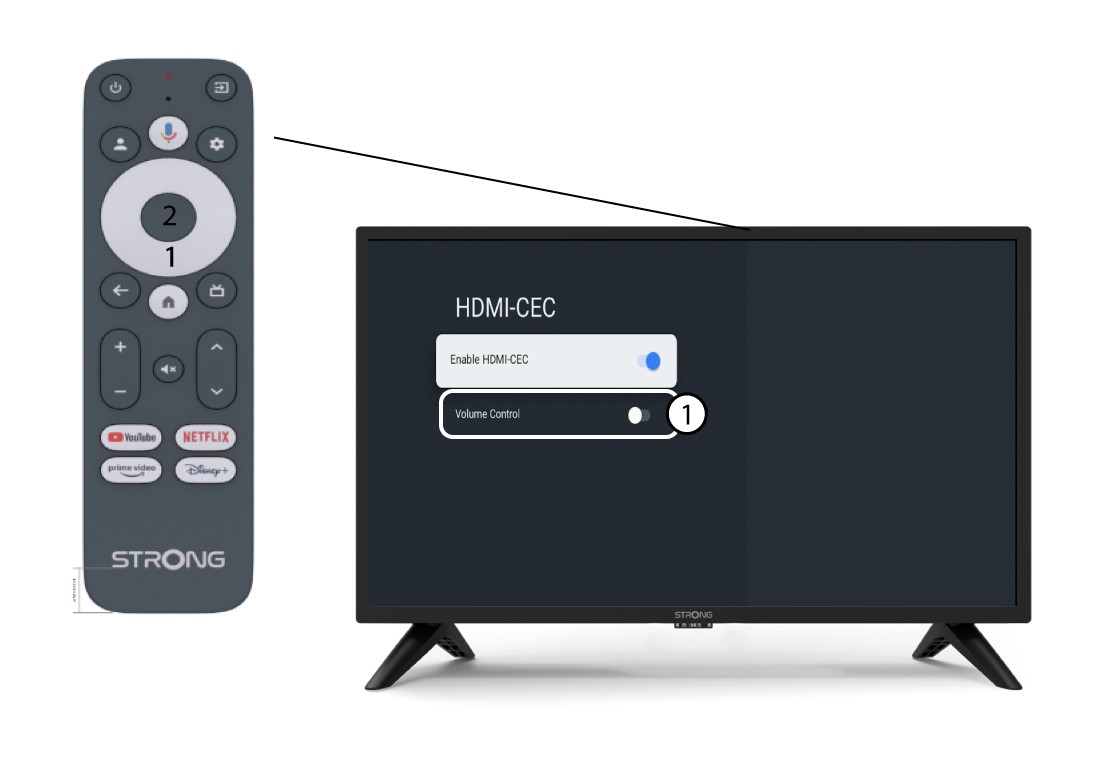
4. Control de volumen
Selecciona«Control de volumen» y pulsa el botón OK para des switch ar esta función.
5. Pantalla de inicio
Pulsa el botón INICIO para volver a la pantalla de inicio.
Ahora ya se puede volver a regular el volumen con el mando a distancia del SRT 41.