
4G+ AIRSPOT 510 Mobile Wi-Fi
All questions
SIM card and mobile network
How do I manage the APN Settings of my device?
Sometimes, you can encounter issues with the mobile data network after configuring your device and entering your PIN code. In this case, follow the procedure below to check you APN information.
1Access the Web UI
To connect to the Web UI, please follow this procedure How do I access the Web UI?
2Open APN Configuration
Click Internet Settings and APN Configuration. Then, click Add APN.
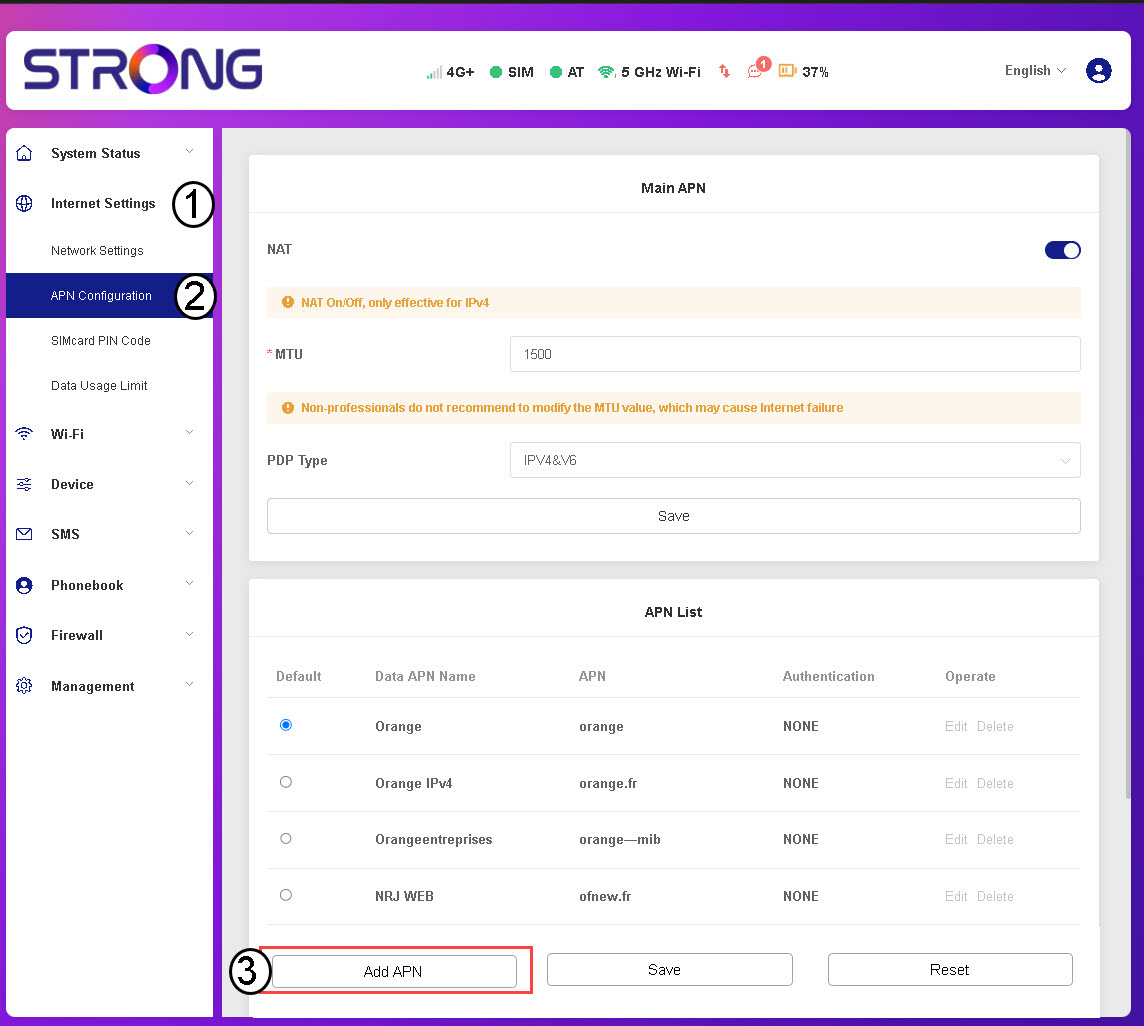
3Enter and Save APN Information
Enter the following information before clicking Save:
- Data APN Name: Enter the APN name provided by your service provider.
- APN: Enter the APN provided by your service provider.
- Authentication: Select the authentication type from the list based on the information given by your service provider.
I don't have internet after inserting my SIM card in the router, why?
Many reasons can explain why your internet connection is not working after inserting the SIM card.
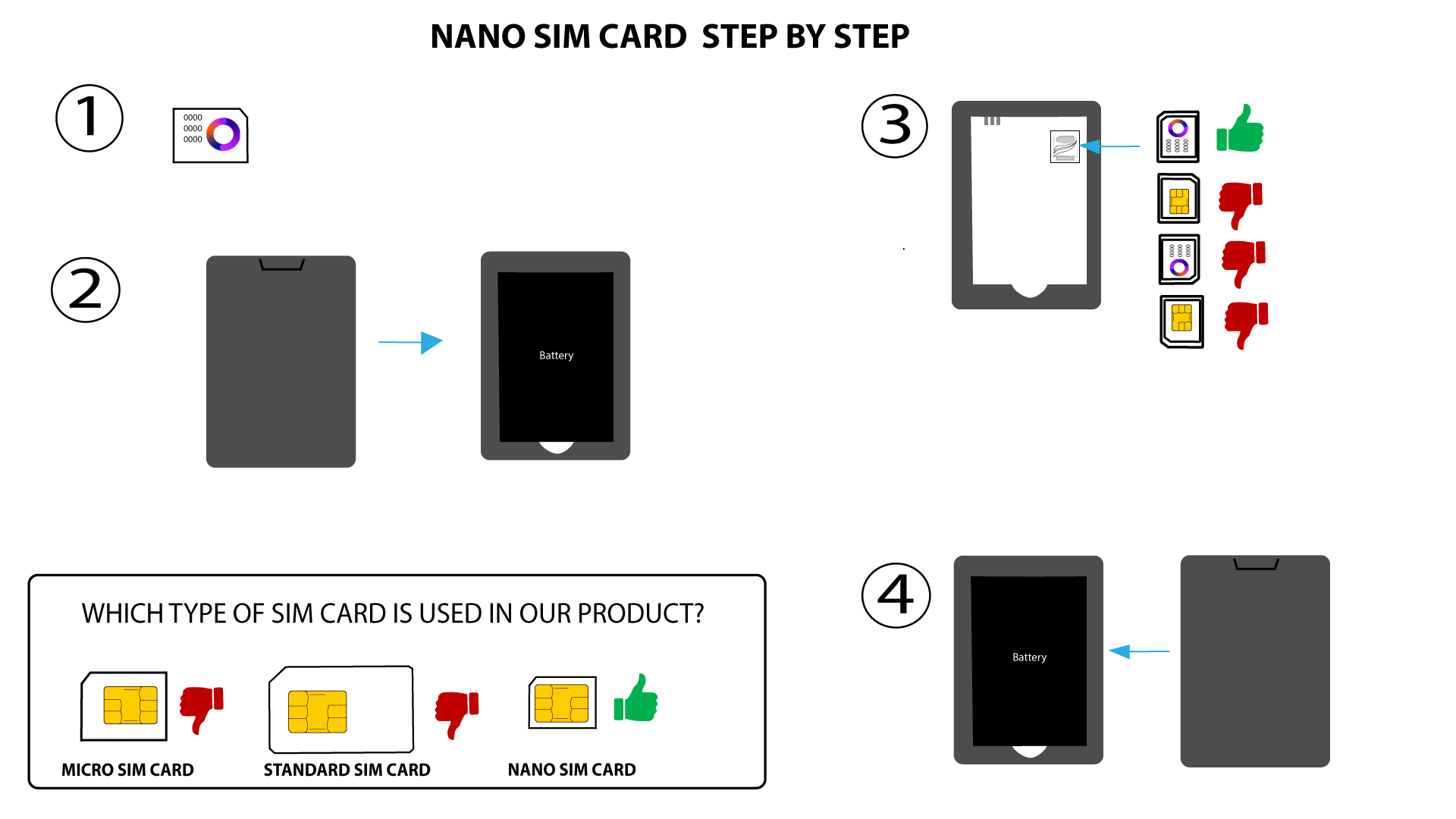
- The first one can be that the SIM card is not inserted properly. Please check the position of the SIM card by referring to the schema that shows the insertion procedure.
- The second one can be that your SIM card is locked with a PIN code. To fix this, you will need to unlock it before using your Mi-Fi device. Please follow one of the methods below, depending on your model:
How do I enter my PIN code? (Mi-Fi Screen) only for the MiFi 900 with display
How do I enter my PIN code? (Web UI) for both the MiFis.
What type of SIM card can I use in my router?
A nano SIM card must be inserted into the 4G PORTABLE HOTSPOT 900's SIM card slot before switching on the device.
Follow the steps in the illustration below:
- Take your nano SIM card.
- Remove the back cover to see the battery and remove the battery.
- Insert the SIM card.
- Put the battery and the back cover and switch on the device.

WARNING: If your SIM card is not detected by the device, double-check that it is inserted in the correct orientation. If you are using an adapter, ensure it is fully inserted.