4G+ AIRSPOT 510 Mobile Wi-Fi
All questions
Reset, reboot and firmware update
How do I reset my router to its factory settings? (Reset button)
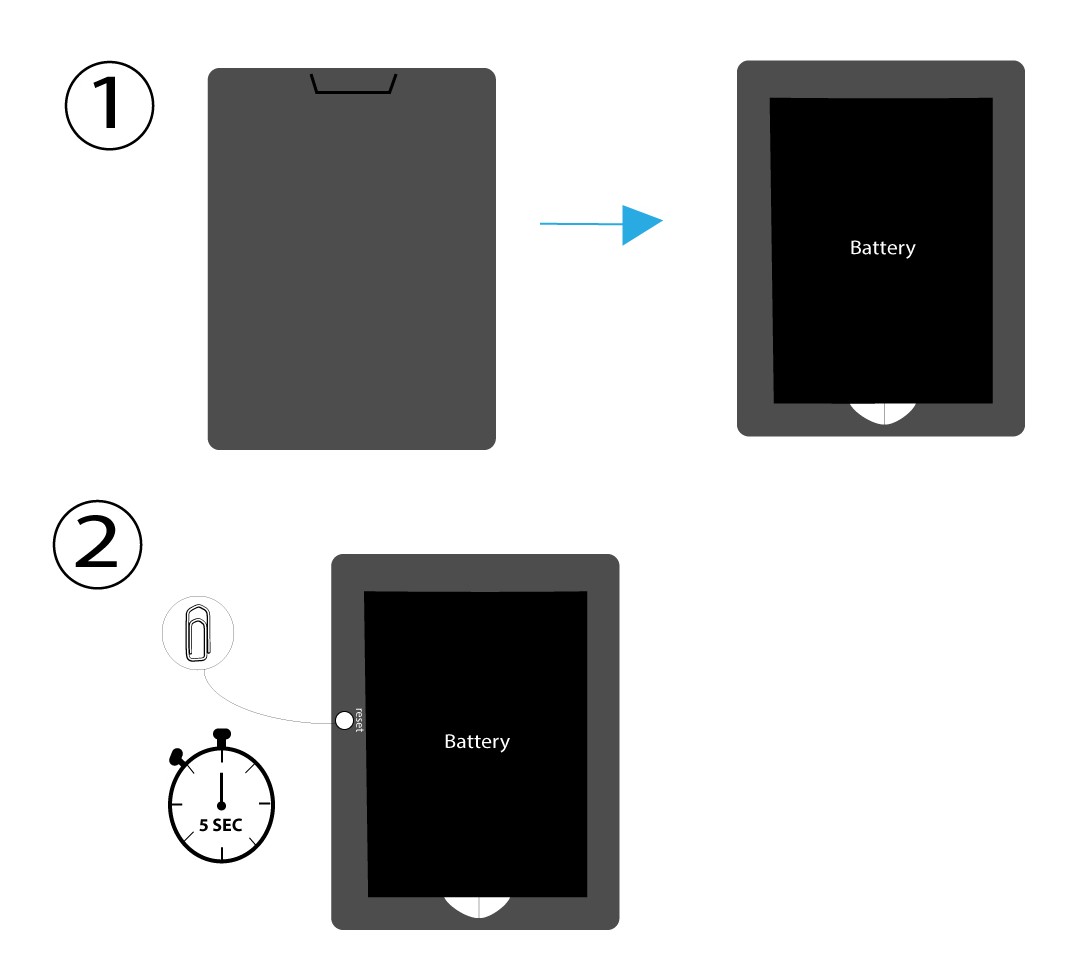
To do so, remove the cover on the rear side of the router and press the RESET Button for 5 seconds with a paper clip.
How do I reset my router to its factory settings? (Web UI)
You can reset your router to its factory settings.
1Access the Web Interface
Please follow the steps listed here to connect to the web UI: How do I access the Web UI?
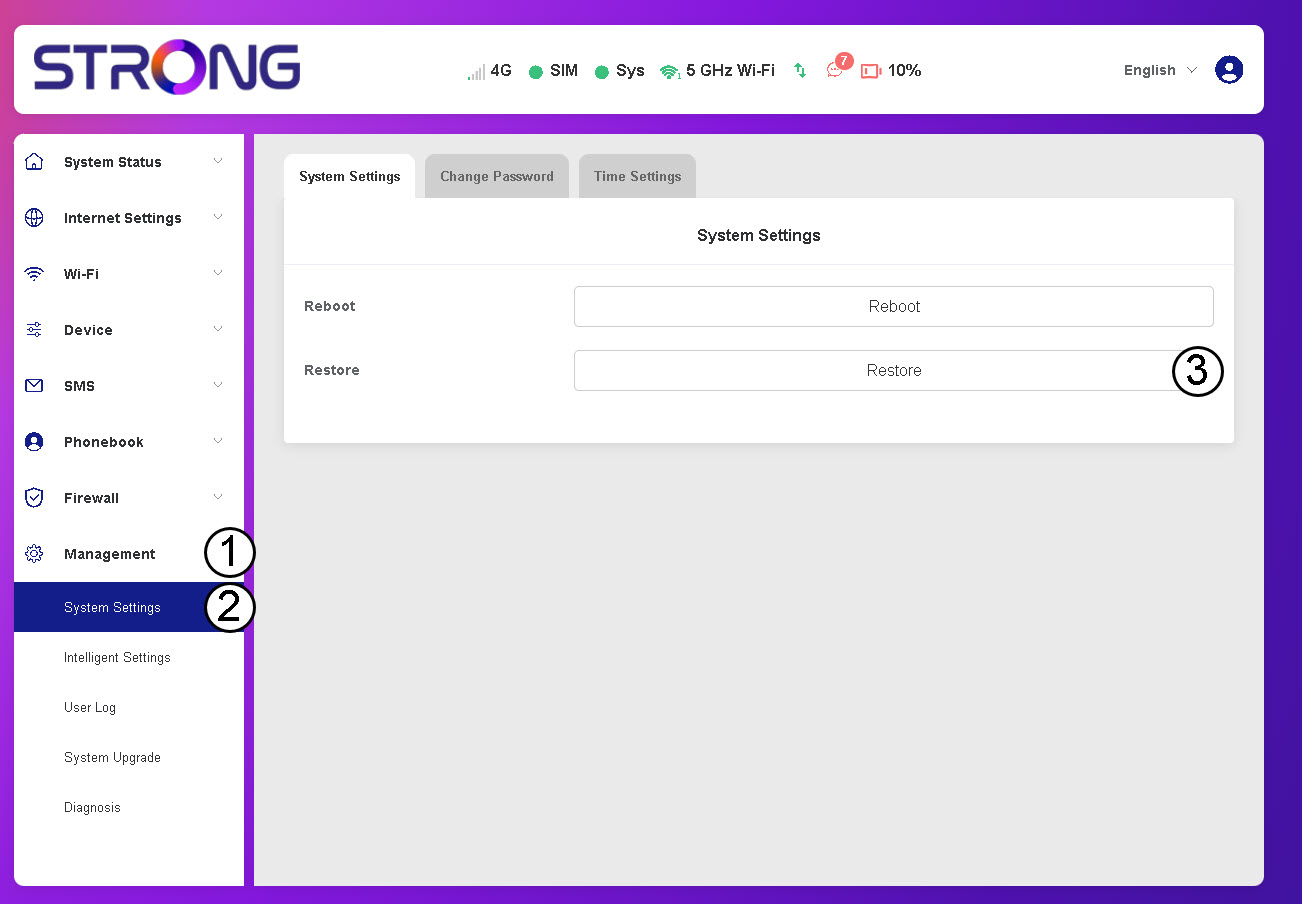
2Navigate to System Settings
Click Management, System Settings and Restore.
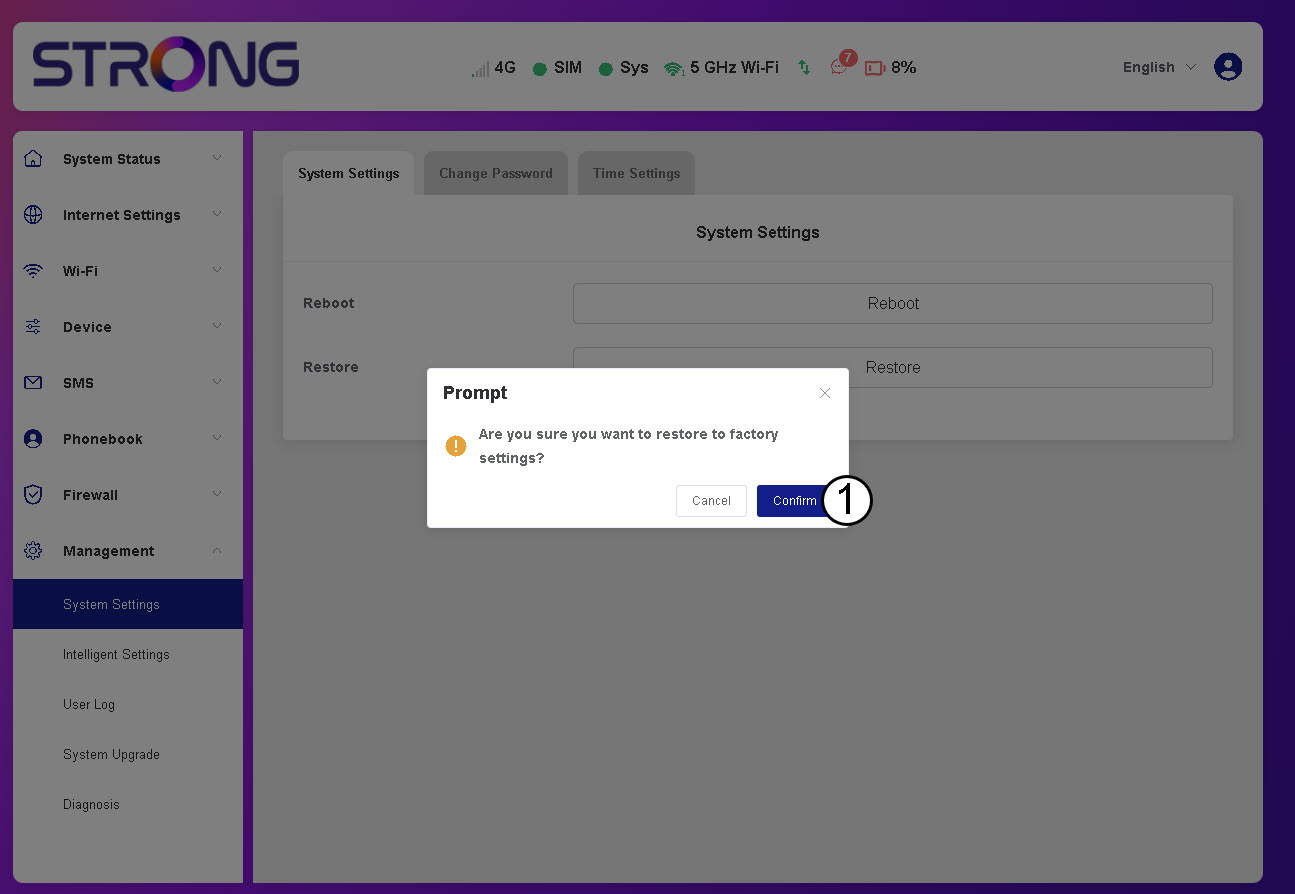
3Confirm the Reset
Click Confirm.
Please wait, the router will turn off and turn on, once the process is finished.
How do I turn on and off the device?
To turn on or turn off the device, press the power button for 5 seconds. The power button is located on the right side of the device.
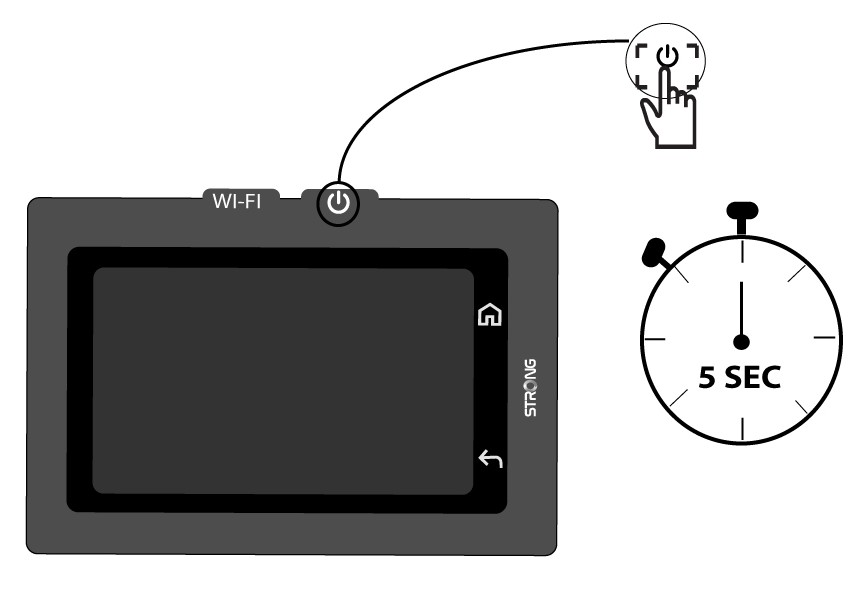

Warning: Please make sure that the device battery is charged before turning on the device. Alternatively you can plug the USB C cable to a power supply to charge your device.
How do I update the firmware of the device?
You can perform an automatic upgrade or a manual upgrade in the Web UI.
Case 1: Automatic upgrade
1Access the Web Interface
Follow the procedure below to access the Web UI: How do I access the Web UI?
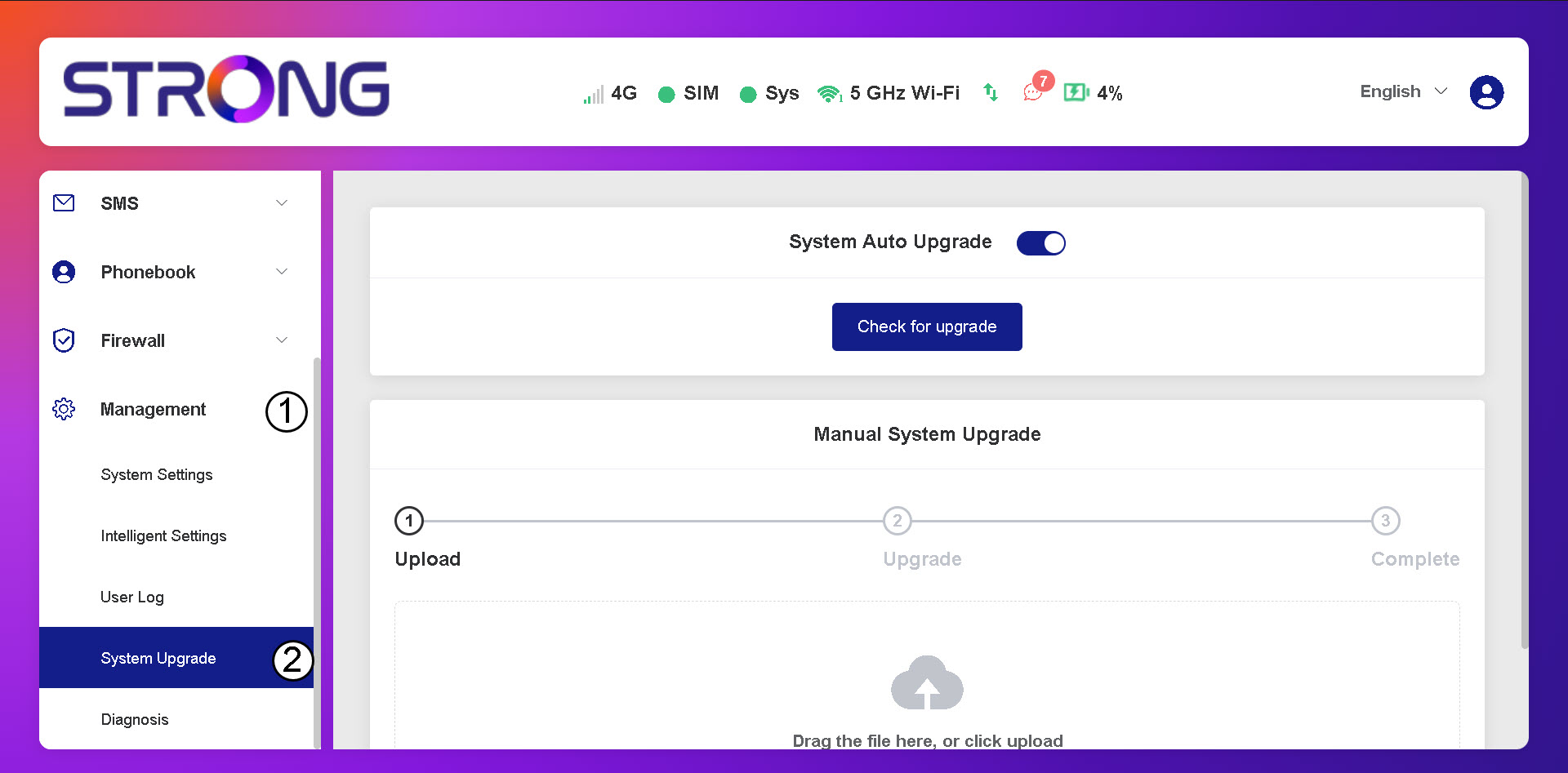
2Open System Upgrade Settings
Click Management and System Upgrade.
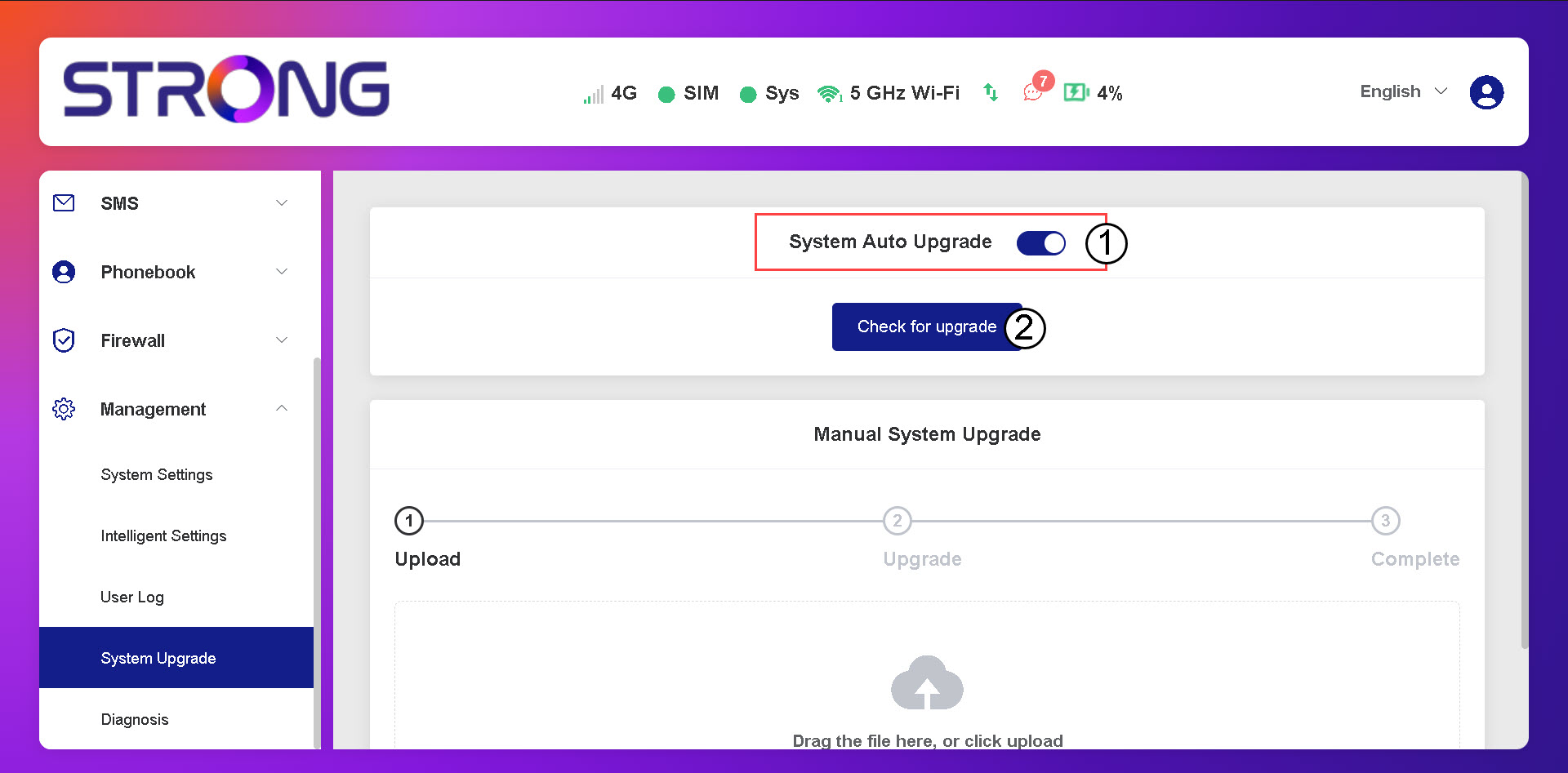
3Check for Automatic Updates
Check if the System auto upgrade toggle is activated and click the check for upgrade button.
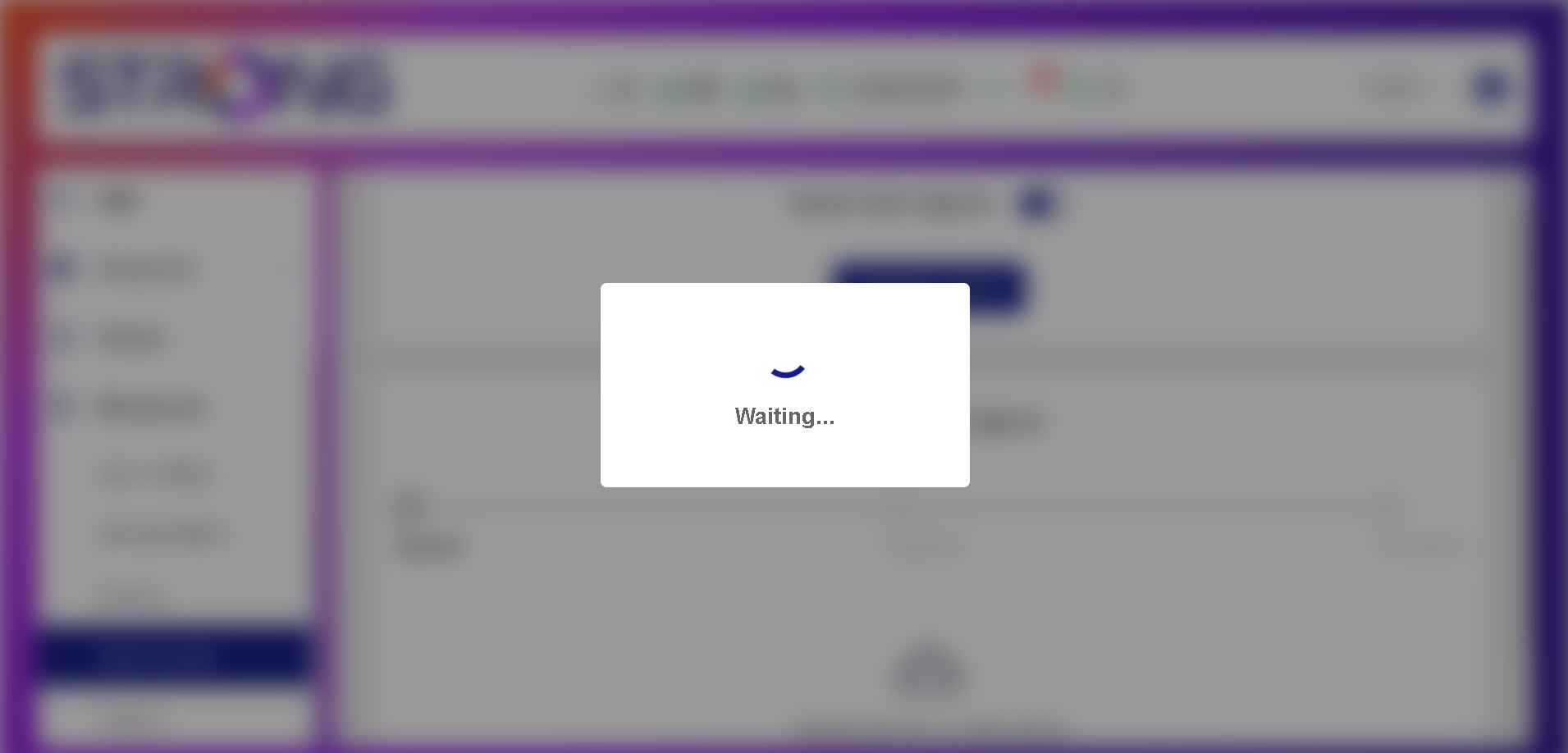
4Wait for the Upgrade Check
Wait for the system to look for the upgrade if there is one the system will ask you to download it.
5Confirm System Status
If your device is up-to-date the following message is displayed.