
No items found.
LEAP NEVE | 4K Google TV with Dolby Vision
No items found.
All questions
No items found.
No items found.
Remote control and accessories
My remote control is not detected any more after being paired, why?
Sometimes your TV can lose the signal of your remote control which prevents you from using the remote control. You can pair your remote again by following the steps below.
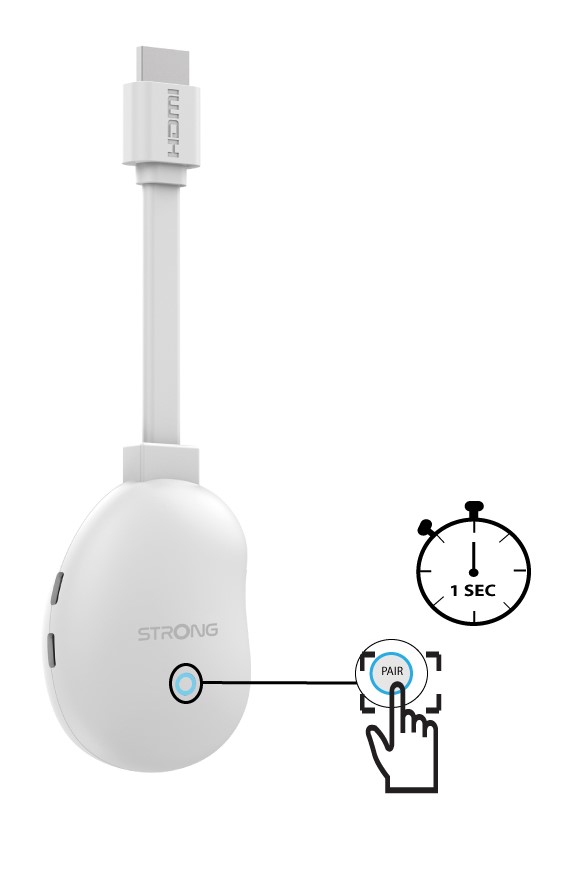
1Press the RST button
Press the RST button located on the front side of your LEAP-NEVE for 1 second to call the remote pairing screen.
2Pairing the remote
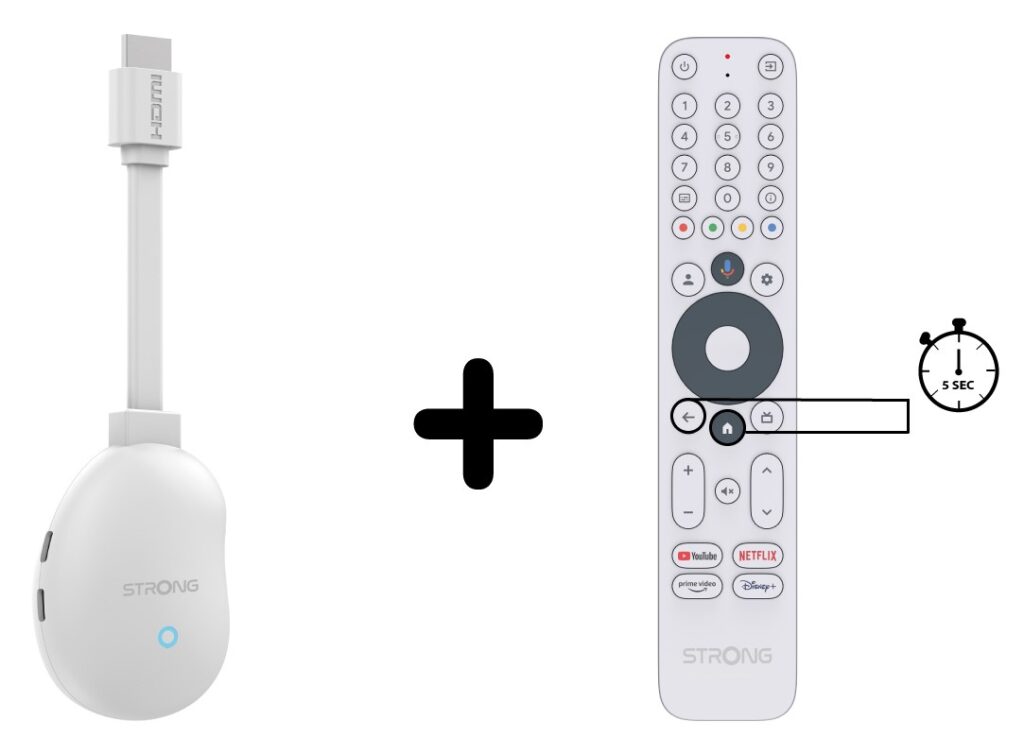
Press the Home and back buttons for 5 seconds to pair the remote control.
How do I pair the remote control?
The remote control pairs automatically during the initial setup. To pair it manually at any time, follow these steps:
1Press the RST button
Press the RST button on the LEAP-NEVE for 1 second to call the remote pairing screen.
2Pair the remote control
Press the Home and Back buttons for 5 seconds to pair the remote control.
What should I do if the remote control is not responding?
- Check the batteries.
- Replace them if necessary.
- Restart the LEAP-NEVE by unplugging it for 10 seconds.
Can I use another remote control?
Yes, some Android TV-compatible universal remote controls can be used.