
4G AIRHOME 300 Mini -reititin irrotettavilla 4G-antenneilla
Ei löytynyt kohteita.
Ei löytynyt kohteita.
Kaikki kysymykset
4G AIRHOME 300 Mini -reititin irrotettavilla 4G-antenneilla
Ei löytynyt kohteita.
Ei löytynyt kohteita.
Miten voin muuttaa SSID-tunnusta ja salasanaa? (Pikasetukset)
Miten voin muuttaa SSID:n ja salasanan?
Verkkokäyttöliittymässä on kaksi tapaa muuttaa reitittimen SSID-tunnusta ja salasanaa:
• Käyttämällä Pikakäyttöasetuksia
• Tai käyttämällä Wi-Fi-asetuksia.
1Pikasetukset
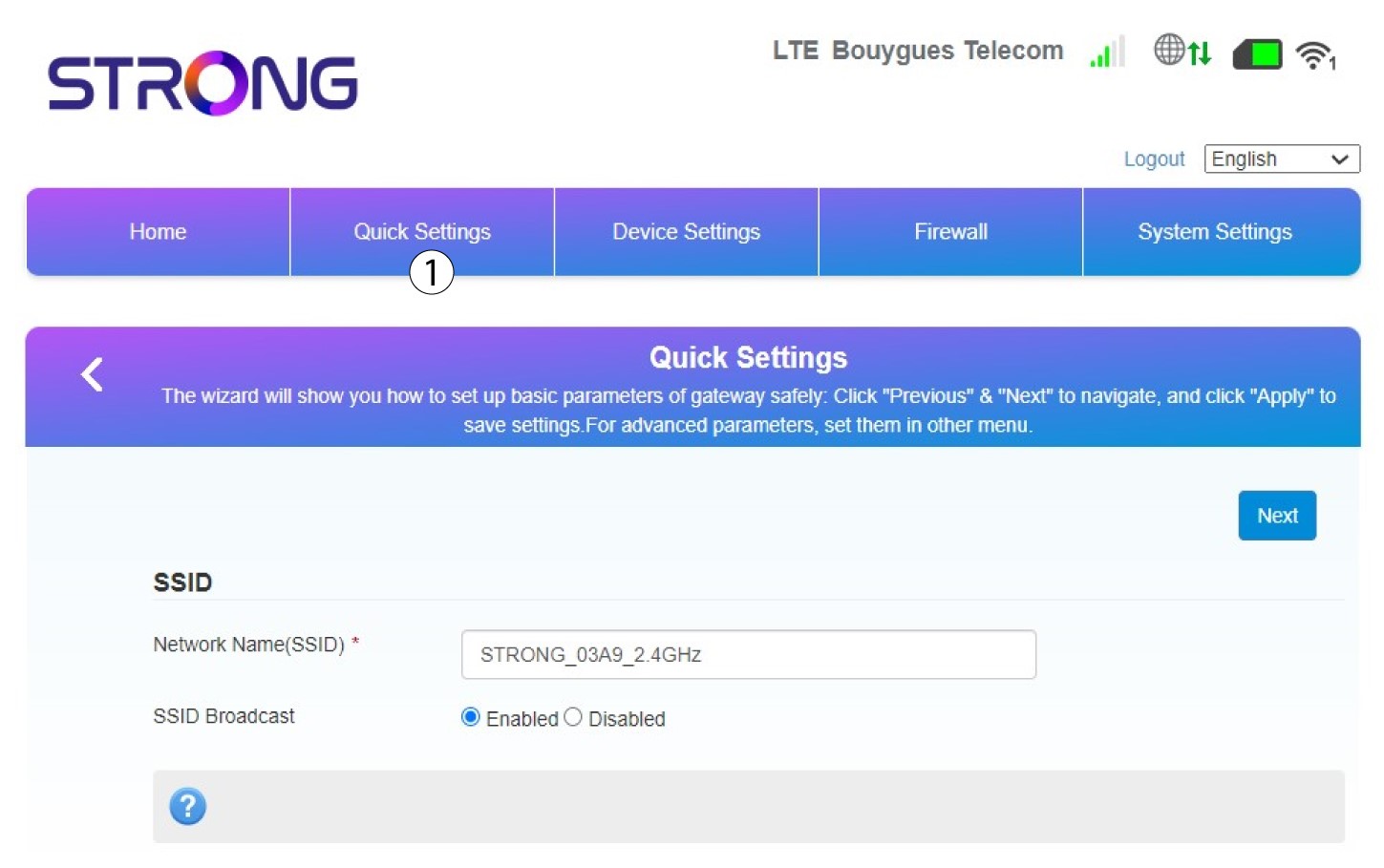
Verkkokäyttöliittymän Pikakäyttöasetusten avulla voit muuttaa verkon tietoja: verkon nimeä ja salasanaa.
Voit tehdä tämän napsauttamalla yläpalkissa olevaa Pikasetukset-painiketta.
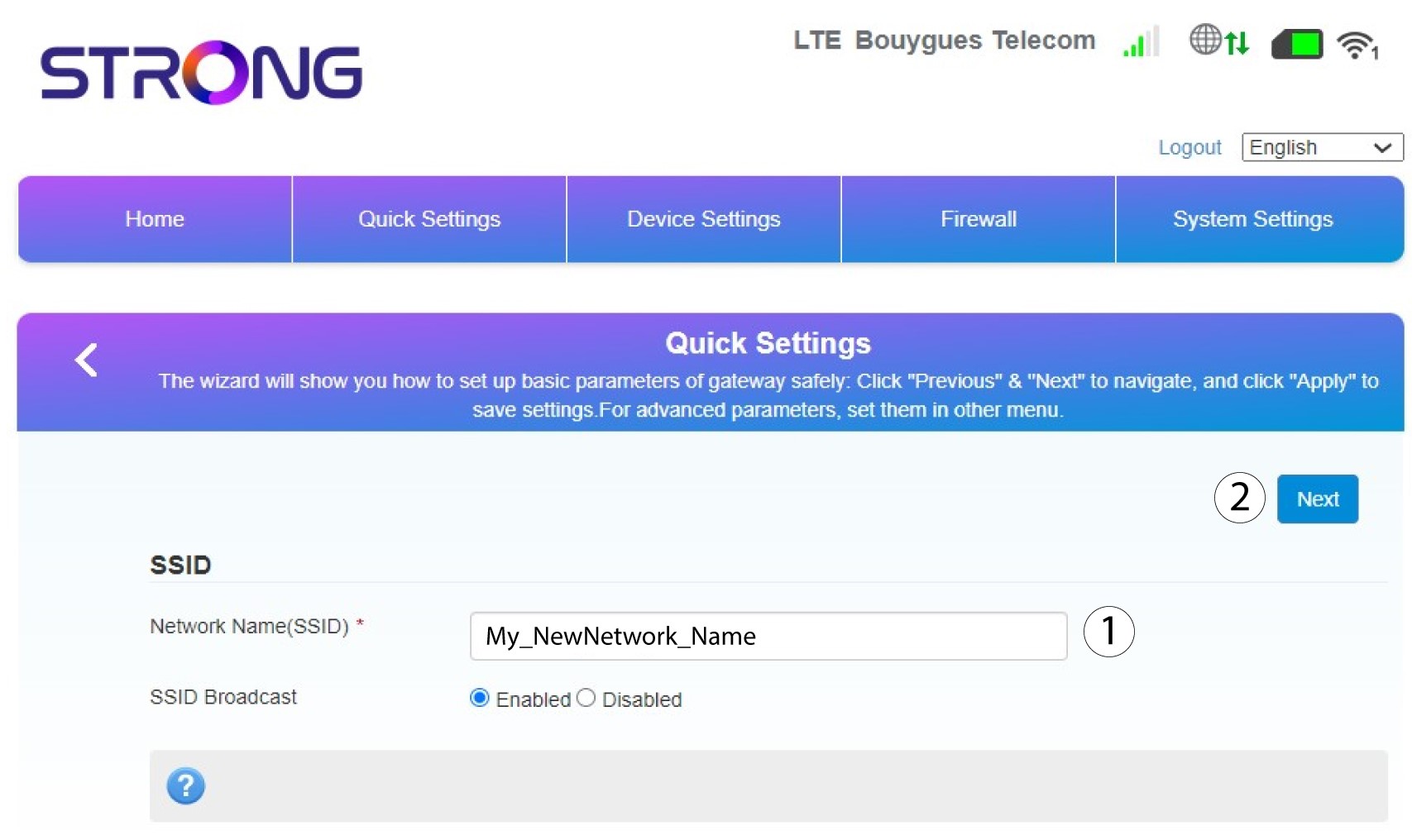
2Kirjoitauusi verkon nimi
Syötä sitten uuden verkon nimi ja napsauta Seuraava.
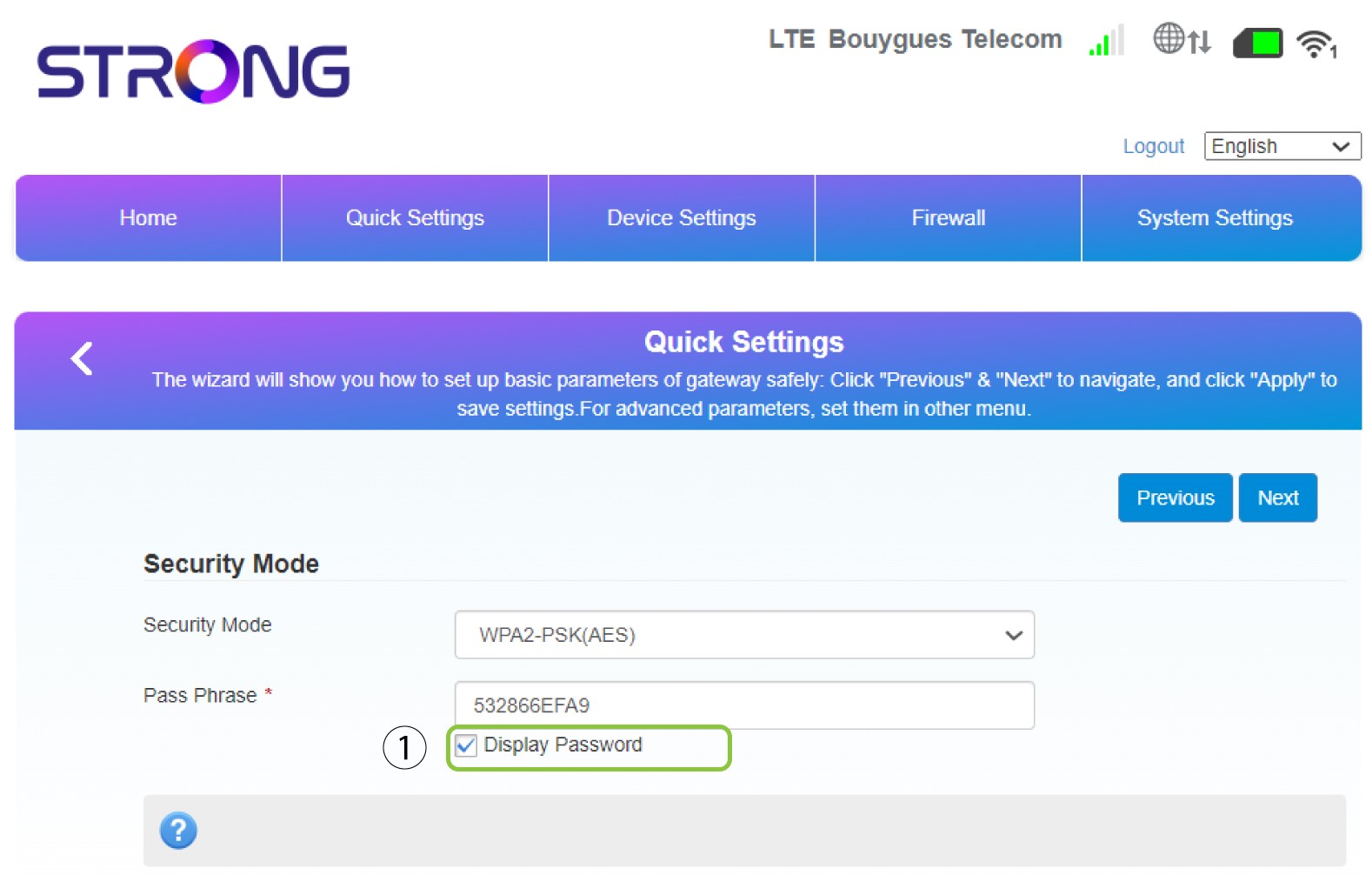
3Näytäsalasanasi
Napsauta ”Näytä salasana”.
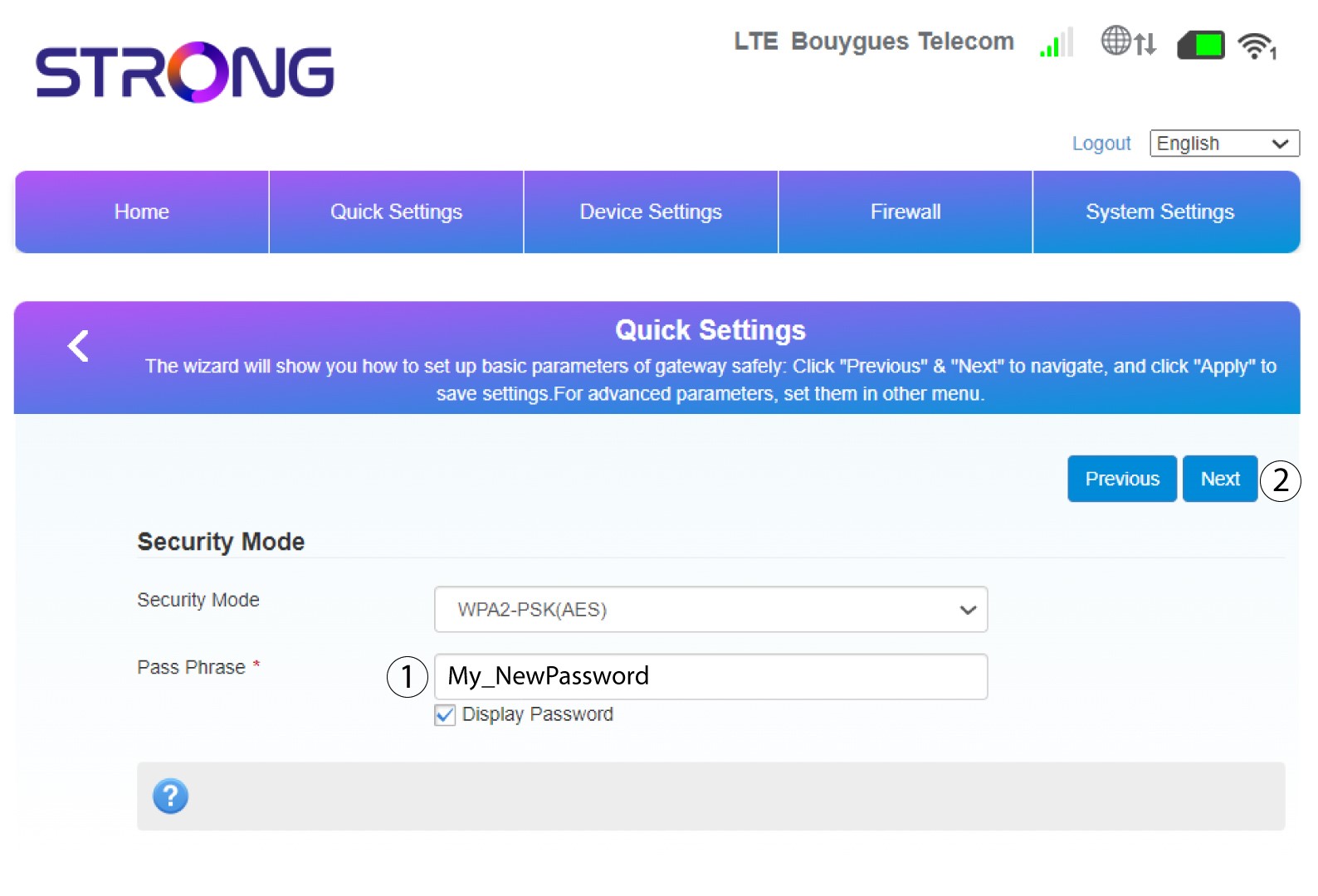
4Kirjoitauusi salasana
Vaihda salasanasi. Napsauta sitten Seuraava.
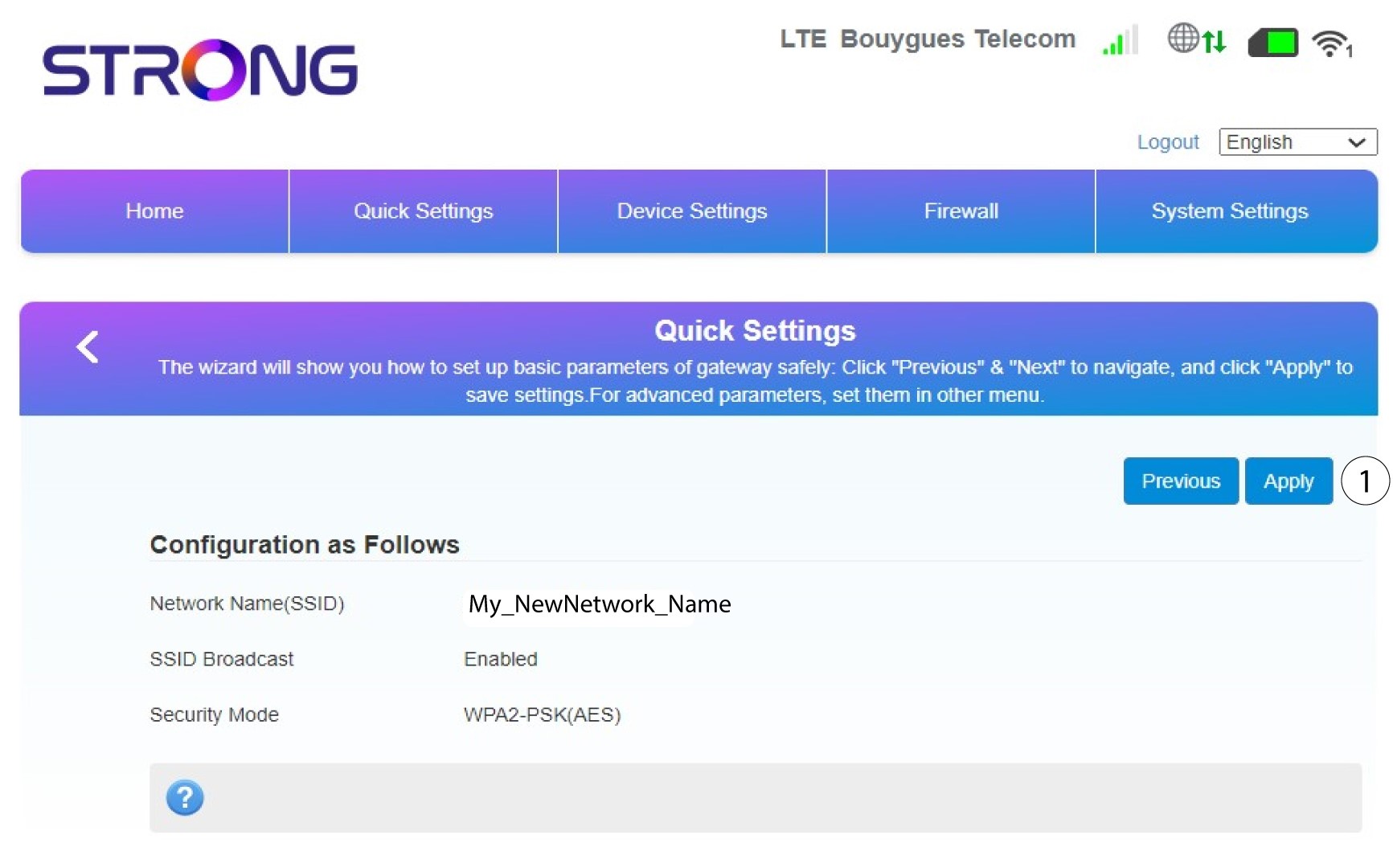
5. Tarkistatekemäsi muutokset
Tallenna muutokset napsauttamalla ”Käytä”.
6. Kirjoitamuistiin uuden verkon nimi ja salasana
Kirjoita luomasi uusi SSID ja salasana paperilapulle.


Kun olet muuttanut reitittimesi verkon nimen ja salasanan, QR-koodi ei enää toimi, koska reitittimesi yhteystiedot ovat muuttuneet.