
4G AIRHOME 300 Mini -reititin irrotettavilla 4G-antenneilla
Kaikki kysymykset
4G AIRHOME 300 Mini -reititin irrotettavilla 4G-antenneilla
Miten voin muuttaa SSID-tunnusta ja salasanaa? (Wi-Fi-asetukset)

Kun olet muuttanut reitittimesi verkon nimen ja salasanan, QR-koodi ei enää toimi, koska reitittimesi yhteystiedot ovat muuttuneet.
Kirjoita uudet verkkotiedot paperilapulle.
1. Yhdistäreitittimen Wi-Fi-verkkoon
Jos haluat muuttaa SSID- tunnusta ja salasanaa, sinun on muodostettava yhteys laitteesi Wi-Fi-verkkoon.

2Siirryverkkokäyttöliittymän IP-osoitteeseen
Kirjoita sitten selaimeesi seuraava IP-osoite: 192.168.0.1.

3Kirjautumissivu
Napsauta sitten ”Kirjaudu sisään”.

4Syötätunnuksesi
Sinun on syötettävä käyttäjätunnus ja salasana.

5. Wi-Fi-asetukset
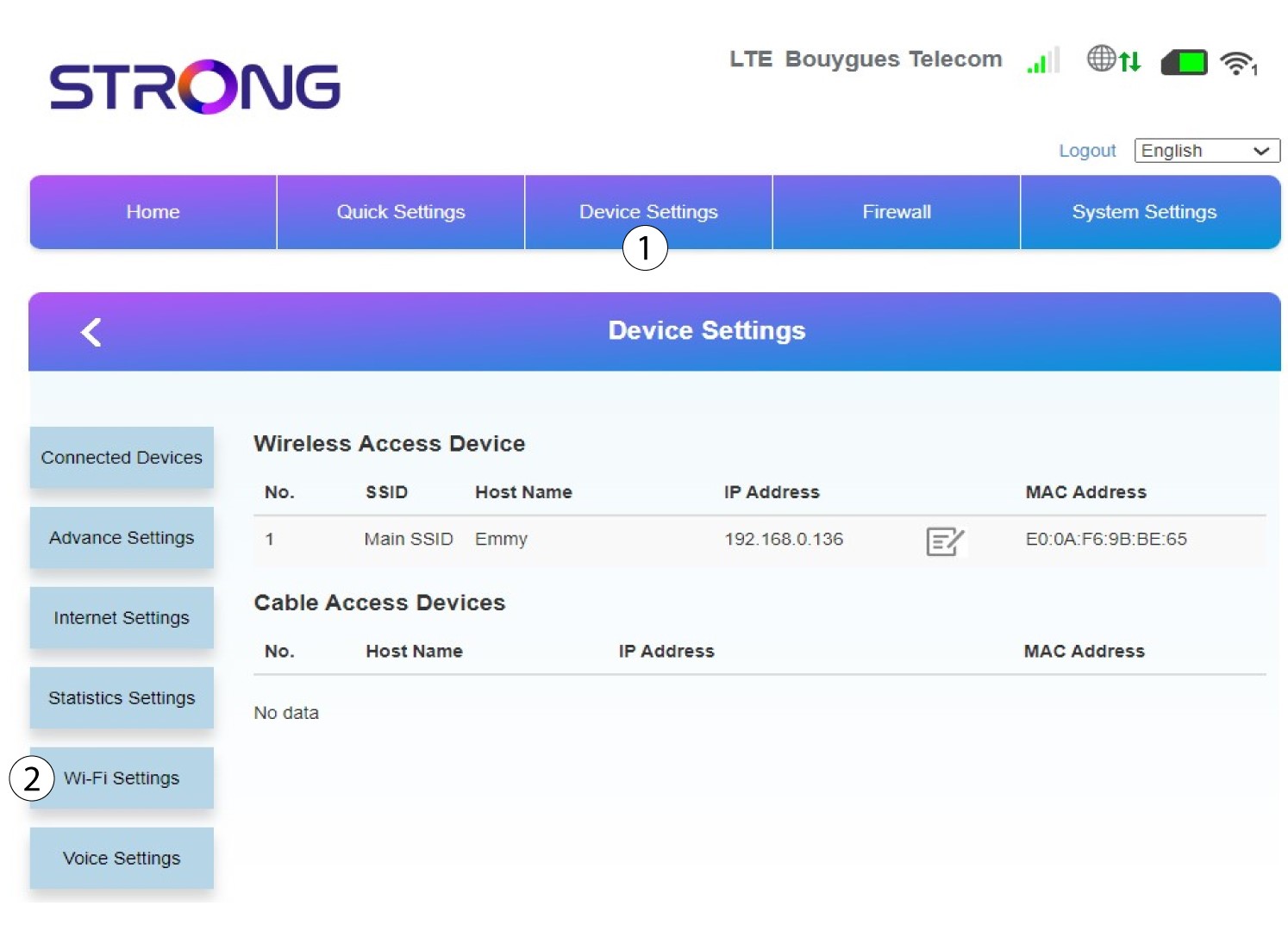
Napsauta Laiteasetukset ja valitse Wi-Fi-asetukset.
6. Pää-SSID
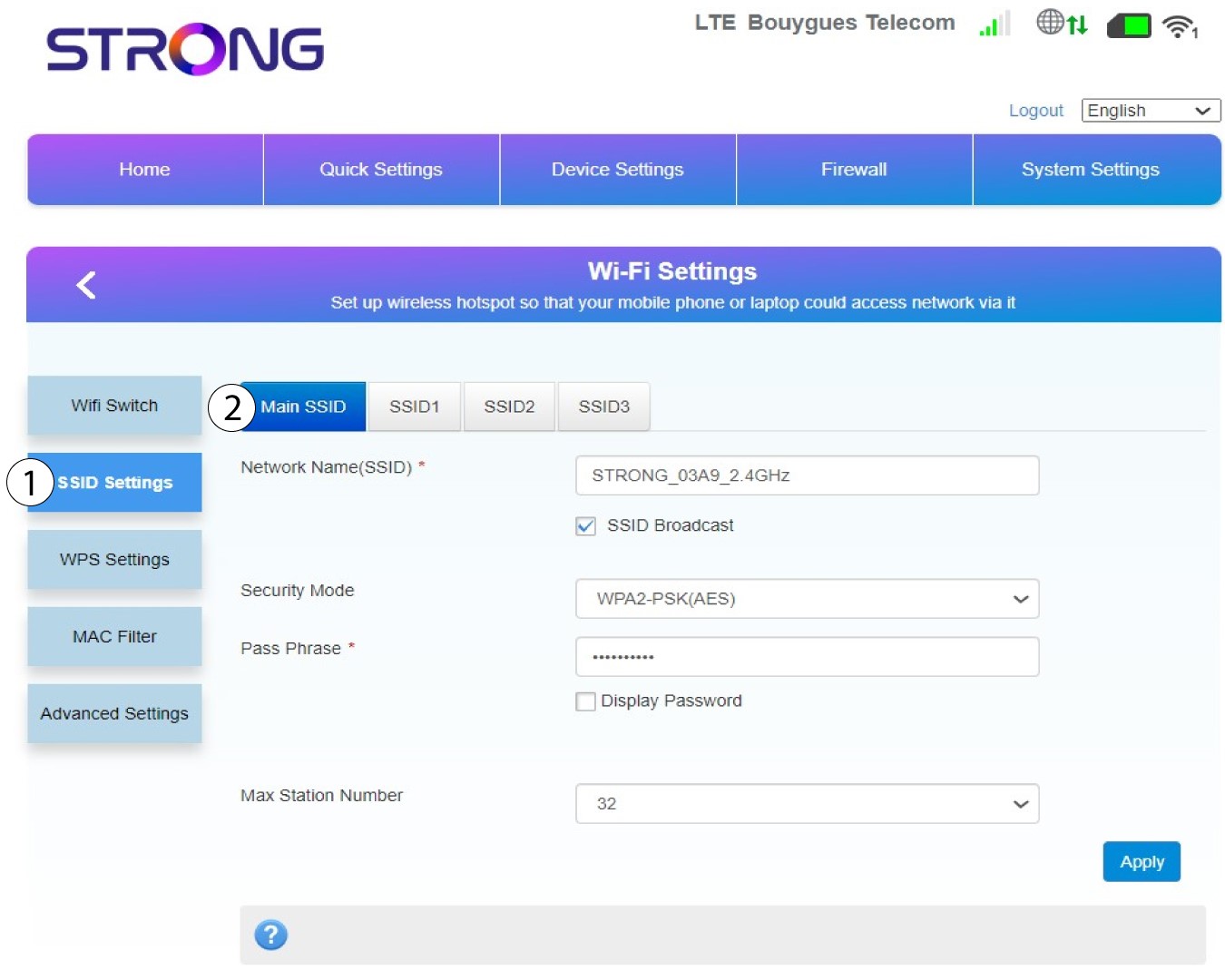
Valitse sitten ”SSID-asetukset ” ja valitse ”Pää-SSID”.
7Kirjoitauusi verkon nimi ja salasana
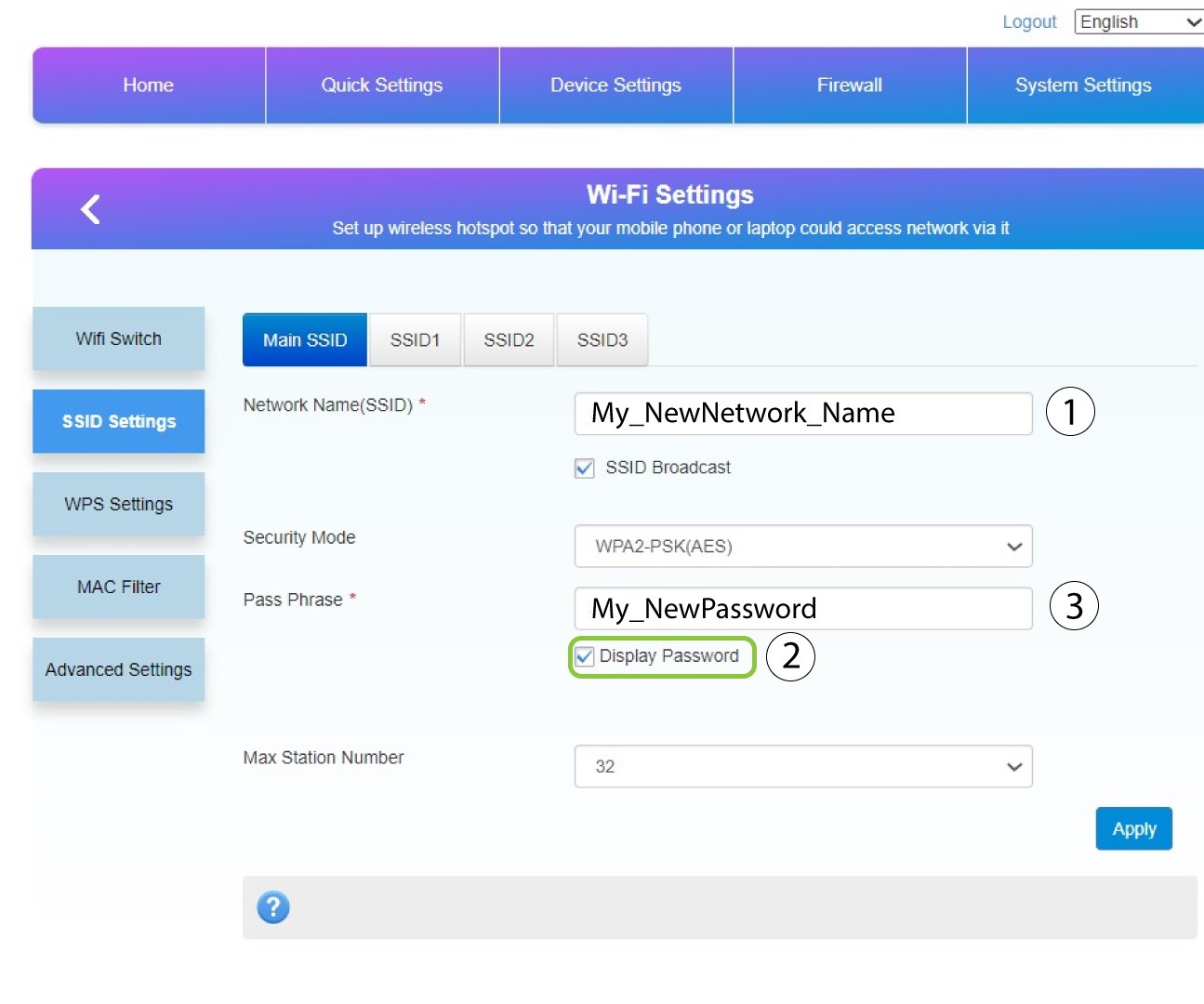
Muuta kenttään ”Verkon nimi (SSID) ” syötettyä nimeä ja valitse valintaruutu ”Näytä salasana”. Muuta sitten kenttään ”Salasana” syötetty salasana.
8Tallennamuutokset
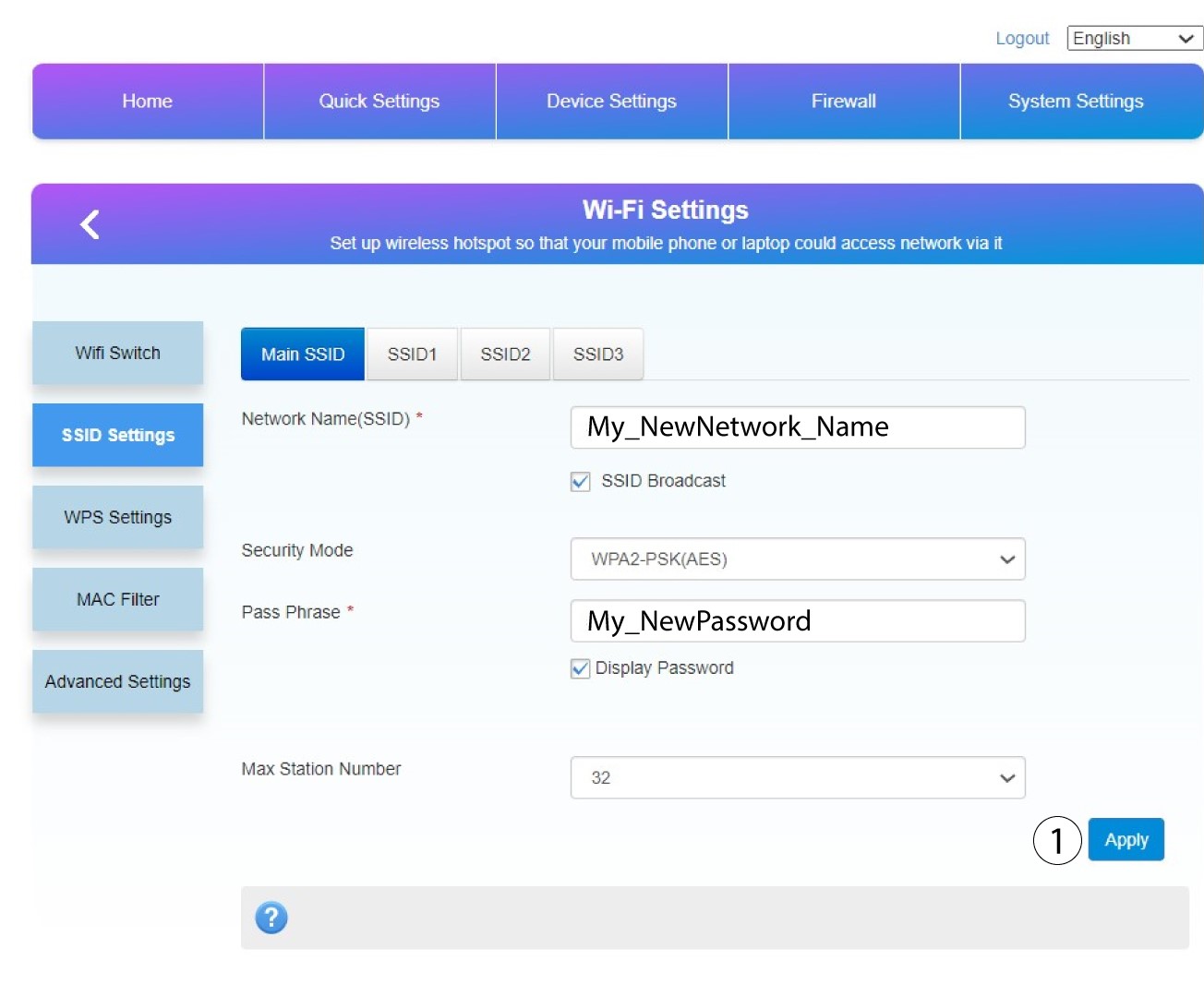
Tallenna muutokset napsauttamalla Käytä.
9Kirjoitauudet tiedot muistiin
Kirjoita uusi SSID ja salasana paperille ja kiinnitä se reitittimeen teipillä.
