4G AIRHOME 300 Mini -reititin irrotettavilla 4G-antenneilla
Kaikki kysymykset
4G AIRHOME 300 Mini -reititin irrotettavilla 4G-antenneilla
Miten palautan reitittimen tehdasasetukset? (Verkkokäyttöliittymä)
Joskus voi käydä niin, että laitteesi ei toimi oikein ja että sinulla ei ole internetyhteyttä. Tällöin suosittelemme palauttamaan laitteen tehdasasetuksiin ja päivittämään sen laiteohjelmiston uudelleen tarvittaessa.
Voit tehdä tämän kahdella tavalla: voit palauttaa laitteen painamalla nollauspainiketta tai suorittamalla palautuksen verkkokäyttöliittymän kautta.
1. Yhdistäreitittimesi Wi-Fi-verkkoon
Sinun on muodostettava yhteys laitteesi Wi-Fi-verkkoon.

2Siirryverkkokäyttöliittymän IP-osoitteeseen
Syötä sitten selaimeesi seuraava IP-osoite: 192.168.0.1

3Kirjautumissivu
Napsauta sitten Kirjaudu sisään.

4Syötätunnuksesi
Sinun on syötettävä käyttäjätunnus ja salasana ennen kuin napsautat Kirjaudu-painiketta.

5Järjestelmänasetukset
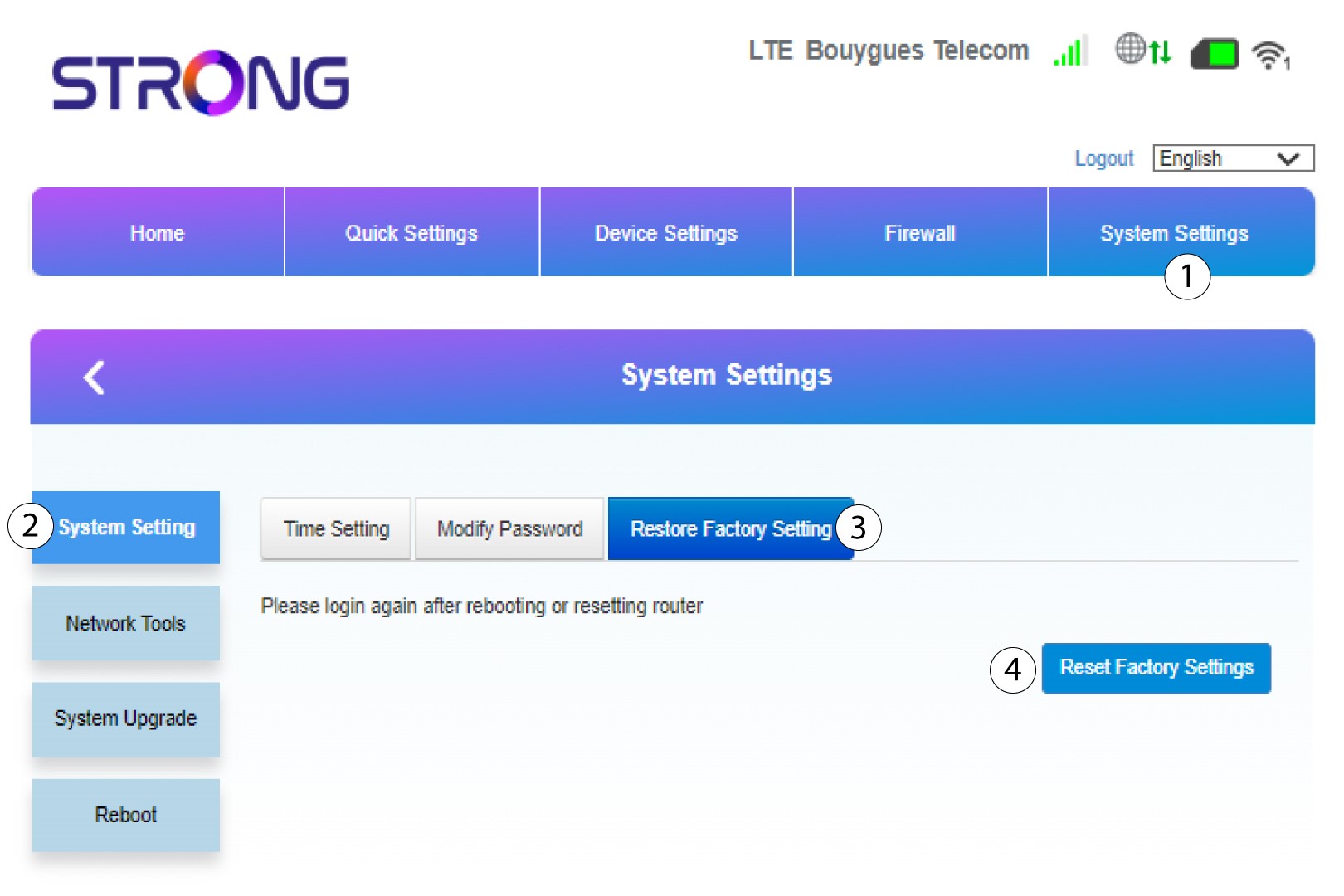
Napsauta sitten ”Järjestelmäasetukset ” ja valitse ”Järjestelmäasetukset”. Napsauta sitten ”Palauta tehdasasetukset ” ja valitse ”Palauta tehdasasetukset”.
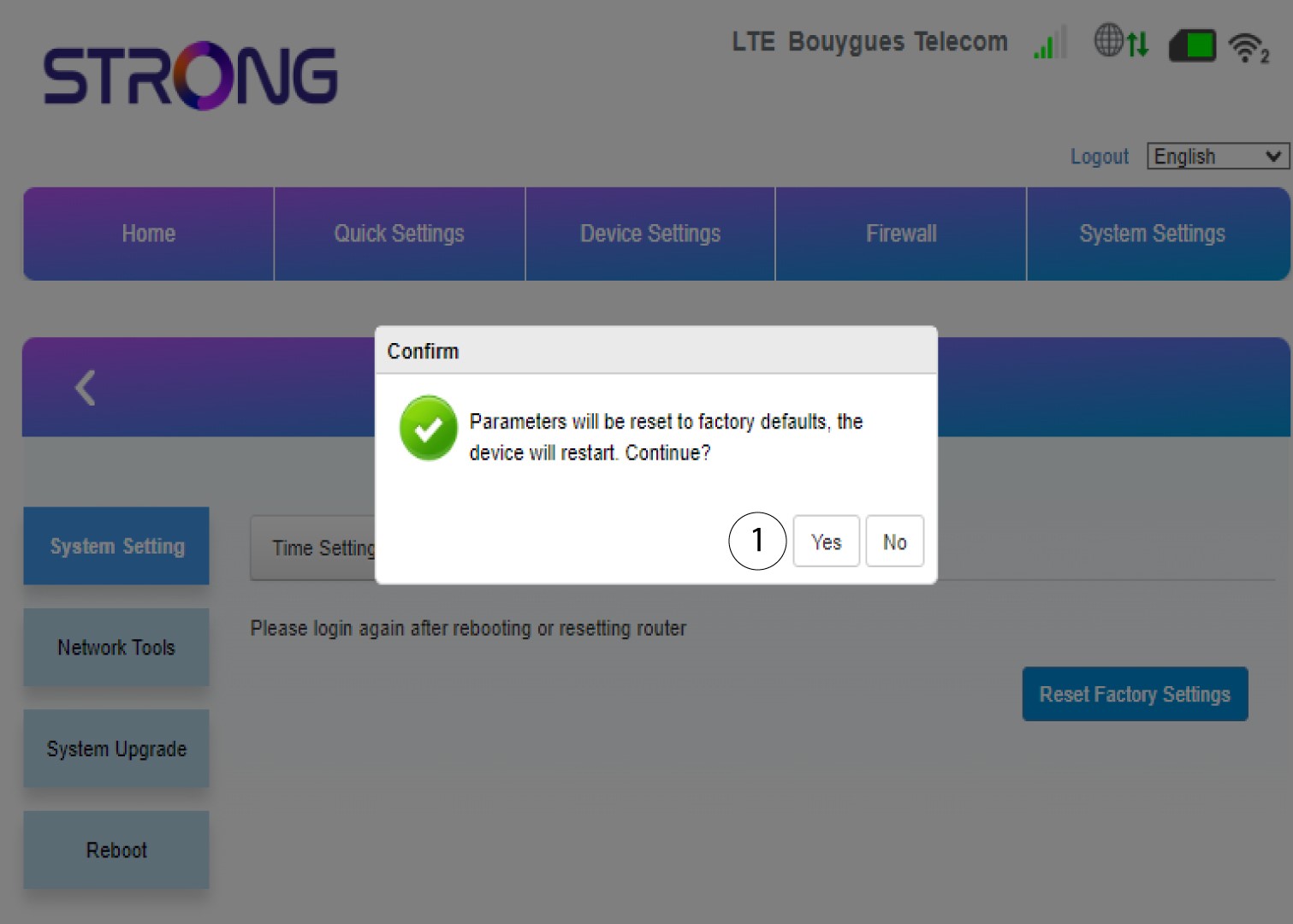
6Vahvistanollaus
Napsauta näkyviin tulevassa ponnahdusviestissä Kyllä.