4G+ AIRHOME 710 irrotettavilla 4G+-antenneilla
Kaikki kysymykset
4G+ AIRHOME 710 irrotettavilla 4G+-antenneilla
Miten voin muuttaa SSID:n (Wi-Fi-verkon nimen) ja Wi-Fi-salasanan?
4G+ Router 1200 on kaksikaistainen reititin, jonka avulla voit muokata 2,4 GHz:n ja 5 GHz:n Wi-Fi-verkkojen asetuksia.
1. Yhdistäreitittimesi Wi-Fi-verkkoon
Jotta voit muuttaa SSID:tä (Wi-Fi-verkon nimeä) ja Wi-Fi-salasanaa, sinun on oltava yhteydessä laitteesi Wi-Fi-verkkoon.

2Siirryverkkokäyttöliittymän IP-osoitteeseen
Syötä sitten selaimeesi seuraava IP-osoite: 192.168.188.1.

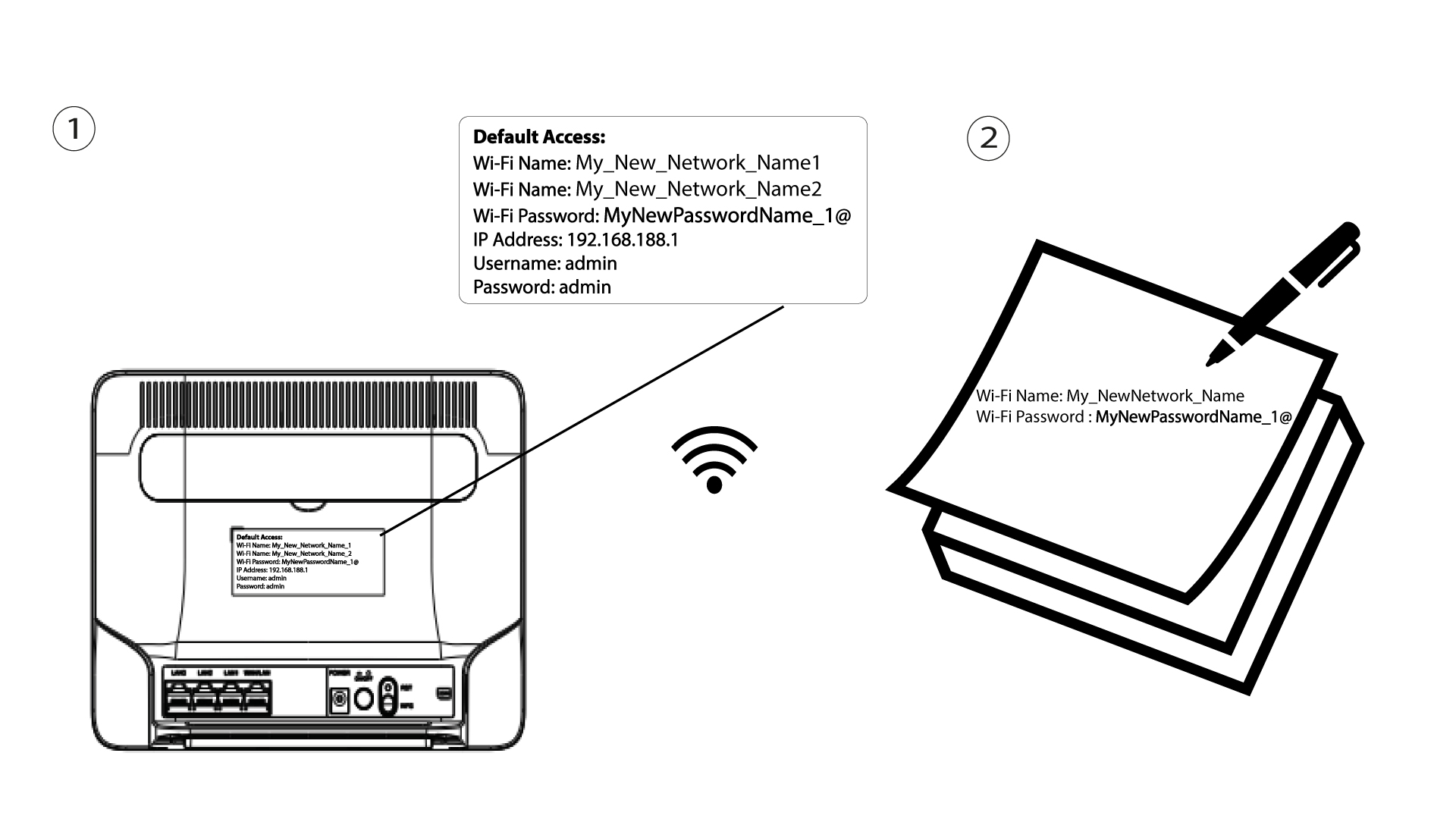
3. Etsiverkkokäyttöliittymän kirjautumistiedot
Löydät tunnistetietosi laitteen takana olevasta tarrasta.

4Syötätunnuksesi
Syötä käyttäjätunnus ja salasana. Napsauta sitten Kirjaudu sisään.

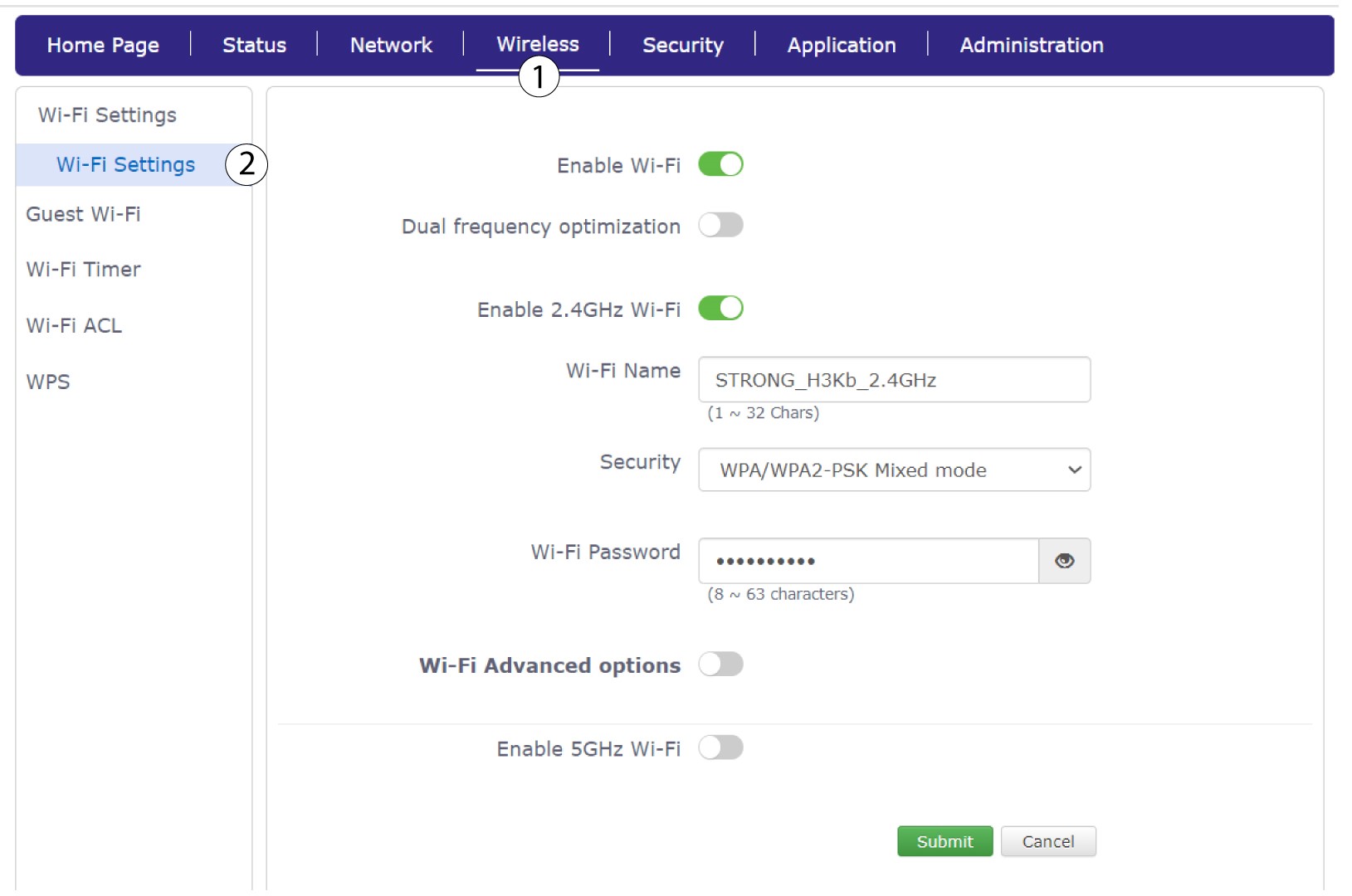
5. Wi-Fi-asetukset
Napsauta ”Langaton yhteys ” ja valitse ”Wi-Fi-asetukset”.
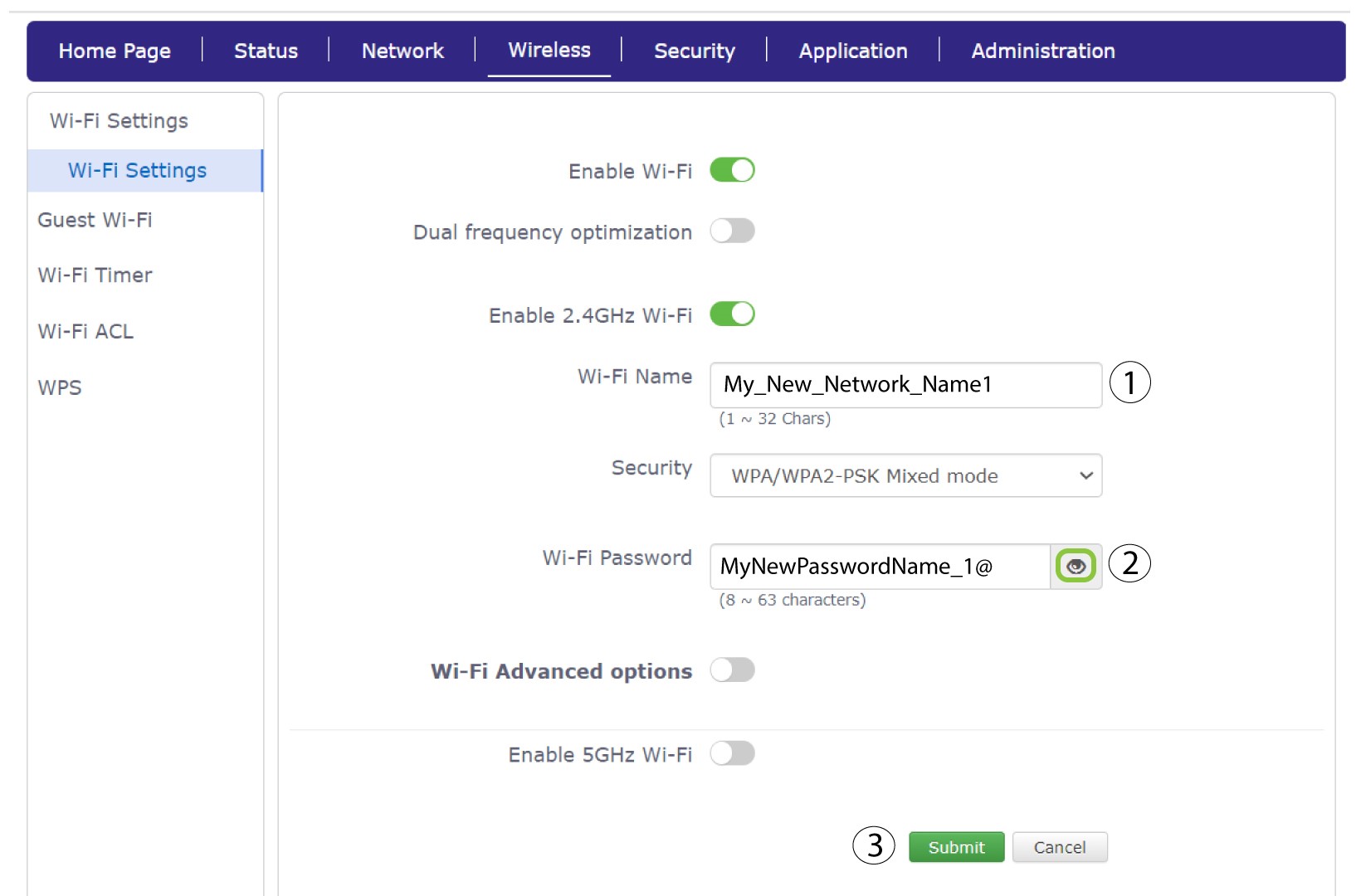
6Syötäuudet verkkotiedot
Muuta Wi-Fi-nimi-kenttäänsyötettyä nimeä ja napsauta Wi-Fi-salasana-kentän vieressä olevaa silmäkuvaketta. Muuta sitten Wi-Fi-salasana-kenttään syötettyä salasanaa ja tallenna muutokset napsauttamalla Lähetä-painiketta.
7Kirjoitauudet verkkotiedot muistiin
Kirjoita uusi SSID (Wi-Fi-verkon nimi) ja Wi-Fi-salasana paperille ja kiinnitä se teipillä reitittimeen.