
4G+ AIRHOME 710 irrotettavilla 4G+-antenneilla
Ei löytynyt kohteita.
Ei löytynyt kohteita.
Kaikki kysymykset
4G+ AIRHOME 710 irrotettavilla 4G+-antenneilla
Ei löytynyt kohteita.
Ei löytynyt kohteita.
Miten voin poistaa 2,4 GHz:n Wi-Fi-verkon käytöstä?
1. Yhdistäreitittimesi Wi-Fi-verkkoon
Wi-Fi-yhteyden poistamiseksi käytöstä sinun on muodostettava yhteys verkkokäyttöliittymään. Tee tämä syöttämällä laitteeseesi reitittimen SSID (Wi-Fi-verkon nimi) ja Wi-Fi-salasana.

2Siirryverkkokäyttöliittymän IP-osoitteeseen
Syötä sitten selaimeesi seuraava IP-osoite: 192.168.188.1.

3. Etsiverkkokäyttöliittymän kirjautumistiedot
Löydät käyttäjätunnuksesi ja salasanasi laitteen takapuolella olevasta tuotetarrasta.

4Syötätunnuksesi
Syötä käyttäjätunnus ja salasana. Napsauta sitten Kirjaudu sisään. Lisätietoja kirjautumisesta löydätkirjautumisohjeista.

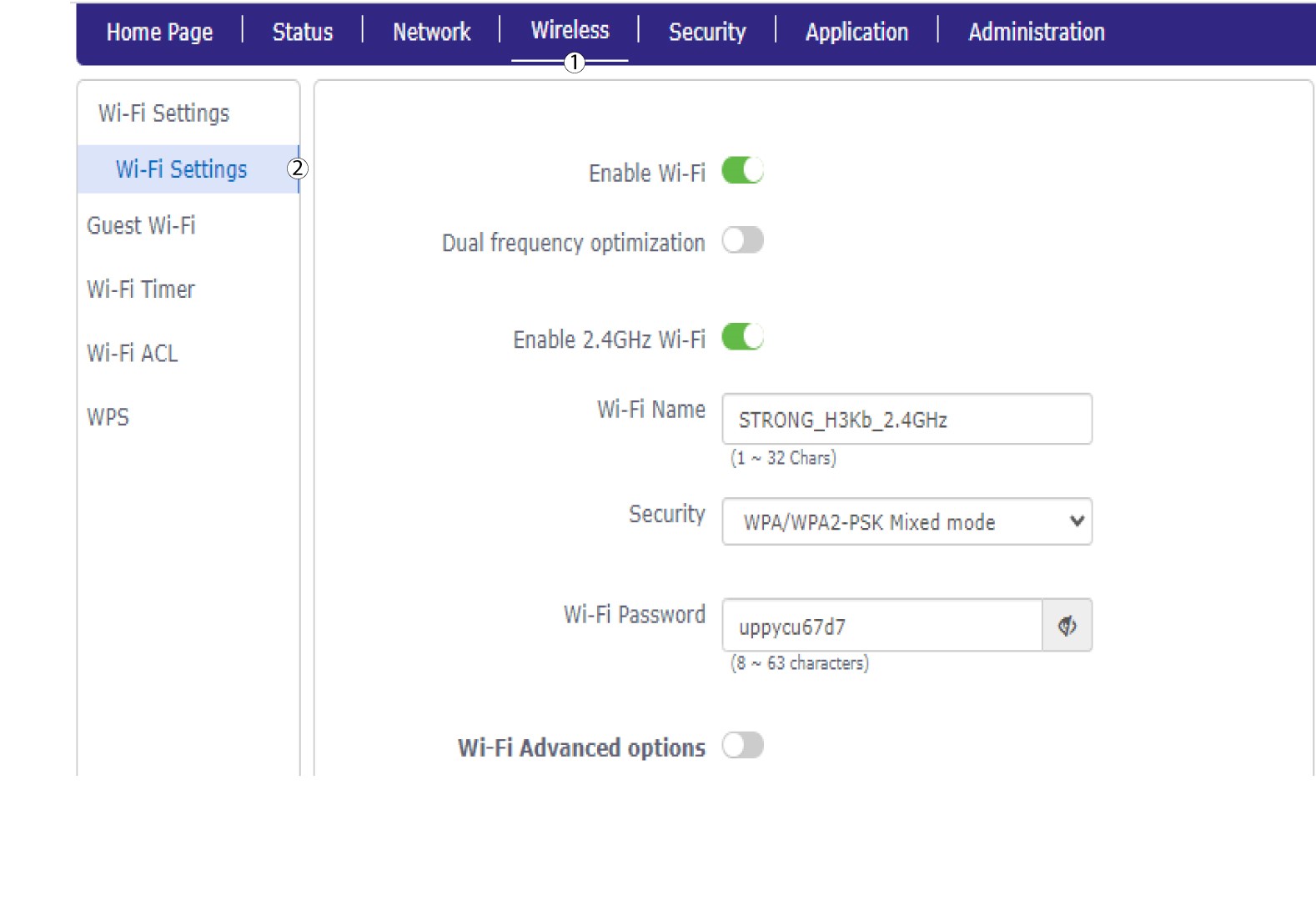
5. Wi-Fi-asetukset
Napsauta ”Langaton yhteys ” ja valitse ”Wi-Fi-asetukset”.
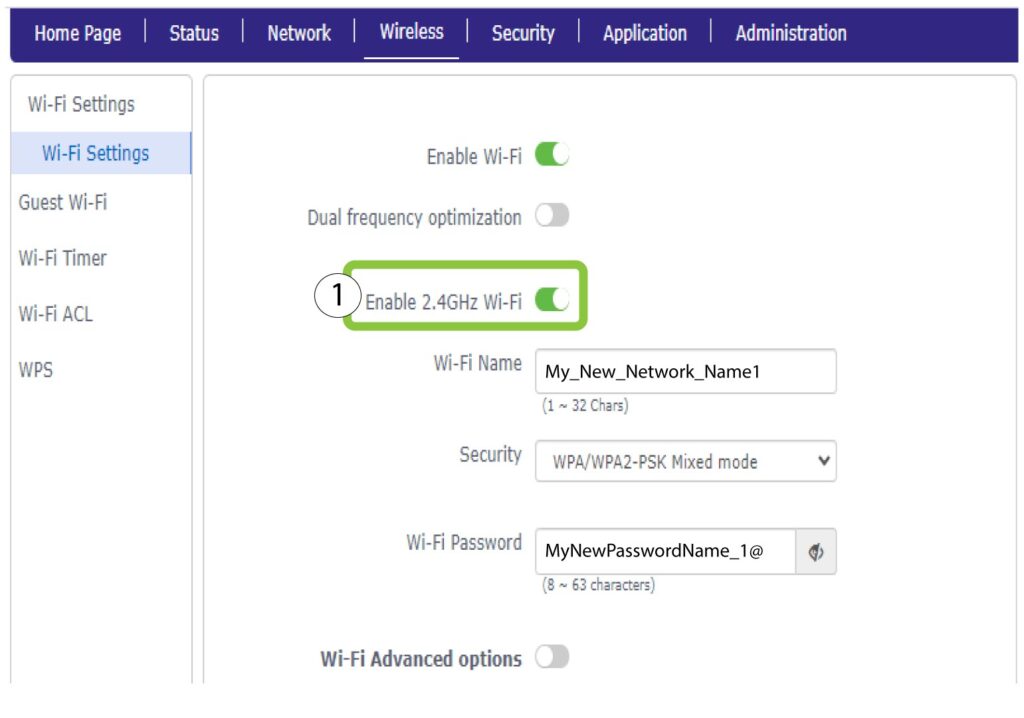
6. PoistaWi-Fi käytöstä
Napsauta sitten ”Ota 2,4 GHz:n Wi-Fi käyttöön ” -kytkintä, jotta molemmat verkot poistetaan käytöstä.
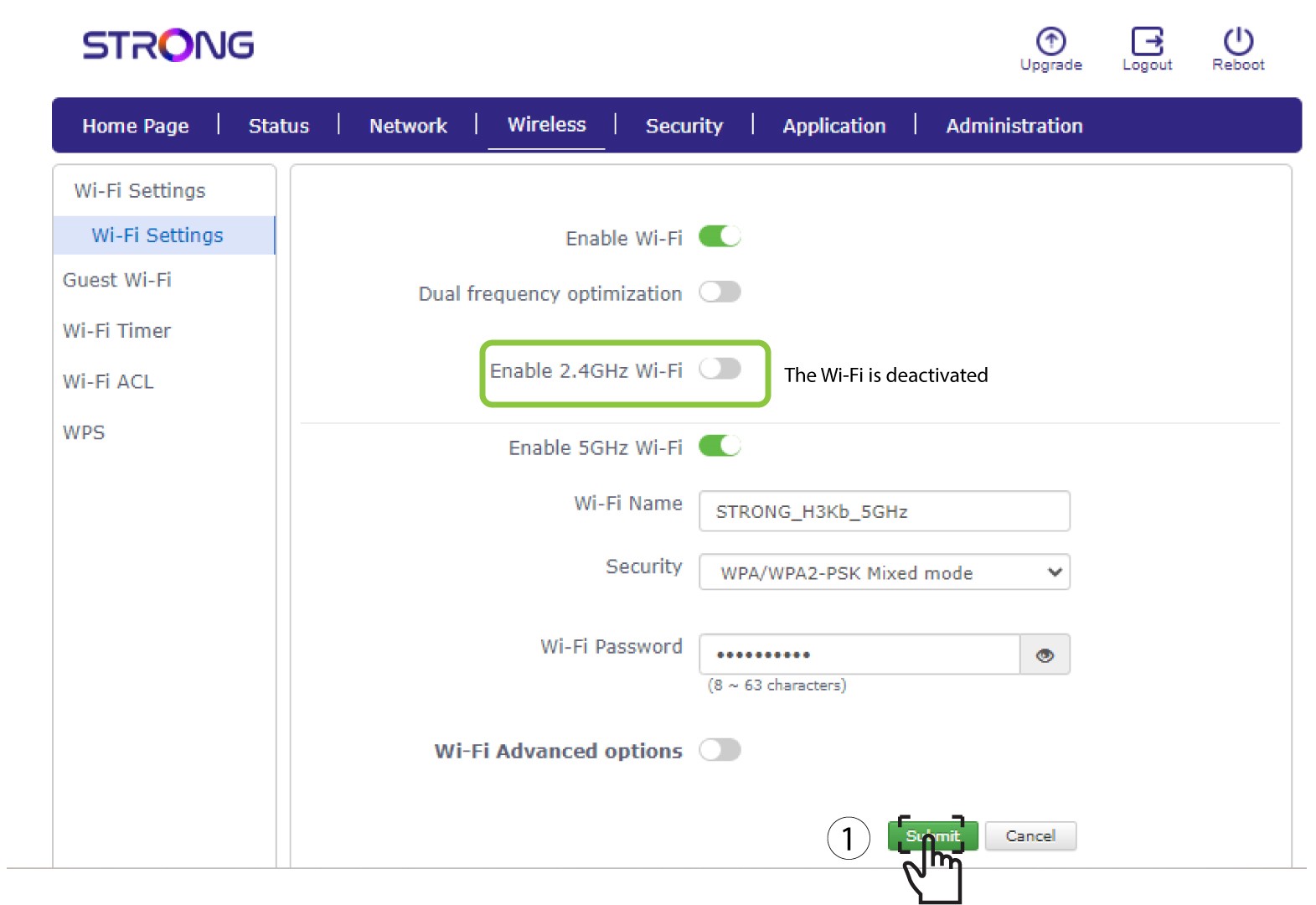
7Tallennamuutokset
Napsauta sitten ”Lähetä”.
Jos haluat poistaa molemmat Wi-Fi-verkot käytöstä, noudata seuraavia ohjeita:
Jos haluat poistaa käytöstä vain 5 GHz:n Wi-Fi-verkon, toimi seuraavasti: