4G+ AIRHOME 710 irrotettavilla 4G+-antenneilla
Kaikki kysymykset
4G+ AIRHOME 710 irrotettavilla 4G+-antenneilla
Miten voin tarkistaa ja muokata operaattorini APN-asetuksia?
Jos laite ei tunnista SIM-korttiasi automaattisesti, sinun on kirjauduttava verkkokäyttöliittymään tarkistaaksesi APN-asetukset ja muokataksesi niitä tarvittaessa.
1. Yhdistäreitittimesi Wi-Fi-verkkoon
Sinun on muodostettava yhteys verkkokäyttöliittymään. Tee tämä syöttämällä laitteeseesi reitittimen SSID (Wi-Fi-verkon nimi) ja Wi-Fi-salasana.

2Siirryverkkokäyttöliittymän IP-osoitteeseen
Syötä sitten selaimeesi seuraava IP-osoite: 192.168.188.1.

3. Etsiverkkokäyttöliittymän kirjautumistiedot
Löydät tunnistetietosi laitteen takana olevasta tarrasta.

4Syötätunnuksesi
Sinun on syötettävä käyttäjätunnus ja salasana ja napsautettava”Kirjaudu sisään”.

5APN-asetukset
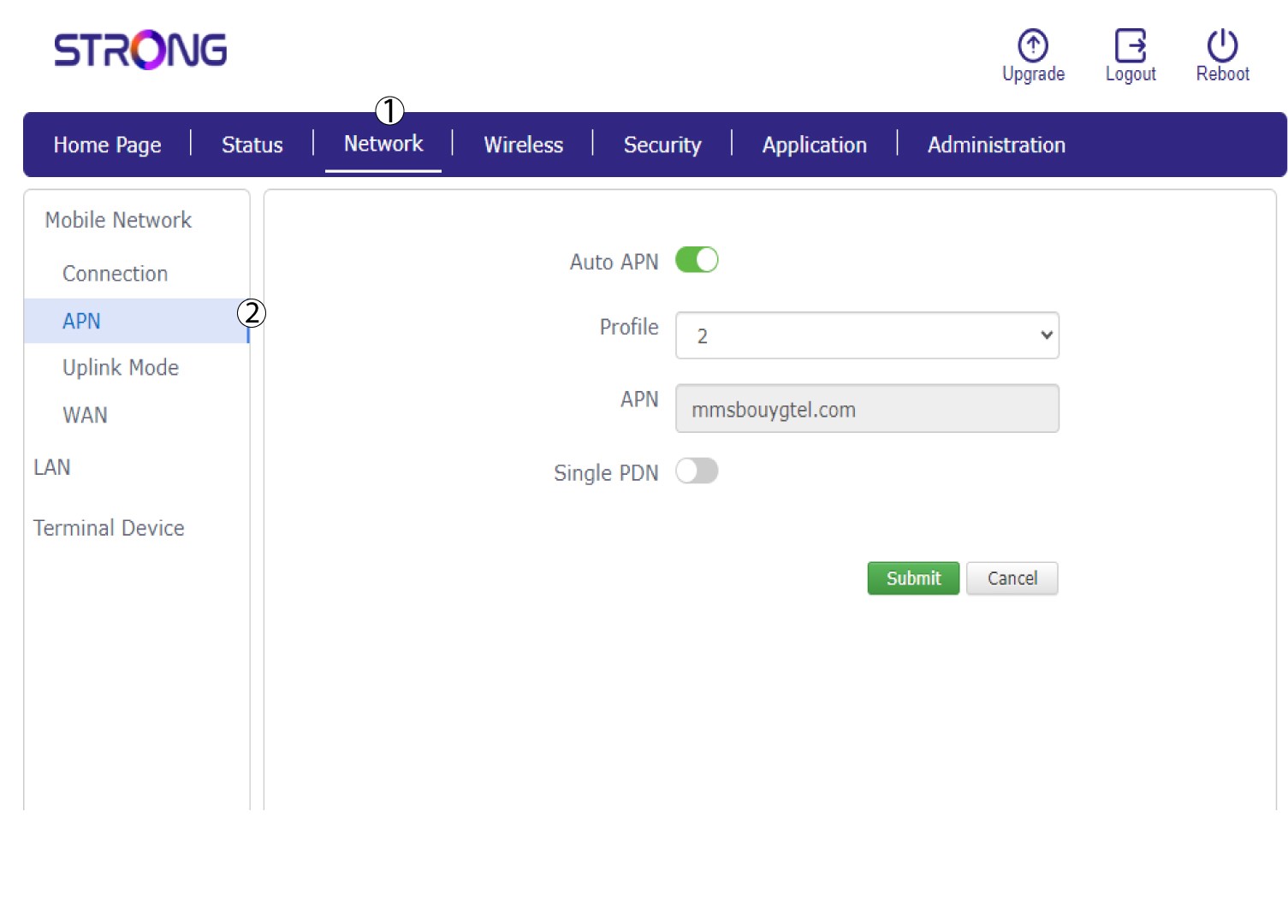
Napsauta ”Verkko ” ja sitten ”APN”.
6. TarkistaAPN-asetukset
Tarkista seuraavat tiedot:
- Nimi
- APN
- Käyttäjätunnus
- Salasana
- Todentamistyyppi
7MuokkaaAPN-asetuksia
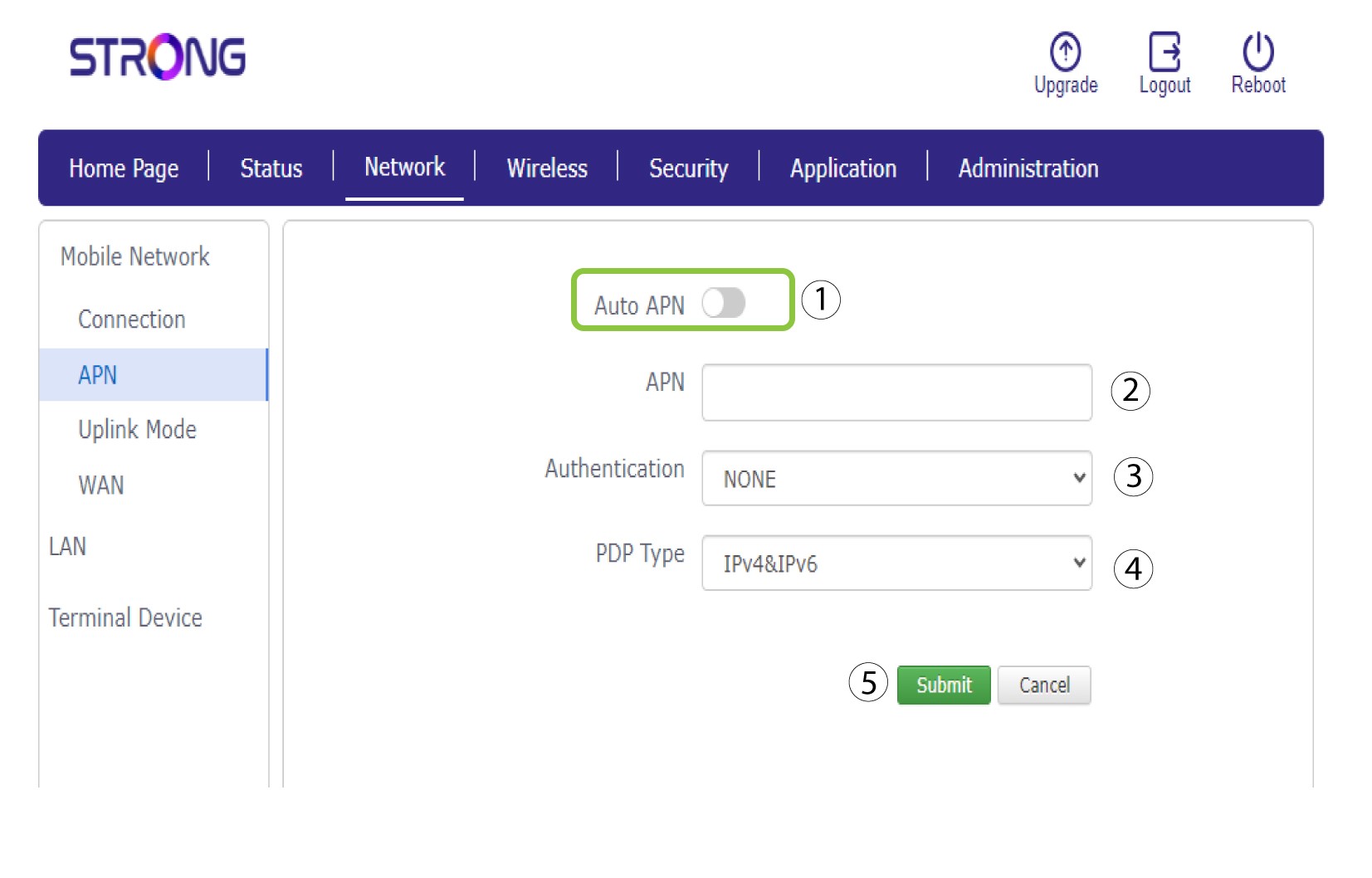
Jos tiedot ovat virheelliset, napsauta Auto APN -kytkintä ja syötä seuraavat tiedot ennen kuin painat Lähetä-painiketta:
•Kirjoita palveluntarjoajasi nimi kenttään ”Profiilin nimi” (enintään 14 merkkiä, välilyönnit mukaan lukien).
• Syötä sitten APN-osoite APN-kenttään . Valitse todennustyyppi: NONE, CHAP tai PAP.
• Valitse ”PDP-tyyppi” -kentästä APN-tyyppi: IPv4, IPv6 tai IPv4v6.