
5G AIRHOME 1050 | Wi-Fi 6
Toutes les questions
5G AIRHOME 1050 | Wi-Fi 6
Comment puis-je accéder à l'interface utilisateur Web ?
Pour accéder à l'interface utilisateur Web, vous devez être connecté au réseau Wi-Fi de votre appareil après avoir inséré la carte SIM dans son emplacement.
1. Connectez-vousau réseau Wi-Fi du routeur
Pour ce faire, saisissez le SSID (nom du réseau Wi-Fi) et le mot de passe Wi-Fi du routeur sur votre appareil :

2Accédezà l'interface utilisateur Web via l'adresse IP
Ensuite, saisissez l'adresse IP suivante dans votre navigateur : 192.168.0.1

3. Retrouvezvotre attestation
Pour connaître vos identifiants, veuillez consulter l'étiquette située à l'arrière de votre appareil.
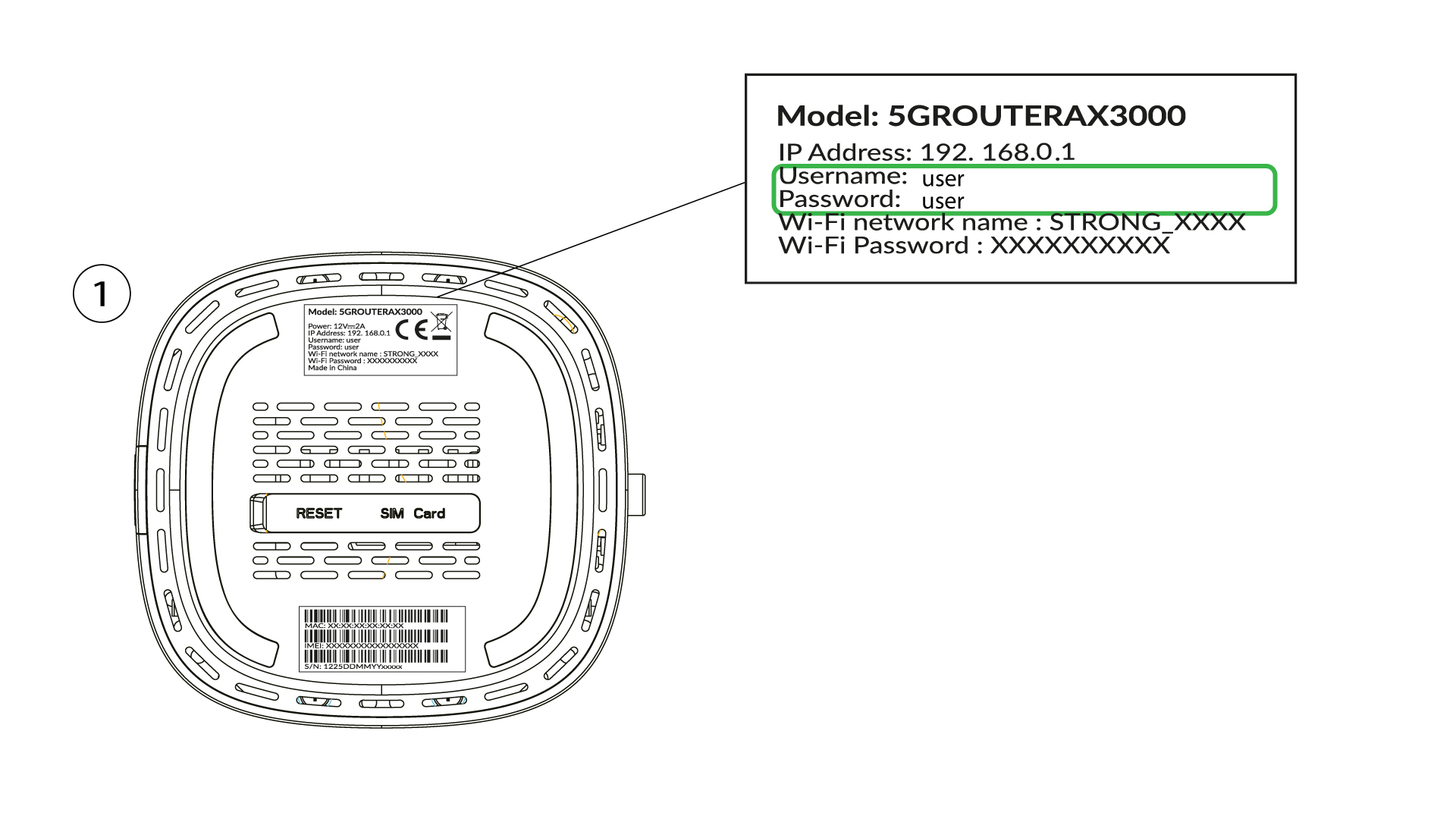
4. Saisissezvos identifiants
Vous devez saisir votre nom d'utilisateur et votre mot de passe, puis cliquer sur « Connexion » ( pour retrouver vos identifiants, veuillez vous reporter à l'étape précédente).

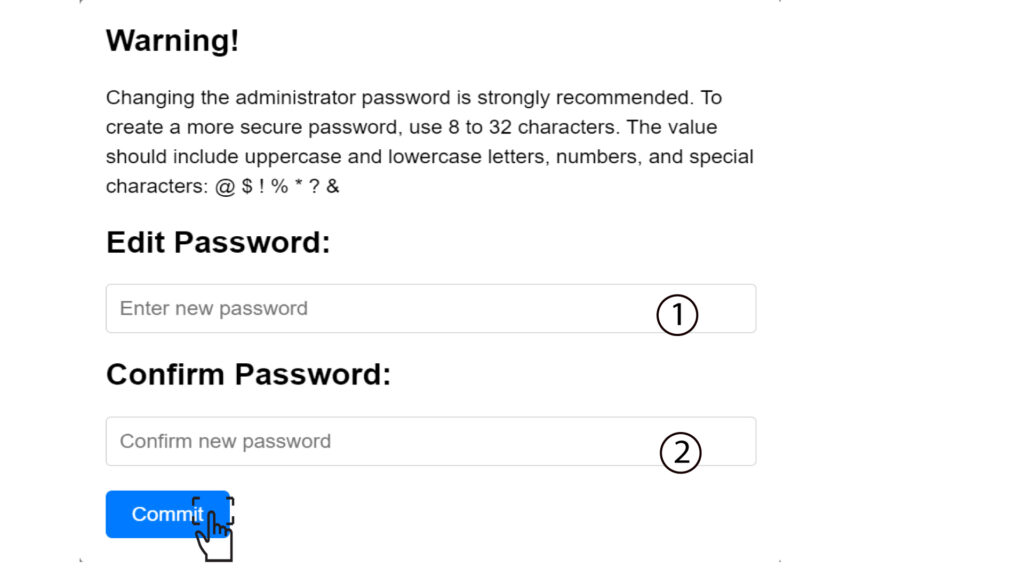
5Modifierle mot de passe administrateur
Dans la fenêtre contextuelle qui s'affiche, vous devez créer un nouveau mot de passe administrateur après votre première connexion. Pour ce faire, saisissez les informations suivantes avant de cliquer sur « Valider »:
- Modifier le mot de passe: saisissez un mot de passe compris entre 8 et 32 caractères, contenant des majuscules, des minuscules, des chiffres et au moins un caractère spécial (@, $, !, %, *, ?, &)
- Confirmer le mot de passe : saisissez le même mot de passe.
6. Saisissezles nouvelles informations d'identification
Veuillez noter le nouveau mot de passe administrateur et le nom d'utilisateur sur une feuille de papier :
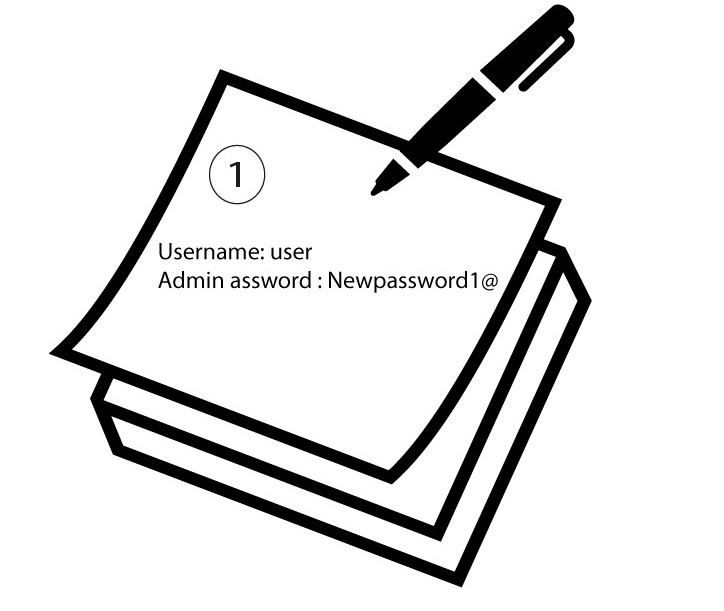

Avertissement: si le mot de passe administrateur par défaut est « user », vous devez le modifier après votre première connexion afin de sécuriser l'accès au routeur et d'éviter toute intrusion. Une fois le nouveau mot de passe défini, veuillez le noter.