
Mini-routeur 4G AIRHOME 300 avec antennes 4G amovibles
Toutes les questions
Mini-routeur 4G AIRHOME 300 avec antennes 4G amovibles
Comment modifier le SSID et le mot de passe ? (Réglages rapides)
Comment puis-je modifier le SSID et le mot de passe ?
Dans l'interface utilisateur Web, vous disposez de deux méthodes pour modifier le SSID et le mot de passe de votre routeur :
• Via les « Paramètres rapides »
• Ou via les « Paramètres Wi-Fi ».
1 Réglages rapides
Dans l'interface utilisateur Web, les « Paramètres rapides » vous permettent de modifier les informations relatives à votre réseau : son nom et son mot de passe.
Pour cela, cliquez sur « Paramètres rapides » dans la barre supérieure.
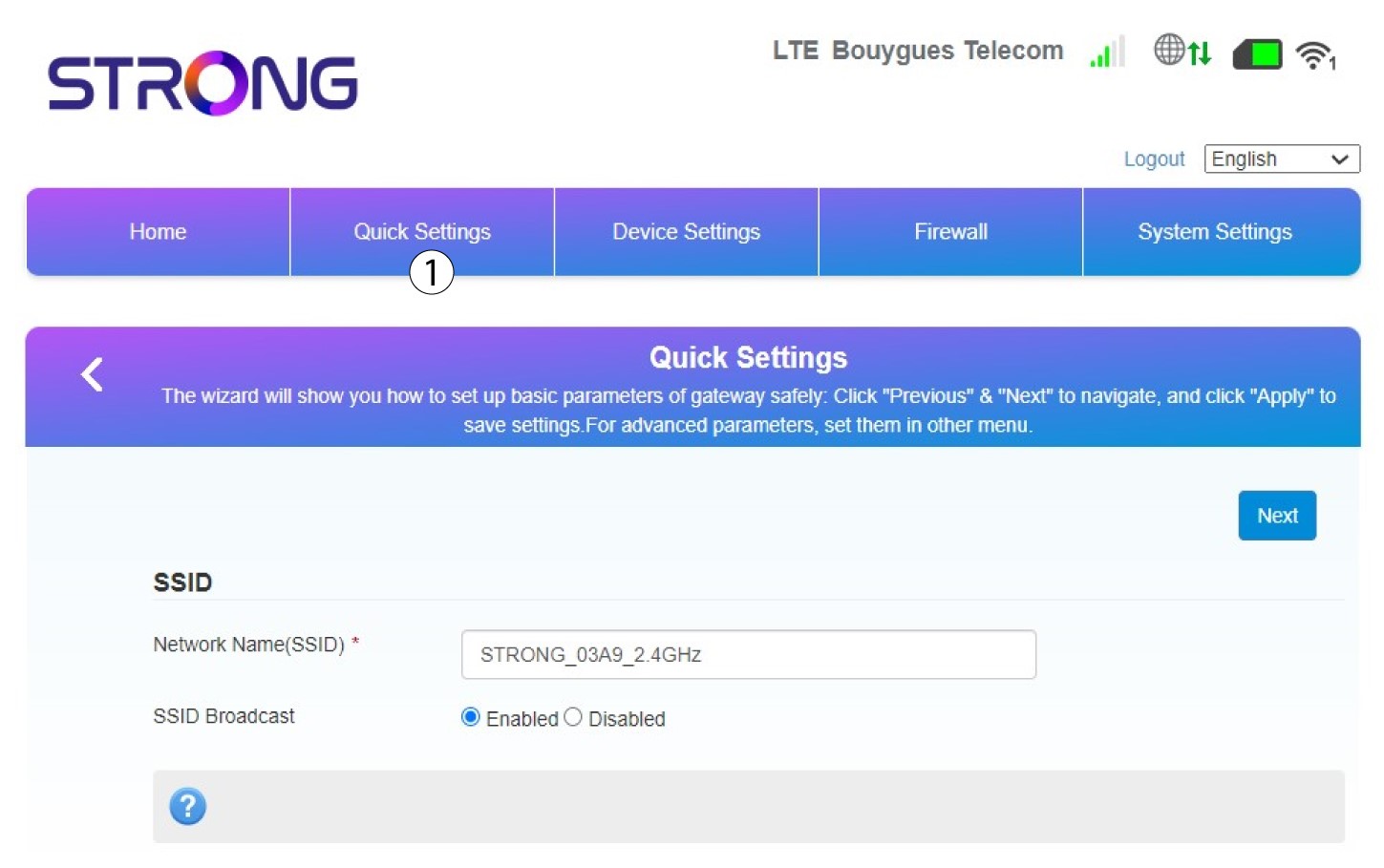
2Saisissezle nouveau nom du réseau
Saisissez ensuite le nom de votre nouveau réseau, puis cliquez sur « Suivant ».
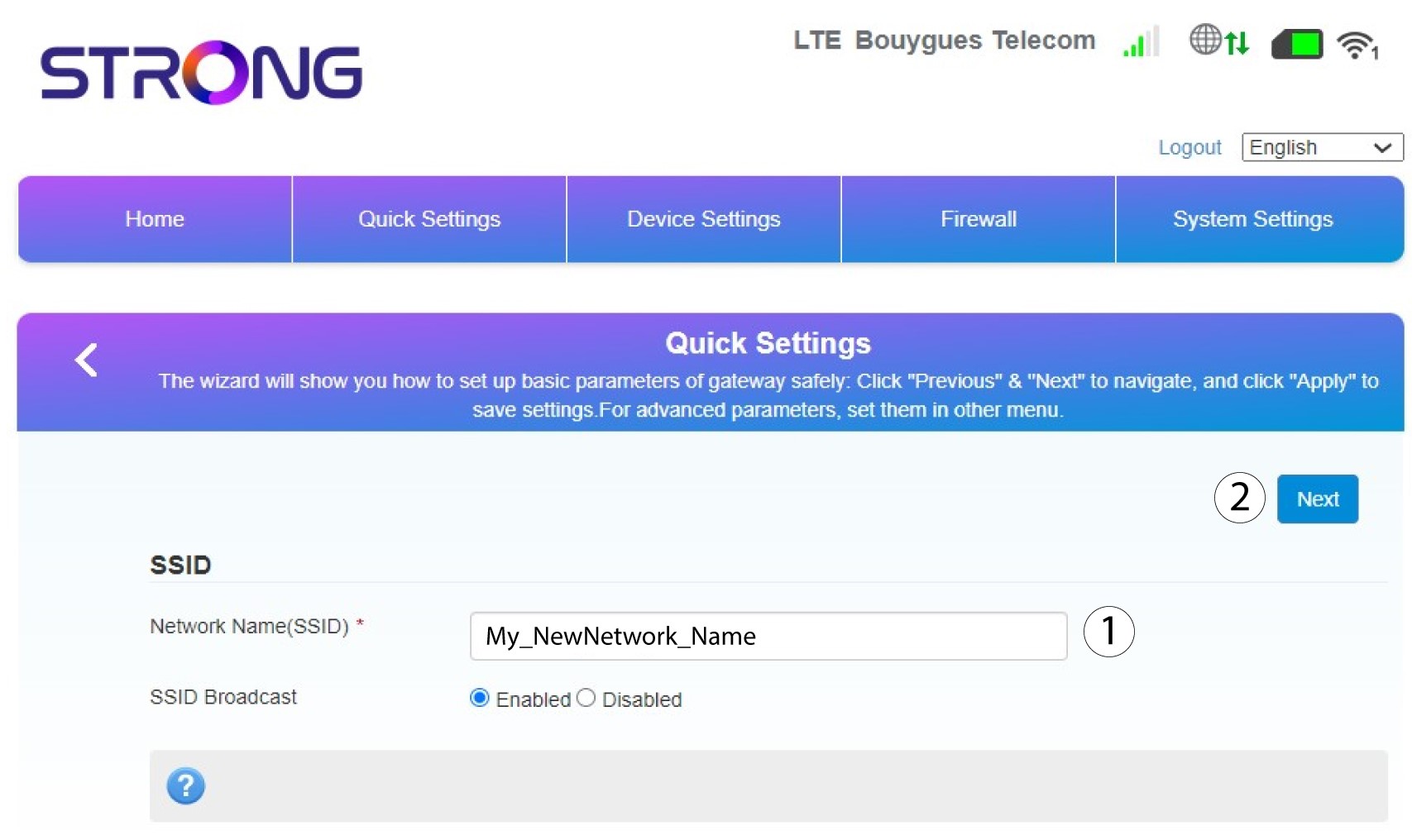
3Affichervotre mot de passe
Cliquez sur « Afficher le mot de passe ».
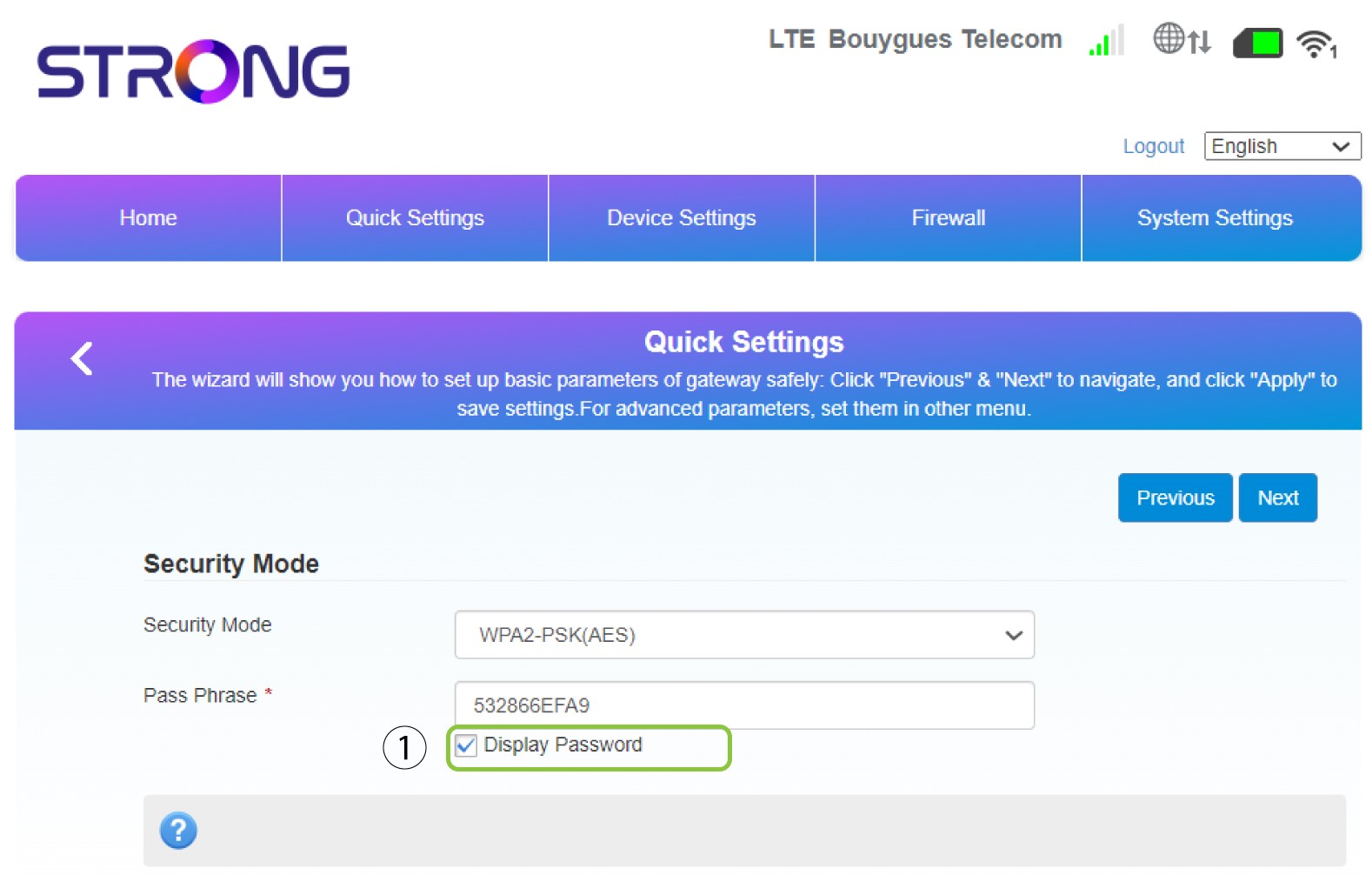
4. Entrezun nouveau mot de passe
Modifiez votre mot de passe. Cliquez ensuite sur « Suivant ».
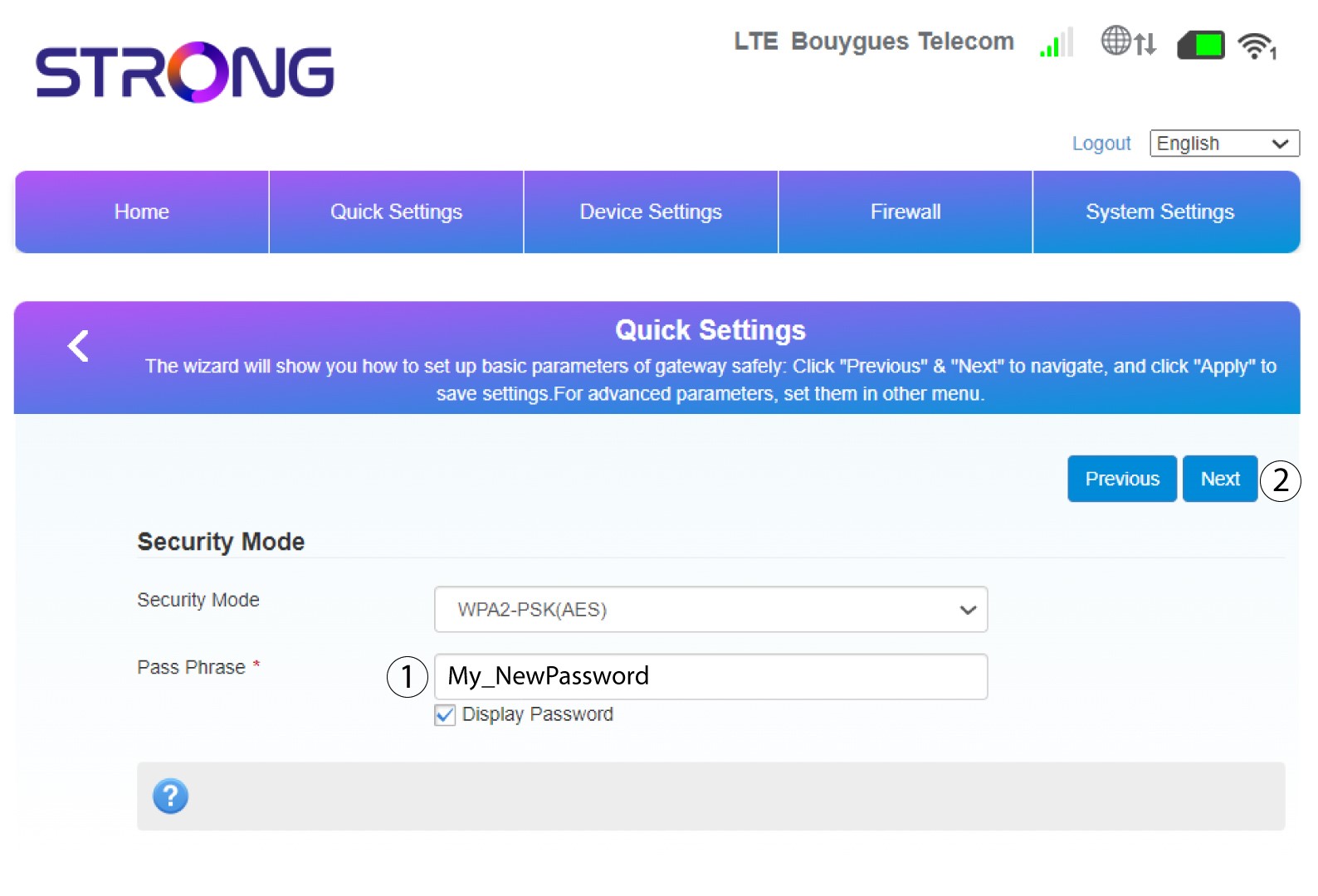
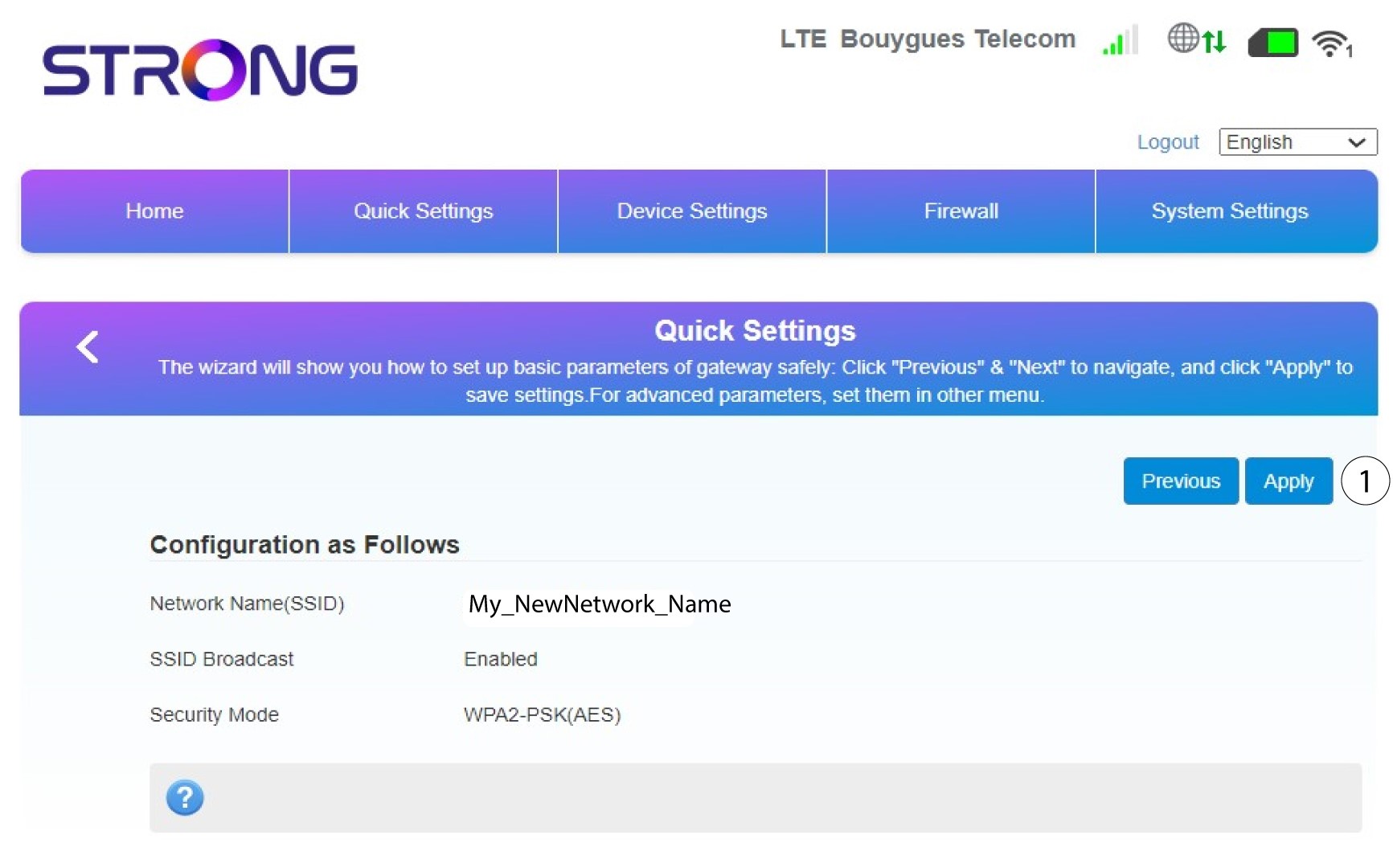
5. Vérifiezvos modifications
Pour enregistrer les modifications, cliquez sur « Appliquer ».
6. Notezle nom du nouveau réseau et le mot de passe.
Veuillez noter sur un bout de papier le nouveau SSID et le mot de passe que vous venez de créer.


Une fois que vous aurez modifié le nom du réseau et le mot de passe de votre routeur, le code QR ne fonctionnera plus, car les informations de connexion de votre routeur auront changé.