
Mini-routeur 4G AIRHOME 200 avec antennes 4G amovibles
Toutes les questions
Mini-routeur 4G AIRHOME 200 avec antennes 4G amovibles
Comment modifier le SSID (nom du réseau Wi-Fi) et le mot de passe Wi-Fi ? (Paramètres Wi-Fi)
1. Connectez-vousau réseau Wi-Fi de votre routeur
Pour modifier le SSID (nom du réseau Wi-Fi) et le mot de passe Wi-Fi, vous devez vous connecter au réseau Wi-Fi de votre appareil.

2. Accédezà l'interface utilisateur Web via l'adresse IP
Ensuite, saisissez l'adresse IP suivante : 192.168.188.1 dans votre navigateur.

3. Saisissezvos identifiants d'accès à la visite guidée
Vous devez saisir le mot de passe.

4. Paramètres Wi-Fi
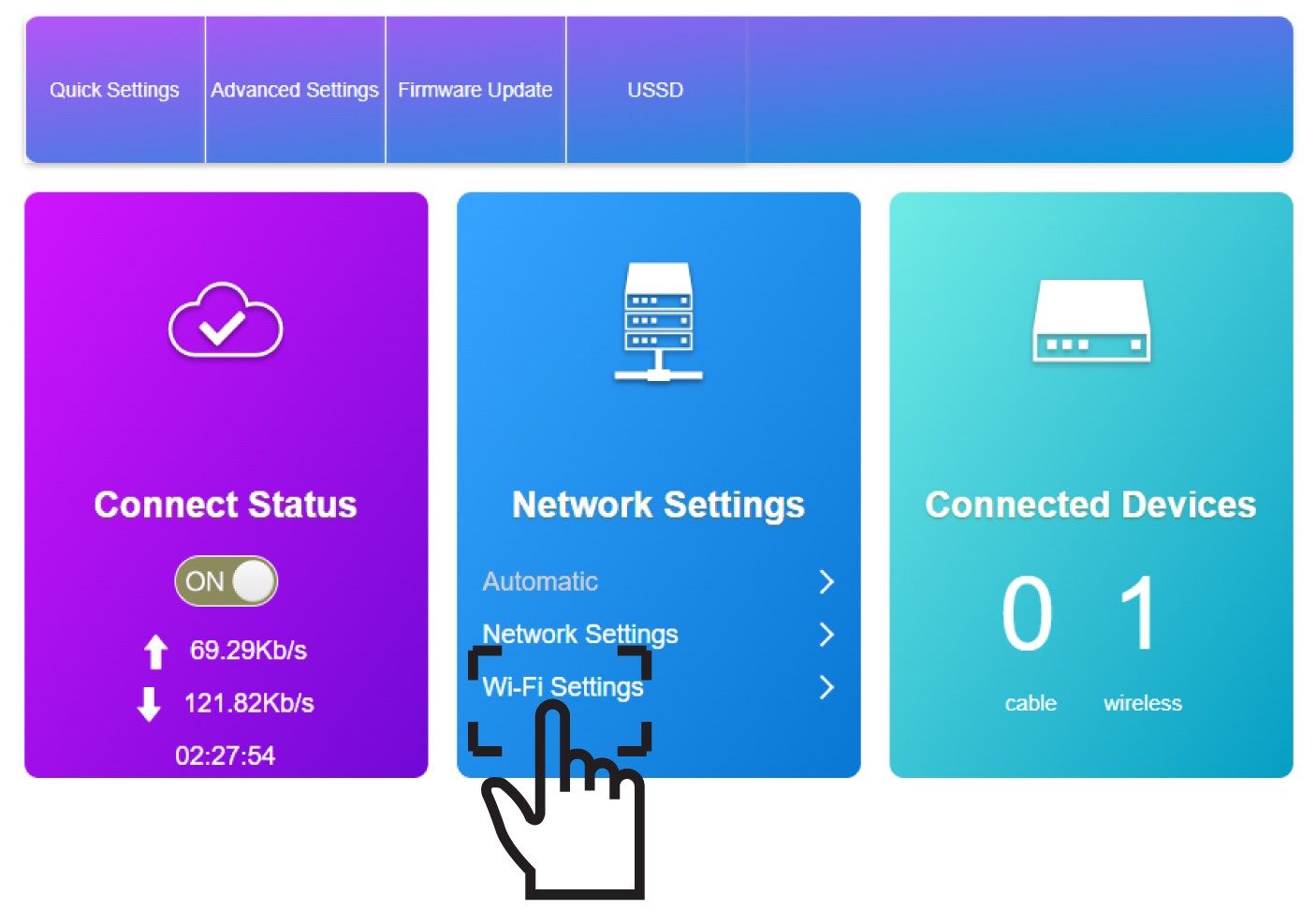
Cliquez sur « Paramètres Wi-Fi » dans la section « Paramètres réseau ».
5. Saisissezles nouvelles informations relatives au réseau
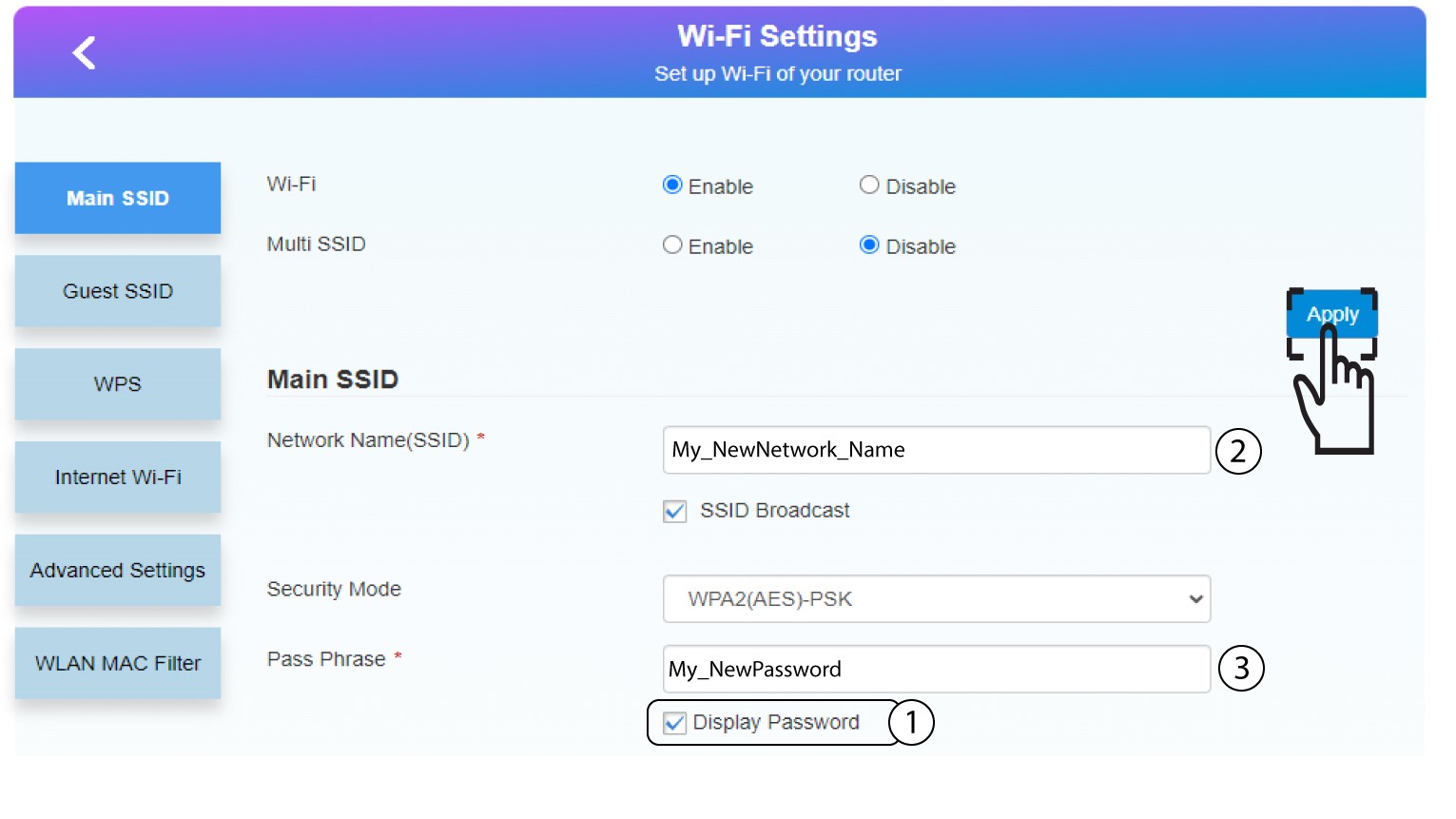
Cliquez sur « Afficher le mot de passe », puis saisissez les informations suivantes avant de cliquer sur « Appliquer » :
a. Saisissez le nouveau nom du réseau.
b. Saisissez le nouveau mot de passe Wi-Fi.
6. Enregistrerles nouvelles informations réseau
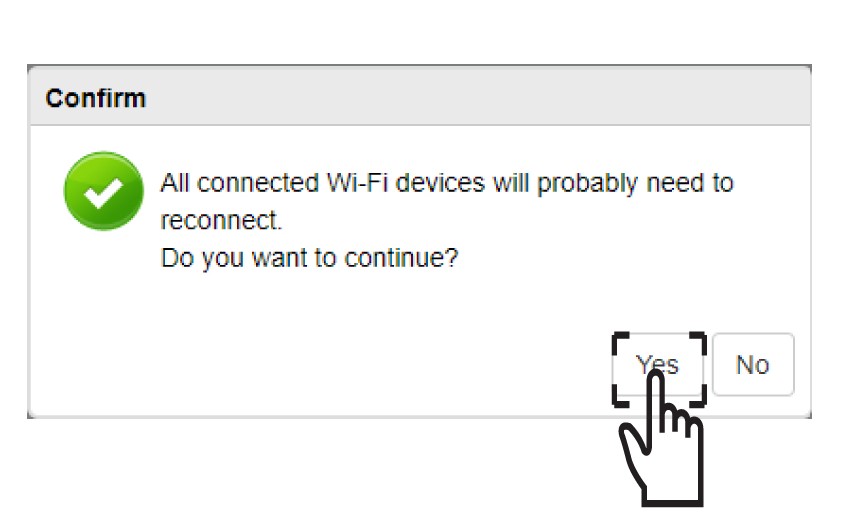
Dans la fenêtre contextuelle, cliquez sur « Oui »pour valider vos modifications.
7. Notezles nouvelles informations relatives au réseau
Notez les nouvelles informations relatives au réseau sur une feuille de papier.
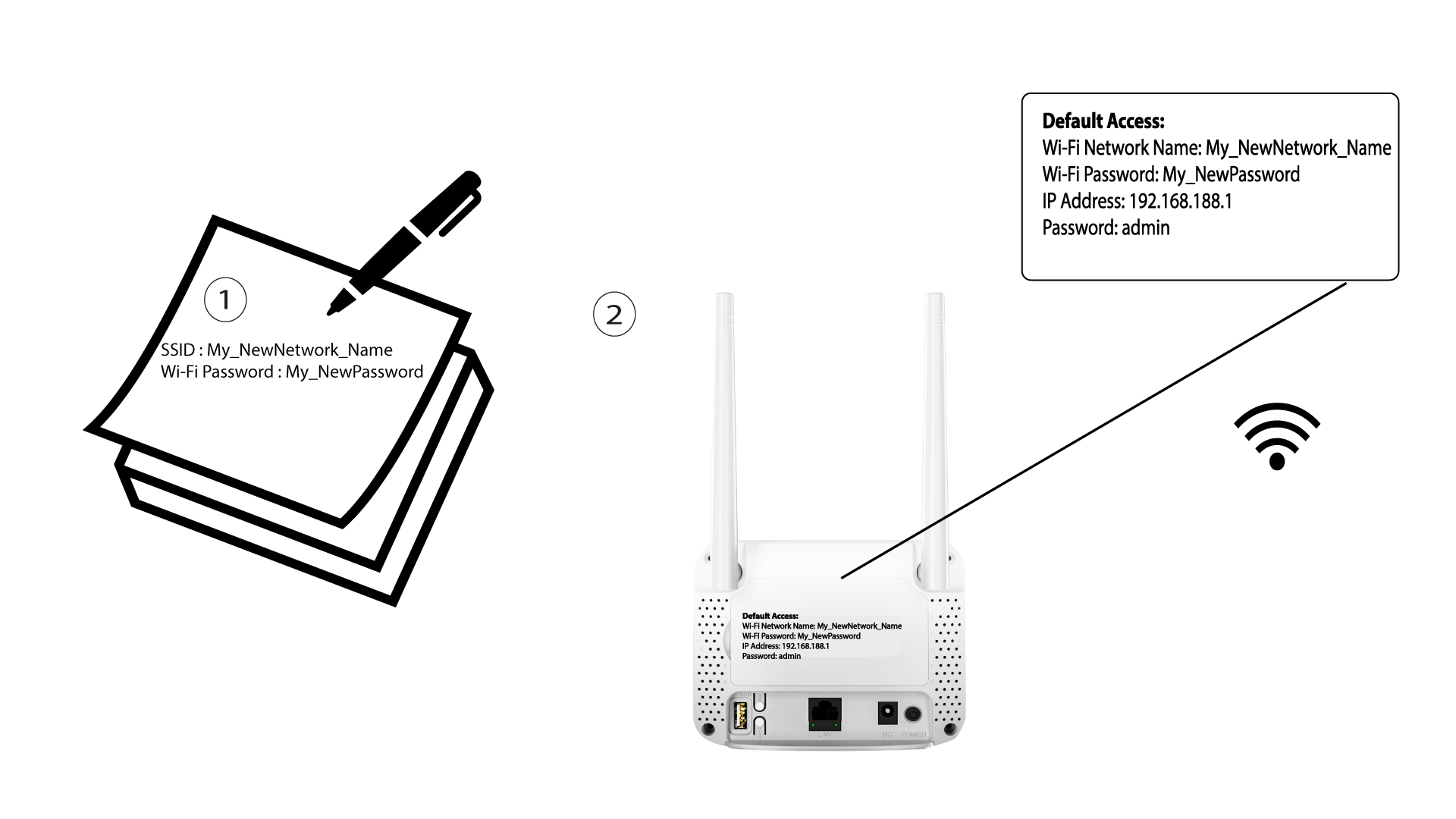

Une fois les informations du réseau Wi-Fi modifiées, tous les appareils qui étaient connectés au réseau seront automatiquement déconnectés.